パッケージ、リポジトリ、アプリカテゴリを検索

パッケージ詳細v2.0.0

enhanced_future_builder

読みやすさを向上させ、一般的な FutureBuilder の再発動問題を解決するラッパー

AndroidiOSWebmacOSWindowsLinux
30日間ダウンロード
1050
いいね数
29
Pub ポイント
140

パッケージをインストール

flutter pub add enhanced_future_builder

パッケージ概要

公開情報に基づく選定ガイドです。参考としてご利用ください。

EnhancedFutureBuilder は、標準の FutureBuilder を改善し、コードの読みやすさを向上させ、将来の完了時に不要な再構築を回避する Flutter パッケージです。非同期データを扱うためのより洗練された、直感的な API を提供し、ボイラープレートを減らし、意図しないウィジェットの再構築を防ぎます。Future の拡張として構築されており、既存の Flutter プロジェクトにスムーズに統合できます。このパッケージは、Android、iOS、Web、macOS、Windows、Linux などの主要プラットフォームをすべてサポートしています。

用途

  • 再構築を減らして非同期データを扱う
  • 状態管理におけるコードの明確さの向上
  • 将来指向のUI更新を簡素化する
  • 冗長な FutureBuilder パターンの置き換え
  • 読み込み/エラー/読み込み状態の簡素化

主な機能

  • Future の完了後の不要な再構築を防ぎます
  • 洗練された、より読みやすい構文
  • 読み込み、エラー、データ状態の組み込みサポート
  • 直感的な使用を可能にするための Future の拡張
  • クロスプラットフォーム互換性

適している対象

  • より簡単な非同期UI処理を求める開発者
  • ウィジェットの再構築を減らすことを目指すプロジェクト
  • コードの保守性を優先するチーム
  • Flutter 初心者が非同期パターンを学習中
  • 頻繁な非同期データ取得を伴うアプリ

注意事項

  • Dart 2.12 以上が必要です
  • 既存の FutureBuilder コードのリファクタリングが必要になる可能性があります
  • Future をベースにした操作でのみ使用可能
  • 複雑なストリームシナリオには適していません
  • 適切な将来のライフサイクル管理に依存しています

元の README

関連するソースリポジトリの README 原文のスナップショットです。最新の内容はリポジトリをご覧ください。

This library is no longer maintained. Use at your own discretion.

enhanced_future_builder

Small FutureBuilder wrapper to improve readabiltity. It can also be used as an easy solution to the common 'my FutureBuilder keeps refiring' problem (more info about that here).

Actions Status codecov

Stop FutureBuilder from refiring

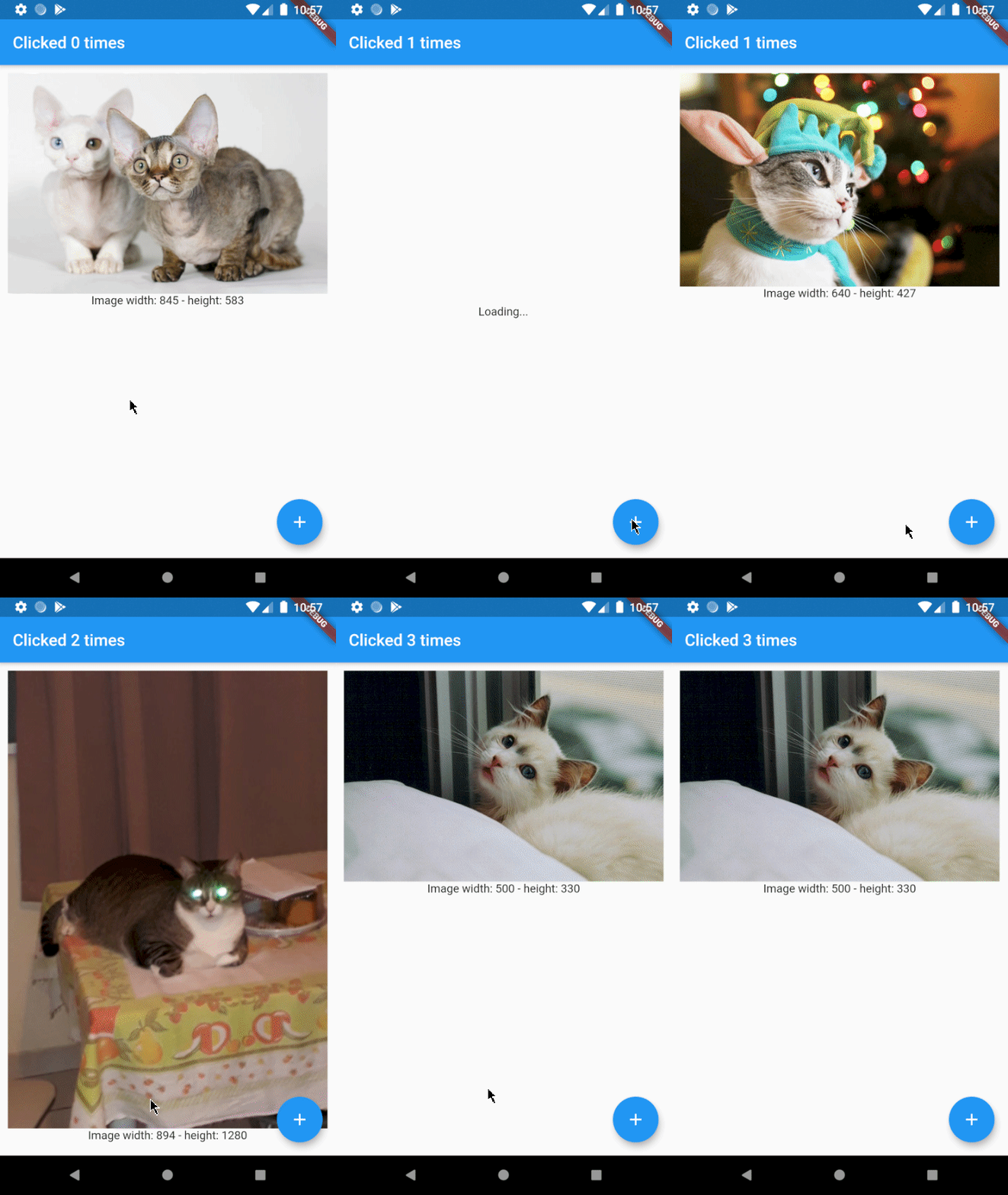
Let's say you want to build an app that displays a random cat from the internet at launch and then increases a counter whenever a button is clicked. You came up with the following code:

@override
Widget build(BuildContext context) {
  return Scaffold(
    appBar: AppBar(
      title: Text('Clicked $_counter times')
    ),
    body: FutureBuilder(
      // resolves to cat data from the internet
      future: widget._api.getRandomCat(),
      builder: (context, snapshot) {
        if (snapshot.connectionState == ConnectionState.done) {
          // builds an image widget containing a random cat
          return _showCatWidget(snapshot.data);
        }else {
          return Center(child: Text('Loading...'));
        }
      }
    ),
    floatingActionButton: FloatingActionButton(
      // _incrementCounter calls setState() to update the view
      onPressed: _incrementCounter,
      tooltip: 'Increment',
      child: Icon(Icons.add),
    ),
  );
}

Which results in the following app:

I love cats

As you can see there's a problem. Whenever the button is clicked, a new cat is shown to the user. This is not what we want and can be solved by using EnhancedFutureBuilder. Import the package and change the code to:

@override
Widget build(BuildContext context) {
  return Scaffold(
    appBar: AppBar(
      title: Text('Clicked $_counter times')
    ),
    body: EnhancedFutureBuilder(
      future: widget._api.getRandomCat(),
      // this is where the magic happens
      rememberFutureResult: true,
      whenDone: (dynamic cat) => _showCatWidget(cat),
      whenNotDone: Center(child: Text('Loading...')),
    ),
    floatingActionButton: FloatingActionButton(
      onPressed: _incrementCounter,
      tooltip: 'Increment',
      child: Icon(Icons.add),
    ),
  );
}

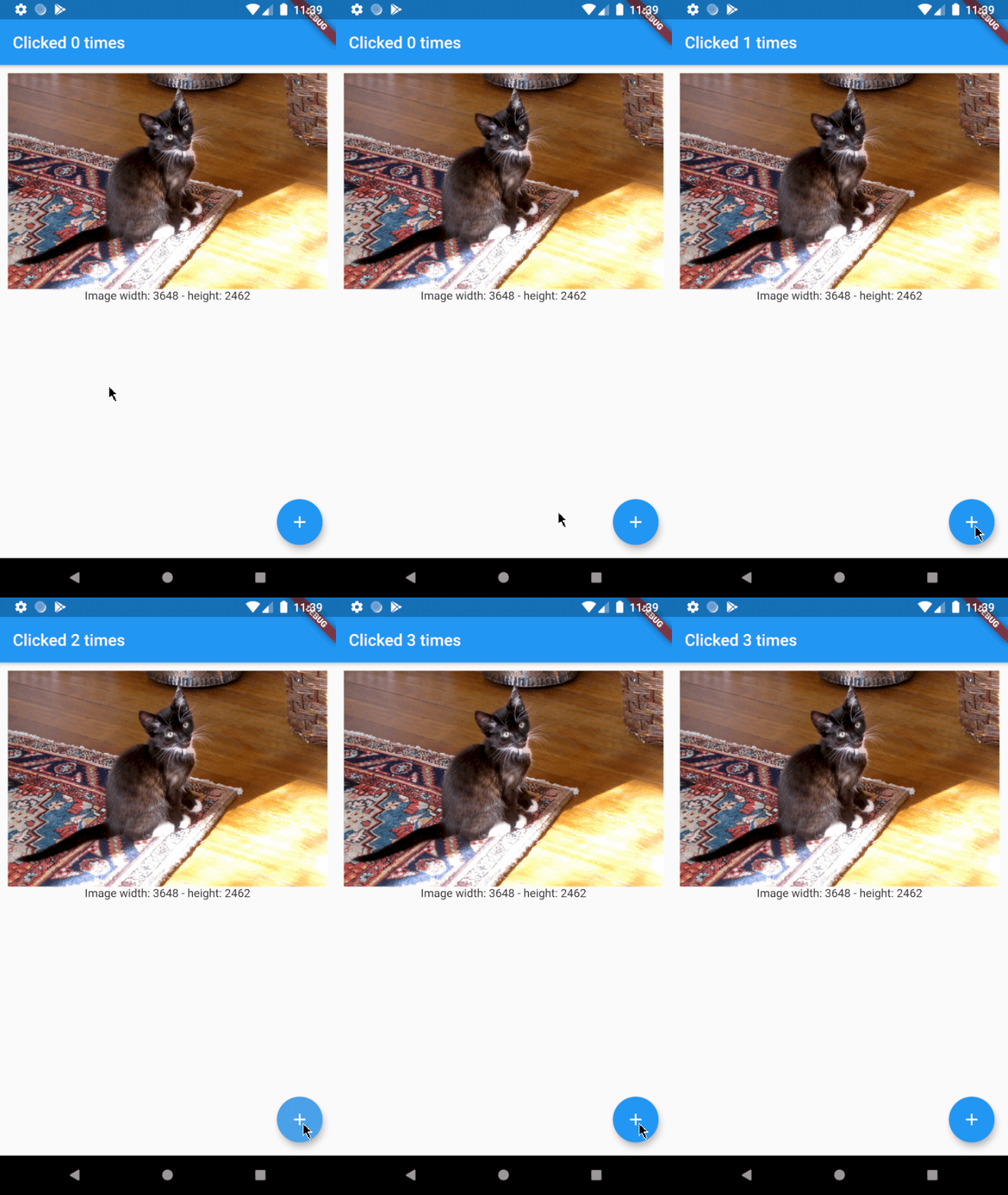
As you can see the code is a little easier to read now and the result will be just how we want it to be:

yeah cats are great

Usage

Ironically, EnhancedFutureBuilder doesn't require a builder anymore.

FutureBuilder:

FutureBuilder(
  future: _futureToResolve(),
  builder: (context, snapshot) {
    if (snapshot.connectionState == ConnectionState.done) {
      return MyWidget(snapshot.data);
    }else if (snapshot.connectionState == ConnectionState.waiting){
      return Center(child: Text('Waiting...'));
    }
    }else if (snapshot.connectionState == ConnectionState.active){
      return Center(child: Text('Active...'));
    }
    // ...
  }
}

EnhancedFutureBuilder:

EnhancedFutureBuilder(
  future: _futureToResolve(),
  rememberFutureResult: false,
  whenDone: (dynamic data) => MyWidget(data),
  whenWaiting: Center(child: Text('Waiting...')),
  whenActive: Center(child: Text('Active...')),
  // whenNone: ...
),

カテゴリー

ソースリポジトリ

このパッケージを使用しているプロジェクト

データはまだありません。