パッケージ、リポジトリ、アプリカテゴリを検索

ensure_visible_when_focused のカバー
パッケージ詳細v1.2.0

ensure_visible_when_focused

このウィジェットがフォーカスを取得するたびに、特定のウィジェットまでスクロールする便利なFlutterウィジェットです。

AndroidiOSWebmacOSWindowsLinux
30日間ダウンロード
1.6万
いいね数
53
Pub ポイント
160

パッケージをインストール

flutter pub add ensure_visible_when_focused

パッケージ概要

公開情報に基づく選定ガイドです。参考としてご利用ください。

特定のウィジェットがフォーカスを取得したときに、ビューポートを自動でスクロールしてそのウィジェットが表示されるようにするFlutterウィジェットです。長いコンテンツを持つフォームに最適で、入力フィールドがキーボードによって隠れることを防ぐことで使いやすさを向上させます。モバイル、Web、デスクトップを含むすべての主要プラットフォームで動作し、シームレスなユーザー体験を提供します。複雑なスクロールロジックを必要とせずに、既存のフォームレイアウトに簡単に統合できます。

用途

  • モバイルデバイス上のフォーム入力
  • 長いフォーム内のフォーカスされたフィールドにスクロールする
  • ウェブおよびデスクトップアプリケーションにおけるアクセシビリティの向上
  • iOSおよびAndroidでのキーボードの重なりを防ぐ
  • 動的なフォーム要素の可視性を確保する
  • マルチプラットフォームアプリケーションにおけるUXの向上

主な機能

  • フォーカス時に自動スクロール
  • クロスプラットフォーム互換性
  • 最小限のセットアップが必要
  • 任意のスクロール可能なコンテナと連携可能
  • 追加の依存関係なし
  • ネストされたスクロールビューをサポート

適している対象

  • アクセシブルなフォームを構築する開発者
  • 長いまたは動的なフォームを持つアプリ
  • マルチプラットフォーム Flutter プロジェクト
  • ユーザー体験を重視するチーム
  • 最小限のボイラープレートを必要とするプロジェクト
  • キーボード操作付きのフォーム

注意事項

  • カスタムスクロール動作に影響を与える可能性があります
  • 適切な親スクロールコンテキストが必要です
  • スクロールできないレイアウトには適していません
  • 過度に使用するとレイアウトのジャンクが発生する可能性があります
  • カスタマイズオプションが限定的
  • 明示的なフォーカス管理と併用するのが最適です

元の README

関連するソースリポジトリの README 原文のスナップショットです。最新の内容はリポジトリをご覧ください。

Buy Me A Coffee

Introduction

I was having a hard time scrolling to a specific wdget in a scenario where I had a very large form, with lots of form fields.

I found an issue with no concrete answer https://github.com/flutter/flutter/issues/58877

After digging a litlle deeper I found a solution to this problem https://www.didierboelens.com/2018/04/hint-4 -ensure-a-textfield-or-textformfield-is-visible-in-the-viewport-when-has-the-focus/. Hence the idea of ​​creating and making this widget available.

This widget solves this problem in a very elegant way. You just have to give the same FocusNode of the widget you want to scroll to.

Basic Usage

The widget is very simple to use. You need to Wrap your widget on a EnsureVisibleWhenFocused widget. You have to pass the FocusNode of the widget you want to scroll to when it's given focus.

EnsureVisibleWhenFocused(
    focusNode: _focusNode,
    child: TextFormField(
        focusNode: _focusNode,
    ),
)

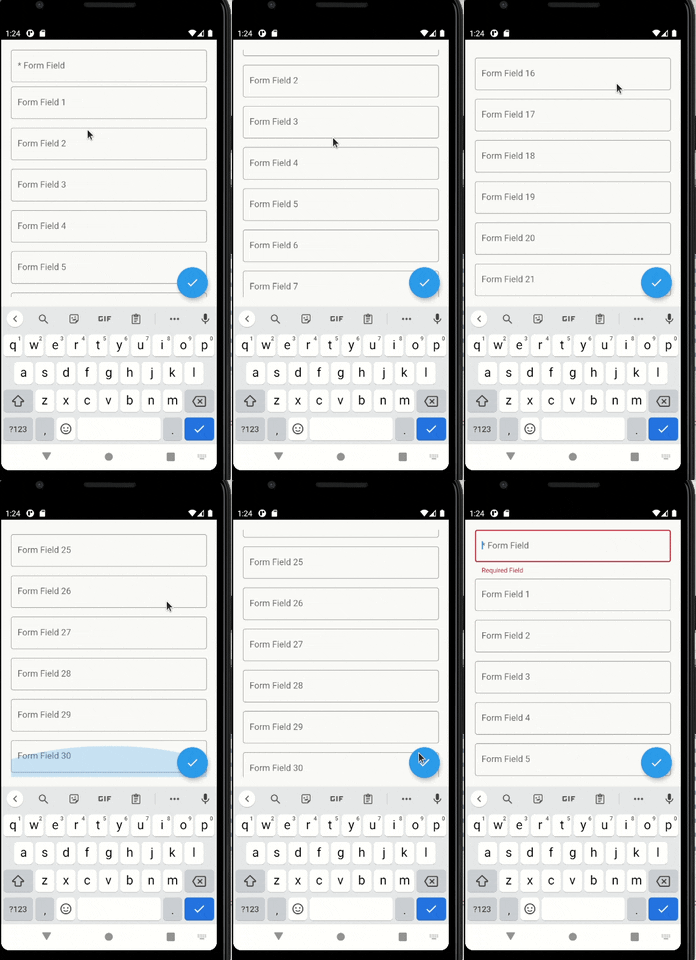
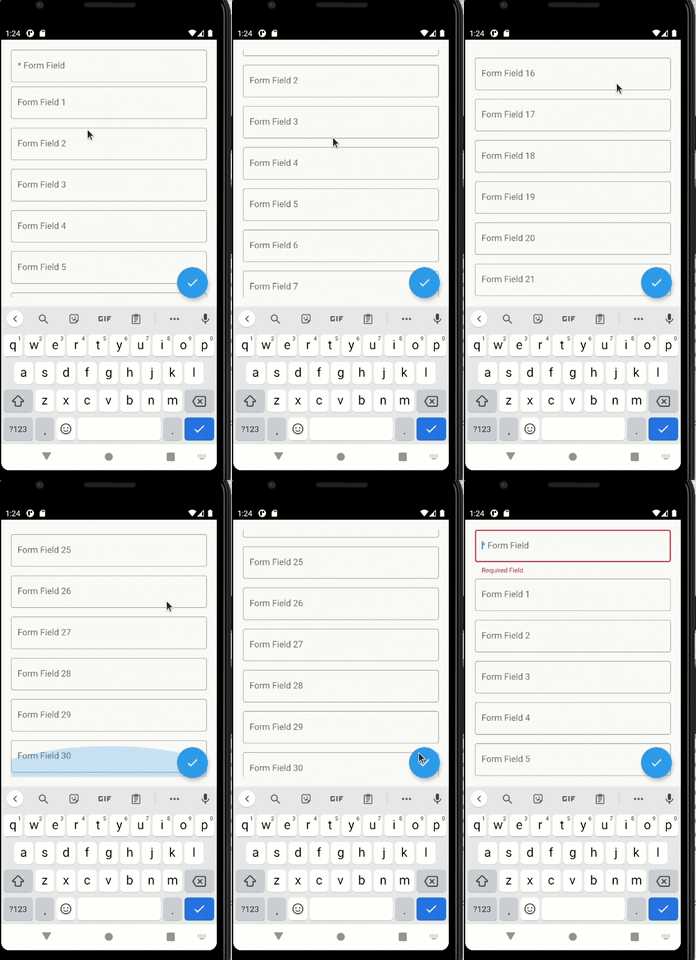
With the setup above, every time the TextFormField gains focus, a scroll will be made to it.

You can give focus to a field just doing:

_focusNode.requestFocus();

You can configure more things, such as the scroll duration and it's curve.

enter image description here

Suggestions & Bugs

For any suggestions or bug report please head to issue tracker.

カテゴリー

ソースリポジトリ

このパッケージを使用しているプロジェクト

データはまだありません。