extended_navbar_scaffold


Custom Extended Scaffold
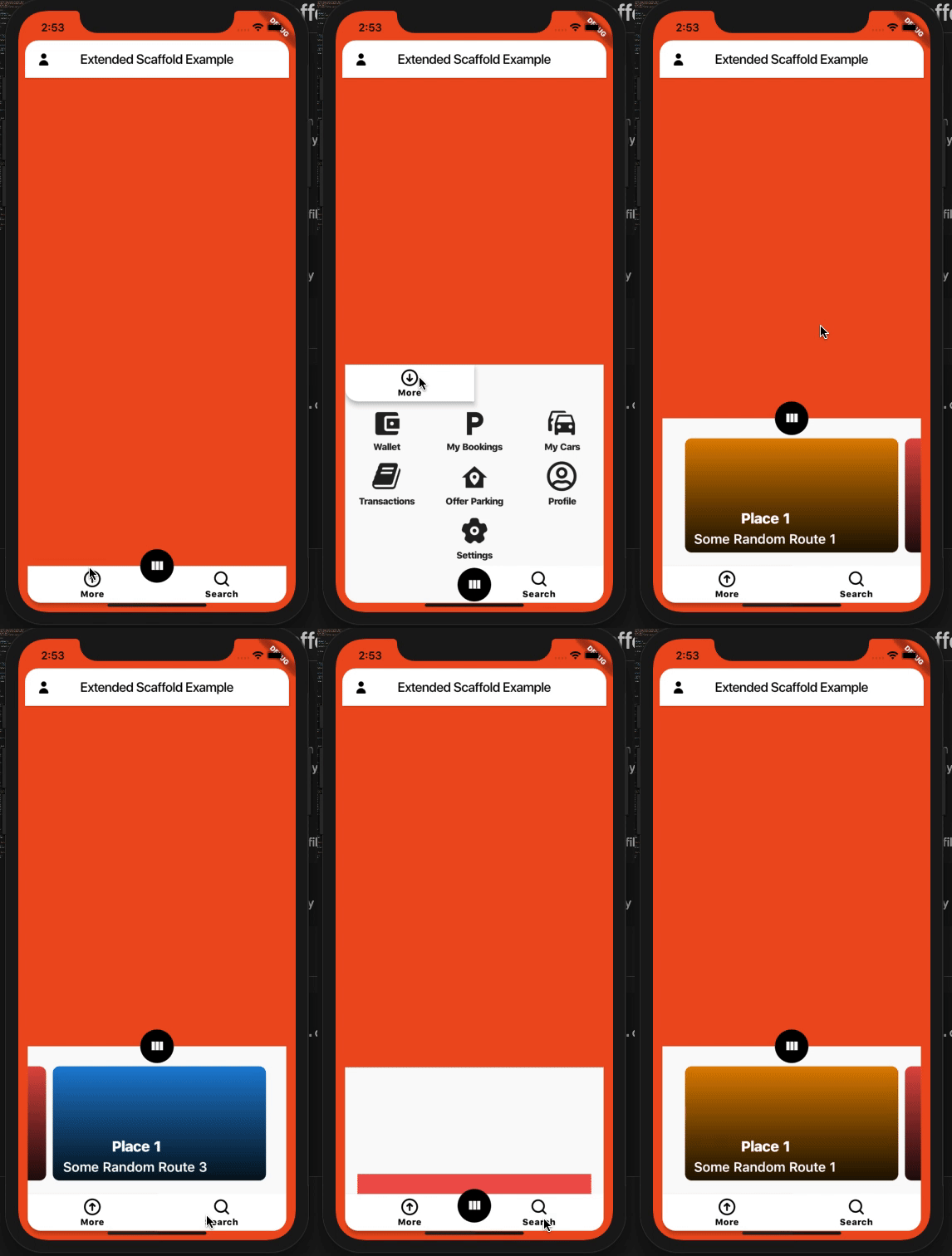
Custom Flutter widgets that makes Bottom Navigation Floating and can be expanded with much cleaner and easier way.
Installing
Add the following to your pubspec.yaml file:
dependencies:
  extended_navbar_scaffold: any
Creating
ExtendedNavigationBarScaffold(
  body: Container(
    color: Colors.deepOrange,
  ),
  elevation: 0,
  floatingAppBar: true,
  appBar: AppBar(
    shape: kAppbarShape,
    leading: IconButton(
      icon: Icon(
        EvaIcons.person,
        color: Colors.black,
      ),
      onPressed: () {},
    ),
    title: Text(
      'Extended Scaffold Example',
      style: TextStyle(color: Colors.black),
    ),
    centerTitle: true,
    backgroundColor: Colors.white,
  ),
  navBarColor: Colors.white,
  navBarIconColor: Colors.black,
  moreButtons: [
    MoreButtonModel(
      icon: MaterialCommunityIcons.wallet,
      label: 'Wallet',
      onTap: () {},
    ),
    MoreButtonModel(
      icon: MaterialCommunityIcons.parking,
      label: 'My Bookings',
      onTap: () {},
    ),
    MoreButtonModel(
      icon: MaterialCommunityIcons.car_multiple,
      label: 'My Cars',
      onTap: () {},
    ),
    MoreButtonModel(
      icon: FontAwesome.book,
      label: 'Transactions',
      onTap: () {},
    ),
    MoreButtonModel(
      icon: MaterialCommunityIcons.home_map_marker,
      label: 'Offer Parking',
      onTap: () {},
    ),
    MoreButtonModel(
      icon: FontAwesome5Regular.user_circle,
      label: 'Profile',
      onTap: () {},
    ),
    null,
    MoreButtonModel(
      icon: EvaIcons.settings,
      label: 'Settings',
      onTap: () {},
    ),
    null,
  ],
  searchWidget: Container(
    height: 50,
    color: Colors.redAccent,
  ),
  // onTap: (button) {},
  // currentBottomBarCenterPercent: (currentBottomBarParallexPercent) {},
  // currentBottomBarMorePercent: (currentBottomBarMorePercent) {},
  // currentBottomBarSearchPercent: (currentBottomBarSearchPercent) {},
  parallexCardPageTransformer: PageTransformer(
    pageViewBuilder: (context, visibilityResolver) {
      return PageView.builder(
        controller: PageController(viewportFraction: 0.85),
        itemCount: parallaxCardItemsList.length,
        itemBuilder: (context, index) {
          final item = parallaxCardItemsList[index];
          final pageVisibility =
              visibilityResolver.resolvePageVisibility(index);
          return ParallaxCardsWidget(
            item: item,
            pageVisibility: pageVisibility,
          );
        },
      );
    },
  ),
);
Screenshots
Implementation

Widget Demo