パッケージ、リポジトリ、アプリカテゴリを検索

パッケージ詳細v1.3.3+5

fast_cached_network_image

ネットワーク画像を簡単にキャッシュするためのFlutterパッケージです。美しいローダー、パーセンテージインジケーター、エラービルダーを追加できます。

AndroidiOSWebmacOSWindowsLinux
30日間ダウンロード
447
いいね数
228
Pub ポイント
140

パッケージをインストール

flutter pub add fast_cached_network_image

パッケージ概要

公開情報に基づく選定ガイドです。参考としてご利用ください。

FastCachedNetworkImageは、ネットワーク画像を最小限の設定で効率的にキャッシュするように設計されたFlutterパッケージです。カスタマイズ可能なローディングインジケーター、進行状況のパーセンテージ表示、専用ビルダーによるエラー処理を内蔵しています。重複するネットワークリクエストを減らし、高速な画像レンダリングとパフォーマンス向上を実現するアプリに最適です。Android、iOS、Web、macOS、Windows、Linuxなど、すべての主要プラットフォームをサポートしており、クロスプラットフォーム開発において非常に柔軟です。

用途

  • リスト内のURLから画像を表示する
  • 画像キャッシュによるアプリのパフォーマンス向上
  • 画像の取得中にローディング状態を表示する
  • 大きな画像用の進行状況インジケーターを追加
  • 画像の読み込み失敗を適切に処理する

主な機能

  • 最小限のコードで簡単に統合
  • カスタムローダーおよびエラービルダーのサポート
  • リアルタイムでのダウンロード進捗のトラッキング
  • クロスプラットフォーム互換性
  • 自動画像キャッシュ
  • 設定可能なキャッシュサイズと期間

適している対象

  • 大量の画像コンテンツを含むアプリ
  • リモート画像を含むリストまたはグリッドビュー
  • パフォーマンスを重視する開発者
  • 画像の読み込み中にスムーズなUXが必要なプロジェクト
  • クロスプラットフォームアプリを開発するチーム

注意事項

  • 高度な用途にはキャッシュ管理の手動設定が必要です
  • 大容量のキャッシュはデバイスのストレージに影響を与える可能性があります
  • キャッシュ除外ポリシーのカスタマイズが限定的
  • 非常に高い周波数の画像更新には最適化されていません
  • キャッシュされたアセット用に追加のメモリが必要になる場合があります

元の README

関連するソースリポジトリの README 原文のスナップショットです。最新の内容はリポジトリをご覧ください。

Fast Cached Network Image

A flutter package to cache network image easily, with loader, error builder, and smooth fade transitions. You can also add beautiful loaders and percentage indicators with the total and download size of the image.

Use fast_cached_network_image: 1.2.9 (without "^") for projects with Flutter SDK version < 3.27.1.

MIT License pub dart

Screenshots

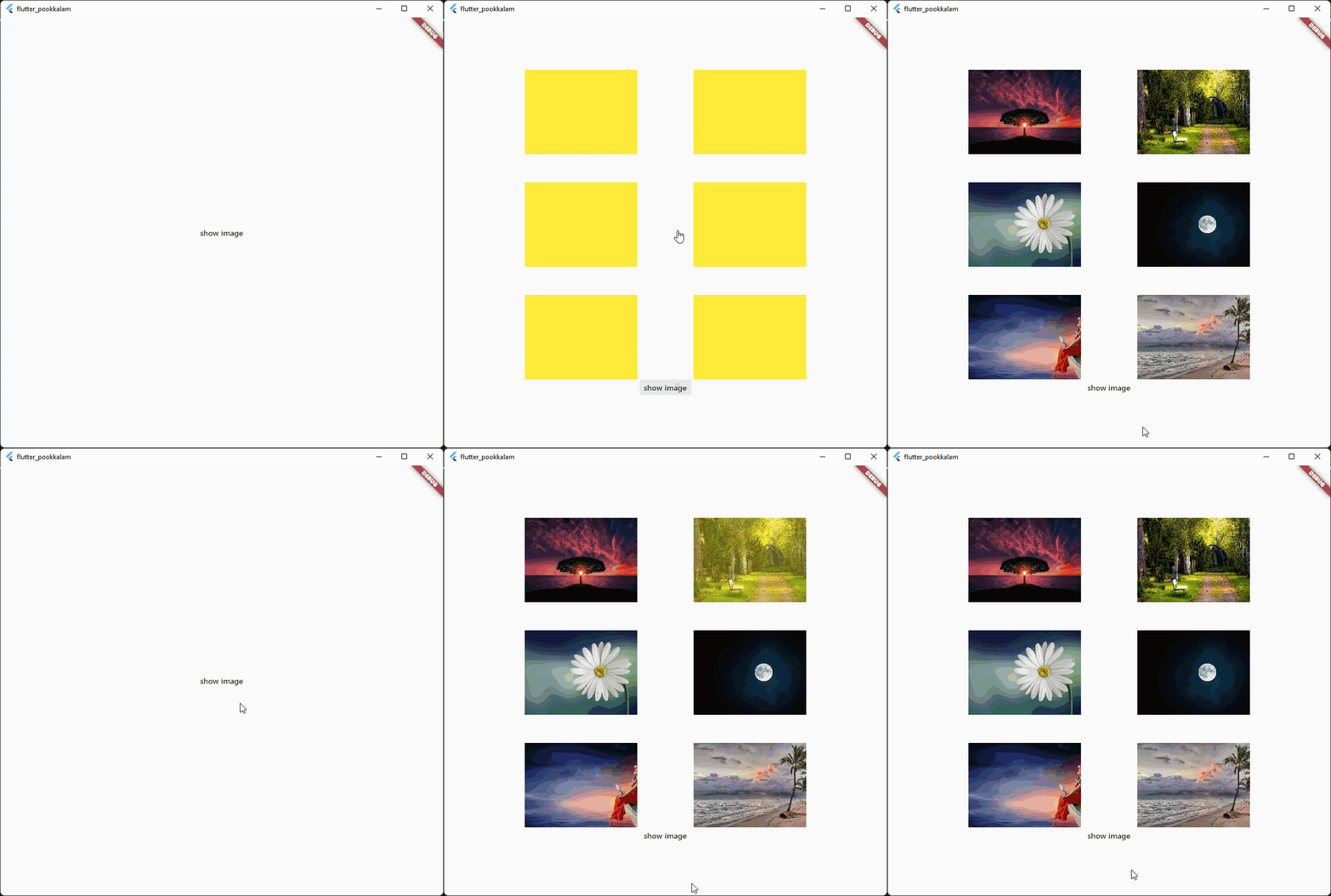
App caching

Caching with fade in animation

Caching with progress indicator and image  size

The below gif displays a 30 MB image from cache Use shimmer package to create a beautiful loading widget.

Usage

Import it

import 'package:fast_cached_network_image/fast_cached_network_image.dart';

This package uses Hive as cache container, which uses getApplicationDocumentsDirectory() to get the default path in case subDir is not specified

Initialize the cache configuration in the main function.

await FastCachedImageConfig.init();

The init function takes 2 arguments which are subDir, and clearCacheAfter. Both are optional.

To set a custom directory for your storage box, you can use path_provider

String storageLocation = (await getApplicationDocumentsDirectory()).path;

and then pass the storageLocation to the subDir parameter.

The clearCacheAfter property is used to set the Duration after with the cached image will be cleared. By default its set to 7 days, which means an image cached today will be deleted when you open the app after 7 days.

Use it as a Widget

child: FastCachedImage(url: url)

Properties

errorBuilder: (context, exception, stacktrace) {
  return Text(stacktrace.toString());
},

errorBuilder property needs to return a widget. This widget will be displayed if there is any error while loading the provided image.


loadingBuilder: (context, progress) {
  return Container(
    color: Colors.yellow,
    child: Stack(
      alignment: Alignment.center,
      children: [
        if (progress.isDownloading && progress.totalBytes != null)
          Text('${progress.downloadedBytes ~/ 1024} / ${progress.totalBytes! ~/ 1024} kb',
              style: const TextStyle(color: Colors.red)),
        SizedBox(
            width: 120,
            height: 120,
            child:
            CircularProgressIndicator(color: Colors.red, value: progress.progressPercentage.value)),
      ],
    ),
  );
},

loadingBuilder property can be used to display a loading widget such as a shimmer. This widget will be displayed while the image is being downloaded and processed. loadingBuilder provides a progress property which can be used to display the image download progress with the size(in bytes) of the image.

fadeInDuration: const Duration(seconds: 1);

fadeInDuration property can be use to set the fadeInDuration between the loadingBuilder and the image. Default duration is 500 milliseconds

FastCachedImageConfig.isCached(imageUrl: url));

You can pass in a url to this method and check whether the image in the url is already cached.

FastCachedImageConfig.deleteCachedImage(imageUrl: url);

This method deletes the image with given url from cache.

FastCachedImageConfig.clearAllCachedImages();

This method removes all the cached images. This method can be used in situations such as user logout, where you need to clear all the images corresponding to the particular user.

If an image had some errors while displaying, the image will be automatically re - downloaded when the image is requested again.

FastCachedImage have all other default properties such as height, width etc. provided by flutter.

If you want to use an image from cache as image provider, use

FastCachedImageProvider(url);

Example

import 'package:fast_cached_network_image/fast_cached_network_image.dart';
import 'package:flutter/material.dart';

void main() async {
  WidgetsFlutterBinding.ensureInitialized();

  await FastCachedImageConfig.init(clearCacheAfter: const Duration(days: 15));

  runApp(const MyApp());
}

class MyApp extends StatefulWidget {
  const MyApp({super.key});

  @override
  State<MyApp> createState() => _MyAppState();
}

class _MyAppState extends State<MyApp> {
  String url1 = 'https://www.sefram.com/images/products/photos/hi_res/7202.jpg';

  bool isImageCached = false;
  String? log;

  @override
  Widget build(BuildContext context) {
    return MaterialApp(
        home: Scaffold(
            body: Center(
              child: Column(
                mainAxisAlignment: MainAxisAlignment.center,
                children: [
                  SizedBox(
                    height: 150,
                    width: 150,
                    child: FastCachedImage(
                      url: url1,
                      fit: BoxFit.cover,
                      fadeInDuration: const Duration(seconds: 1),
                      errorBuilder: (context, exception, stacktrace) {
                        return Text(stacktrace.toString());
                      },
                      loadingBuilder: (context, progress) {
                        return Container(
                          color: Colors.yellow,
                          child: Stack(
                            alignment: Alignment.center,
                            children: [
                              if (progress.isDownloading && progress.totalBytes != null)
                                Text('${progress.downloadedBytes ~/ 1024} / ${progress.totalBytes! ~/ 1024} kb',
                                    style: const TextStyle(color: Colors.red)),
                              
                              SizedBox(
                                  width: 120,
                                  height: 120,
                                  child:
                                  CircularProgressIndicator(color: Colors.red, value: progress.progressPercentage.value)),
                            ],
                          ),
                        );
                      },
                    ),
                  ),

                  const SizedBox(height: 12),
                  
                  Text('Is image cached? = $isImageCached', style: const TextStyle(color: Colors.red)),
                 
                  const SizedBox(height: 12),
                  
                  Text(log ?? ''),

                  const SizedBox(height: 120),

                  MaterialButton(
                    onPressed: () async {
                      setState(() => isImageCached = FastCachedImageConfig.isCached(imageUrl: url1));
                    },
                    child: const Text('check image is cached or not'),
                  ),

                  const SizedBox(height: 12),

                  MaterialButton(
                    onPressed: () async {
                      await FastCachedImageConfig.deleteCachedImage(imageUrl: url1);
                      setState(() => log = 'deleted image $url1');
                      await Future.delayed(const Duration(seconds: 2), () => setState(() => log = null));
                    },
                    child: const Text('delete cached image'),
                  ),

                  const SizedBox(height: 12),

                  MaterialButton(
                    onPressed: () async {
                      await FastCachedImageConfig.clearAllCachedImages();
                      setState(() => log = 'All cached images deleted');
                      await Future.delayed(const Duration(seconds: 2), () => setState(() => log = null));
                    },
                    child: const Text('delete all cached images'),
                  ),
                ],
              ),
            )));
  }
}


Feel free to contribute and support.

Contributors 🤝

Big thanks go to these wonderful people:


Author: Christo Pananjickal

Contributor: Wouter van Wijk

Contributor: Merdan Atamyradow

Contributor: Steve

Contributor: Suyog Patil

Package on pub.dev

fast_cached_network_image

カテゴリー

依存関係

依存関係一覧 3 件

ソースリポジトリ

このパッケージを使用しているプロジェクト