パッケージ、リポジトリ、アプリカテゴリを検索

figma_frame_inspector のカバー
パッケージ詳細v0.0.5

figma_frame_inspector

Figmaフレームがアプリにどれだけ正確に実装されたかを検証するためのFlutterプラグインです。

AndroidiOSmacOSWindowsLinux
30日間ダウンロード
45
いいね数
25
Pub ポイント
150

パッケージをインストール

flutter pub add figma_frame_inspector

パッケージ概要

公開情報に基づく選定ガイドです。参考としてご利用ください。

Figma Frame Inspector は、Flutter プラグインで、開発者がアプリ内の Figma デザインの実装の正確性を確認するのを支援することを目的としています。実行中のアプリに Figma フレームの境界と寸法を直接重ねて表示し、デザインと開発のリアルタイムな視覚的比較を可能にします。このツールはテスト中の UI 検証を簡素化し、デザイン仕様とピクセル単位での正確な一致を保証します。Android、iOS、macOS、Windows、Linux など複数のプラットフォームをサポートしており、クロスプラットフォームチームにとって非常に柔軟です。デザイナーと開発者が密接に連携する環境では特に有用です。

用途

  • FigmaデザインとのUI忠実度の検証
  • クロスプラットフォームUIの一貫性チェック
  • デザイン引継ぎ検証
  • レイアウトの不一致のリアルタイムデバッグ
  • デザイナーと開発者間のチームコラボレーション

主な機能

  • アプリに Figma フレームの境界をオーバーレイ表示する
  • 複数のプラットフォームをサポートしています
  • リアルタイムのビジュアル比較
  • pub add を通じたシンプルな統合
  • レイアウトのずれを強調表示

適している対象

  • UI/UX開発者
  • Flutter を使用するデザイナー
  • クロスプラットフォーム開発チーム
  • 品質保証テスト担当者
  • デザインにFigmaを使用するチーム

注意事項

  • 開発/テスト用のみ
  • Figmaフレームデータが必要です
  • 本番ビルドには適していません
  • デバッグモードでのパフォーマンスに影響する可能性があります
  • 自動アサーションなしの視覚的検査に限定

元の README

関連するソースリポジトリの README 原文のスナップショットです。最新の内容はリポジトリをご覧ください。

Figma Frame Inspector

Pub Version

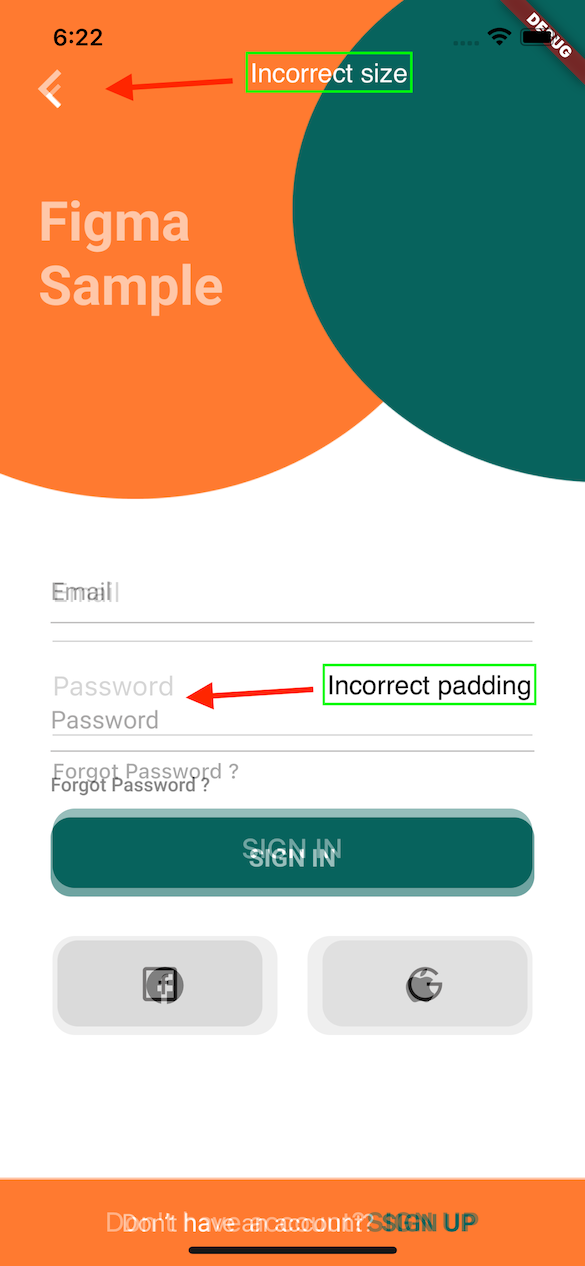
A Flutter plugin to verify how accurately the Figma frame was implemented in the app (whether paddings and elements sizes are correct).

With this tool any developer can verify all the paddings, font styles and elements sizes matches design specification in Figma.

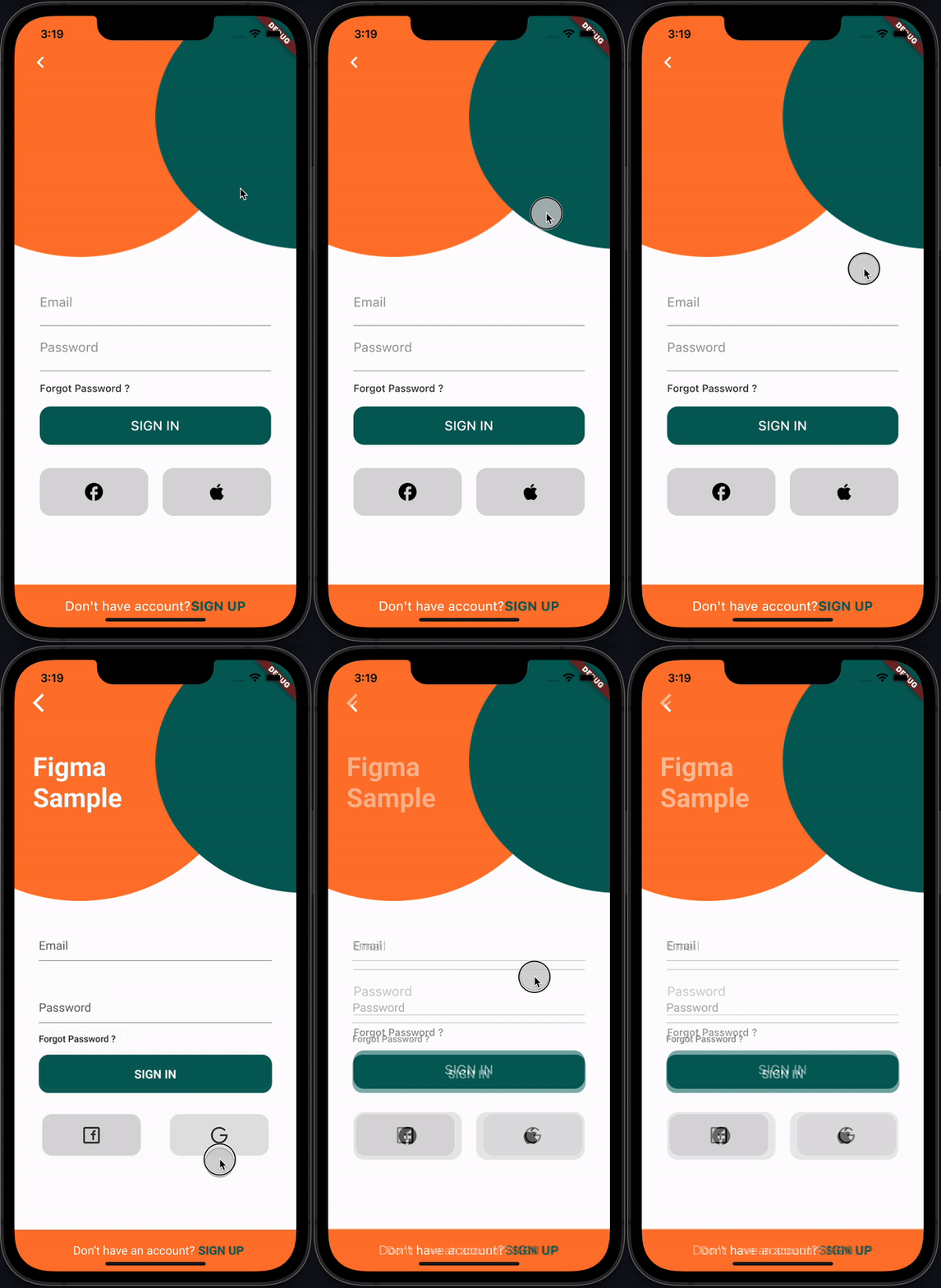
recording

How it works

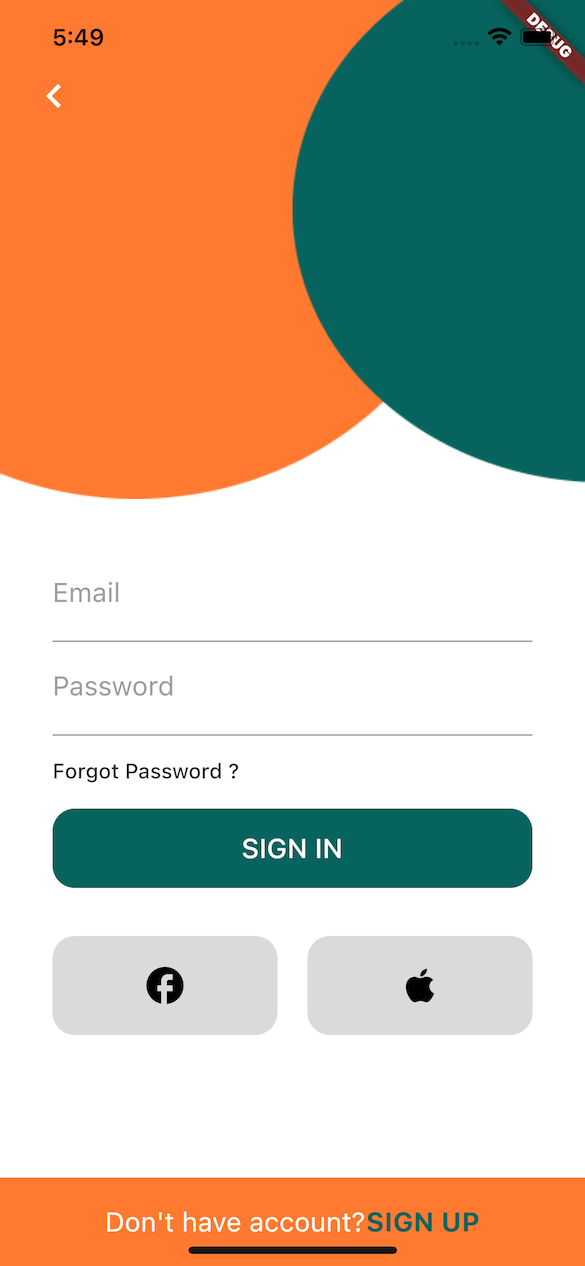
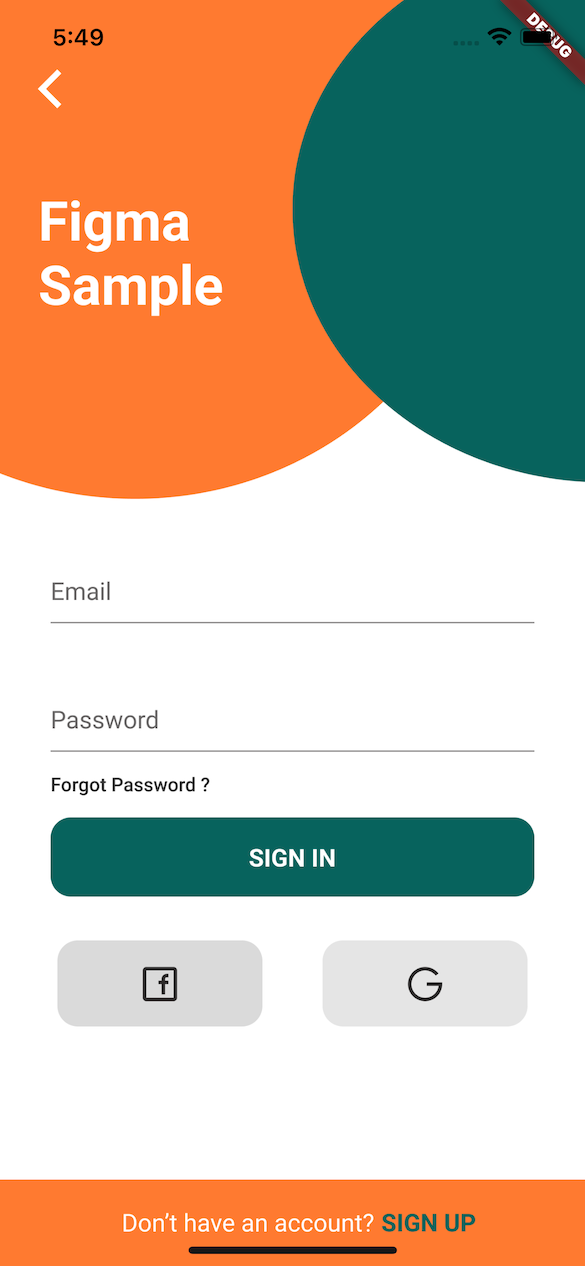
This plugin provides FigmaFrameInspector widget that renders provided Figma frame on top of child screen widget. This helps to check proper frame implementation.

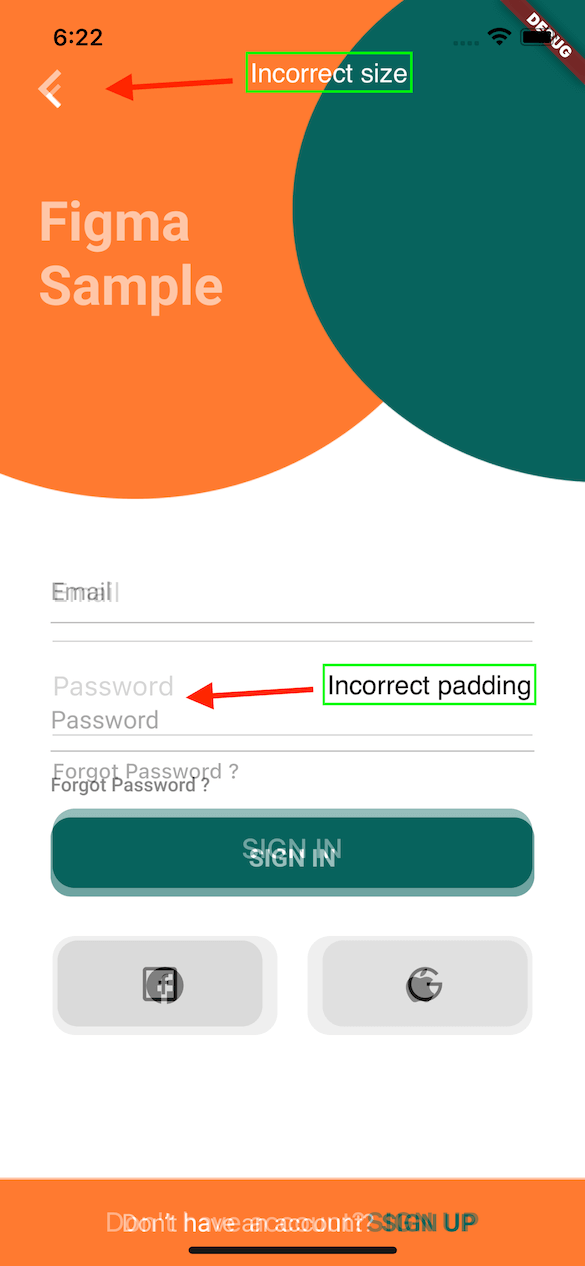
PS: Example Figma frame was taken from here

Implementation Figma Diff

Installation

flutter pub add figma_frame_inspector

Usage

Get Figma Personal Access Token
  • In Figma go to Account -> Personal Access Tokens
  • Generate a new token
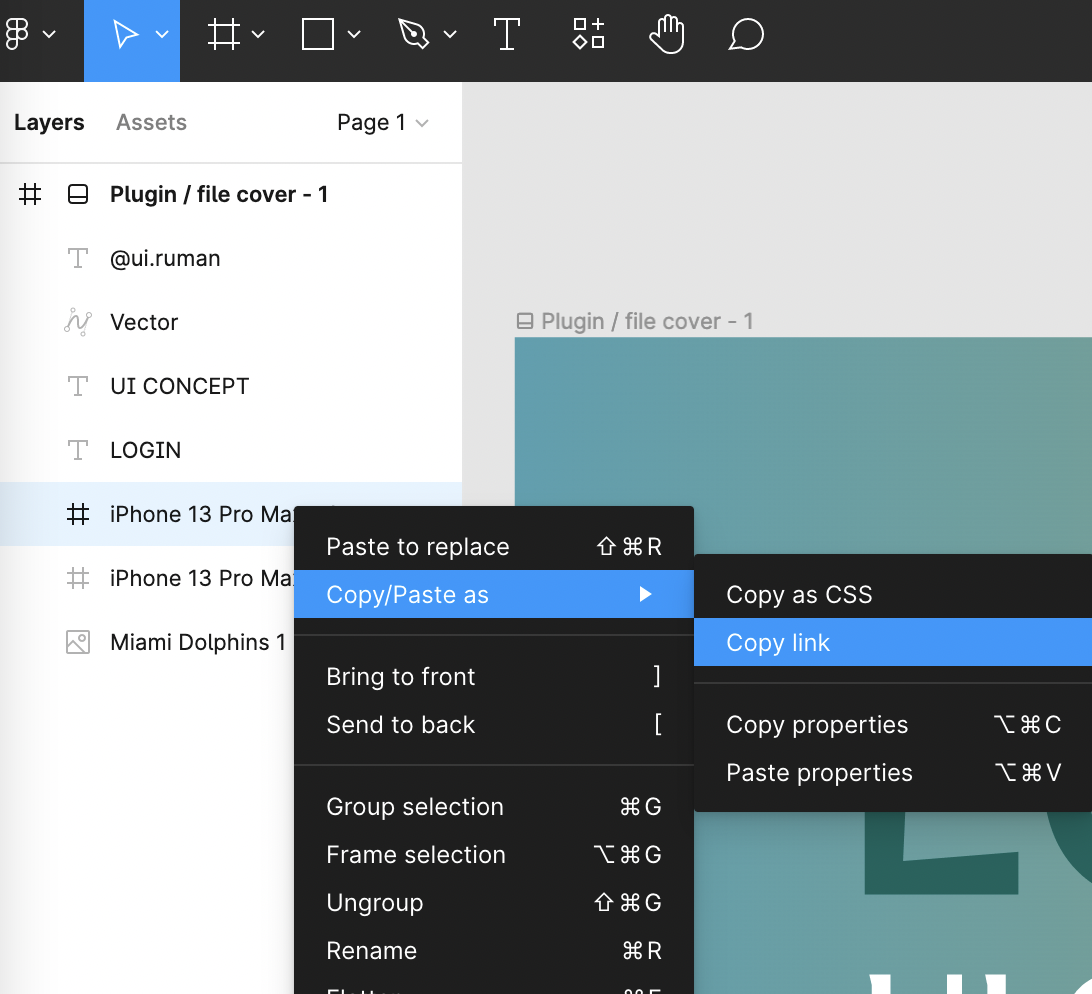
Get Figma Frame URL
  • In Figma open design file
  • On the left side in Layers section select a frame that you need to verify
  • Copy the URL of the frame

figma-copy-frame

Integration
  • import 'package:figma_frame_inspector/figma_frame_inspector.dart';
  • Wrap your app with FigmaFrameInspector widget:
class MyHomePage extends StatelessWidget {
  const MyHomePage({Key? key, required this.title}) : super(key: key);

  final String title;

  @override
  Widget build(BuildContext context) {
    return FigmaFrameInspector( // <-- Wrap your screen widget with this widget.
      frameUrl:
          "<figma-frame-url>", // <-- Specify the Figma frame url. Looks like this: https://www.figma.com/file/<file_key>/<file_name >?node-id=<node_id>
      figmaToken: '<figma-token>', // <-- Specify the Figma `Personal access token` from Account Settings page.
      // Optional parameters:
      scale: 3, // A number between `0.01` and `4`, the image scaling factor.
      initialOpacity: .3, // Opacity of the frame on the screen start (default `30%`).
      enabled: true, // Enable or disable the frame overlay (default `true`).
      isTouchToChangeOpacityEnabled: true, // Enable or disable vertical scroll to change the frame overlay opacity (default `true`).
      child: Scaffold(
        appBar: AppBar(
          title: Text(title),
        ),
        floatingActionButton: const FloatingActionButton(
          onPressed: null,
          tooltip: 'Increment',
          child: Icon(Icons.add),
        ),
      ),
    );
  }
}

Credits

This plugin was heavily inspired by flutter_figma_preview

Figma sample design taken from here https://www.figma.com/community/file/1060856334579637757

License

Can be found here.

カテゴリー

依存関係

依存関係一覧 2 件

ソースリポジトリ

このパッケージを使用しているプロジェクト

データはまだありません。