パッケージ、リポジトリ、アプリカテゴリを検索

flavor のカバー
パッケージ詳細v2.0.0

flavor

フレーバー設定の構成とフレーバーバナーの表示を簡単に実行する方法。

AndroidiOSWebmacOSWindowsLinux
30日間ダウンロード
1040
いいね数
56
Pub ポイント
160

パッケージをインストール

flutter pub add flavor

パッケージ概要

公開情報に基づく選定ガイドです。参考としてご利用ください。

Flavor は、Flutter パッケージであり、アプリのフレーバー設定を簡素化し、デバッグビルドで表示される可視なフレーバーバナーを提供します。開発、ステージング、本番など、さまざまなビルドバリアントを簡単に区別できるように、画面にカスタマイズ可能なバナーを表示します。リリースビルドではバナーが自動的に非表示になるため、ユーザー体験がスムーズになります。複数の環境を管理するチームにとって理想的で、セットアップを簡略化し、テスト時の可視性を向上させます。

用途

  • さまざまなビルド環境のデバッグ
  • 開発ビルドとプロダクションビルドの識別
  • テスト中に環境情報を表示する
  • フレーバーごとにバナーをカスタマイズ
  • マルチ環境プロジェクトにおけるチーム協働の強化

主な機能

  • 簡単な風味の構成
  • デバッグモードでのバナーの自動表示
  • カスタマイズ可能なバナーの外観
  • すべてのFlutterプラットフォームをサポートしています
  • リリースビルドでバナーを非表示にする

適している対象

  • 複数のアプリフラバーを扱っている開発者
  • チームが異なる環境をテストしています
  • 明確なビルド識別が必要なアプリ
  • CI/CD パイプラインを備えた Flutter プロジェクト
  • 開発中に視覚フィードバックが必要なプロジェクト

注意事項

  • バナーはデバッグビルドでのみ表示されます
  • 新しいフレーバー用に手動設定が必要です
  • 複雑なUIにはスタイルの調整が必要になる場合があります
  • 本番環境での使用を想定していません
  • 基本的なバナーのプロパティを超えるカスタマイズは限定的

元の README

関連するソースリポジトリの README 原文のスナップショットです。最新の内容はリポジトリをご覧ください。

flavor

pub package build Buy Me A Coffee

A Flutter plugin for configuring flavor settings and optionally display a flavor banner on the app.

Flavors

Each app needs some kind of flavor during its development lifecycle. You often have an api you use that is different during dev, beta, production, or log settings for example. That's when flavors come in.

Setup flavors

You can define different start main methods, each can be configured with a flavor.

So for example, you can create a main_dev.dart file for your development environment:

void main() {
  Flavor.create(
    Environment.dev,
    color: Colors.green,
    name: 'PREVIEW',
    properties: {
      Keys.apiUrl: 'https://api.dev.company.com',
      Keys.apiKey: 'jksdhfkjhs83rjkh324kj23h4',
      logLevelKey: 100,
    },
  );
  setupApp();
}

And a main_prod.dart file for your production environment:

void main() {
  Flavor.create(
    Environment.production,
    properties: {
      Keys.apiUrl: 'https://api.company.com',
      Keys.apiKey: 'lksdhjfkjhdsf8sdfjkhsdf896',
      logLevelKey: 5,
    },
  );
  setupApp();
}

Each of these files will point to another main.dart file:

void setupApp() {
  final logLevel = Flavor.I.getInt(logLevelKey);
  print('LogLevel set for this flavor: $logLevel');
  runApp(FlavorApp());
}
How does it look?
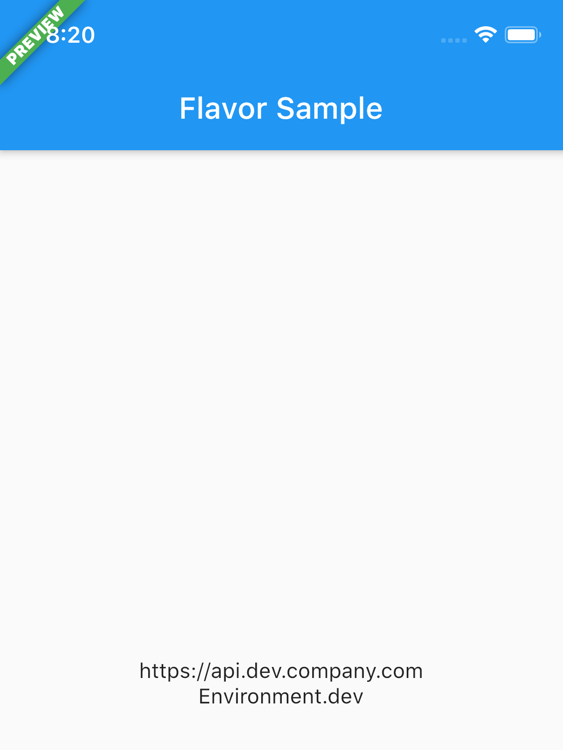
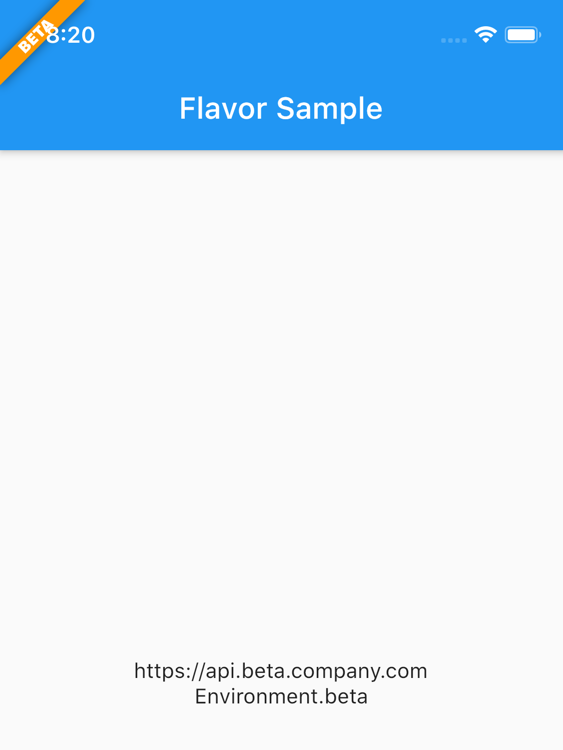
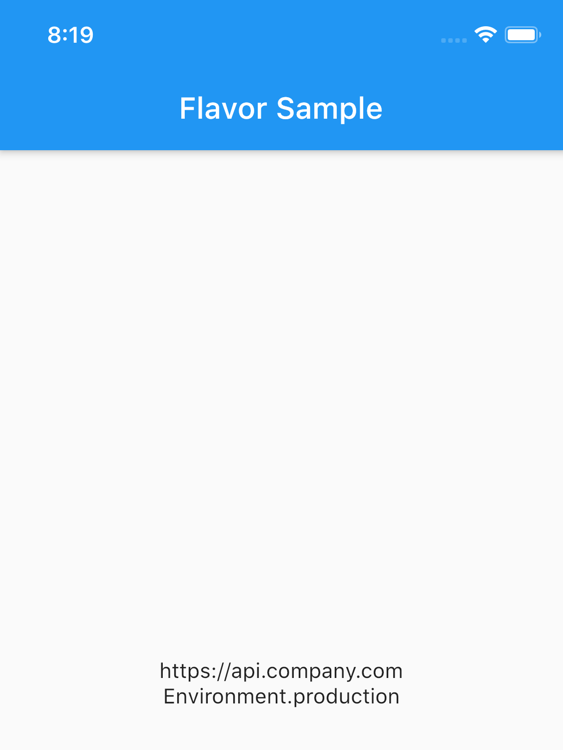
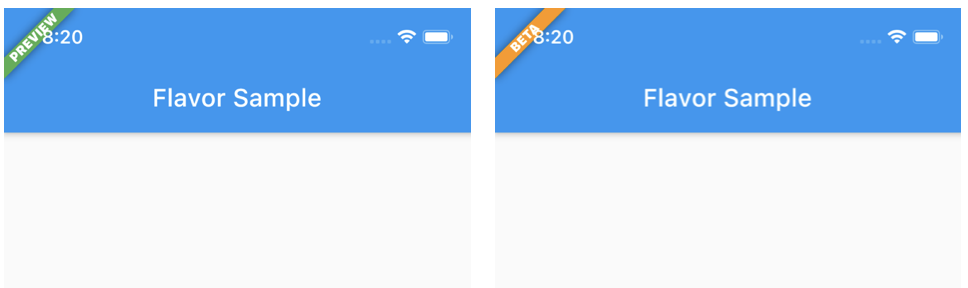
DEV BETA PROD

Note that in the PROD flavor no flavor banner is showed.

launch.json

In Visual Code you can define following to use the different flavors:

{
	"version": "0.2.0",
	"configurations": [
		{
			"name": "DEV",
			"request": "launch",
			"type": "dart",
			"program": "example/lib/main_dev.dart",
			// "args": [
			// 	"--flavor",
			// 	"dev"
			// ]
		},
		{
			"name": "BETA",
			"request": "launch",
			"type": "dart",
			"program": "example/lib/main_beta.dart",
			// "args": [
			// 	"--flavor",
			// 	"beta"
			// ]
		},
		{
			"name": "PRD",
			"request": "launch",
			"type": "dart",
			"program": "example/lib/main_prod.dart",
			// "args": [
			// 	"--flavor",
			// 	"prod"
			// ]
		},
	]
}

Note: The args keys are currently commented. These only works if you created the flavors in the iOS / Android native projects too.

Extras

You can also define additional properties for each flavor/configuration. This is handy to store url's, api keys, etc. Further in your app you can access these values.

Flavor.I.getString(Keys.apiUrl)

The package has some default Keys at the moment which will be extended over time. The defaults: apiUrl, apiKey, appTitle

Of course you can add custom keys yourself as showed in the example.

Or you can check what flavor is currently running:

if (Flavor.I.isDevelopment) {
// do something nice in development
}

Checkout the example folder for a complete setup.

Flavorize your bundleids and assets

If you want to change bundle ids, or even assets (icon, splash screen) check out flutter_flavorizr. This nice tool will help you create flavors in Android and iOS.

API Documentation

API documentation can be found here

カテゴリー

ソースリポジトリ

このパッケージを使用しているプロジェクト

データはまだありません。