パッケージ、リポジトリ、アプリカテゴリを検索

パッケージ詳細v1.1.3

floatingpanel

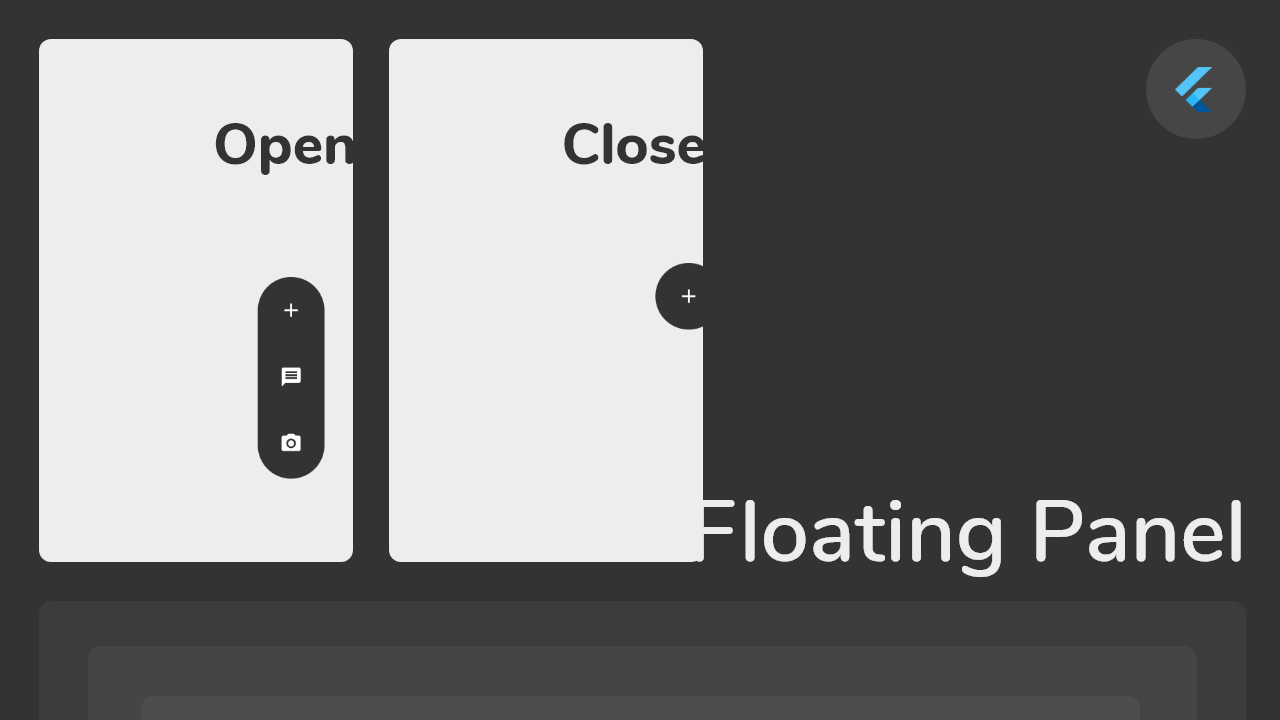
フローティングパネルは、画面の任意の端(水平方向)にドラッグアンドドロップできる簡単なフローティングメニューを作成するのに役立ちます。

30日間ダウンロード
44
いいね数
130
Pub ポイント
30

パッケージをインストール

flutter pub add floatingpanel

パッケージ概要

公開情報に基づく選定ガイドです。参考としてご利用ください。

FloatingPanel は、画面の任意の水平エッジに配置できるドラッグ可能なフローティングメニューを作成できるFlutterパッケージです。ユーザーがジェスチャーでパネルをスムーズに移動できるインタラクティブな体験を提供し、アクションやナビゲーションオプションへの素早いアクセスに最適です。このパッケージは軽量であり、既存のFlutterアプリにスムーズに統合できます。カスタマイズ可能なプロパティを通じて、外観と挙動をカスタマイズできます。シンプルさを重視して設計されており、コンテキストに応じたコントロールを直感的に提示することで、UIデザインを強化します。

用途

  • クイックアクションメニュー
  • コンテキストナビゲーション
  • ジェスチャーに基づくUI要素
  • モバイルアプリのツールバー
  • カスタマイズ可能なサイドパネル
  • ユーザーの好み設定

主な機能

  • ドラッグ可能な位置指定
  • 水平エッジの整合
  • スムーズなジェスチャー対応
  • カスタマイズ可能な外観
  • 軽量実装
  • Flutter との簡単な統合

適している対象

  • モバイルアプリ開発者
  • UI/UXデザイナー
  • インタラクティブなウィジェット作成者
  • Flutter ビギナー
  • 浮動コントロールを必要とするアプリ
  • ジェスチャー重視のインターフェース

注意事項

  • 水平エッジに限定
  • 垂直エッジサポートなし
  • 追加のスタイリングが必要になる場合があります
  • 複雑なレイアウトには適していません
  • パフォーマンスはコンテンツの複雑さに依存します
  • エッジ制約を手動で処理する必要があります

元の README

関連するソースリポジトリの README 原文のスナップショットです。最新の内容はリポジトリをご覧ください。

Flutter Float Box

Float Box - v1.0

Overview

alt Floating Panel

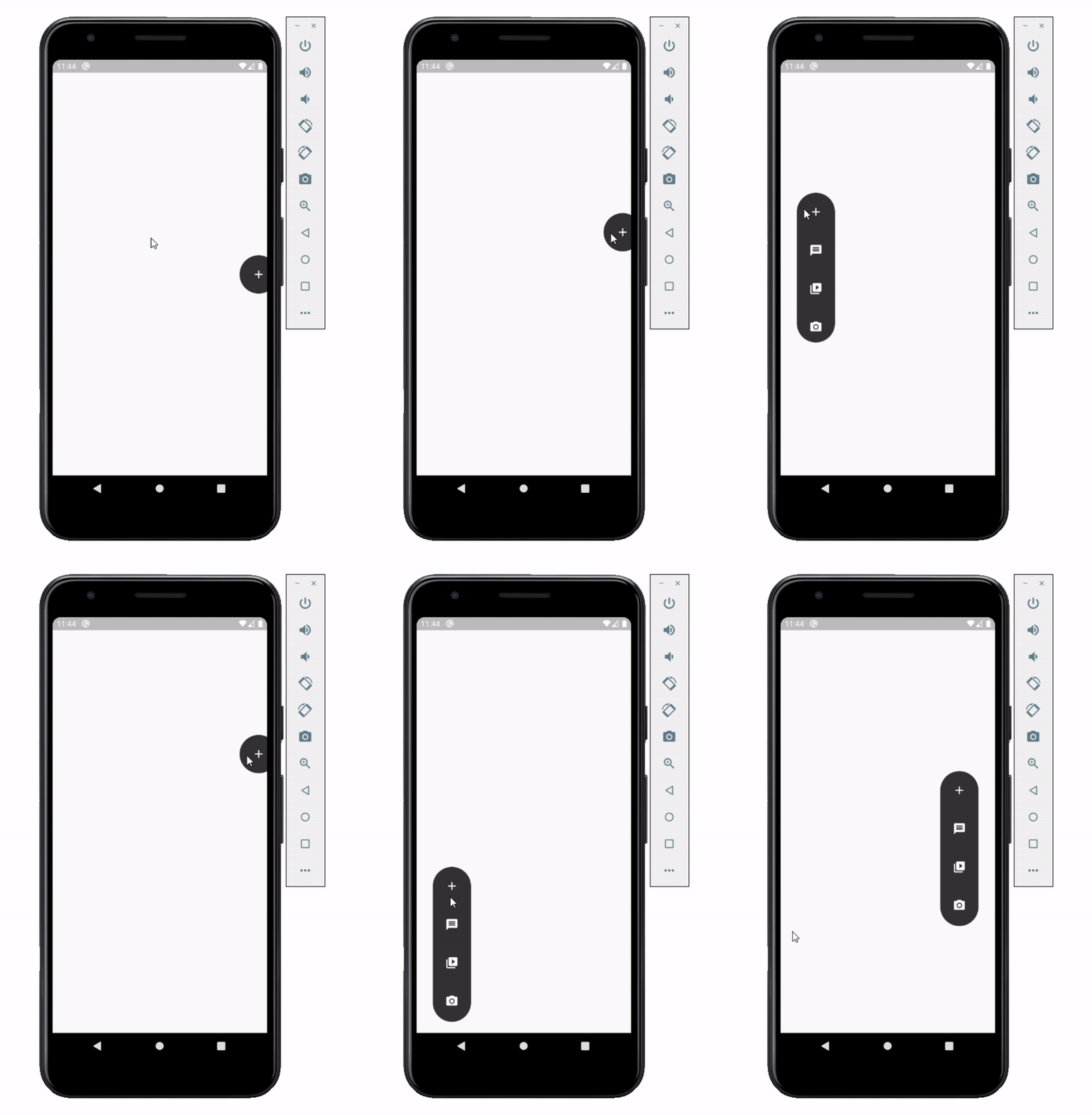
Float box is a true floating panel for your app, which can be docked to either edges of the screen (horizontally).

Code - Basic:

This is what you needs to get the widget working. Import Widget -> Add 'FloatBoxPanel' at the bottom of your stack widget. Add icons inside the "buttons" list.

import 'package:widgets/float_box.dart'; // Import Float Box Widget

Stack(
    children: [
        ...

        // Add Float Box Panel at the bottom of the 'stack' widget.
        FloatBoxPanel(
            buttons: [
                // Add Icons to the buttons list.
                Icons.message,
                Icons.photo_camera,
                Icons.video_library
            ]
        );
    ]
);

alt Floating Panel

Code - All Properties:

These are all the properties you can customize of the floating panel.

    import 'package:widgets/float_box.dart'; // Import Float Box Widget
    
    Stack(
        children: [
            ...
    
            // Add Float Box Panel at the bottom of the 'stack' widget.
            FloatBoxPanel(
                positionTop: 0.0, // Initial Top Position
                positionLeft: 0.0, // Initial Left Position
                backgroundColor: Color(0xFFEDEDED), // Color of the panel
                contentColor: Colors.black, // Color of the icons
                panelShape: PanelShape.rectangle, // 'PanelShape.rectangle' or 'PanelShape.rounded', border radius property doesn't work in the rounded shape
                borderRadius: BorderRadius.circular(8.0), // Border radius of the panel
                dockType: DockType.inside, // 'DockType.inside' or 'DockType.outside', weather to dock the panel outside or inside the edge of the screen
                dockOffset: 5.0, // Offset the dock from the edge depending on the 'dockType' property
                panelAnimDuration: 300, // Duration for panel open and close animation
                panelAnimCurve: Curves.easeOut, // Curve for panel open and close animation
                dockAnimDuration: 300, // Auto dock to the edge of screen - animation duration
                dockAnimCurve: Curves.easeOut, // Auto dock animation curve
                panelOpenOffset: 20.0, // Offset from the edge of screen when panel is open
                panelIcon: Icons.menu, // Panel open/close icon
                size: 70.0, // Size of single button in the panel
                iconSize: 24.0, // Size of icons
                borderWidth: 1.0, // Width of panel border
                borderColor: Colors.black, // Color of panel border
                onPressed: (index) {
                    print("Clicked on item: $index");
                }
                buttons: [
                    // Add Icons to the buttons list.
                    Icons.message,
                    Icons.photo_camera,
                    Icons.video_library
                ]
            );
        ]
    );

カテゴリー

ソースリポジトリ

このパッケージを使用しているプロジェクト

データはまだありません。