パッケージ、リポジトリ、アプリカテゴリを検索

flutter_2fa のカバー
パッケージ詳細v1.0.6

flutter_2fa

Authenticator を使用してアプリで二要素認証を有効にするためのFlutterパッケージです。

AndroidiOSWebmacOSWindowsLinux
30日間ダウンロード
286
いいね数
7
Pub ポイント
150

パッケージをインストール

flutter pub add flutter_2fa

パッケージ概要

公開情報に基づく選定ガイドです。参考としてご利用ください。

flutter_2fa は、Google Authenticator などの認証アプリを使用してアプリケーションで二要素認証(2FA)を有効にするためのFlutterパッケージです。タイムベースの一時パスワード(TOTP)の生成および管理に役立つツールを提供し、セキュアなユーザー認証を簡素化します。このパッケージは、Android、iOS、Web、macOS、Windows、Linuxなど複数のプラットフォームをサポートしており、クロスプラットフォームでの一貫性を確保します。`flutter pub add flutter_2fa` コマンドによる簡単な統合により、開発者は最小限のセットアップでアプリのセキュリティを強化できます。パスワードに頼るだけではなく、強力なユーザー検証が必要なアプリに最適です。

用途

  • セキュアなログインシステム
  • ユーザー アカウントの二要素認証
  • TOTPによるアプリのセキュリティ強化
  • 認証アプリとの統合
  • ユーザーIDの検証
  • マルチファクターオーソリゼーションワークフロー

主な機能

  • TOTPコードの生成
  • クロスプラットフォーム対応
  • Flutterとの簡単な統合
  • 人気の認証アプリをサポートしています
  • セキュアなトークン処理
  • リアルタイム時刻同期

適している対象

  • 強化されたセキュリティを必要とするアプリ
  • セキュアな認証フローを構築する開発者
  • ユーザー認証付きモバイルおよびウェブアプリケーション
  • RFC 6238 などの 2FA 標準を使用するプロジェクト
  • 迅速な2FAの実装を希望するチーム

注意事項

  • 認証アプリのユーザー設定が必要です
  • システム時計の正確さに依存します
  • 組み込みのバックアップまたは復旧メカニズムなし
  • 高度な2FAシナリオ向けのカスタマイズが限定的
  • オフライン専用の環境には適していません

元の README

関連するソースリポジトリの README 原文のスナップショットです。最新の内容はリポジトリをご覧ください。

Flutter 2FA

🔐 A Flutter package to add secure Two-Factor Authentication (2FA) via time-based one-time passwords (TOTP) to any Flutter application with ease.

Pub Version License


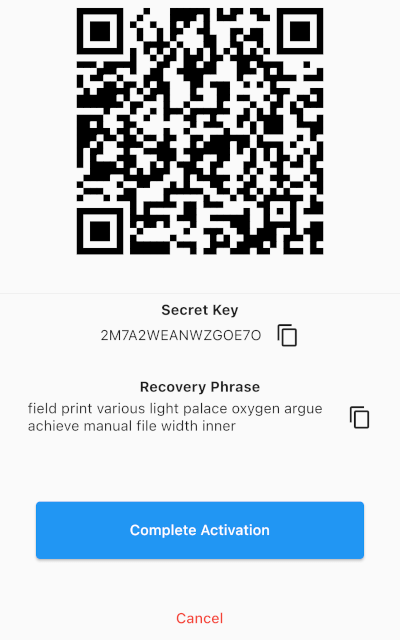
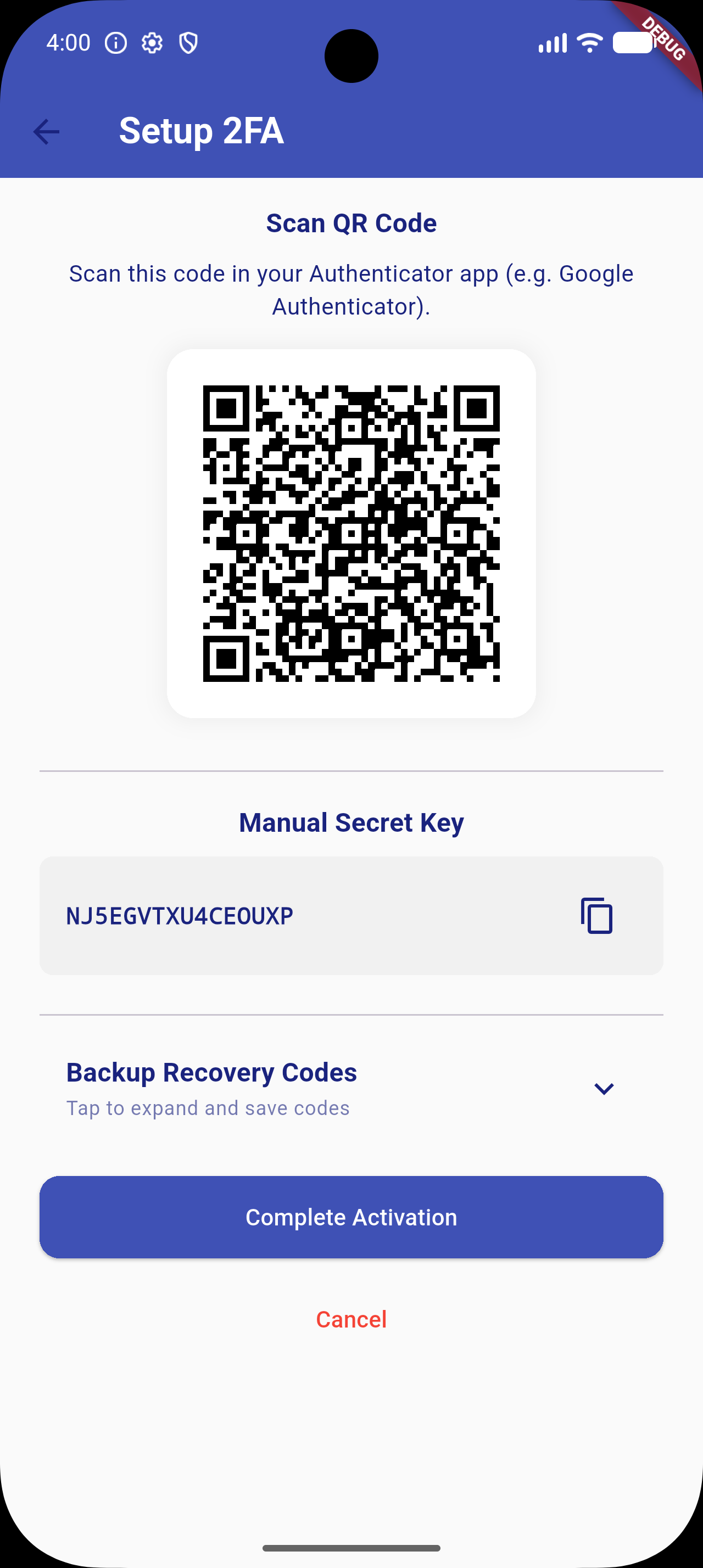
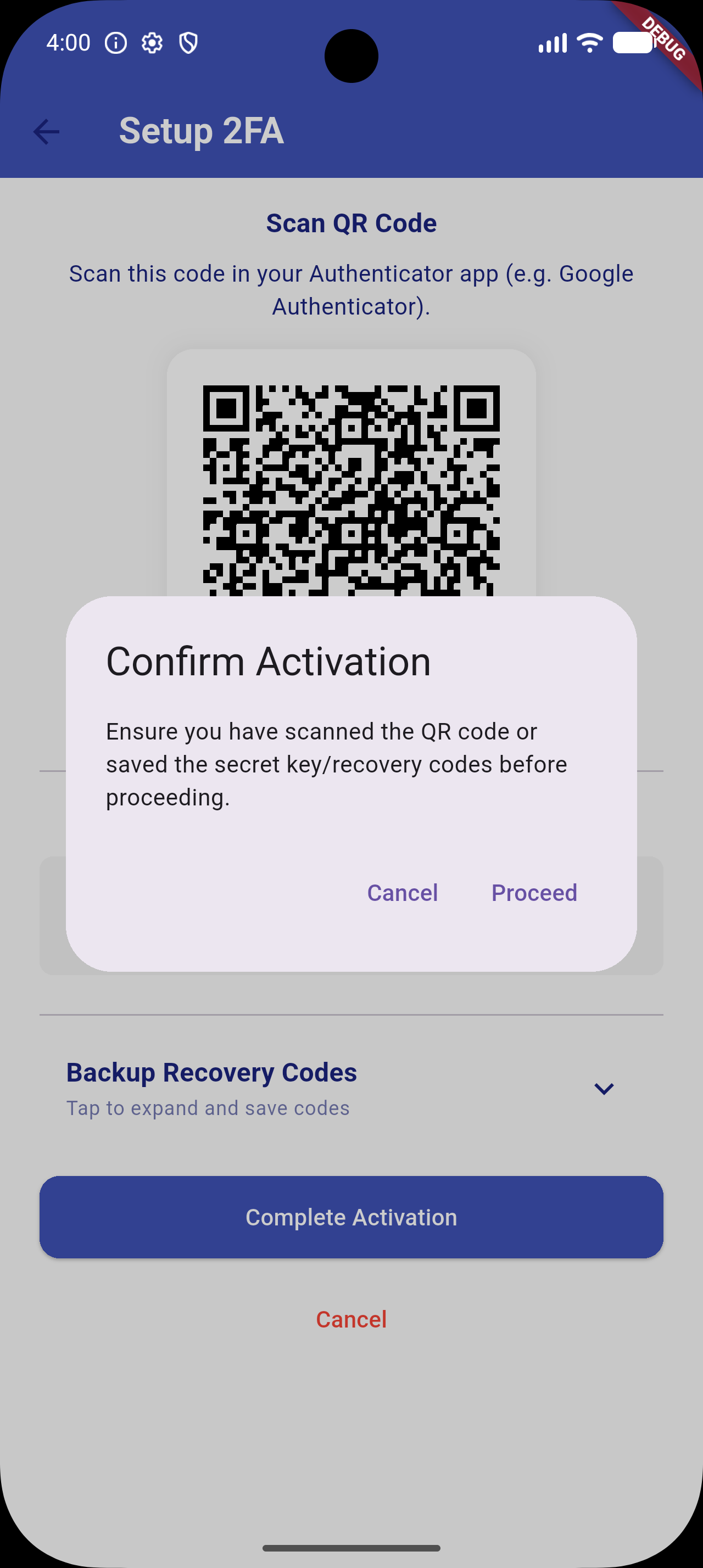
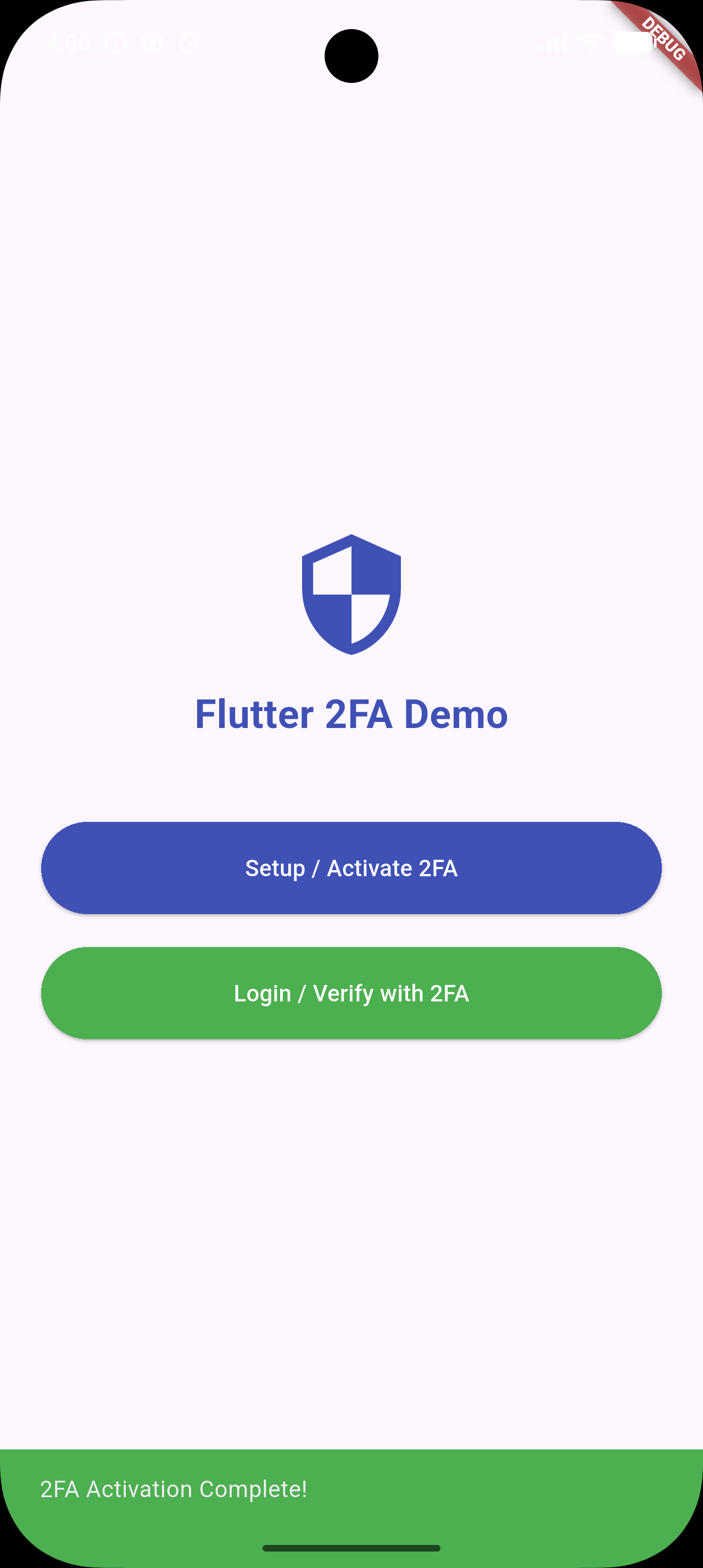
📸 Screenshots

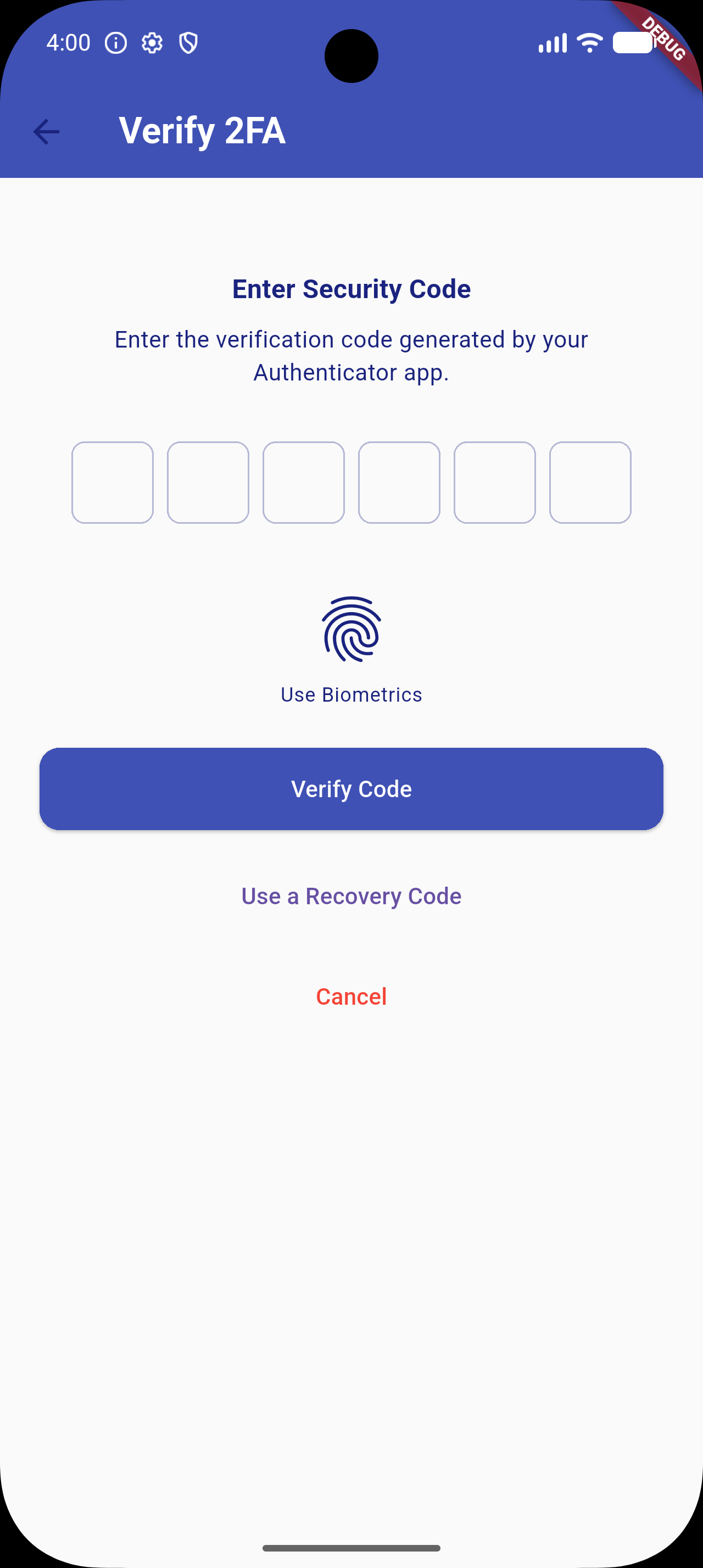
2FA Overview Copy Key Verify OTP Success Feedback


✨ Features (v1.0.5 Upgrade)

  • Quick Setup: Generates a standard cryptographically secure TOTP secret key compatible with Google Authenticator, Microsoft Authenticator, Authy, etc.
  • QR Code Generation: Integrated visual setup flow using dynamic QR codes.
  • Copy-to-Clipboard: Fallback configuration flow allowing users to copy the raw setup key manually.
  • Secure OTP Verification: Standard input interface using high-quality pin inputs (pinput integration).
  • 🎨 Custom UI Themes: Override background colors, text colors, AppBars, button styles, and PIN input decorations to match your app's design system.
  • 🔒 Secure Storage: Optional encrypted storage backend via flutter_secure_storage to secure secret keys and recovery codes.
  • 🛡️ Biometric Authentication: Quick local unlock (Face ID / Touch ID / Fingerprint) via local_auth integration.
  • 🧩 Backup Recovery Codes: Generates 10 static recovery codes during activation. Displayed under a space-saving collapsible accordion. Users can use these codes as a login fallback.
  • ⚙️ Configurable TOTP Settings: Configure digit length, intervals (e.g. 30s/60s), and hashing algorithms (SHA1, SHA256, SHA512).

📦 Installation & Dependency Upgrades

Add flutter_2fa and its required biometric and secure storage backend packages to your pubspec.yaml:

dependencies:
  flutter_2fa: ^1.0.5
  local_auth: ^2.3.0
  flutter_secure_storage: ^9.2.4

Or install them directly:

flutter pub add flutter_2fa local_auth flutter_secure_storage

[!NOTE]
To support newer platform libraries and Dart 3.x, transitive dependency upgrades have been applied (specifically upgrading internal Windows helpers which removes deprecated win32 3.1.3 conflicts).

⚙️ Android Toolchain Requirements

To compile successfully with newer dependency versions (e.g. Kotlin 2.x and Java 21), make sure your Android project files are configured as follows:

  • Gradle Wrapper: Version 8.14.0 or higher (gradle-wrapper.properties).
  • Android Gradle Plugin (AGP): Version 8.11.1 or higher (settings.gradle).
  • Kotlin: Version 2.2.20 or higher (settings.gradle).
  • Compile SDK: Version 34 or higher (app/build.gradle).

🚀 Usage

1. Configure Options (New in v1.0.5)

Define a Flutter2FAConfig configuration object:

import 'package:flutter/material.dart';
import 'package:flutter_2fa/flutter_2fa_config.dart';

final twoFactorConfig = Flutter2FAConfig(
  useSecureStorage: true,   // Encrypts stored secret keys in Keychain/Keystore
  allowBiometrics: true,    // Enables Face ID/Touch ID quick unlock
  totpInterval: 30,         // TOTP step interval (in seconds)
  totpDigits: 6,            // OTP digit length
  totpAlgorithm: 'SHA1',    // Hashing algorithm
  
  // Custom Styles
  backgroundColor: Colors.grey[50],
  textColor: Colors.indigo[900],
  appBarColor: Colors.indigo,
  primaryButtonStyle: ElevatedButton.styleFrom(
    backgroundColor: Colors.indigo,
    foregroundColor: Colors.white,
  ),
);
2. Activating 2FA Setup Flow

Trigger the initialization UI screen where the user is shown the secret seed key, the setup QR code, and collapsible backup recovery codes.

import 'package:flutter_2fa/flutter_2fa.dart';

void activateTwoFactor(BuildContext context) async {
  await Flutter2FA().activate(
    context: context,
    appName: "Your App Name",       // App name shown in Authenticator app
    email: "user@example.com",     // User email identifier for the account
    config: twoFactorConfig,       // Pass the custom config
  );
}
3. Verifying a 2FA Login Session

Trigger the OTP input, biometric verification prompt, or backup recovery code input.

import 'package:flutter_2fa/flutter_2fa.dart';

void verifyTwoFactor(BuildContext context) async {
  await Flutter2FA().verify(
    context: context,
    page: const DashboardScreen(),  // Redirect target widget upon successful validation
    config: twoFactorConfig,       // Pass the custom config
  );
}

🛠️ Contribution

Contributions, issues, and feature requests are very welcome! Feel free to open a pull request or file an issue.

📄 License

This project is licensed under the MIT License - see the LICENSE file for details.

カテゴリー

依存関係

依存関係一覧 8 件

ソースリポジトリ

このパッケージを使用しているプロジェクト

データはまだありません。