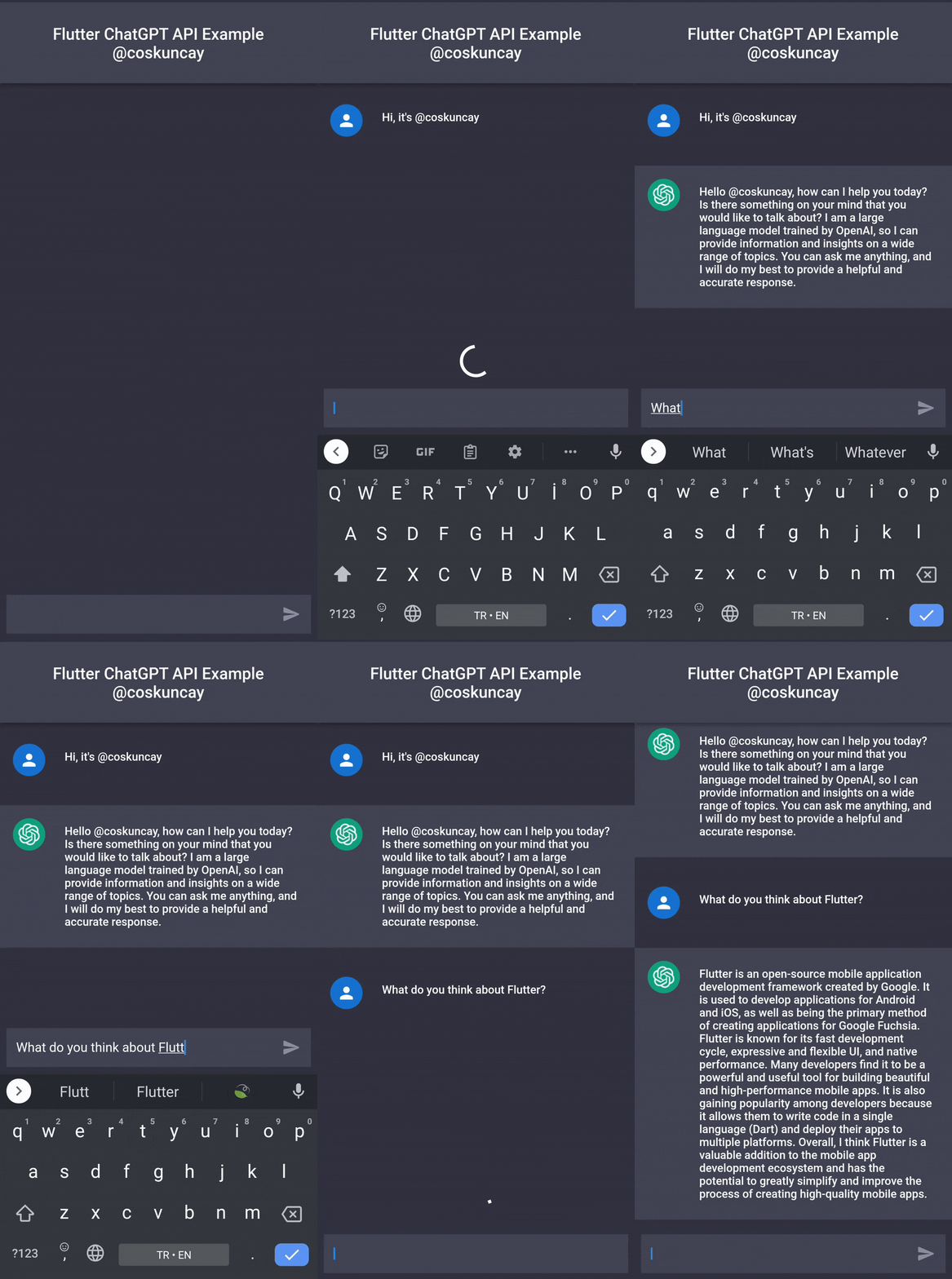
Flutter ChatGPT API
This package is a Flutter/Dart API around ChatGPT by OpenAI .
This package requires a valid session token from ChatGPT to access its unofficial REST API.
This version have been updated to use Puppeteer to log in to ChatGPT and extract the Cloudflare cf_clearance cookie and OpenAI session token. 🔥 Thanks to Node.js ChatGPT API (unofficial)
:warning: Be Careful!
Your user-agent and IP address must match from the real browser window you're logged in with to the one you're using for ChatGPTAPI.
This means that you currently can't log in with your laptop and then run the bot on a server or proxy somewhere.
Please check defaultHeaders
Demo
Installation
dependencies:
  flutter_chatgpt_api: ^1.0.0
Usage
import 'package:flutter_chatgpt_api/flutter_chatgpt_api.dart' ;
_api = ChatGPTApi (
sessionToken: SESSION_TOKEN,
clearanceToken: CLEARANCE_TOKEN,
);
setState (() {
_messages.add (
ChatMessage (
text: _textController.text,
chatMessageType: ChatMessageType .user,
),
);
isLoading = true ;
});
var newMessage = await _api.sendMessage (
input,
conversationId: _conversationId,
parentMessageId: _parentMessageId,
);
setState (() {
_conversationId = newMessage.conversationId;
_parentMessageId = newMessage.messageId;
isLoading = false ;
_messages.add (
ChatMessage (
text: newMessage.message,
chatMessageType: ChatMessageType .bot,
),
);
});
SessionToken
To get a session token:
Go to https://chat.openai.com/chat and log in or sign up.
Open dev tools.
Open Application > Cookies (Storage > Cookies)
Create these files and add your session token to run the tests and example respectively:
Copy the value for __Secure-next-auth.session-token and save it to your environment.example/lib/session_token.dart
Copy the value for cf_clearance and save it to your environment.
example/lib/clearance_token.dart
Should look something like this:
const SESSION_TOKEN = '__Secure-next-auth.session-token from https://chat.openai.com/chat' ;
const CLEARANCE_TOKEN = 'cf_clearance token from https://chat.openai.com/chat' ;
Credit
License
MIT Copyright (c) 2022, Emre Coşkunçay
If you found this project interesting, please consider supporting my open source work by sponsoring me or following me on twitter