パッケージ、リポジトリ、アプリカテゴリを検索

flutter_date_range_picker のカバー
パッケージ詳細v0.3.0

flutter_date_range_picker

入力、ダイアログ、カレンダーのオプションを使って日付範囲を選択するためのFlutterパッケージ。

AndroidiOSWebmacOSWindowsLinux
30日間ダウンロード
5330
いいね数
66
Pub ポイント
160

パッケージをインストール

flutter pub add flutter_date_range_picker

パッケージ概要

公開情報に基づく選定ガイドです。参考としてご利用ください。

Flutterパッケージで、入力フィールド、ダイアログ、インタラクティブなカレンダーなど、複数のインターフェースを通じて日付範囲を選択できるようにします。Android、iOS、Web、macOS、Windows、Linuxといったすべての主要プラットフォームをサポートしており、柔軟な日付範囲選択が必要なクロスプラットフォームアプリに最適です。クリーンでカスタマイズ可能なUIを提供し、組み込みの検証機能と日付間の直感的なナビゲーションを備えています。時間間隔が重要なフォームやワークフローにシームレスに統合できます。

用途

  • 日付範囲を必要とするフォーム入力
  • 予約またはスケジューリングシステム
  • 日付の期間によるデータフィルタリング
  • イベント計画アプリケーション
  • 日付範囲選択機能付きレポートツール
  • カレンダーに基づくダッシュボード

主な機能

  • 複数選択モード(入力、ダイアログ、カレンダー)
  • クロスプラットフォーム互換性
  • カスタマイズ可能な UI とスタイル
  • 組み込みの日付検証
  • 単一および複数の日付範囲のサポート
  • 既存のFlutterフォームとの簡単な統合

適している対象

  • クロスプラットフォームアプリを開発する開発者
  • 日付範囲フィルターが必要なアプリケーション
  • 日付入力を含むUI重視のフォーム
  • スケジューリングおよび予約プラットフォーム
  • 時間間隔の選択を必要とするツール

注意事項

  • 日付フォーマットの取り扱いに注意が必要です
  • 追加のローカリゼーション設定が必要になる場合があります
  • カスタムスタイルには、ウィジェットの構成についての深い理解が必要になる場合があります
  • 日付のみの選択に制限(時刻成分なし)
  • 非常に大きな日付範囲には最適化されていません

元の README

関連するソースリポジトリの README 原文のスナップショットです。最新の内容はリポジトリをご覧ください。

Date Range Picker 📅

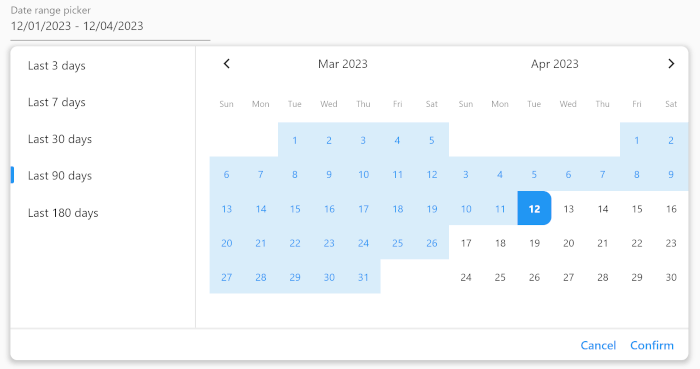
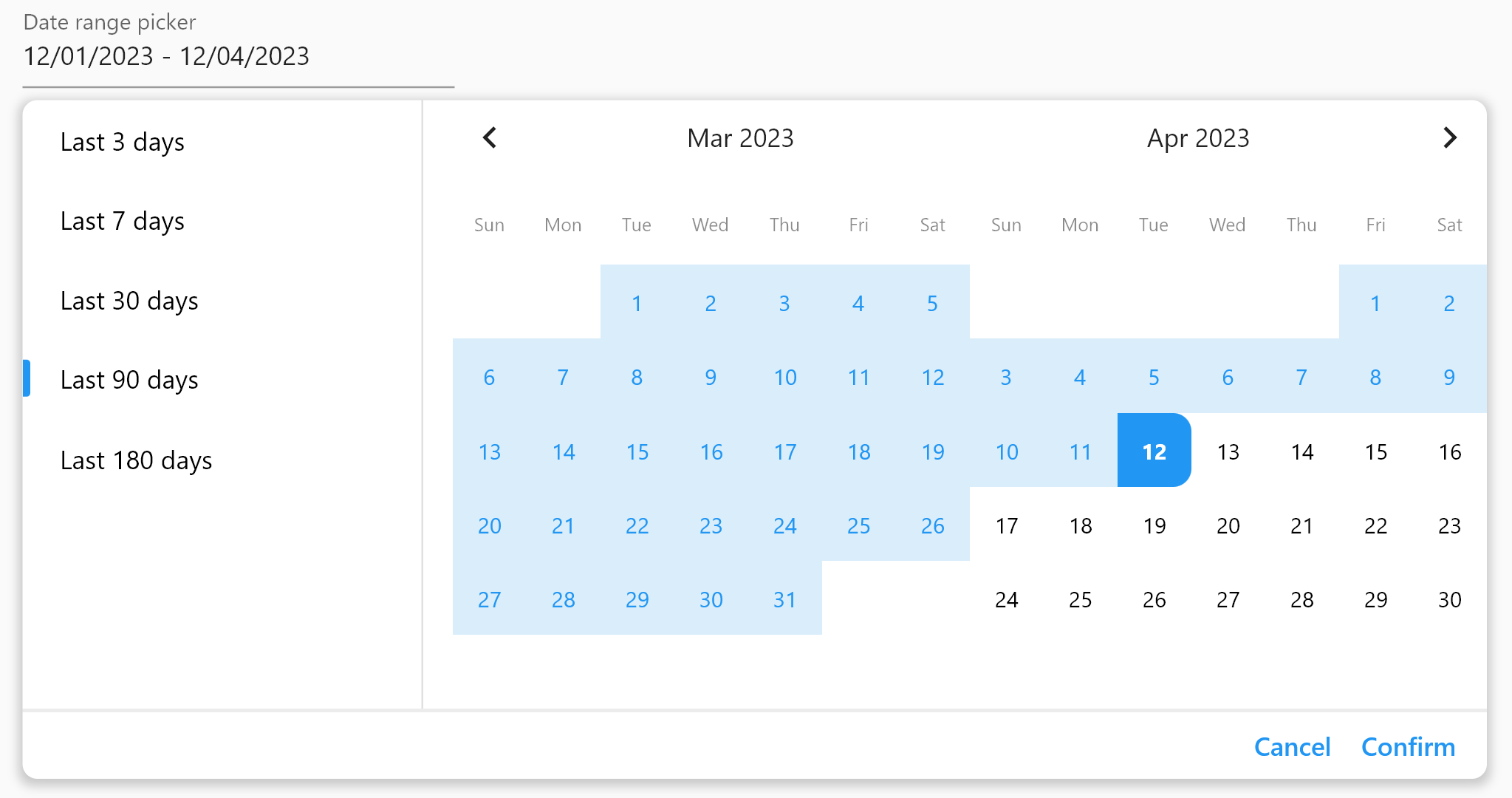
Date Range Picker is a user-friendly and simple package for Flutter that allows users to select a date range. It's designed to evolve over time, and its components are built to be reusable.

Date Range Picker

(Isn't it beautiful?)

Features ✅

  • Simple and user-friendly interface
  • Customizable theme
  • Reusable components
  • Field, form field, and dialog widgets
  • Functions to display a date range picker as a dialog
  • Supports minimum and maximum date limitations
  • Displays two months at once for easy navigation

Installation 🪛

Add the package to your pubspec.yaml file:

dependencies:
  date_range_picker: ^latest_version

Then, run flutter packages get in your terminal.

Usage 📖

To use the Date Range Picker, simply import the package and create a DateRangePickerWidget:

DateRangePickerWidget(
    doubleMonth: doubleMonth,
    maximumDateRangeLength: 10,
    minimumDateRangeLength: 3,
    initialDateRange: selectedDateRange,
    disabledDates: [DateTime(2023, 11, 20)],
    initialDisplayedDate:
    selectedDateRange?.start ?? DateTime(2023, 11, 20),
    onDateRangeChanged: onDateRangeChanged,
);

You can also use the DateRangeField or DateRangeFormField to display a dialog asking the user to select a date range, and to display the selected range. Here is an example:

DateRangeField(
    decoration: InputDecoration(
        label: Text("Date range picker"),
        hintText: 'Please select a date range',
    ),
    onDateRangeSelected: (DateRange? value) {
    // Handle the selected date range here
    },
  selectedDateRange: selectedRange,
);

Lastly, you can use the showDateRangePickerDialog function to display a dialog asking the user to select a date range:

showDateRangePickerDialog(
    context: context, 
    builder: datePickerBuilder
);
...

Widget datePickerBuilder(BuildContext context, dynamic Function(DateRange) onDateRangeChanged) => DateRangePickerWidget(
    doubleMonth: true,
    initialDateRange: selectedDateRange,
    onDateRangeChanged: onDateRangeChanged,
);

Customization 🎨

You can customize the appearance of the Date Range Picker by providing a custom CalendarTheme:

DateRangePickerWidget(
    onDateRangeChanged: (dateRange) {
    // Handle the selected dateRange here
    },
    theme: CalendarTheme(
    selectedColor: Colors.blue,
    dayNameTextStyle: TextStyle(color: Colors.black45, fontSize: 10),
    inRangeColor: Color(0xFFD9EDFA),
    inRangeTextStyle: TextStyle(color: Colors.blue),
    selectedTextStyle: TextStyle(color: Colors.white),
    todayTextStyle: TextStyle(fontWeight: FontWeight.bold),
    defaultTextStyle: TextStyle(color: Colors.black, fontSize: 12),
    radius: 10,
    tileSize: 40,
    disabledTextStyle: TextStyle(color: Colors.grey),
    )
,
);

License 📜

This package is released under the MIT License.

Contributing 🤝

We encourage and welcome contributions from the community to help improve and grow this project. If you would like to contribute, please feel free to fork the repository, make changes, and submit a pull request.

If you have any questions or need guidance, don't hesitate to reach out to the maintainer of this project. We appreciate your interest and support, and we look forward to collaborating with you!

カテゴリー

依存関係

依存関係一覧 1 件

ソースリポジトリ

このパッケージを使用しているプロジェクト