パッケージ、リポジトリ、アプリカテゴリを検索

flutter_file_info のカバー
パッケージ詳細v0.3.0

flutter_file_info

ファイルタイプによって割り当てられたネイティブアイコンを含む、詳細なファイルメタデータを取得するためのFlutterプラグインです。

AndroidiOSmacOSWindows
30日間ダウンロード
233
いいね数
11
Pub ポイント
130

パッケージをインストール

flutter pub add flutter_file_info

パッケージ概要

公開情報に基づく選定ガイドです。参考としてご利用ください。

flutter_file_info は、ファイルサイズ、作成日時、ファイルタイプなどの詳細なファイルメタデータを取得できるFlutterプラグインです。ファイル拡張子に基づいてオペレーティングシステムが割り当てるネイティブアイコンをサポートしており、複数のプラットフォーム間で視覚的な一貫性を高めます。Android、iOS、macOS、Windows向けに設計されており、ファイル管理アプリケーションにスムーズに統合できます。プラットフォーム固有のコードを書く必要なく、システムレベルのファイル情報にアクセスできるようになります。豊富なファイルプレビューまたは詳細なファイルプロパティが必要なアプリに最適です。

用途

  • ファイルブラウザ開発
  • メディアファイルメタデータの抽出
  • ファイルプレビューのサムネイル
  • クロスプラットフォームファイルユーティリティ
  • デスクトップファイル管理

主な機能

  • 種類別にネイティブファイルアイコン
  • クロスプラットフォーム対応
  • ファイルサイズとタイムスタンプの取得
  • シンプルな API インテグレーション
  • 拡張可能なメタデータアクセス

適している対象

  • ファイルエクスプローラーを開発する開発者
  • ファイルメタデータを必要とするアプリ
  • デスクトップおよびモバイルファイルユーティリティ
  • ファイルプレビュー付きの UI
  • ファイル情報が必要なプラグイン

注意事項

  • プラットフォーム固有の権限が必要です
  • 基本的なファイルメタデータに限定
  • アイコンのレンダリングは、OSによって異なる場合があります
  • 大規模なファイルスキャンには適していません
  • 下位のOSファイルシステムAPIに依存する

元の README

関連するソースリポジトリの README 原文のスナップショットです。最新の内容はリポジトリをご覧ください。

header

Flutter Windows Tests pub package pub likes License: MIT

flutter_file_info

A Flutter plugin for retrieving detailed file metadata, including system-native file icons. You can retrieve the native icon assigned to a file based on its type, ensuring a consistent visual representation across platforms. Perfect for applications that require access to file details and icons.

Features

  • Access to native file icons.
  • Retrieval of detailed file metadata.

Compatibility Chart

API Android iOS Linux macOS Windows Web
getFileIconInfo() :heavy_check_mark: :heavy_check_mark: :x: :heavy_check_mark: :heavy_check_mark: :x:
getFileInfo() :heavy_check_mark: :heavy_check_mark: :x: :heavy_check_mark: :heavy_check_mark: :x:

iOS Deployment Target

This plugin requires a minimum iOS deployment target of 13.0. Ensure that your project is configured correctly by following these steps:

  1. Update the Podfile

    In the ios/Podfile file, set the deployment target:

    platform :ios, '13.0'
    

    After making this change, run:

    cd ios && pod install
    
  2. Update Xcode Project Settings

    1. Open your project in Xcode (ios/Runner.xcworkspace).
    2. Navigate to Runner → General.
    3. In the Deployment Info section, set iOS Deployment Target to 13.0.

These steps ensure that your project is compatible with the required iOS version.

Getting Started

Usage

Quick simple usage example:

Get icon info
IconInfo? iconInfo = await FileInfo.instance.getFileIconInfo('path/to/example/file.txt');

Widget _buildFileIcon() {
    if (iconInfo == null) return const SizedBox.shrink();
    return Image.memory(
      iconInfo!.pixelData,
      width: iconInfo!.width.toDouble(),
      height: iconInfo!.height.toDouble(),
    );
  }
Get file info
FileMetadata? fileMetadata = await FileInfo.instance.getFileInfo('path/to/example/file.txt');

if (fileMetadata != null) {
    print(fileMetadata.fileName);                    // Output: file.txt
    print(fileMetadata.fileExtension);               // Output: txt
    print(fileMetadata.fileType);                    // Output: TextDocument
    print(fileMetadata.creationTime?.toString());    // Output: 2024-08-01 17:16:26.500018
    // ...
}

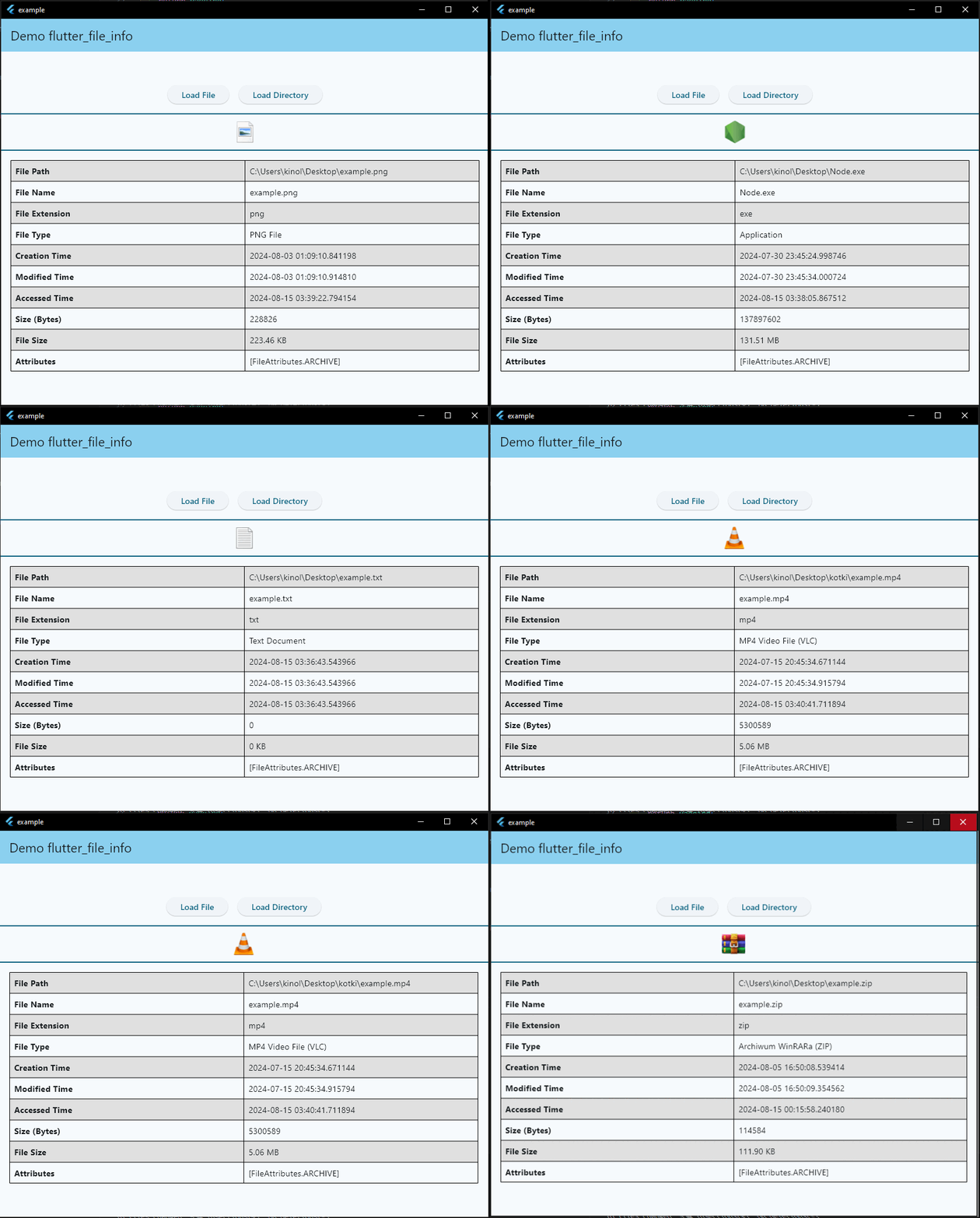
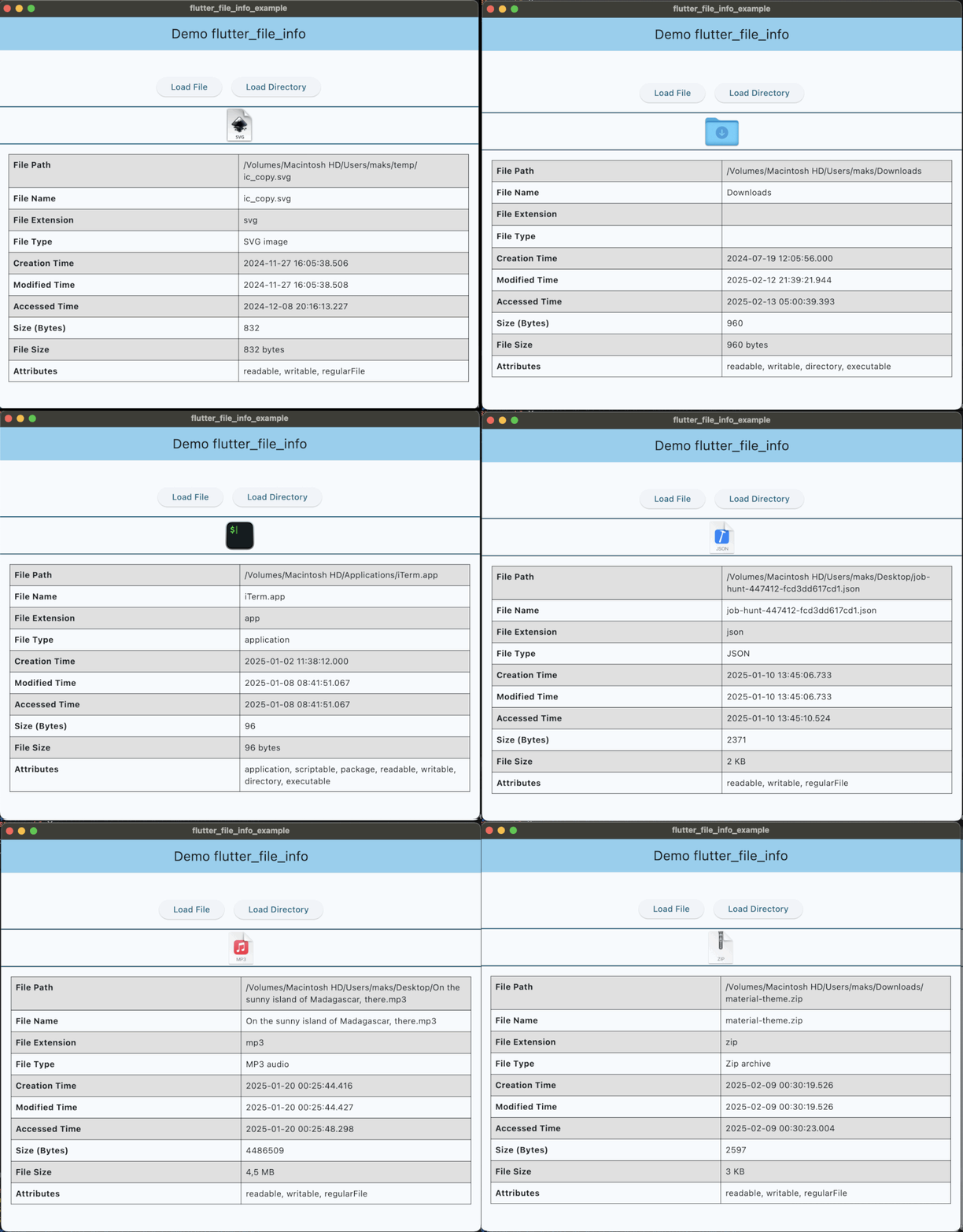
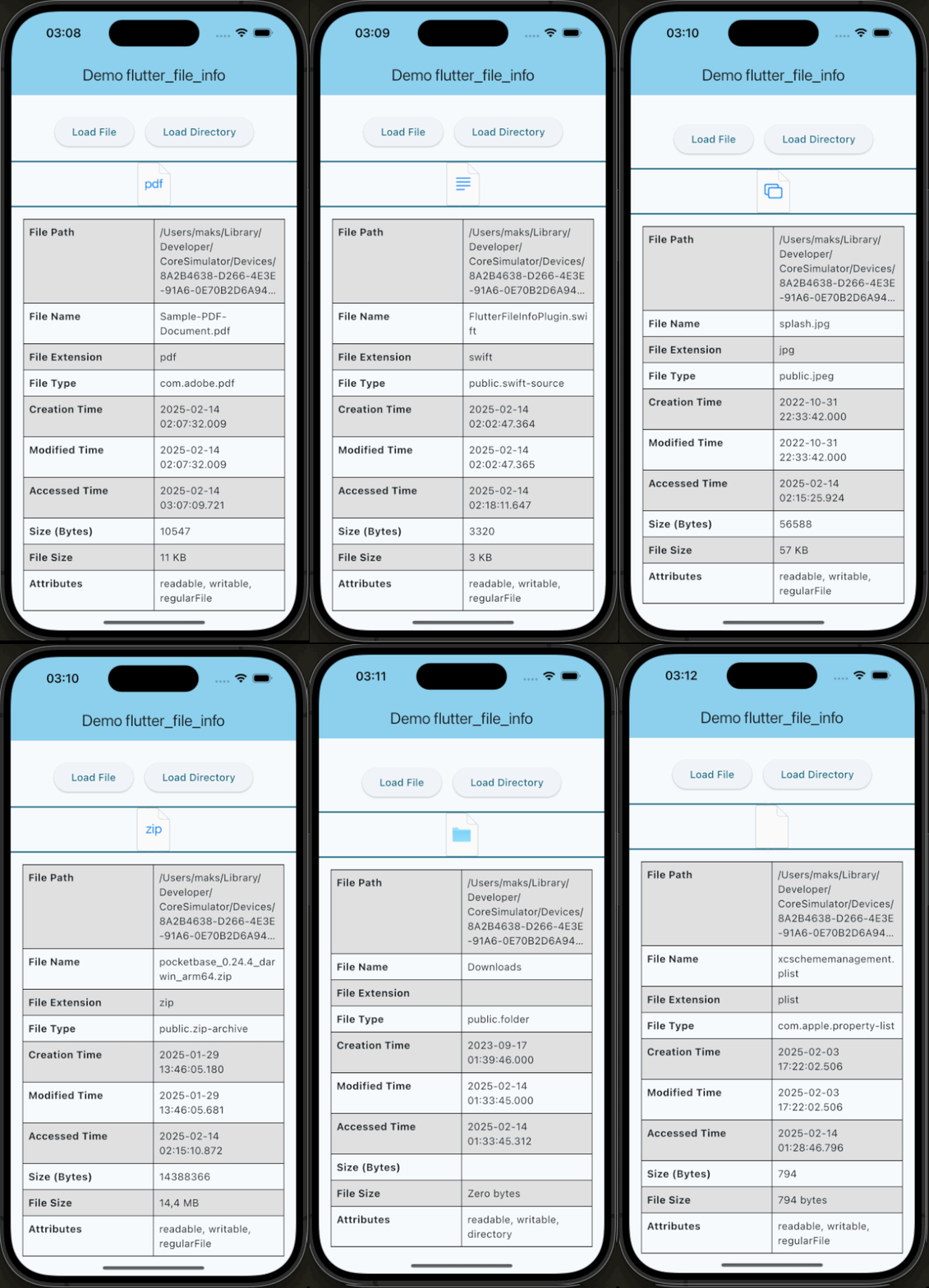
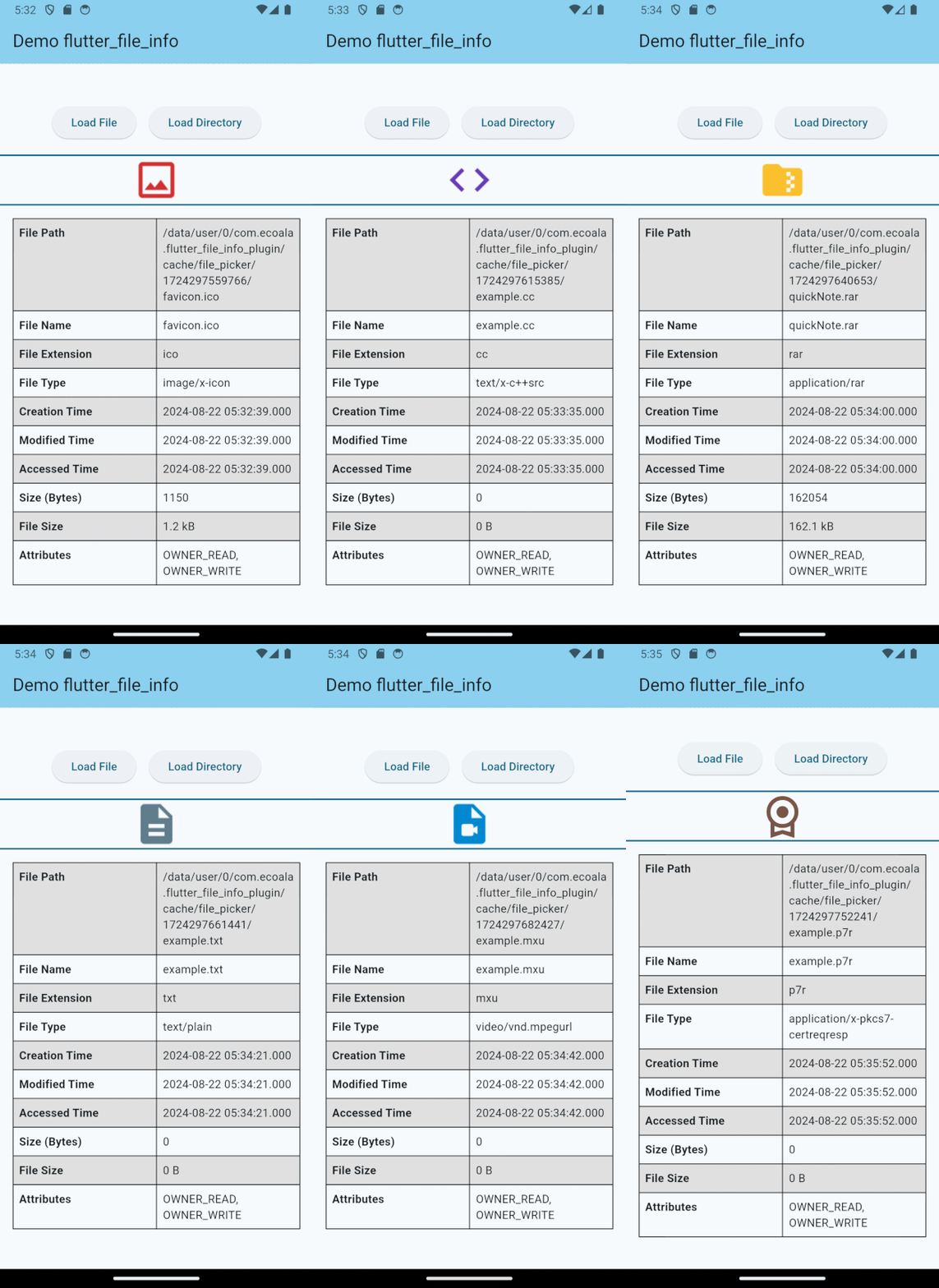
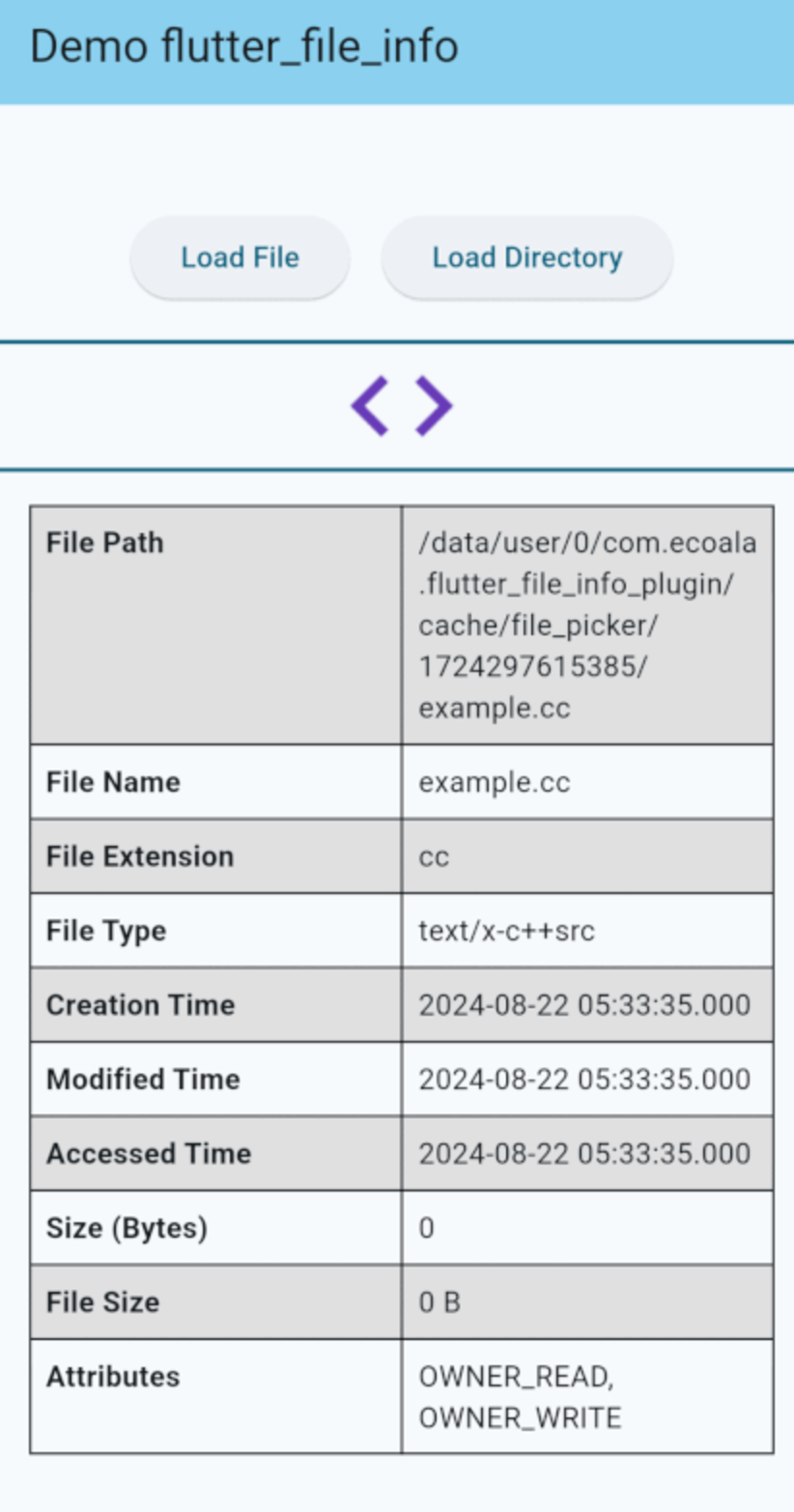
Screenshots

Windows

windows_example

MacOS

macos_example

iOS

ios_example

Android

android_example

Contributing

If you would like to contribute to the development of this plugin, please fork the repository and submit a pull request. For detailed contribution guidelines, please refer to the CONTRIBUTING.md file.

License

This plugin is licensed under the MIT License.

カテゴリー

依存関係

依存関係一覧 5 件

ソースリポジトリ

このパッケージを使用しているプロジェクト

データはまだありません。