パッケージ、リポジトリ、アプリカテゴリを検索

flutter_fortune_wheel のカバー
パッケージ詳細v1.3.2

flutter_fortune_wheel

スピンする運試しの車輪や運気バーなどのウィジェットを使って、(ランダムな)選択プロセスを可視化します。

AndroidiOSWebmacOSWindowsLinux
30日間ダウンロード
1万
いいね数
372
Pub ポイント
115

パッケージをインストール

flutter pub add flutter_fortune_wheel

パッケージ概要

公開情報に基づく選定ガイドです。参考としてご利用ください。

Flutter Fortune Wheel は、Flutter アプリケーションでインタラクティブな回転ホイールや運勢バーを作成するためのカスタマイズ可能なウィジェットライブラリです。ランダム選択プロセスを視覚的に表現でき、ゲーム、報酬システム、または抽選メカニズムに最適です。このパッケージは Android、iOS、Web、macOS、Windows、Linux など複数のプラットフォームをサポートしており、非常に汎用的です。滑らかなアニメーションと pub を通じた簡単な統合により、ダイナミックな視覚フィードバックを通じてユーザー参加度を高めます。開発者はセグメント、色、回転動作をアプリのデザインに合わせてカスタマイズできます。

用途

  • ゲーム化されたユーザー報酬
  • インタラクティブな抽選
  • 賞品選択インターフェース
  • 魅力的なオンボーディング体験
  • ランダムなコンテンツ表示
  • ロイヤルティプログラムのメカニクス

主な機能

  • スムーズな回転アニメーション
  • カスタマイズ可能なホイールセグメント
  • 複数プラットフォームのサポート
  • pub との簡単な統合
  • 回転の継続時間と速度をカスタマイズ可能
  • スピン完了時のイベントコールバック

適している対象

  • ゲーム開発者
  • インタラクティビティを求めるアプリデザイナー
  • 報酬メカニズムを備えたマーケティングアプリ
  • ランダムなクイズを備えた教育アプリ
  • ユーザーエクスペリエンスを重視したモバイルアプリケーション

注意事項

  • アニメーションタイミングの慎重な取り扱いが必要です
  • 複雑なデザインにはパフォーマンスの最適化が必要になる場合があります
  • 限定された組み込みアクセシビリティ機能
  • 高頻度の高速回転には適していない
  • まれなインタラクティブイベントに最適
  • 完全な機能を実現するために外部の依存関係に依存しています

元の README

関連するソースリポジトリの README 原文のスナップショットです。最新の内容はリポジトリをご覧ください。

Coverage Status

Flutter Fortune Wheel

This Flutter package includes wheel of fortune widgets, which allow you to visualize random selection processes. They are highly customizable and work across mobile, desktop and the web.

You can learn more about the wheel's implementation in this article and try an interactive demo here.

Quick Start

First install the package via pub.dev. Then import and use the FortuneWheel:

import 'package:flutter/material.dart';
import 'package:flutter_fortune_wheel/flutter_fortune_wheel.dart';
StreamController<int> controller = StreamController<int>();
FortuneWheel(
  selected: controller.stream,
  items: [
    FortuneItem(child: Text('Han Solo')),
    FortuneItem(child: Text('Yoda')),
    FortuneItem(child: Text('Obi-Wan Kenobi')),
  ],
)

Examples

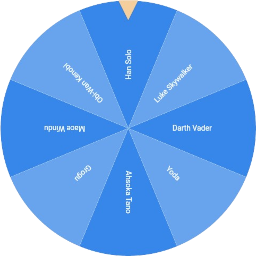
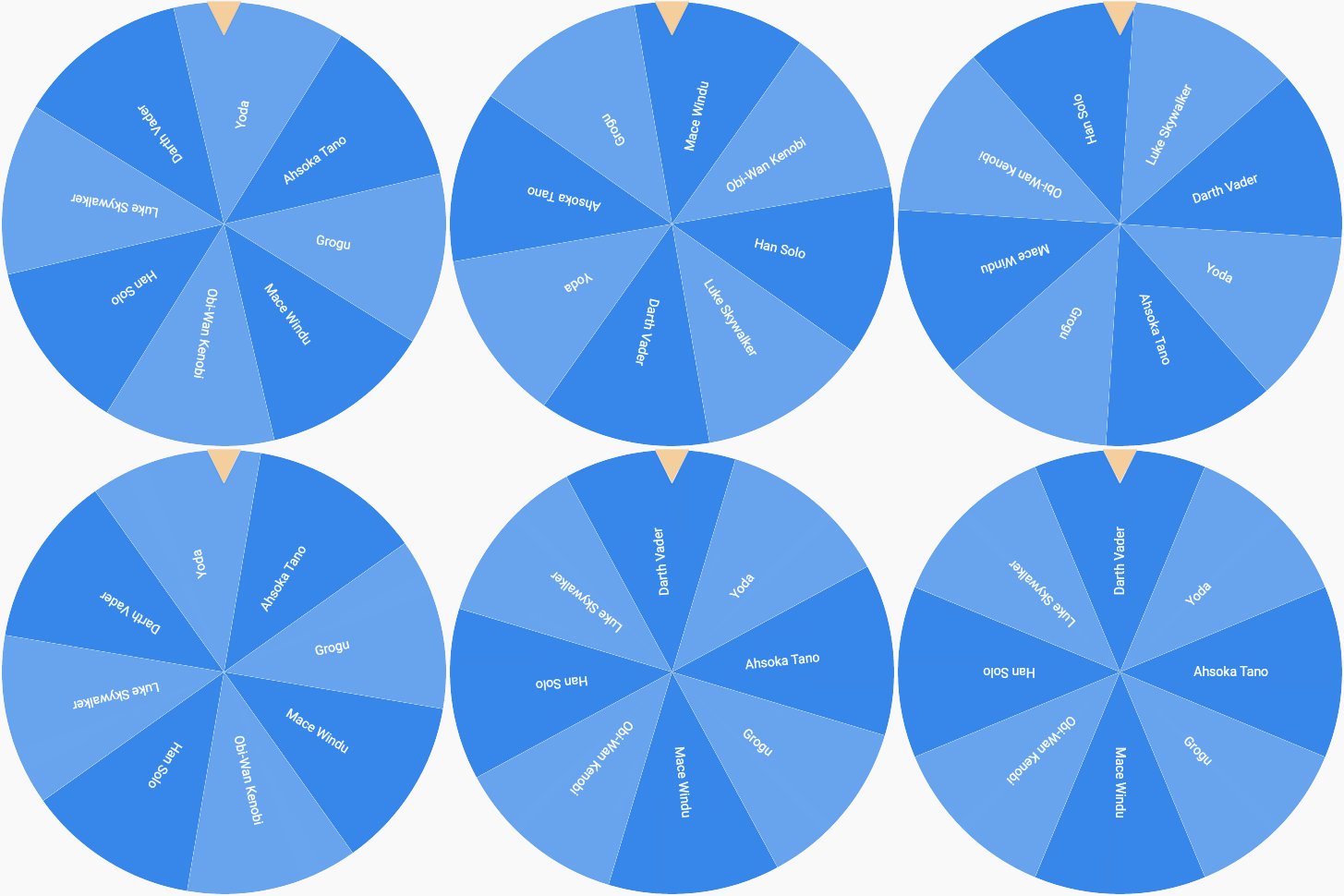
The wheel of fortune is the most iconic visualization.

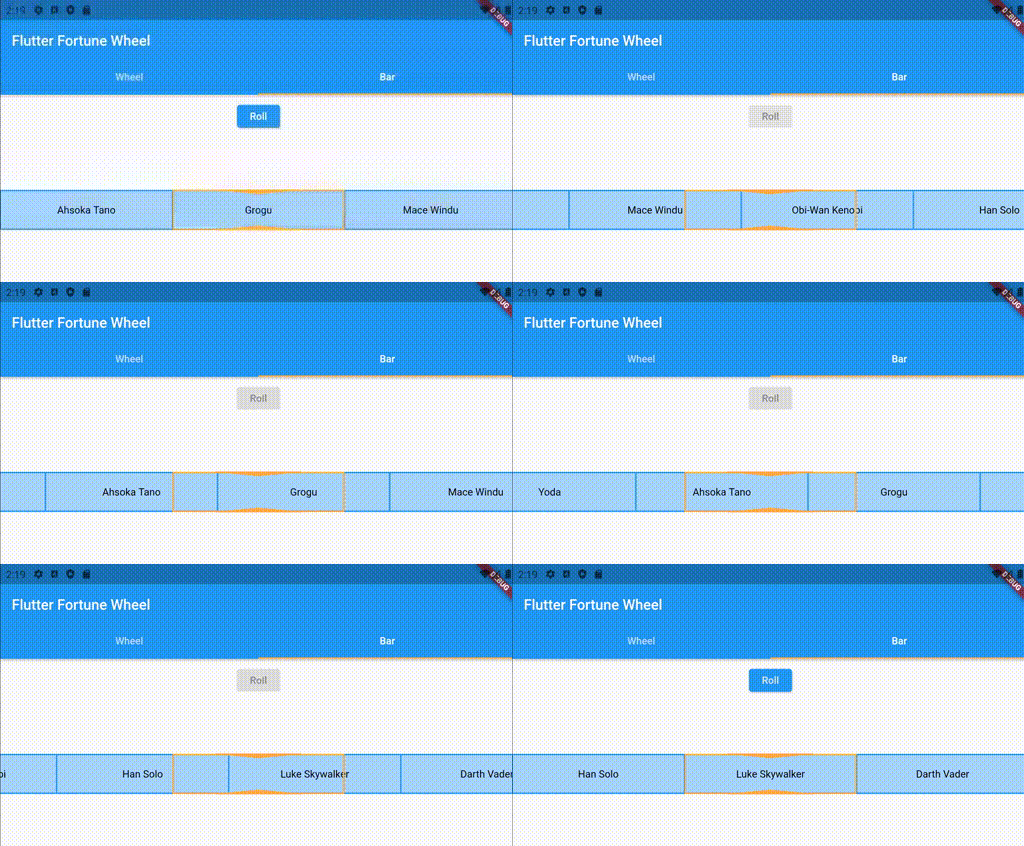
Unfortunately, a circular shape is not the best solution when vertical screen space is scarce. Therefore, the fortune bar, which is smaller in the vertical direction, is provided as an alternative. See below for an example:

import 'package:flutter/material.dart';
import 'package:flutter_fortune_wheel/flutter_fortune_wheel.dart';

StreamController<int> controller = StreamController<int>();
FortuneBar(
  selected: controller.stream,
  items: [
    FortuneItem(child: Text('Han Solo')),
    FortuneItem(child: Text('Yoda')),
    FortuneItem(child: Text('Obi-Wan Kenobi')),
  ],
)

Customization

Drag Behavior

By default, the fortune widgets react to touch and drag input. This behavior can be customized using the physics property, which expects an implementation of the PanPhysics class. If you want to disable dragging, simply pass an instance of NoPanPhysics.

For the FortuneWheel, CircularPanPhysics is recommended, while the FortuneBar uses DirectionalPanPhysics.horizontal by default. If none of the available implementations, suit your needs, you can always implement a subclass of PanPhysics.

The callback passed to onFling is called when the pan physics detects a fling gesture. This gives you the opportunity to select a new random item.

StreamController<int> controller = StreamController<int>();
FortuneWheel(
  // changing the return animation when the user stops dragging
  physics: CircularPanPhysics(
    duration: Duration(seconds: 1),
    curve: Curves.decelerate,
  ),
  onFling: () {
    controller.add(1);
  }
  selected: controller.stream,
  items: [
    FortuneItem(child: Text('Han Solo')),
    FortuneItem(child: Text('Yoda')),
    FortuneItem(child: Text('Obi-Wan Kenobi')),
  ],
)
Item Styling

FortuneItems can be styled individually using their style property. Styling a FortuneWidget's items according to a common logic is achieved by passing a StyleStrategy. By default, the FortuneWheel uses the AlternatingStyleStrategy and the FortuneBar uses the UniformStyleStrategy. As with drag behavior, you can pass custom implementations to the styleStrategy property.

// styling FortuneItems individually
FortuneWheel(
  selected: Stream.value(0),
  items: [
    FortuneItem(
      child: Text('A'),
      style: FortuneItemStyle(
        color: Colors.red, // <-- custom circle slice fill color
        borderColor: Colors.green, // <-- custom circle slice stroke color
        borderWidth: 3, // <-- custom circle slice stroke width
      ),
    ),
    FortuneItem(child: Text('B')),
  ],
)

// common styling for all items of a FortuneWidget
FortuneBar(
  // using alternating item styles on a fortune bar
  styleStrategy: AlternatingStyleStrategy(),
  selected: Stream.value(0),
  items: [
    FortuneItem(child: Text('Han Solo')),
    FortuneItem(child: Text('Yoda')),
    FortuneItem(child: Text('Obi-Wan Kenobi')),
  ],
)
Indicator Styling

The position indicators can be customized by passing a list of FortuneIndicators to FortuneWidget.indicators. By default, the FortuneWheel uses a TriangleIndicator and the FortuneBar uses a RectangleIndicator. You may either pass styled versions of these existing widgets or create your own implementations, since indicators can be any kind of widget. Here is an example of using a customized indicator:

FortuneWheel(
  selected: Stream.value(0),
  indicators: <FortuneIndicator>[
    FortuneIndicator(
      alignment: Alignment.bottomCenter, // <-- changing the position of the indicator
      child: TriangleIndicator(
        color: Colors.green, // <-- changing the color of the indicator
        width: 20.0, // <-- changing the width of the indicator
        height: 20.0, // <-- changing the height of the indicator
        elevation: 0, // <-- changing the elevation of the indicator
      ),
    ),
  ],
  items: [
    FortuneItem(child: Text('A'))
    FortuneItem(child: Text('B')),
  ],
)

Contributions

Contributions are much appreciated.

If you have any ideas for alternative visualizations, feel free to open a pull request or raise an issue. The same holds for any requests regarding existing widgets.

カテゴリー

依存関係

依存関係一覧 2 件

ソースリポジトリ

このパッケージを使用しているプロジェクト