flutter_img


A Flutter widget with SVG code support and the ability to handle SVG, png, and jpg pictures from
assets and the network. Cached photos can be handled by it.
The following files format are supported:
- JPG (Asset And network with cache)
- PNG (Asset And network with cache)
- JPEG (Asset And network with cache)
- SVG (Asset, network and code)
Usage
Basic example
Img(
  'https://miro.medium.com/v2/resize:fit:4800/0*bDz2chibrm3B6QZE',
  fit: BoxFit.fill,
  blurHash: 'LGSF|mNH~U?G-oR+Rkt6^%xZD+Ip',
)
Installation
❗ In order to start using flutter_img you must have the Flutter SDK
installed on your machine.
Add flutter_img to your pubspec.yaml:
dependencies:
  flutter_img:
Install it:
flutter pub add flutter_img
Parameters
| Param |
Description |
| String src |
src is the one and only positional parameter here, and it's required it will take the asset link, HTTP image link, or SVG code as a string. as you know it takes a string, so for SVG code make sure there is no new line. |
| double? height |
If you want to set image height explicitly you can pass a height value or it will adjust the height based on image height and screen height |
| double? width |
Similar to the height, the width parameter also can be used for explicit value |
| BoxShape? shape |
The shape parameter can be used to change the shape of the image. |
| BoxBorder? border |
The border parameter can be used to add the shape of the image. |
| BorderRadiusGeometry? borderRadius |
using borderRadius You can add a border to the image |
| EdgeInsetsGeometry? margin |
the margin of the image |
| EdgeInsetsGeometry? padding |
the padding of the image |
| ColorFilter? colorFilter |
The colorFilter allow you to set a color filter over the image |
| Widget? placeholder |
The placeholder parameter allows you to provide any widget as a placeholder before the network image is fully loaded. this parameter only works with png, jpg/jpeg network images. asset images or SVG images will not be affected |
| String? blurHash |
The blurHash parameter also allows you to load blurhash images before the network image is fully loaded. this parameter only works with png, jpg/jpeg network images. asset images or SVG images will not be affected. By default, if you don't provide placeholder blurhash will apply. and the default value is L5H2EC=PM+yV0g-mq.wG9c010J}I |
| Color? bgColor |
bgColor will set the background color of the image |
| Widget? errorWidget |
errorWidget parameter allows you to provide any widget that will visible if network request failed or any error happened during loading network image |
| final String? package |
package is the name of the package where the image is located. It's only used for asset images |
Example
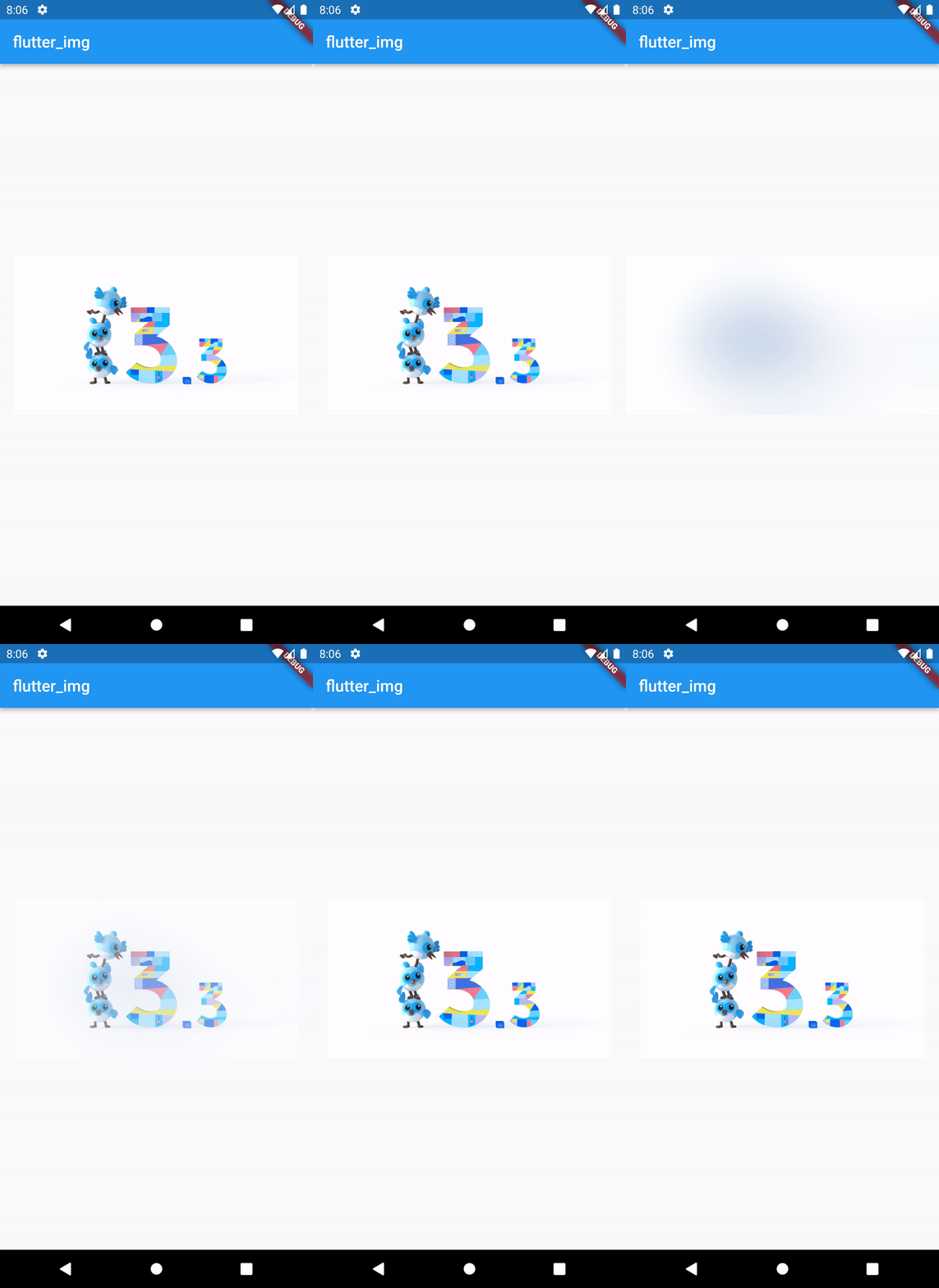
Network Image with blurhash
Img(
  'https://miro.medium.com/v2/resize:fit:4800/0*bDz2chibrm3B6QZE',
  blurHash: 'LGSF|mNH~U?G-oR+Rkt6^%xZD+Ip',
  width: 400,
  height: 200,
)
SVG network Image
Img(
  'https://raw.githubusercontent.com/shafi-org/portfolio/master/src/assets/flutter-svgrepo-com.svg',
  width: 300,
  height: 300,
)
SVG Code
Img(
  '<svg width="317px" height="317px" viewBox="-30.5 0 317 317" version="1.1" xmlns="http://www.w3.org/2000/svg" xmlns:xlink="http://www.w3.org/1999/xlink" preserveAspectRatio="xMidYMid"> <defs> <linearGradient x1="3.9517088%" y1="26.9930287%" x2="75.8970734%" y2="52.9192657%" id="linearGradient-1"> <stop stop-color="#000000" offset="0%"></stop> <stop stop-color="#000000" stop-opacity="0" offset="100%"></stop> </linearGradient> </defs> <g> <polygon fill="#47C5FB" points="157.665785 0.000549356223 0.000549356223 157.665785 48.8009614 206.466197 255.267708 0.000549356223"></polygon> <polygon fill="#47C5FB" points="156.567183 145.396793 72.1487107 229.815265 121.132608 279.530905 169.842925 230.820587 255.267818 145.396793"></polygon> <polygon fill="#00569E" points="121.133047 279.531124 158.214592 316.61267 255.267159 316.61267 169.842266 230.820807"></polygon> <polygon fill="#00B5F8" points="71.5995742 230.364072 120.401085 181.562561 169.842046 230.821136 121.132827 279.531454"></polygon> <polygon fill-opacity="0.8" fill="url(#linearGradient-1)" points="121.132827 279.531454 161.692896 266.072227 165.721875 234.941308"></polygon> </g> </svg>',
  width: 300,
  height: 300,
)

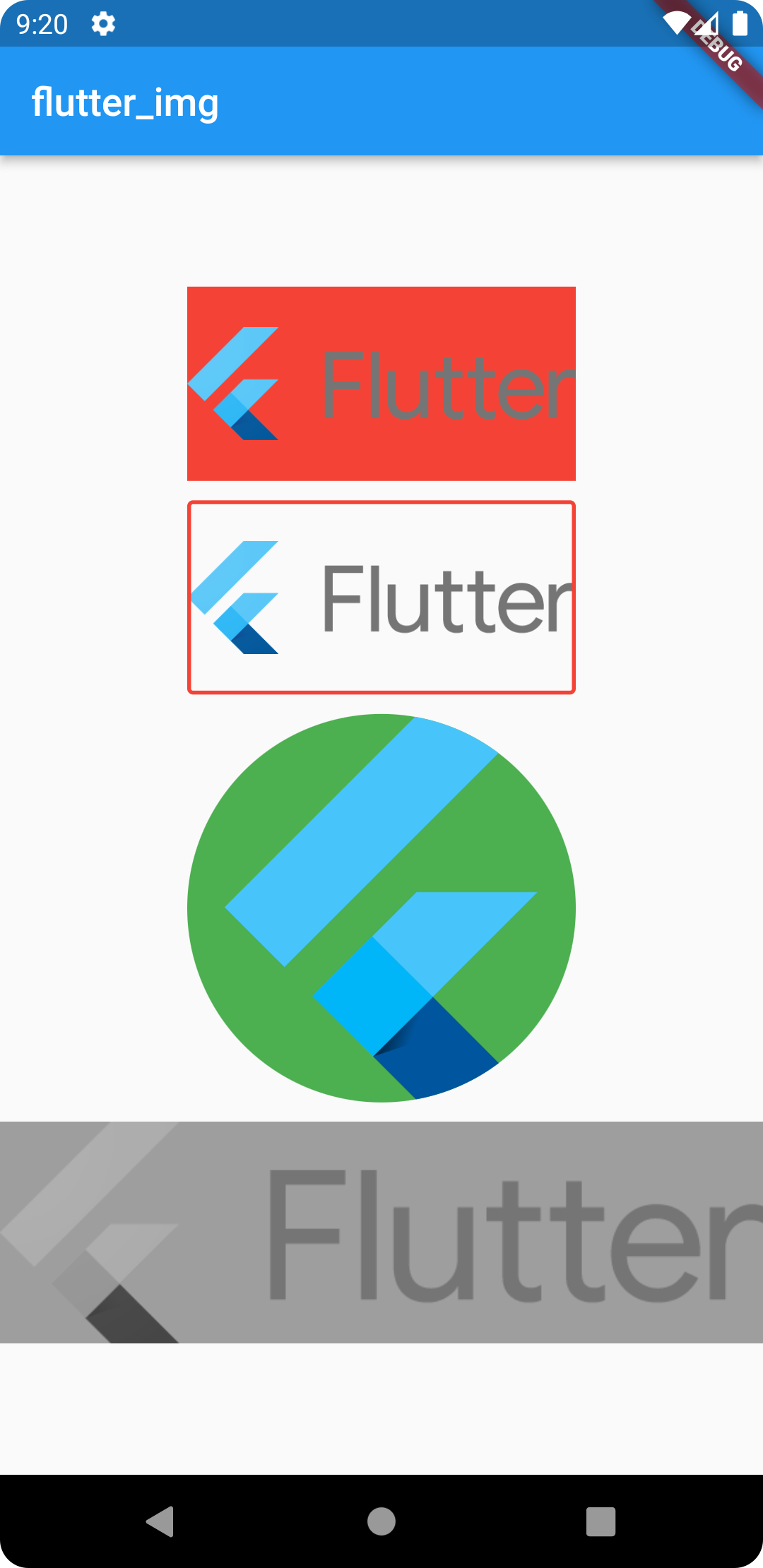
Image with background
Img(
  'assets/images/lockup_flutter_horizontal.png',
  bgColor: Colors.red,
  height: 100,
  width: 200,
)
Border and border radius
Img(
  'assets/images/lockup_flutter_horizontal.png',
  borderRadius: BorderRadius.all(Radius.circular(3)),
  border: Border.all(width: 2, color: Colors.red),
  width: 200,
  height: 100,
)
Circular Shape
Img(
  'assets/images/flutter-svgrepo-com.svg',
  shape: BoxShape.circle,
  bgColor: Colors.green,
  height: 200,
  width: 200,
  margin: EdgeInsets.all(10),
)
Color Filter
Img(
  'assets/images/lockup_flutter_horizontal.png',
  colorFilter: ColorFilter.mode(
    Colors.grey,
    BlendMode.saturation,
  ),
)