パッケージ、リポジトリ、アプリカテゴリを検索

flutter_locales のカバー
パッケージ詳細v3.0.6

flutter_locales

複数の言語にアプリを簡単にローカライズする

AndroidiOSWebmacOSWindowsLinux
30日間ダウンロード
1390
いいね数
59
Pub ポイント
130

パッケージをインストール

flutter pub add flutter_locales

パッケージ概要

公開情報に基づく選定ガイドです。参考としてご利用ください。

flutter_locales は、複数の言語を簡単にサポートできるようにすることで、アプリのローカライズを簡素化するFlutterパッケージです。翻訳の管理、ロケール間の動的切り替え、言語固有のフォーマット処理を簡単に行う方法を提供します。Flutterの国際化システムとシームレスに統合されており、開発者が翻訳ファイルを定義し、簡単なキーを通じてローカライズされた文字列にアクセスできます。Android、iOS、Web、macOS、Windows、Linuxなど、すべての主要プラットフォームをサポートしており、多言語機能を必要とするクロスプラットフォームアプリに最適です。

用途

  • 多言語アプリサポート
  • 動的言語切り替え
  • 翻訳ファイル管理
  • クロスプラットフォームローカリゼーション
  • ユーザーの好みに基づく言語選択

主な機能

  • シンプルな翻訳キー システム
  • 実行時ロケール切り替え
  • 複数形のサポート
  • Flutter の i18n との統合
  • プラットフォームに依存しない設計

適している対象

  • グローバルモバイルおよびウェブアプリ
  • 多様なユーザー層をターゲットにしたアプリ
  • ローカリゼーションに初めて挑戦する開発者
  • 迅速なi18n設定が必要なプロジェクト
  • 頻繁に言語が更新されるアプリ

注意事項

  • 手動で翻訳ファイルを作成する必要があります
  • 限定された組み込み翻訳ツール
  • 自動文字列抽出なし
  • 外部翻訳サービスと最適に連携
  • 正しいファイル構造の遵守に依存する

元の README

関連するソースリポジトリの README 原文のスナップショットです。最新の内容はリポジトリをご覧ください。

flutter_locales

Localize your Flutter app to multiple locales within seconds

Why Flutter Locales

✅ Easily Localize your app
✅ Change App Locale within the app
✅ Get Last Changed locale on App starts
✅ Save Locale Language After changed buy LocaleNotifier
✅ Get Translation with LocaleText('key') Widget

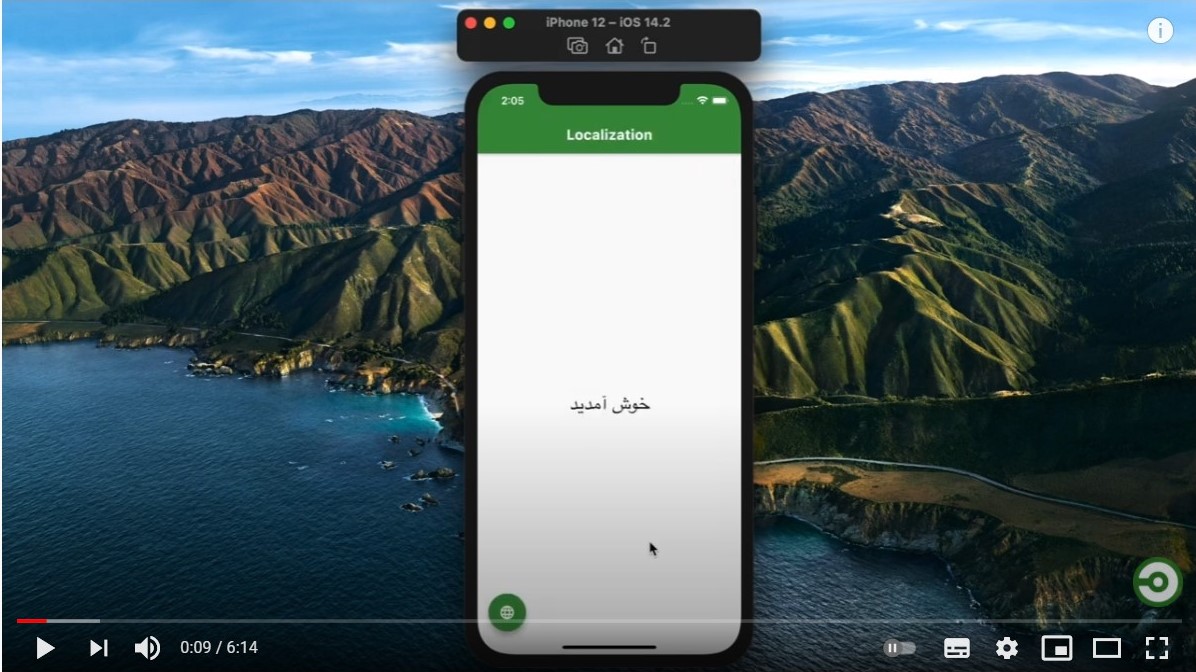
Example App

Look at a Simple app at GitHub.

Example App

Video Tutorial

Watch the video

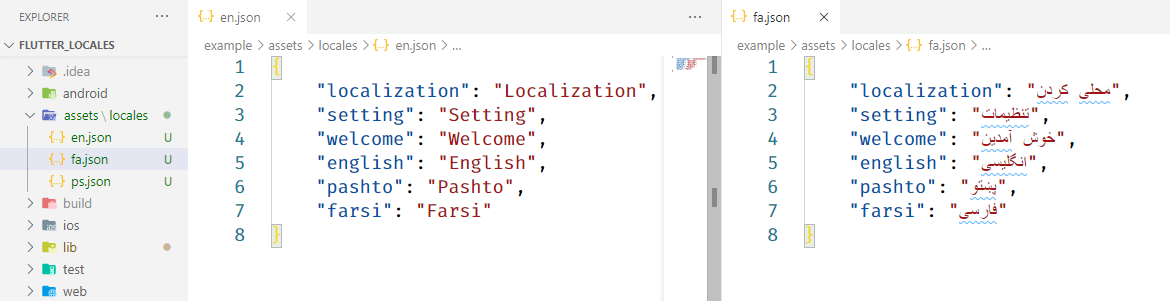
1) Create locales assets

Create an assets/locales folder at the root of your project and add your locales json files. like: Example app assets/locales

  • your locale files name shall be name of the language
    • like:
      • en.json For english locales
      • ps.json for pashto locales

2) Include package and assets

Include latest dependency of flutter_locales

dependencies:
  flutter:
    sdk: flutter
  flutter_locales:

Include assets/locales/ folder

flutter:
  uses-material-design: true
  assets:
    - assets/locales/

3) Initialize app

Replace your main app with

void main() async {
  WidgetsFlutterBinding.ensureInitialized();
  await Locales.init(['en', 'fa', 'ps']); // get last saved language
  // remove await if you want to get app default language

  runApp(MyApp());
}
  • ['en', 'fa', 'ps'] are language codes of .json files located in located in assets/locales folder
  • You can replace these languages with your languages

Wrap your MaterialApp with LocaleBuilder then provide locale to app

class MyApp extends StatelessWidget {
  @override
  Widget build(BuildContext context) {
    return LocaleBuilder(
      builder: (locale) => MaterialApp(
        title: 'Flutter Locales',
        localizationsDelegates: Locales.delegates,
        supportedLocales: Locales.supportedLocales,
        locale: locale,
        home: HomeScreen(),
      ),
    );
  }
}
  • LocaleBuilder rebuild the app you change the app locale by Locales.change(context, 'fa')

Locale Text

LocaleText Widget Use to translate a key

LocaleText(`welcome`);
  • LocaleText Translate a key to string
Locale String
  • To get a key translated call
Locales.string(context, 'welcome')

// with extension
context.localeString('welcome');

Change App Locale

To change app locale language

Locales.change(context, 'fa');

//with extension
context.changeLocale('fa');
  • When you change app automatically saves at Locale
Current Locale Language
  • To get current locale call
Locales.currentLocale(context);

//with extension
context.currentLocale;

Getting Started

This project is a starting point for a Dart package, a library module containing code that can be shared easily across multiple Flutter or Dart projects.

For help getting started with Flutter, view our online documentation, which offers tutorials, samples, guidance on mobile development, and a full API reference.

カテゴリー

依存関係

依存関係一覧 2 件

ソースリポジトリ

このパッケージを使用しているプロジェクト

データはまだありません。