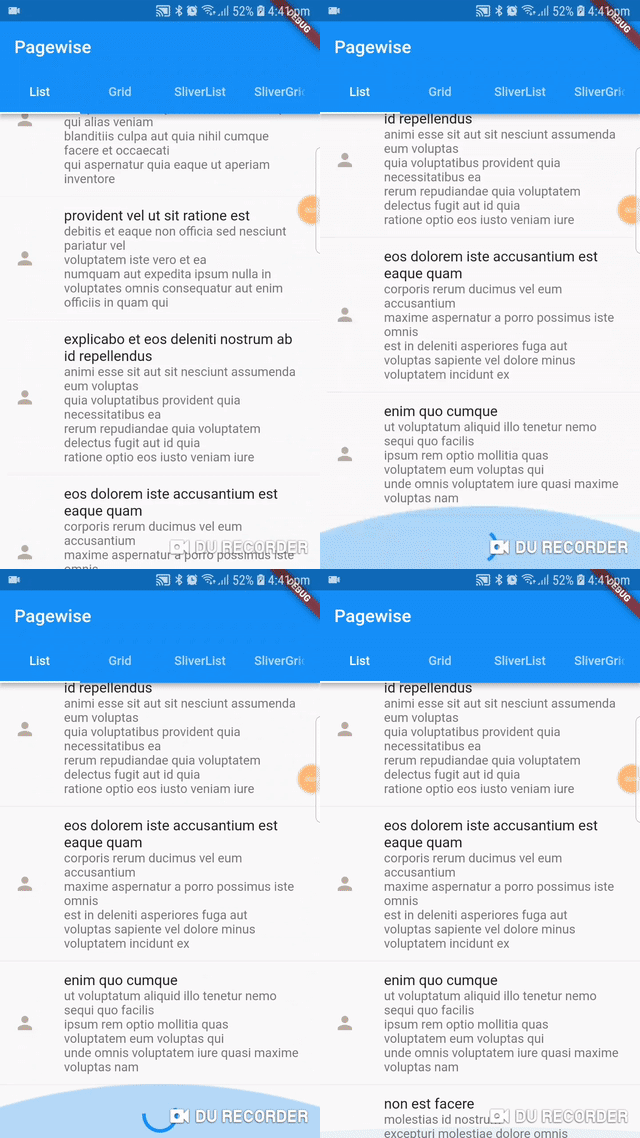
A library for widgets that load their content one page (or batch) at a time (also known as lazy-loading and pagination).
Features
Load data one page at a time
Retry failed pages
Override the default loading, retry, and error widgets if desired
Manage loading of data more closely using a PagewiseLoadController
ListView and GridView implementations
SliverList and SliverGrid implementations
Extendability using inheritance
Breaking Change Starting V1.0.0:
The library has been rewritten in version 1.0.0 to provide a more
efficient implementation that does not require a totalCount parameter
and shows only one loading sign when users scroll down. In addition,
a new parameter has been added to itemBuilder callback to provide
the index if needed by the user.
Installing the library:
Like any other package, add the library to your pubspec.yaml dependencies:
PagewiseGridView: A pagewise implementation of GridView. It could be
used as follows:
PagewiseGridView.count(
  pageSize: 10,
  crossAxisCount: 2,
  mainAxisSpacing: 8.0,
  crossAxisSpacing: 8.0,
  childAspectRatio: 0.555,
  padding: EdgeInsets.all(15.0),
  itemBuilder: (context, entry, index) {
    // return a widget that displays the entry's data
  },
  pageFuture: (pageIndex) {
    // return a Future that resolves to a list containing the page's data
  },
);
PagewiseListView: A pagewise implementation of ListView. It could be
used as follows:
PagewiseListView(
  pageSize: 10,
  padding: EdgeInsets.all(15.0),
  itemBuilder: (context, entry, index) {
    // return a widget that displays the entry's data
  },
  pageFuture: (pageIndex) {
    // return a Future that resolves to a list containing the page's data
  }
);
PagewiseSliverGrid: A pagewise implementation of SliverGrid. It could be used similar to PagewiseGridView for cases where a sliver is needed.
PagewiseSliverList: A pagewise implementation of SliverList. It could be used similar to PagewiseListView for cases where a sliver is needed.
The classes provide all the properties of ListViews and
GridViews. In addition, you must provide the itemBuilder, which
tells Pagewise how you want to render each element, and pageFuture,
which Pagewise calls to fetch new pages. Please note that pageFuture
must not return more values than mentioned in the pageSize parameter.
Customizing the widget:
In addition to the required parameters, Pagewise provides you with
optional parameters to customize the widget. You have loadingBuilder,
errorBuilder, noItemsFoundBuilder, and retryBuilder to customize the widgets that show
on loading, error, no found items and retry respectively.
Thus, the retryBuilder provides you with a callback that you can
call when you want to retry.
The errorBuilder is only relevant when showRetry is set to false,
because, otherwise, the retryBuilder is shown instead. The errorBuilder
can be used as follows:
Check the classes' documentation for more details.
Providing your own PagewiseLoadController:
Pagewise widgets manage the loading of pages using a
PagewiseLoadController. This controller is responsible for fetching data,
handling errors, etc.
You don't have to provide a controller yourself when creating a Pagewise
widget. The widget will create one for you. However you might wish to create
one yourself in order to achieve some effects.
Notice though that if you provide a controller yourself, you should provide
the [pageFuture] and [pageSize] parameters to the controller instead of
the widget.
A possible use case of the controller is to force a reset of the loaded
pages using a RefreshIndicator.
you could achieve that as follows (note that we added the Future.value({}) as a dummy return value, because
onRefresh expects a Future, but reset does not return one):
Another use case for creating the controller yourself is if you want to
listen to the state of Pagewise and act accordingly.
For example, you might want to show a snackbar when we reach the end of the list
In that case, you could do:
final _pageLoadController = PagewiseLoadController(
pageSize: 6,
pageFuture: BackendService.getPage
);
@overridevoidinitState() {
super.initState();
this._pageLoadController.addListener(() {
if (!this._pageLoadController.hasMoreItems) {
Scaffold.of(context).showSnackBar(
SnackBar(
content: Text('No More Items!')
)
);
}
});
}
Creating your own Pagewise Widgets:
You need to inherit from the Pagewise class. Check the code of
PagewiseListView and PagewiseGridView for examples