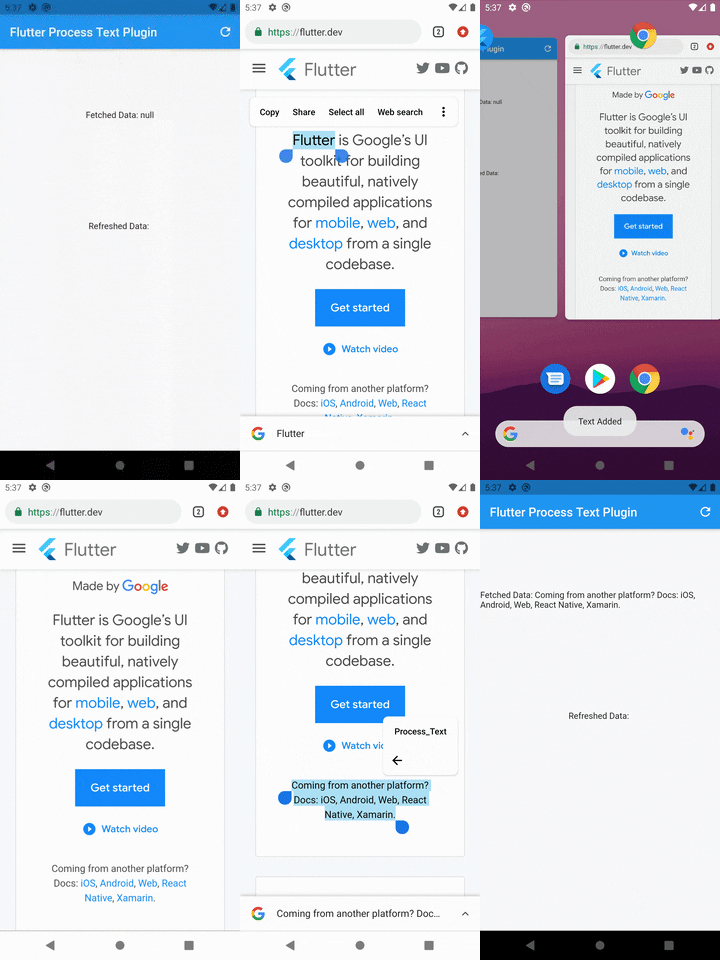
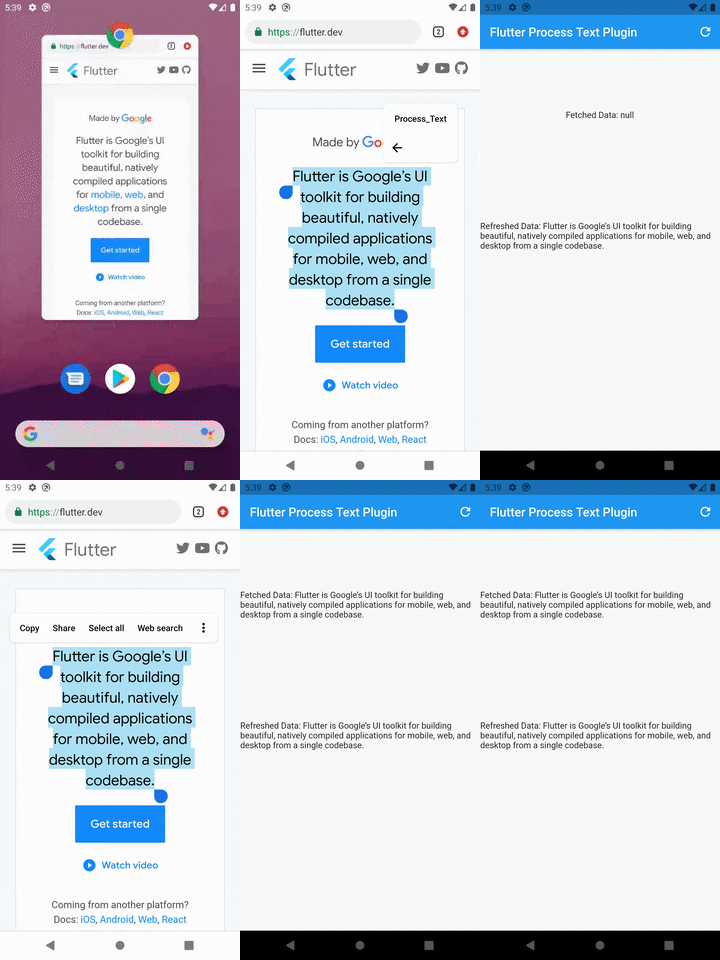
Note: You may change the android:name from ProcessTextActivity to anything you want. also change the android:label from Process_Text to the process action text that you want to display.
Step 3: Create new activity class
Create a new Java/Kotlin file with the same name as android:name in step 2.
Copy the below code and paste in the newly created file.
package com.divyanshushekhar.flutter_process_text_example;

import com.divyanshushekhar.flutter_process_text.FlutterProcessTextPlugin;
import io.flutter.embedding.android.FlutterActivity;
import android.os.Bundle;

public class ProcessTextActivity extends FlutterActivity {

    @Override
    public void onCreate(Bundle savedInstanceState) {
        super.onCreate(savedInstanceState);
        boolean issAppRunning = MainActivity.getIsAppRunning();
        FlutterProcessTextPlugin.listenProcessTextIntent(issAppRunning);
    }
}
Note: Don't forget to change the package name in the above code.
Step 4: Changes in MainActivity
Make the necessary changes in the MainActivity class.
package com.divyanshushekhar.flutter_process_text_example;

import io.flutter.embedding.android.FlutterActivity;

import android.app.ActivityManager;
import android.content.Context;
import android.os.Bundle;
import java.util.List;

public class MainActivity extends FlutterActivity {
   private static boolean isAppRunning;

   public static boolean getIsAppRunning() {
     return isAppRunning;
   }

   @Override
   public void onCreate(Bundle savedInstanceState) {
       super.onCreate(savedInstanceState);
        isAppRunning = isAppRunning(this);
   }

    public static boolean isAppRunning(Context context) {
        final String packageName = context.getPackageName();
        final ActivityManager activityManager = (ActivityManager) context.getSystemService(Context.ACTIVITY_SERVICE);
        final List<ActivityManager.RunningAppProcessInfo> processInfo = activityManager.getRunningAppProcesses();
        if (processInfo != null)
        {
            for (final ActivityManager.RunningAppProcessInfo info : processInfo) {
                if (info.processName.equals(packageName)) {
                    return true;
                }
            }
        }
        return false;
    }
}
Step 5: Connect to flutter
First thing you need to do is to call the initialize method from the FlutterProcessText class in the initState() {} of the page.
There are two ways to work with stream, either create a StreamSubscription to listen for the incoming data or store the Stream and use it in StreamBuilder.