パッケージ、リポジトリ、アプリカテゴリを検索

flutter_screen_lock のカバー
パッケージ詳細v9.2.2+2

flutter_screen_lock

iOSおよびAndroidで画面ロックを行う機能を提供します。パスコードに加えて、バイオメトリック認証も利用できます。

AndroidiOSWebmacOSWindowsLinux
30日間ダウンロード
4120
いいね数
309
Pub ポイント
160

パッケージをインストール

flutter pub add flutter_screen_lock

パッケージ概要

公開情報に基づく選定ガイドです。参考としてご利用ください。

Flutter Screen Lock は、Android、iOS およびその他の対応プラットフォームで画面ロックを可能にするクロスプラットフォームパッケージです。パスコードとバイオメトリック認証(Face ID や指紋など)の両方をサポートし、アプリインターフェースを保護します。銀行やプライベートデータアクセスなど、より高いセキュリティが必要なアプリに最適で、Flutterエコシステムとシームレスに統合されます。このパッケージはネイティブプラットフォーム機能を活用して信頼性の高い認証を実現し、デバイス間で一貫したユーザー体験を確保します。

用途

  • セキュアなアプリアクセス
  • 機密データを保護する
  • バイオメトリックログイン
  • パスコード保護
  • アプリロック機能
  • プライバシー重視のアプリケーション

主な機能

  • クロスプラットフォーム対応
  • バイオメトリック認証
  • パスコードのフォールバック
  • ネイティブ統合
  • 簡単なセットアップ
  • カスタマイズ可能なUI

適している対象

  • 高いセキュリティを必要とするアプリ
  • 金融または健康アプリ
  • プライベートデータストレージ
  • ユーザーのプライバシー用ツール
  • アプリロックを構築する開発者

注意事項

  • プラットフォーム固有の権限が必要です
  • 一部のプラットフォームではカスタマイズが限定されています
  • Webサポートには制限がある場合があります
  • デバイスの生体認証の利用可能性に依存します
  • インタラクティブでない画面には適していません
  • Web用に追加の構成が必要になる場合があります

元の README

関連するソースリポジトリの README 原文のスナップショットです。最新の内容はリポジトリをご覧ください。

Flutter Screen Lock

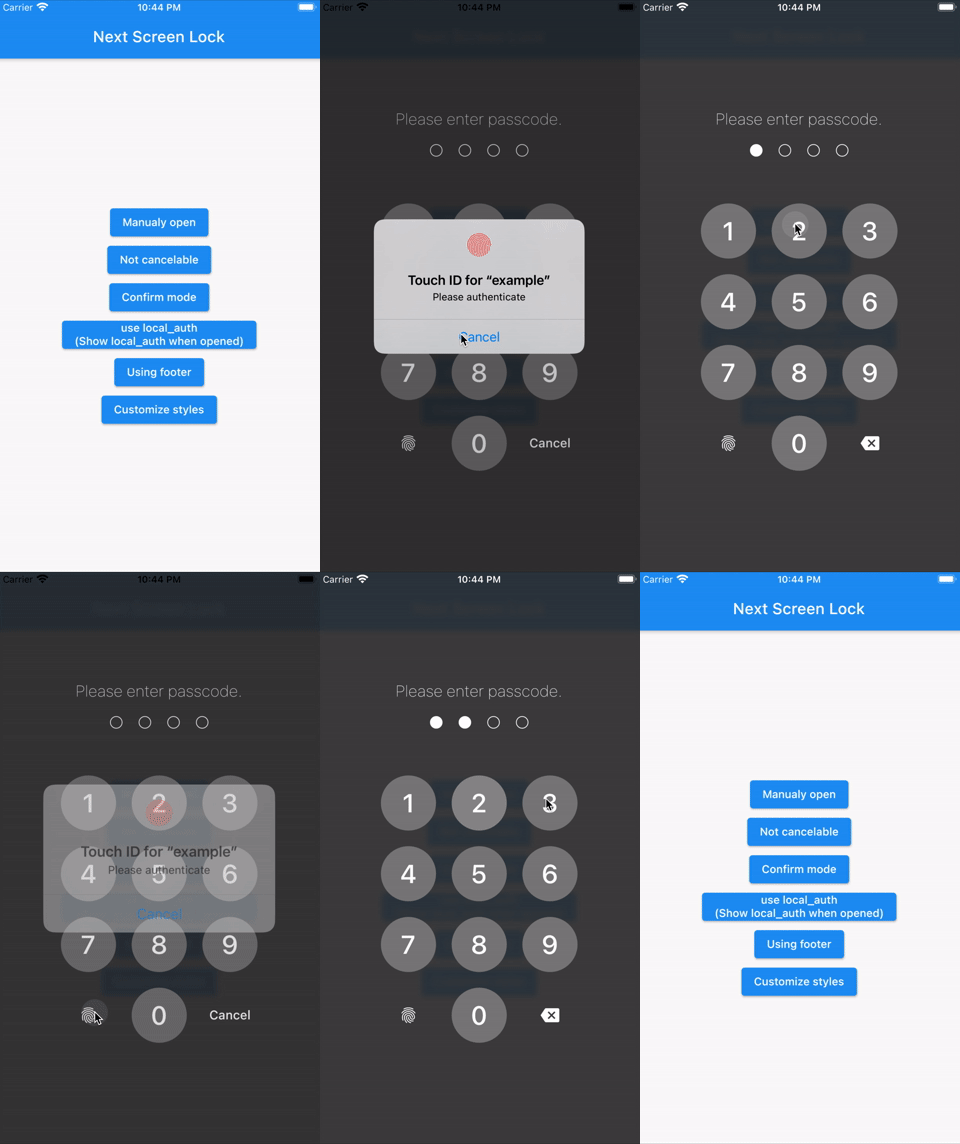
This Flutter plugin provides an feature for screen lock. Enter your passcode to unlock the screen. You can also use biometric authentication as an option.

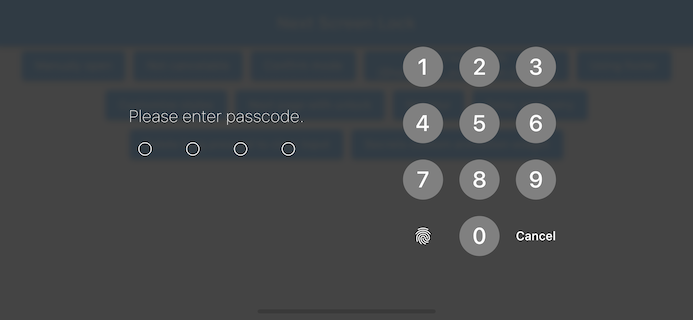
Landscape view

Features

  • By the length of the character count
  • You can change Cancel and Delete widget
  • Optimizes the UI for device size and orientation
  • You can disable cancellation
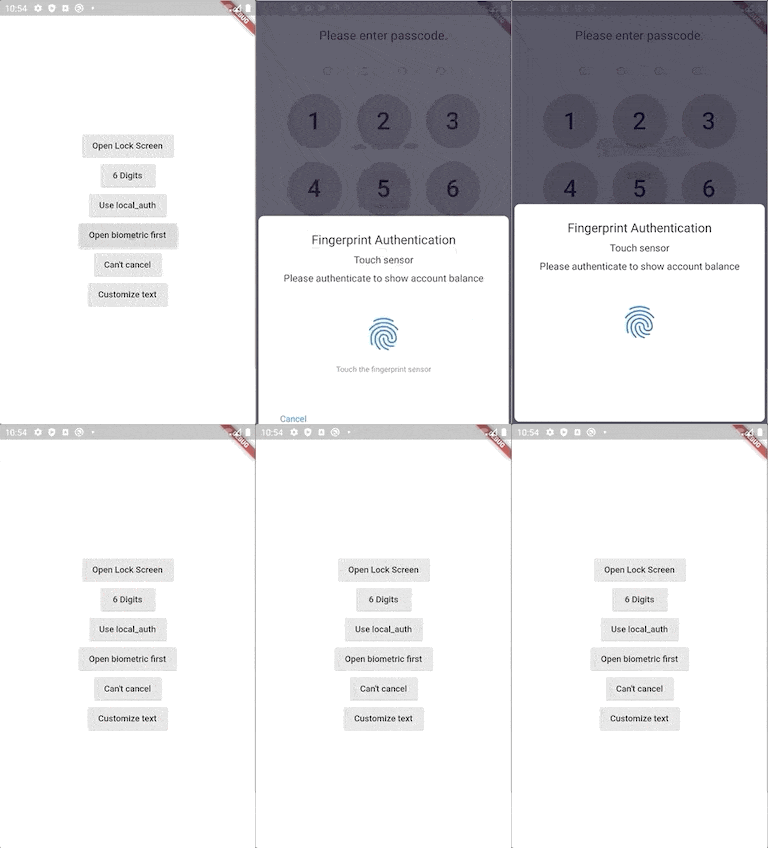
  • You can use biometrics (local_auth plugin)
  • Biometrics can be displayed on first launch
  • Unlocked callback
  • You can specify a mismatch event.
  • Limit the maximum number of retries
  • Keyboard input support for devices with physical keyboards
    • Number keys (0-9) and numpad input
    • Backspace key for deletion
    • Enter key for confirmation
    • Escape key for cancellation

Usage

You can easily lock the screen with the following code.
To unlock, enter correctString.

Simple

If you give the same input as correctString, it will automatically close the screen.

import 'package:flutter_screen_lock/flutter_screen_lock.dart';

screenLock(
  context: context,
  correctString: '1234',
);
Block user

Provides a screen lock that cannot be cancelled.

import 'package:flutter_screen_lock/flutter_screen_lock.dart';

screenLock(
  context: context,
  correctString: '1234',
  canCancel: false,
);
Passcode creation

You can have users create a new passcode with confirmation

import 'package:flutter_screen_lock/flutter_screen_lock.dart';

screenLockCreate(
  context: context,
  onConfirmed: (value) => print(value), // store new passcode somewhere here
);
Control the creation state
import 'package:flutter_screen_lock/flutter_screen_lock.dart';

final inputController = InputController();

screenLockCreate(
  context: context,
  inputController: inputController,
);

// Somewhere else...
inputController.unsetConfirmed(); // reset first and confirm input
Use local_auth

Add the local_auth package to pubspec.yml.

It includes an example that calls biometrics as soon as screenLock is displayed in didOpened.

import 'package:flutter_screen_lock/flutter_screen_lock.dart';
import 'package:local_auth/local_auth.dart';
import 'package:flutter/material.dart';

Future<void> localAuth(BuildContext context) async {
  final localAuth = LocalAuthentication();
  final didAuthenticate = await localAuth.authenticateWithBiometrics(
      localizedReason: 'Please authenticate');
  if (didAuthenticate) {
    Navigator.pop(context);
  }
}

screenLock(
  context: context,
  correctString: '1234',
  customizedButtonChild: Icon(Icons.fingerprint),
  customizedButtonTap: () async => await localAuth(context),
  didOpened: () async => await localAuth(context),
);
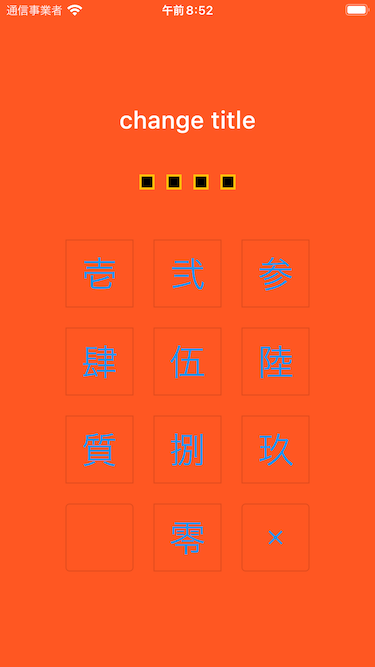
Fully customize

You can customize every aspect of the screenlock. Here is an example:

import 'package:flutter/material.dart';
import 'package:flutter_screen_lock/flutter_screen_lock.dart';

screenLockCreate(
  context: context,
  title: const Text('change title'),
  confirmTitle: const Text('change confirm title'),
  onConfirmed: (value) => Navigator.of(context).pop(),
  config: const ScreenLockConfig(
    backgroundColor: Colors.deepOrange,
  ),
  secretsConfig: SecretsConfig(
    spacing: 15, // or spacingRatio
    padding: const EdgeInsets.all(40),
    secretConfig: SecretConfig(
      borderColor: Colors.amber,
      borderSize: 2.0,
      disabledColor: Colors.black,
      enabledColor: Colors.amber,
      height: 15,
      width: 15,
      build: (context,
              {required config, required enabled}) =>
          Container(
        decoration: BoxDecoration(
          shape: BoxShape.rectangle,
          color: enabled
              ? config.enabledColor
              : config.disabledColor,
          border: Border.all(
            width: config.borderSize,
            color: config.borderColor,
          ),
        ),
        padding: const EdgeInsets.all(10),
        width: config.width,
        height: config.height,
      ),
    ),
  ),
  keyPadConfig: KeyPadConfig(
    buttonConfig: StyledInputConfig(
      textStyle:
          StyledInputConfig.getDefaultTextStyle(context)
              .copyWith(
        color: Colors.orange,
        fontWeight: FontWeight.bold,
      ),
      buttonStyle: OutlinedButton.styleFrom(
        shape: const RoundedRectangleBorder(),
        backgroundColor: Colors.deepOrange,
      ),
    ),
    displayStrings: [
      '零',
      '壱',
      '弐',
      '参',
      '肆',
      '伍',
      '陸',
      '質',
      '捌',
      '玖'
    ],
  ),
  cancelButton: const Icon(Icons.close),
  deleteButton: const Icon(Icons.delete),
);

Version migration

8.x to 9 migration
  • Change screenLockConfig parameter to config
  • Change keyPadConfig parameter to config
7.x to 8 migration
  • Change all callback names from didSomething to onSomething
  • Change screenLock with confirm: true to screenLockCreate
  • Change ScreenLock with confirm: true to ScreenLock.create
  • Replace StyledInputConfig with KeyPadButtonConfig
  • Replace spacingRatio with fixed value spacing in Secrets
6.x to 7 migration
  • Requires dart >= 2.17 and Flutter 3.0
  • Replace InputButtonConfig with KeyPadConfig.
  • Change delayChild to delayBuilder.
    delayBuilder is no longer displayed in a new screen. Instead, it is now located above the Secrets.
  • Accept BuildContext in secretsBuilder.
5.x to 6 migration
  • ScreenLock does not use Navigator.pop internally anymore.
    The developer should now pop by themselves when desired.
    screenLock call will pop automatically if onUnlocked is null.
4.x to 5 migration

Import name has changed from:

import 'package:flutter_screen_lock/functions.dart';

to

import 'package:flutter_screen_lock/flutter_screen_lock.dart';

Apps that use this library

TimeKey

Support me!

Buy Me A Coffee

カテゴリー

ソースリポジトリ

このパッケージを使用しているプロジェクト