パッケージ、リポジトリ、アプリカテゴリを検索

パッケージ詳細v2.7.4

flutter_solidart

SolidJS からインスパイアされた、Flutter アプリケーション用のシンプルな状態管理ソリューション

AndroidiOSWebmacOSWindowsLinux
30日間ダウンロード
6340
いいね数
82
Pub ポイント
160

パッケージをインストール

flutter pub add flutter_solidart

パッケージ概要

公開情報に基づく選定ガイドです。参考としてご利用ください。

flutter_solidart は、SolidJS のリアクティブプログラミングモデルを参考にした、Flutter用の軽量な状態管理ソリューションです。状態変更によって影響を受けるUIの部分のみが再構築される細粒度のリアクティビティを可能にし、パフォーマンスを向上させます。リアクティブ変数と導出値を使用して、ボイラープレートなしで状態の更新を簡素化します。Flutterのウィジェットツリーとシームレスに統合され、すべての主要プラットフォームをサポートしています。従来の状態管理アプローチのシンプルで効率的な代替手段を求める開発者向けに設計されています。

用途

  • フォーム内のリアルタイムデータの更新
  • 最小限の再構築で効率的なUI更新
  • 小規模から中規模のアプリにおけるシンプルなリアクティブロジック
  • 複数のウィジェット間での状態共有
  • 応答性のあるダッシュボードの構築
  • 複雑なセットアップなしの軽量な状態管理

主な機能

  • 細粒度の反応性
  • 最小限のボイラープレート
  • 反応性のある変数と導出された状態
  • 自動的な依存関係のトラッキング
  • すべての Flutter プラットフォームをサポートしています
  • 既存のウィジェットとの簡単な統合

適している対象

  • リアクティブプログラミングに精通した開発者
  • 高速なUI更新が必要なプロジェクト
  • 重い状態管理フレームワークを避けるアプリ
  • 複雑さよりも単純さを好むチーム
  • 迅速なUIインタラクションのプロトタイピング
  • 小規模から中規模のFlutterアプリケーション

注意事項

  • 複雑な状態を持つ大規模なアプリには適していない
  • 成熟した代替品と比べてドキュメントが限られている
  • 反応型パターンに馴染みのない人にとっては学習曲線が険しい
  • 人気のある状態マネージャーほどコミュニティのサポートが少ない
  • 副作用の適切な処理が必要になる場合があります
  • 頻繁だが局所的な状態変更を行うアプリに最適

元の README

関連するソースリポジトリの README 原文のスナップショットです。最新の内容はリポジトリをご覧ください。

License: MIT GitHub stars Coverage GitHub issues GitHub pull-requests solidart Pub Version flutter_solidart Pub Version All Contributors

A simple state-management library inspired by SolidJS.

The objectives of this project are:

  1. Being simple and easy to learn
  2. Fits well with the framework's good practices
  3. Do not have a single global state, but multiple states only in the most appropriate places
  4. No code generation

Learning

For a comprehensive and updated documentation go to The Official Documentation

There are 5 main concepts you should be aware:

  1. Signal
  2. Effect
  3. Computed
  4. Resource
  5. Dependency Injection
Signal

Signals are the cornerstone of reactivity in solidart. They contain values that change over time; when you change a signal's value, it automatically updates anything that uses it.

To create a signal, you have to use the Signal class:

final counter = Signal(0);

The argument passed to the class is the initial value, and the return value is the signal.

To retrieve the current value, you can use:

print(counter.value); // prints 0

To change the value, you can use:

// Set the value to 2
counter.value = 2;
// Update the value based on the current value
counter.updateValue((value) => value * 2);
Effect

Signals are trackable values, but they are only one half of the equation. To complement those are observers that can be updated by those trackable values. An effect is one such observer; it runs a side effect that depends on signals.

An effect can be created by using the Effect class. The effect automatically subscribes to any signal and reruns when any of them change. So let's create an Effect that reruns whenever counter changes:

final disposeFn = Effect(() {
    print("The count is now ${counter.value}");
});
Computed

A computed signal is a signal that depends on other signals. To create a computed signal, you have to use the Computed class.

A Computed automatically subscribes to any signal provided and reruns when any of them change.

final count = Signal(0);
final doubleCount = Computed(() => count.value * 2);

Effect(() {
  print('The counter is ${count.value}');
  print('The double counter is ${doubleCount.value}');
});

count
  ..value = 1
  ..value = 2;

// The output will be:
// The counter is 0
// The double counter is 0
// The counter is 1
// The double counter is 2
// The counter is 2
// The double counter is 4
Resource

Resources are special Signals designed specifically to handle Async loading. Their purpose is wrap async values in a way that makes them easy to interact with.

Resources can be driven by a source signal that provides the query to an async data fetcher function that returns a Future.

The contents of the fetcher function can be anything. You can hit typical REST endpoints or GraphQL or anything that generates a future. Resources are not opinionated on the means of loading the data, only that they are driven by futures.

Let's create a Resource:

// The source
final userId = Signal(1);

// The fetcher
Future<String> fetchUser() async {
    final response = await http.get(
      Uri.parse('https://jsonplaceholder.typicode.com/users/${userId.value}/'),
      headers: {'Accept': 'application/json'},
    );
    return response.body;
}

// The resource
final user = Resource(fetchUser, source: userId);

A Resource can also be driven from a Stream instead of a Future, and can be created with Resource.stream(() => stream). In this case you just need to pass the stream field to the Resource class.

If you're using SignalBuilder you can react to the state of the resource:

SignalBuilder(
  builder: (_, __) {
    return user.state.when(
      ready: (data) {
        return Column(
          mainAxisSize: MainAxisSize.min,
          children: [
            ListTile(
              title: Text(data),
              subtitle:
                  Text('refreshing: ${userState.isRefreshing}'),
            ),
            userState.isRefreshing
                ? const CircularProgressIndicator()
                : ElevatedButton(
                    onPressed: user.refresh,
                    child: const Text('Refresh'),
                  ),
          ],
        );
      },
      error: (e, _) {
        return Column(
          mainAxisSize: MainAxisSize.min,
          children: [
            Text(e.toString()),
            userState.isRefreshing
                ? const CircularProgressIndicator()
                : ElevatedButton(
                    onPressed: user.refresh,
                    child: const Text('Refresh'),
                  ),
          ],
        );
      },
      loading: () {
        return const RepaintBoundary(
          child: CircularProgressIndicator(),
        );
      },
    );
  },
)

The on method forces you to handle all the states of a Resource (ready, error and loading). The are also other convenience methods to handle only specific states.

Dependency Injection

The dependency injection in flutter_solidart is done using the disco package.

This replaced the Solid widget which was used in the previous versions of flutter_solidart.

disco has been built on top of Solid to provide a more powerful and flexible way to handle dependency injection.

Refer to the official disco documentation which contains also examples written with flutter_solidart

DevTools

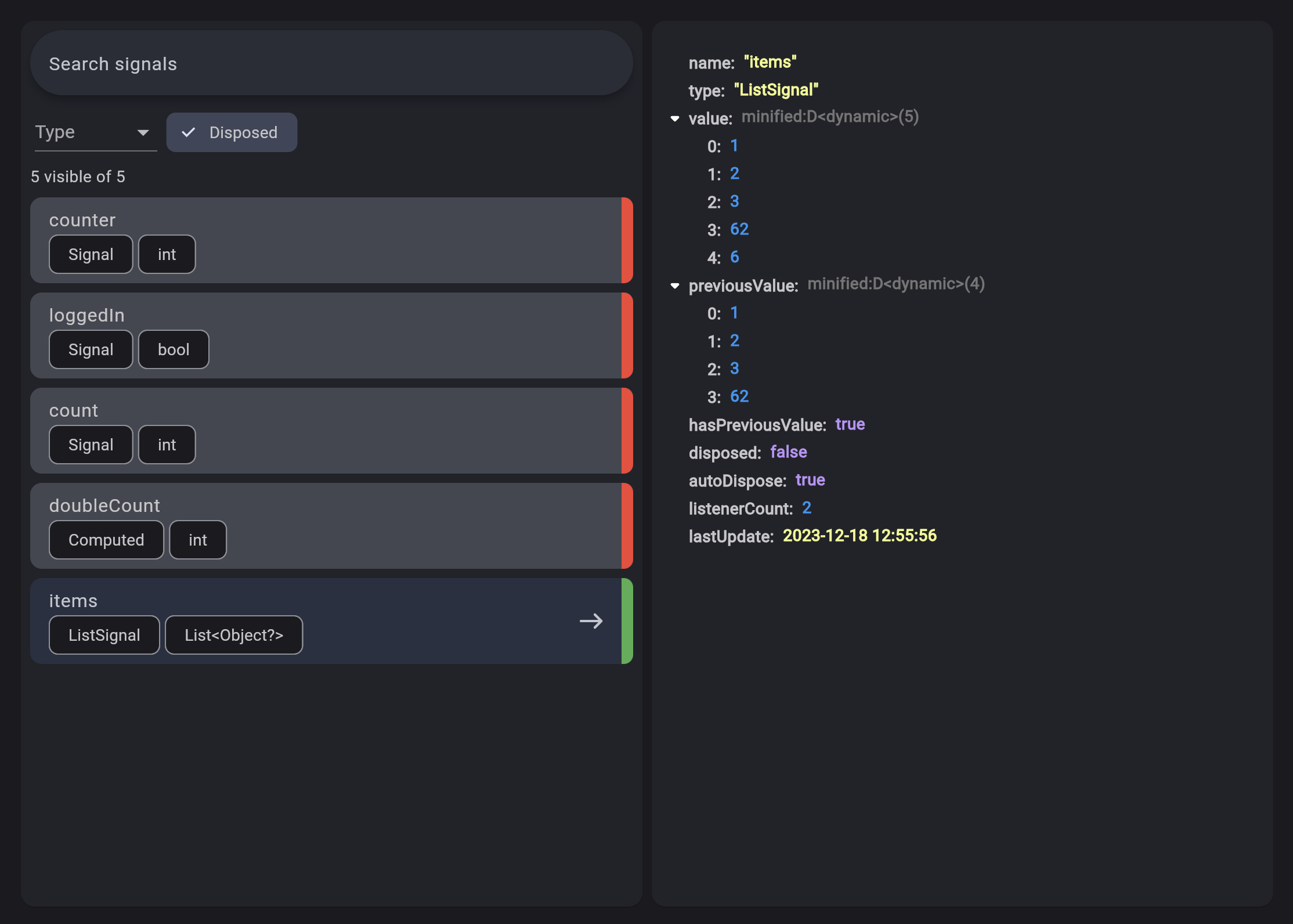
You can debug your application using the Solidart DevTools extension and filter your signals.

Contributors

Alexandru Mariuti
Alexandru Mariuti

💻 🐛 🚧 💬 👀 📖 ⚠️
manuel-plavsic
manuel-plavsic

💻
Luke Greenwood
Luke Greenwood

📖
9dan
9dan

💻 🐛 📖
Seven Du
Seven Du

💻 🐛 📖
Haresh Gediya
Haresh Gediya

💻

カテゴリー

依存関係

依存関係一覧 3 件

ソースリポジトリ

このパッケージを使用しているプロジェクト