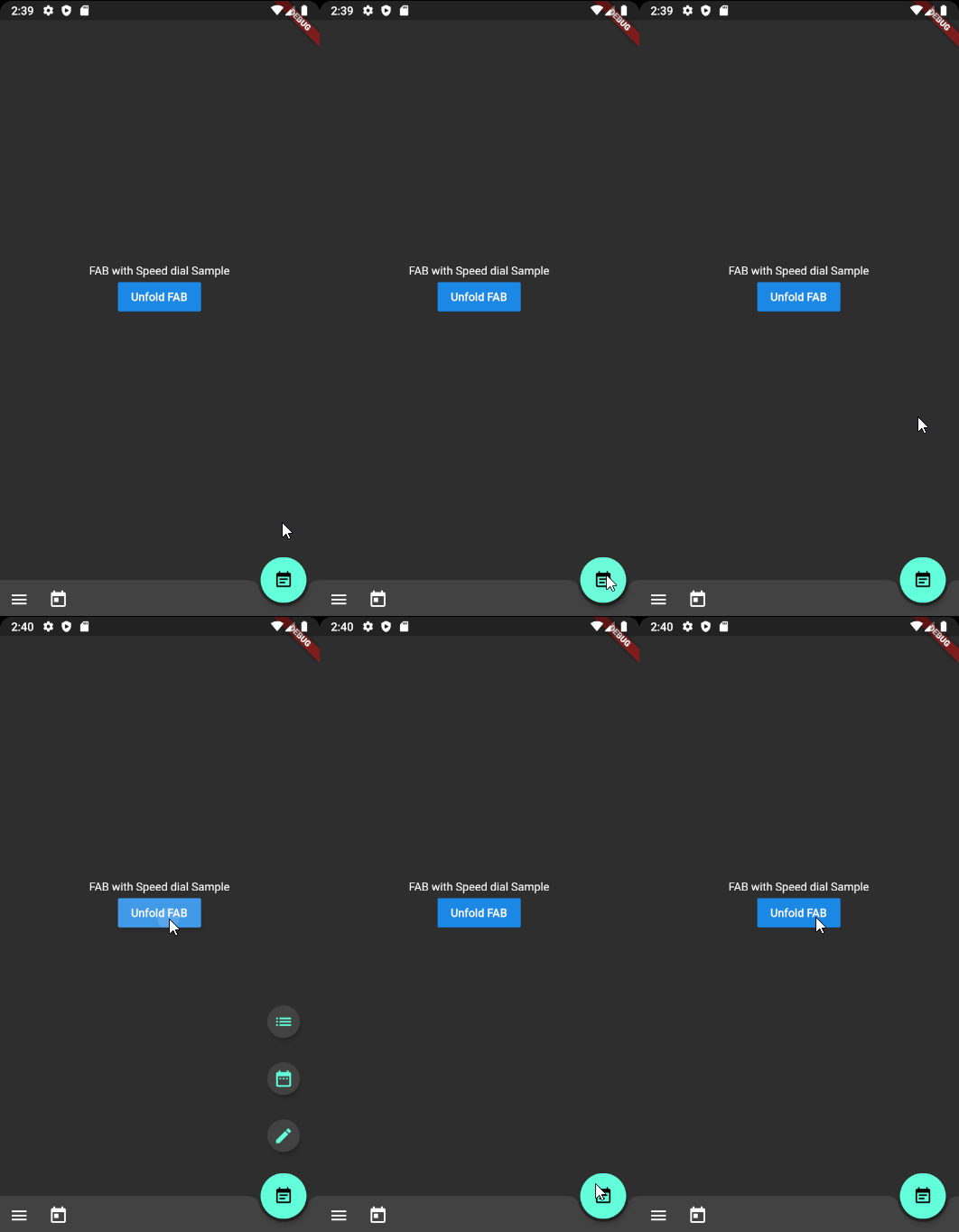
Material Design スピードダイヤルを実装するFlutterプラグインで、拡張可能なメニュー項目を持つフローティングアクションボタンです。遷移とインタラクションに関してMaterial Designガイドラインに従っており、1つのFABから複数の操作にアクセスできるようにします。カスタマイズ可能なアイコン、ラベル、アニメーションスタイルをサポートしており、モバイルアプリのユーザーインターフェース効率を高めるのに最適です。最小限のセットアップで既存のFlutterプロジェクトにスムーズに統合できます。
Flutter package which applies Material design Speed dial
Preview
There are several packages that provide fancy speed dial.
However, as most of those do not work properly on docked FAB using notch, I referenced Andrea Bizzoto and Matt Carroll's idea/code specified here to make it work fine with notch as well.
Truly appreciate to Andrea and Matt for sharing such an awesome idea and codes.
Usage
Basic usage
Widgetbuild(BuildContext context) {
returnScaffold(
body: SafeArea(child: _buildBody()),
floatingActionButton: _buildFloatingActionButton(),
floatingActionButtonLocation: FloatingActionButtonLocation.endDocked,
bottomNavigationBar: _buildBottomBar(),
);
}
Widget_buildFloatingActionButton() {
final icons = [
SpeedDialAction(child: Icon(Icons.mode_edit)),
SpeedDialAction(child: Icon(Icons.date_range)),
SpeedDialAction(child: Icon(Icons.list)),
];
returnSpeedDialFloatingActionButton(
actions: icons,
// Make sure one of child widget has Key value to have fade transition if widgets are same type.
childOnFold: Icon(Icons.event_note, Key: UniqueKey()),
childOnUnfold: Icon(Icons.add),
useRotateAnimation: true,
onAction: _onSpeedDialAction,
);
}
_onSpeedDialAction(int selectedActionIndex) {
print('$selectedActionIndex Selected');
}
Using controller
SpeedDialController _controller = SpeedDialController();

SpeedDialFloatingActionButton(
      controller: _controller,
      ...
    );

// Use anywhere to mannually unfold
_controller.unfold();
Fade Transition animation between child widgets
In order to apply fade transition between [childOnFold] and [childOnUnfold], make sure one of those has Key field. (eg. ValueKey(value) or UniqueKey()).
As we using AnimatedSwitcher for transition animation, no key with same type of child will perform no animation. It is AnimatedSwitcher's behaviour.
TO-DOs
[ ] Ability to display/hide speed dial when it is needed. (ex. hiding on scroll)
[X] Unfold function to force close the dial
[ ] Providing option for modal background with color parameter
[X] Text labels on each action widgets (Thanks to @CarlosHJuniior)
Contributing
Any pull requests for implementing To-Do functions are always welcome!
If the package was useful or saved your time, please do not hesitate to buy me a cup of coffee! ;)
The more caffeine I get, the more useful projects I can make in the future.