パッケージ、リポジトリ、アプリカテゴリを検索

gallery_image_viewer のカバー
パッケージ詳細v1.2.0

gallery_image_viewer

ピンチ&ズーム、複数画像、ギャラリーアイコン、組み込みのフルスクリーンダイアログ対応を備えた簡単な画像ビューア。

AndroidiOSWebmacOSWindowsLinux
30日間ダウンロード
726
いいね数
32
Pub ポイント
150

パッケージをインストール

flutter pub add gallery_image_viewer

パッケージ概要

公開情報に基づく選定ガイドです。参考としてご利用ください。

ピンチでズームできる機能、複数画像のナビゲーション、ギャラリー形式の閲覧をサポートする直感的な画像ビューアを提供するFlutterパッケージです。フルスクリーンダイアログ機能が内蔵されており、クロスプラットフォームで画像をシームレスかつユーザーに優しい形で表示するのに最適です。シンプルさとパフォーマンスを重視して設計されており、高度なカスタム実装なしに、堅牢な画像表示機能が必要なアプリに簡単に統合できます。Android、iOS、Web、macOS、Windows、Linuxなど、すべての主要プラットフォームをサポートしています。

用途

  • 画像ギャラリーの表示
  • ズーム機能で高解像度の画像を表示
  • フルスクリーン画像ブラウジング
  • 写真アプリに画像ビューアーを統合する
  • メディア重視アプリにおけるユーザー体験の向上

主な機能

  • ピンチツーズームジェスチャーのサポート
  • マルチイメージナビゲーション
  • 組み込みのフルスクリーンダイアログ
  • クロスプラットフォーム互換性
  • 最小限のセットアップでシンプルな統合
  • ギャラリースタイルの画像閲覧

適している対象

  • 写真共有アプリ
  • eコマース製品画像ビューア
  • 旅行またはポートフォリオアプリ
  • 教育またはドキュメンテーションアプリ
  • インタラクティブな画像探索を必要とするアプリ

注意事項

  • 適切な画像アセット管理が必要です
  • カスタムUI用に追加のスタイルが必要になる場合があります
  • パフォーマンスは画像のサイズと数に依存します
  • 画像のみのコンテンツに制限
  • 動画再生には対応していません

元の README

関連するソースリポジトリの README 原文のスナップショットです。最新の内容はリポジトリをご覧ください。

GalleryImageViewer

An easy way to display images in a full-screen dialog, including pinch & zoom.

Pub Tests license

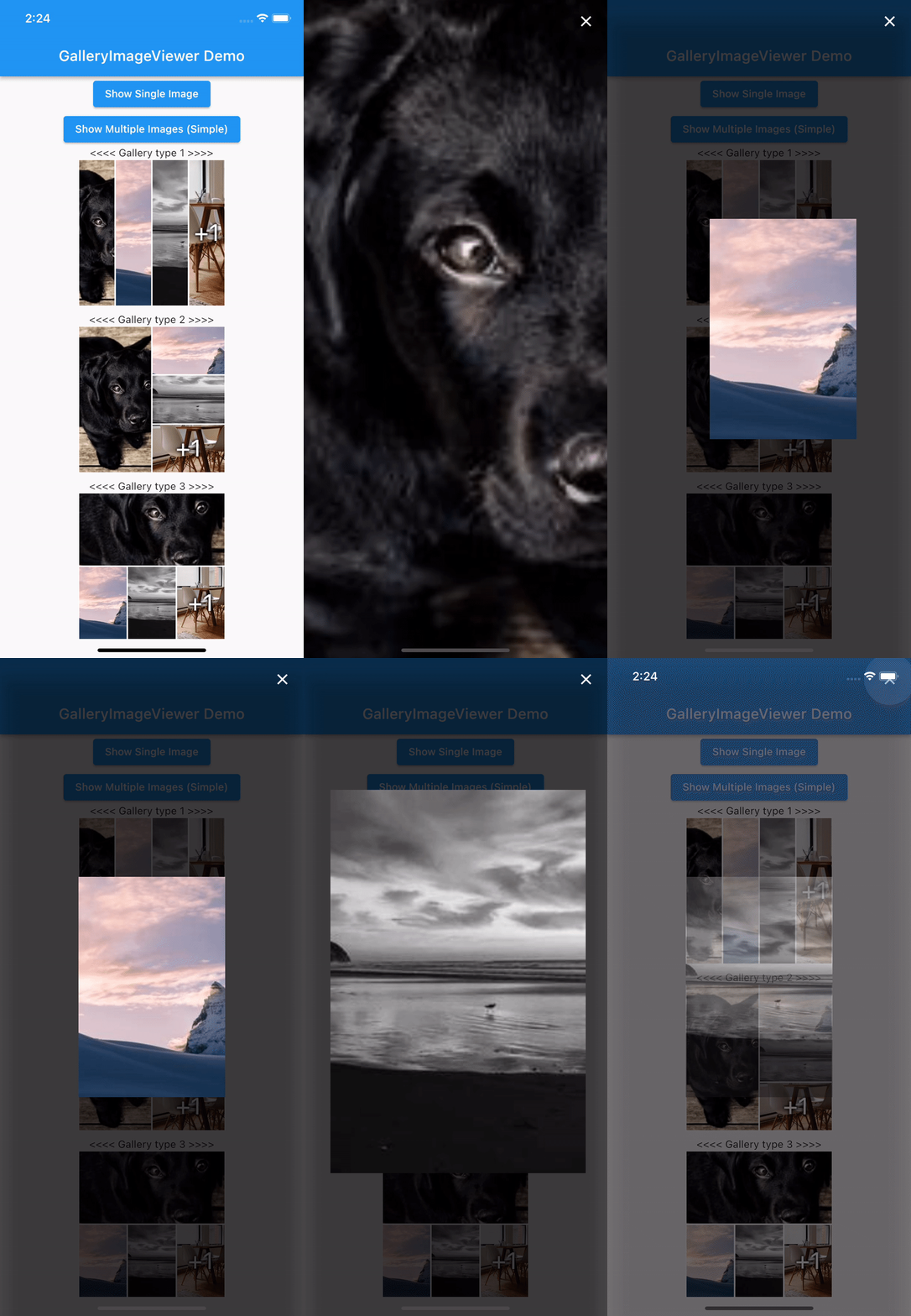
Easy Image Viewer Demo

Features

  • Show a single image or a swipeable list of images
  • Use pinch & zoom to zoom in and out of images
  • Optionally allow "swipe down to dismiss" by passing in swipeDismissible: true
  • No dependencies besides Flutter
  • Callbacks for onPageChanged and onViewerDismissed

Usage

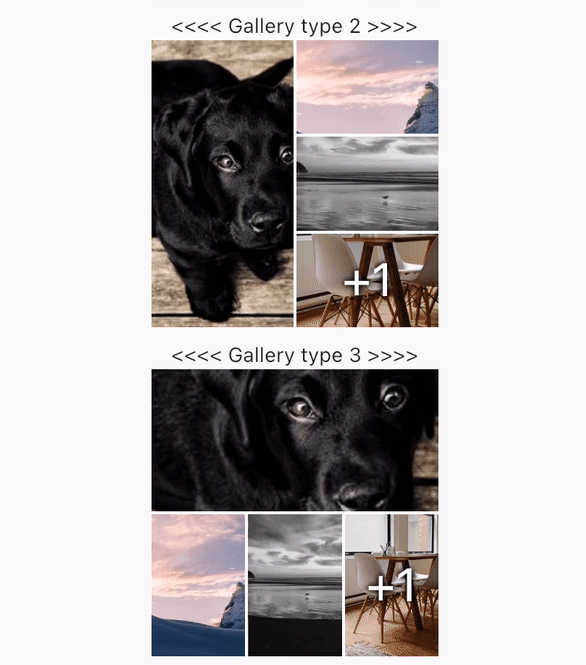
Show a Gallery image:

final List<ImageProvider> _imageProviders = [
    Image.network("https://picsum.photos/id/237/200/300").image,
    Image.network("https://picsum.photos/seed/picsum/200/300").image,
    Image.network("https://picsum.photos/200/300?grayscale").image,
    Image.network("https://picsum.photos/200/300").image,
    Image.network("https://picsum.photos/200/300?grayscale").image
  ];
GalleryImageView(
  listImage: _imageProviders,
  width: 200,
  height: 200,
  imageDecoration: BoxDecoration(border: Border.all(color: Colors.white)),
),

Show a single image:

final imageProvider = Image.network("https://picsum.photos/id/1001/5616/3744").image;
showImageViewer(context, imageProvider, onViewerDismissed: () {
  print("dismissed");
});

Show a bunch of images:

MultiImageProvider multiImageProvider = MultiImageProvider([
  Image.network("https://picsum.photos/id/1001/5616/3744").image,
  Image.network("https://picsum.photos/id/1003/1181/1772").image,
  Image.network("https://picsum.photos/id/1004/5616/3744").image,
  Image.network("https://picsum.photos/id/1005/5760/3840").image
]);

showImageViewerPager(context, multiImageProvider, onPageChanged: (page) {
  print("page changed to $page");
}, onViewerDismissed: (page) {
  print("dismissed while on page $page");
});

Usually you'll want to implement your own EasyImageProvider. Suppose you have a list of Products, each of which has an imagePath property with the path to a local image file. You could create an EasyImageProvider that takes a list of Products like this:

class ProductsImageProvider extends EasyImageProvider {

  final List<Product> products;
  final int initialIndex;

  ProductsImageProvider({ required this.products, this.initialIndex = 0 });

  @override
  ImageProvider<Object> imageBuilder(BuildContext context, int index) {
    String? localImagePath = products[index].imagePath;
    File? imageFile;

    if (localImagePath != null) {
      imageFile = File(localImagePath);
    }

    ImageProvider imageProvider = imageFile != null ? FileImage(imageFile) : AssetImage("assets/images/product_placeholder.jpg") as ImageProvider;

    return imageProvider;
  }

  @override
  int get imageCount => products.length;
}

You could then use it like this:

ProductsImageProvider productsImageProvider = ProductsImageProvider(products: products);

showImageViewerPager(context, productsImageProvider, onPageChanged: (page) {
  print("page changed to $page");
}, onViewerDismissed: (page) {
  print("dismissed while on page $page");
});

Credits

GalleryImageViewer is custom from EasyImageViewer. EasyImageViewer is a project by TSG, a full-service digital agency taking software from concept to launch. Our powerhouse team of designers and engineers build iOS, Android, and web apps across many industries.

カテゴリー

ソースリポジトリ

このパッケージを使用しているプロジェクト

データはまだありません。