パッケージ、リポジトリ、アプリカテゴリを検索

パッケージ詳細v1.1.0

gate_generator

Flutter/Dart アプリケーション用の依存関係注入ジェネレーター。これはアノテーションと build_runner を使用します。

macOSWindowsLinux
30日間ダウンロード
52
いいね数
22
Pub ポイント
120

パッケージをインストール

flutter pub add gate_generator

パッケージ概要

公開情報に基づく選定ガイドです。参考としてご利用ください。

Gate Generator は、Flutter および Dart アプリケーション向けの依存関係注入コードジェネレーターであり、アノテーションと build_runner を活用して、ボイラープレートコードを自動的に生成します。注釈が付与されたクラスを分析し、コンパイル時に必要な登録および解決ロジックを生成することで、依存関係注入のセットアップを簡素化します。これにより実行時オーバーヘッドが削減され、型安全が向上します。このツールは最小限の構成で既存プロジェクトにシームレスに統合でき、スケーラブルかつ保守性の高いアプリケーションアーキテクチャに最適です。

用途

  • 依存関係のインジェクション設定の自動化
  • 手動 DI ボイラープレートの削減
  • アプリのスケーラビリティの向上
  • 型安全なサービス解決の有効化
  • モジュール型アプリケーション設計のサポート

主な機能

  • アノテーションベースの構成
  • ビルドランナーの統合
  • コンパイル時コード生成
  • 最小の実行時オーバーヘッド
  • 型安全な依存関係の解決

適している対象

  • 大規模なFlutterアプリケーション
  • 保守性を重視するチーム
  • クリーンアーキテクチャを使用するプロジェクト
  • 自動的なDI設定を求める開発者
  • 高いテスト性を必要とするアプリケーション

注意事項

  • build_runner のセットアップが必要です
  • コンパイル時生成に限定
  • 正しいアノテーションの使用に依存しています
  • ビルド時間をわずかに増加させる可能性があります
  • 動的DIシナリオには適していません

元の README

関連するソースリポジトリの README 原文のスナップショットです。最新の内容はリポジトリをご覧ください。

flutter anchored onboarding screen

pubdev ci License: MIT

💎  Features

  • Provide Injectable as a singleton
  • Provide Injectable as a dynamic service
  • Inject an Injectable class into another

💡  Motivation

Providing Service should be independent from your pages or other code.

The DI pattern separates the responsibility of creating an object of the service class out of the client class. Also using code generation we can get rid of the boilerplate part.

🚀  Getting started

install gate with build_runner in you pubspec.yaml

dependencies:
  build_runner: ^X.X.X
  gate: ^X.X.X

dev_dependencies:
  gate_generator: ^X.X.X

Note: replace X.X.X with last available version on pub.dev.

📖  Usage

1. Create a class you want to inject
import 'package:gate/gate.dart';

@Injectable()
class CoffeeService {
  final S1 s1;

  CoffeeService._(this.s1);

  @Singleton()
  factory CoffeeService.simple(S1 s1) => CoffeeService._(s1);

  void pump() {
    print("CoffeeService it's working");
  }
}

You just have to

  • add @Injectable() above your class
  • add @Singleton() or @Provide() above a factory
2. Inject dependency

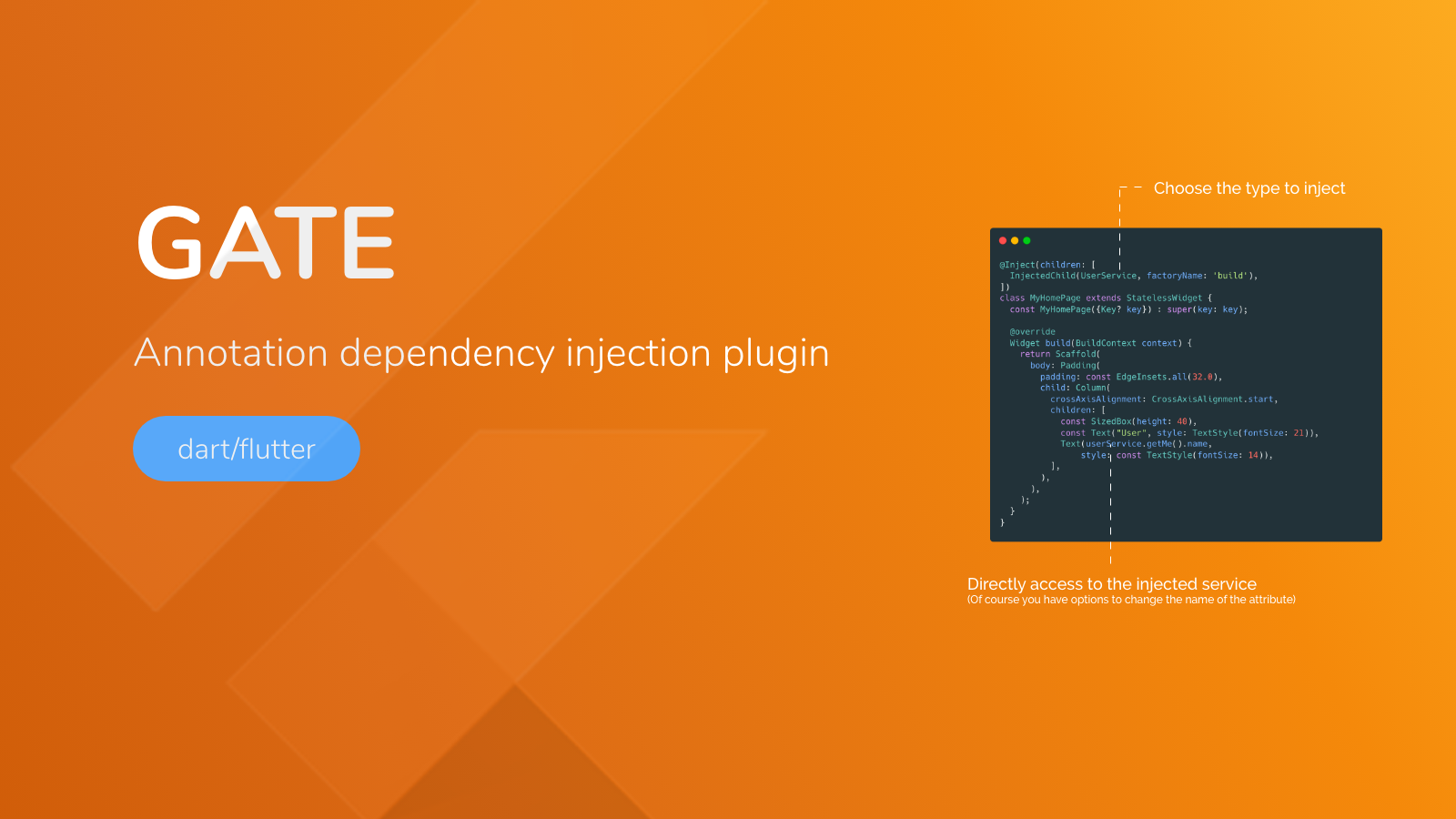
We can now inject our Injectables using @Inject annotation.

InjectedChild use

  • Type you want to inject
  • the name of the factory you want to use (you can have multiple provided factories)
  • the attribute name (just in case you want to rename it or make it private...)
import 'package:gate_example/gate/gate_provider.dart';
import 'package:gate_example/gate/coffee_service.dart';
part 'coffee_page.gate_inject.g.part';

@Inject(children: [
  InjectedChild(S1, factoryName: "build"),
  InjectedChild(CoffeeService, factoryName: "simple", attrName: "coffeeService"),
])
class CoffeePage extends StatelessWidget {
  const CoffeePage({Key? key}) : super(key: key);

  @override
  Widget build(BuildContext context) {
    coffeeService.pump();
    return Container();
  }
}

You can inject as many dependency as you want into your class as long as their are Injectable.

part 'coffee_page.gate_inject.g.part'; will be be added to your file this file will be genererated on next step don't forget to import "gate_provider.dart" that is generated next

3. Generate code

Using build runner you can run the command in your shell

flutter packages pub run build_runner build --delete-conflicting-outputs

Once build runner is done, you can run your flutter app and use all injected class.

If you change your factory or wants to inject other class... just rerun the build_runner 😀

📗  Properties

Annotation Description
Injectable mark a class as containing Singleton or Provide factories
Singleton mark a factory as a Singleton Injectable
Provide mark a factory as a Dymamic Injectable. Each time you inject will create a new instance of that class
Inject mark a class to inject dependencies
Inject annotation
Property Description
children a list of InjectedChild
InjectedChild annotation
Property Description
type The type to inject
factoryName The factory name to use
attrName (optionnal) The attribute name to call it from your class

✅  Tests

Run tests
dart pub global activate coverage
dart test --coverage="coverage"
format_coverage --lcov --in=coverage --out=coverage.lcov --packages=.packages --report-on=lib
Mock an injected dependency for testing

To remplace your service by mocks, you have to set them, before testing. Gate will generate all methods for you.

First, declare your mocked services with your preferred libraries.

Then use the appProvider to set mocks.

Finally, don't forget to reset mocks by setting them to null.

class CoffeeServiceMock extends Mock implements CoffeeService {}

class S1ServiceMock extends Mock implements S1 {}

class S2BServiceMock extends Mock implements S2B {}

class TodoServiceMock extends Mock implements TodoService {}

void main() {
  // Initialize mocks
  final CoffeeService coffeeServiceMock = CoffeeServiceMock();
  final S1 s1ServiceMock = S1ServiceMock();
  final S2B s2BServiceMock = S2BServiceMock();
  final TodoService todoServiceMock = TodoServiceMock();

  group('Mock injection group', () {
    setUp(() {
      when(() => coffeeServiceMock.getMenu()).thenReturn("Best menu");
      // Set injected services with mocks
      appProvider.setCoffeeServiceSimpleMock(coffeeServiceMock);
      appProvider.setS1BuildMock(s1ServiceMock);
      appProvider.setS2BBuildMock(s2BServiceMock);
      appProvider.setTodoServiceBeanMock(todoServiceMock);
    });

    tearDownAll(() {
      // Remove mocks from appProvider (real ones will be used)
      appProvider.setCoffeeServiceSimpleMock(null);
      appProvider.setS1BuildMock(null);
      appProvider.setS2BBuildMock(null);
      appProvider.setTodoServiceBeanMock(null);
    });

    test('Test mocks injection', () async {
      expect(appProvider.getCoffeeServiceSimple().getMenu(),
          equals('Best menu')); // Mocked returned value

      appProvider.setCoffeeServiceSimpleMock(null);

      expect(appProvider.getCoffeeServiceSimple().getMenu(),
          equals('No menu')); // True value (not mocked)
    });
  });
}

📣  Sponsor

logo apparence io

Initiated and sponsored by Apparence.io.

👥  Contribution

Contributions are welcome. Contribute by creating a PR or create an issue 🎉.

カテゴリー

依存関係

依存関係一覧 11 件

ソースリポジトリ

このパッケージを使用しているプロジェクト

データはまだありません。