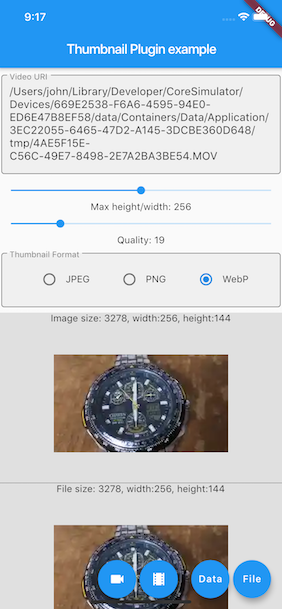
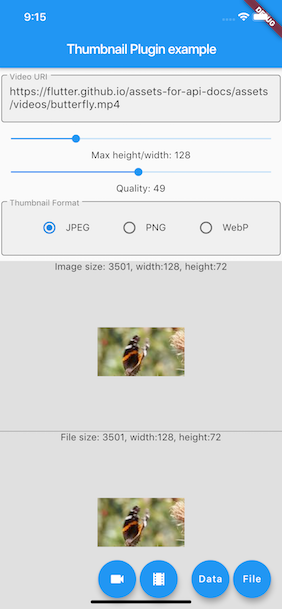
This project is a modified fork of video_thumbnail,
originally created by
John Zhong. Modifications and improvements have been made to adapt the project to new needs.
This plugin generates thumbnail from video file or URL. It returns image in memory or writes into a
file. It offers rich
options to control the image format, resolution and quality. Supports iOS / Android / web.
Methods
function
parameter
description
return
thumbnailData
String [video], optional Map<String, dynamic> [headers], ImageFormat [imageFormat](JPEG/PNG/WEBP), int [maxHeight](0: for the original resolution of the video, or scaled by the source aspect ratio), [maxWidth](0: for the original resolution of the video, or scaled by the source aspect ratio), int [timeMs]generates the thumbnail from the frame around the specified millisecond, int[quality]`(0-100)
generates thumbnail from [video]
[Future<Uint8List>]
thumbnailFile
String [video], optional Map<String, dynamic> [headers], String [thumbnailPath](folder or full path where to store the thumbnail file, null to save to same folder as the video file) this ignored on the web, ImageFormat [imageFormat](JPEG/PNG/WEBP), int [maxHeight](0: for the original resolution of the video, or scaled by the source aspect ratio), int [maxWidth](0: for the original resolution of the video, or scaled by the source aspect ratio), int [timeMs] generates the thumbnail from the frame around the specified millisecond, int [quality](0-100)
creates a file of the thumbnail from the [video]
[Future<String>]
Warning:
Giving both the maxHeight and maxWidth has different result on Android platform, it actually
scales the thumbnail
to the specified maxHeight and maxWidth.
To generate the thumbnail from a network resource, the video must be properly URL encoded.
Usage
Installing
add get_thumbnail_video as a dependency in your pubspec.yaml file.
final uint8list = awaitVideoThumbnail.thumbnailData(
video: videofile.path,
imageFormat: ImageFormat.JPEG,
maxWidth: 128, // specify the width of the thumbnail, let the height auto-scaled to keep the source aspect ratio
quality: 25,
);
Generate a thumbnail file from video URL
XFile thumbnailFile = awaitVideoThumbnail.thumbnailFile(
video: "https://flutter.github.io/assets-for-api-docs/assets/videos/butterfly.mp4",
thumbnailPath: (awaitgetTemporaryDirectory()).path,
imageFormat: ImageFormat.WEBP,
maxHeight: 64, // specify the height of the thumbnail, let the width auto-scaled to keep the source aspect ratio
quality: 75,
);
final image = kIsWeb ? Image.network(thumbnailFile.path) : Image.file(File(thumbnailFile.path));
Generate a thumbnail file from video Assets declared in pubspec.yaml
Flutter Thumbnail on the Web platform has some limitations that might surprise developers more
familiar with
mobile/desktop targets.
In no particular order:
CORS headers
This plugin requires the server hosting the video to include appropriate CORS headers in the
response. Specifically, the
server must include the Access-Control-Allow-Origin and Access-Control-Allow-Methods headers in
the response to the
request.
For more information, please refer to
the Mozilla Developer Network documentation.
HTTP range headers
This plugin requires the server hosting the video to support HTTP range headers. If the server does
not support range
requests, the plugin may generate a thumbnail from the first frame of the video instead of the
desired frame.
For more information, please refer to
the Mozilla Developer Network documentation.
Notes
Fork or pull requests are always welcome. Currently it seems have a little performance issue while
generating WebP
thumbnail by using libwebp under iOS.