パッケージ、リポジトリ、アプリカテゴリを検索

google_maps_cluster_manager のカバー
パッケージ詳細v3.1.0

google_maps_cluster_manager

Geohash をベースにした Google マップ用のシンプルな Flutter クラスタリングライブラリ。

30日間ダウンロード
3020
いいね数
311
Pub ポイント
90

パッケージをインストール

flutter pub add google_maps_cluster_manager

パッケージ概要

公開情報に基づく選定ガイドです。参考としてご利用ください。

Geohash を使用して近接するマーカーを効率的にグループ化する、Google Maps 向けのシンプルな Flutter クラスタリングライブラリです。複数のポイントをクラスターに統合することで、地図の混雑を軽減し、多数の場所を表示する際のパフォーマンスとユーザー体験を向上させます。Google Maps for Flutter とシームレスに統合され、カスタマイズ可能なクラスターのアイコンと滑らかなアニメーションを提供します。密度の高いマーカー群で視覚的な明確さを必要とするアプリケーションに最適です。

用途

  • マップ上の大規模データセットの表示
  • 多数のマーカーを使用した地図パフォーマンスの向上
  • 場所ベースのアプリにおけるユーザー体験の向上
  • 地理空間データクラスタの可視化
  • インタラクティブなマップインターフェースの作成

主な機能

  • Geohashベースのクラスタリング
  • カスタマイズ可能なクラスターのアイコン
  • スムーズなアニメーションの遷移
  • Google マップとの簡単な統合
  • 動的マーカーの更新をサポート

適している対象

  • 高密度の位置データを持つアプリ
  • マップ重視のアプリケーション
  • 軽量クラスタリングを求める開発者
  • Flutter用のGoogle Mapsを使用するプロジェクト
  • 効率的なマーカー管理が必要なユーザー

注意事項

  • Flutter用のGoogle Mapsのセットアップが必要です
  • Google マッププラットフォームに限定
  • クラスタリング論理は、特定の用途に合わせて調整が必要な場合があります
  • 非ジオハッシュ手法に対する組み込みサポートなし
  • 更新には外部リポジトリに依存しています

元の README

関連するソースリポジトリの README 原文のスナップショットです。最新の内容はリポジトリをご覧ください。

pub package

Flutter Cluster Manager for Google Maps

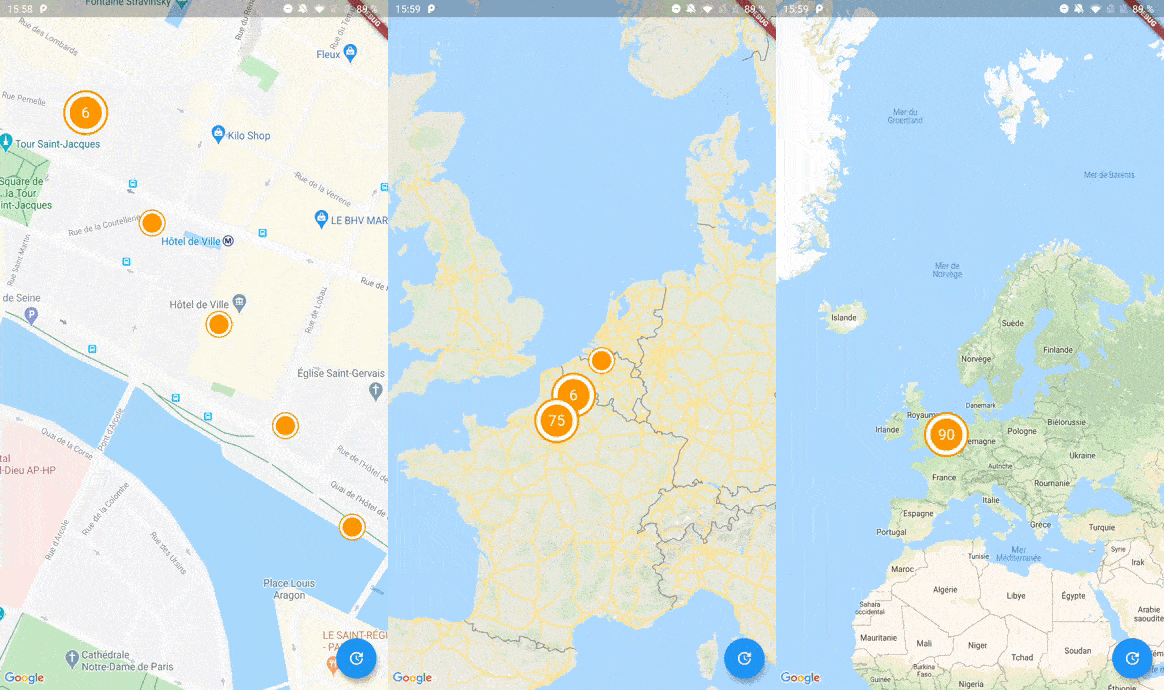
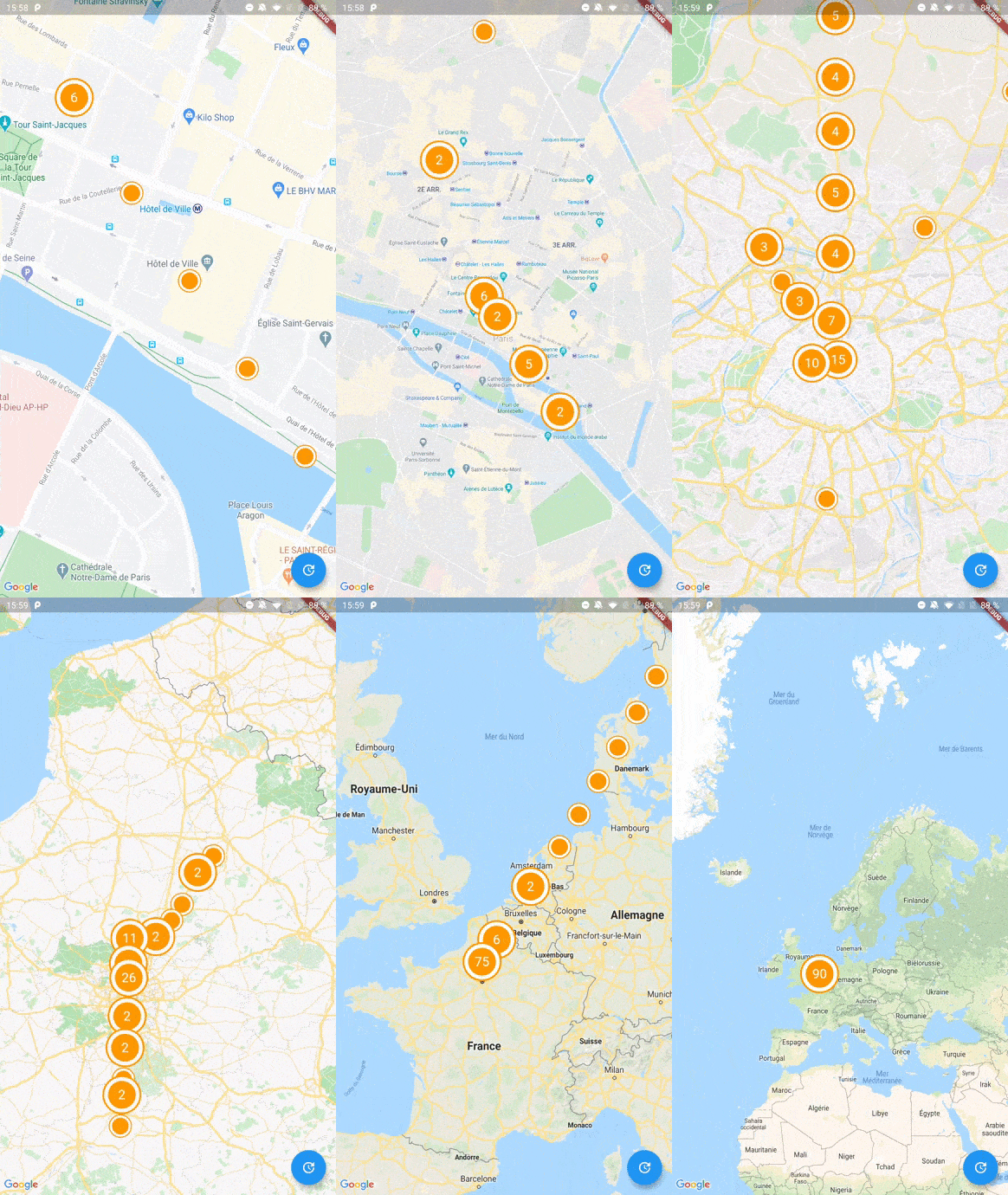
Screenshot

A Flutter package to cluster items on a Google Maps widget based on Geohash. Highly inspired by clustering_google_maps

Usage

To use this package, add google_maps_cluster_manager as a dependency in your pubspec.yaml file.

Getting Started

Your map items has to use ClusterItem as a mixin (or extends this class) and implements the LatLng location getter.

class Place with ClusterItem {
  final String name;
  final LatLng latLng;

  Place({required this.name, required this.latLng});

  @override
  LatLng get location => latLng;
}

To start with Cluster Manager, you have to initialize a ClusterManager instance.

ClusterManager<Place>(
    _items, // Your items to be clustered on the map (of Place type for this example)
    _updateMarkers, // Method to be called when markers are updated
    markerBuilder: _markerBuilder, // Optional : Method to implement if you want to customize markers
    levels: [1, 4.25, 6.75, 8.25, 11.5, 14.5, 16.0, 16.5, 20.0], // Optional : Configure this if you want to change zoom levels at which the clustering precision change
    extraPercent: 0.2, // Optional : This number represents the percentage (0.2 for 20%) of latitude and longitude (in each direction) to be considered on top of the visible map bounds to render clusters. This way, clusters don't "pop out" when you cross the map.
    stopClusteringZoom: 17.0 // Optional : The zoom level to stop clustering, so it's only rendering single item "clusters"
);

When your GoogleMapController is created, you have to set the mapId with the setMapId method :

_manager.setMapId(controller.mapId);

You are able to add an new item to the map by calling addItem method on your ClusterManager instance. You can also completely change the items on your maps by calling setItems method.

You can customize the icon of a cluster by using Future<Marker> Function(Cluster<T extends ClusterItem>) markerBuilder parameter.

static Future<Marker> Function(Cluster) get markerBuilder => (cluster) async {
  return Marker(
    markerId: MarkerId(cluster.getId()),
    position: cluster.location,
    onTap: () {
        print(cluster.items);
    },
    icon: await getClusterBitmap(cluster.isMultiple ? 125 : 75,
    text: cluster.isMultiple? cluster.count.toString() : null),
  );
};

static Future<BitmapDescriptor> getClusterBitmap(int size, {String text?}) async {
  final PictureRecorder pictureRecorder = PictureRecorder();
  final Canvas canvas = Canvas(pictureRecorder);
  final Paint paint1 = Paint()..color = Colors.red;

  canvas.drawCircle(Offset(size / 2, size / 2), size / 2.0, paint1);

  if (text != null) {
    TextPainter painter = TextPainter(textDirection: TextDirection.ltr);
    painter.text = TextSpan(
    text: text,
    style: TextStyle(
        fontSize: size / 3,
        color: Colors.white,
        fontWeight: FontWeight.normal),
    );
    painter.layout();
    painter.paint(
      canvas,
      Offset(size / 2 - painter.width / 2, size / 2 - painter.height / 2),
    );
  }

  final img = await pictureRecorder.endRecording().toImage(size, size);
  final data = await img.toByteData(format: ImageByteFormat.png);

  return BitmapDescriptor.fromBytes(data.buffer.asUint8List());
}

Every cluster (even one item clusters) is rendered by the library as a Cluster<T extends ClusterItem> object. You can differentiate single item clusters from multiple ones by using the isMultiple variable (or the count variable). This way, you can create different markers icon depending on the type of cluster.

You can create multiple managers for a single map, see the multiple.dart example.

Complete Basic Example

See the example directory for a complete sample app.

カテゴリー

依存関係

依存関係一覧 1 件

  • google_maps_flutter_platform_interface^2.4.3

ソースリポジトリ

このパッケージを使用しているプロジェクト