パッケージ、リポジトリ、アプリカテゴリを検索

パッケージ詳細v0.0.4

hardware_buttons_find_flutter

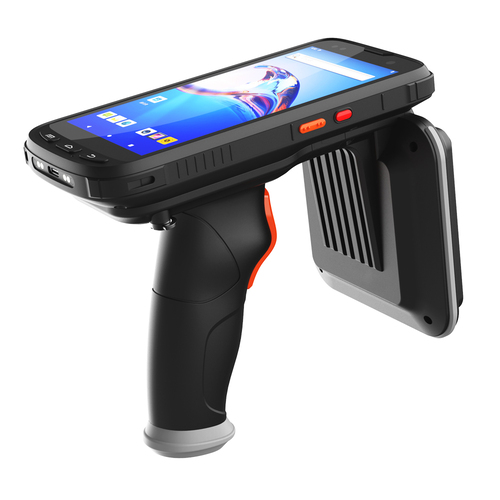
異なるボタンを持つモバイルデバイスでは、ボタンが押されたときにボタン名をリッスンします。

Android
30日間ダウンロード
14
いいね数
25
Pub ポイント
135

パッケージをインストール

flutter pub add hardware_buttons_find_flutter

パッケージ概要

公開情報に基づく選定ガイドです。参考としてご利用ください。

Androidデバイス上のハードウェアボタンの押下を検出し、それに応じて反応できるFlutterパッケージです。音量や電源ボタンなどの特定のボタンイベントをリアルタイムでリスニングでき、押されたボタン名に基づいてアプリが反応できます。物理入力に対するデバイス動作のカスタマイズに最適です。軽量で、Android向けFlutterアプリケーションへの統合もスムーズです。

用途

  • ボリュームボタンの押下をカスタム処理
  • 電源ボタンイベントの検出
  • アクセシビリティ機能の向上
  • メディアコントロールアプリの構築
  • ジェスチャーに基づくインタラクションの作成
  • アプリ固有のハードウェアショートカットの開発

主な機能

  • リアルタイムボタンイベント検出
  • 複数のAndroidハードウェアボタンをサポート
  • ボタン名の識別用の簡単な API
  • 軽量で効率的
  • プラットフォーム固有の Android 実装
  • Flutterアプリへの簡単な統合

適している対象

  • Android専用アプリ開発者
  • ハードウェア入力のカスタマイズを必要とするアプリ
  • アクセシビリティを重視したアプリケーション
  • メディアプレーヤーまたはコントロールアプリ
  • インタラクティブなデバイス体験を構築する開発者

注意事項

  • Android プラットフォームに限定
  • Android 固有の権限が必要です
  • すべてのデバイスモデルで動作しない可能性があります
  • iOS 対応なし
  • 異なる Android バージョン間で動作が異なる場合があります
  • 汎用的なボタン処理には適していません

元の README

関連するソースリポジトリの README 原文のスナップショットです。最新の内容はリポジトリをご覧ください。

Hardware Buttons Find Flutter

  • [x] Android

Overview

It is necessary to learn the feedback of buttons on different types of reading devices and take steps based on it. This plugin will help you. This code, written with Stream, always listens to the native code, returning the name of the button to you when the button is pressed. Based on the answer you get, write down the functions you envision.


logo

How to use it

class _MyAppState extends State<MyApp> {
  String? _latestHardwareButtonEvent;

  StreamSubscription<String>? _buttonSubscription;

  @override
  void initState() {
    super.initState();
    _buttonSubscription = HardwareButtons.buttonEvents?.listen((event) {
      setState(() {
        _latestHardwareButtonEvent = event.toString();
      });
    });
  }

  @override
  void dispose() {
    super.dispose();
    _buttonSubscription?.cancel();
  }

  @override
  Widget build(BuildContext context) {
    return MaterialApp(
      home: Scaffold(
        appBar: AppBar(
          title: const Text('Hardware buttons find'),
        ),
        body: Center(
          child: Column(
            mainAxisSize: MainAxisSize.min,
            children: <Widget>[
              Text('Button name: $_latestHardwareButtonEvent\n'),
            ],
          ),
        ),
      ),
    );
  }
}

カテゴリー

依存関係

依存関係一覧 1 件

  • plugin_platform_interface^2.0.2

ソースリポジトリ

このパッケージを使用しているプロジェクト

データはまだありません。