パッケージ、リポジトリ、アプリカテゴリを検索

パッケージ詳細v1.0.1

html_editor

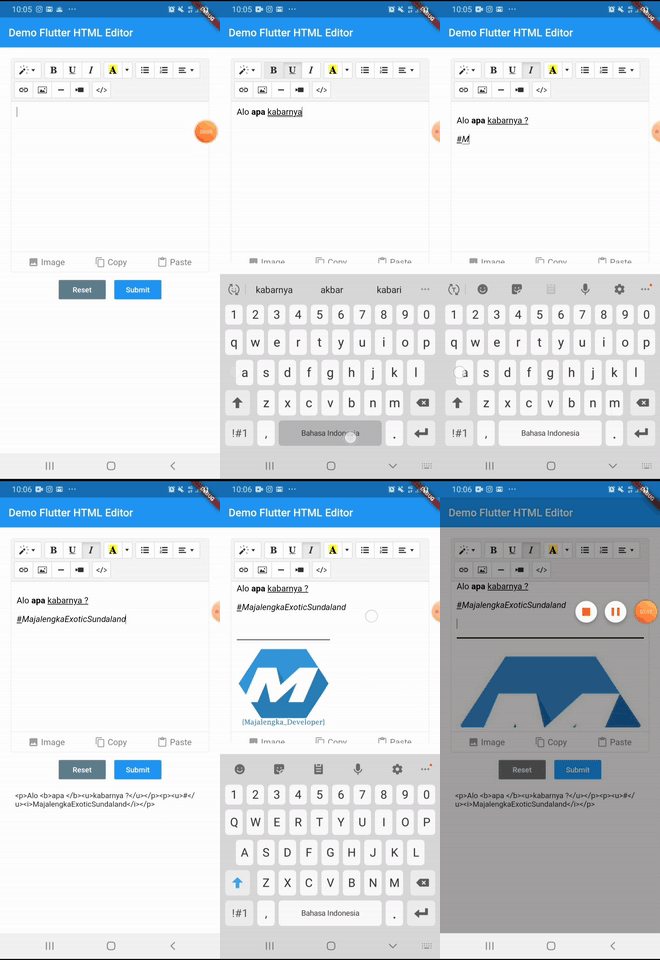
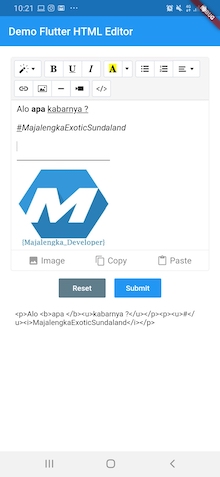
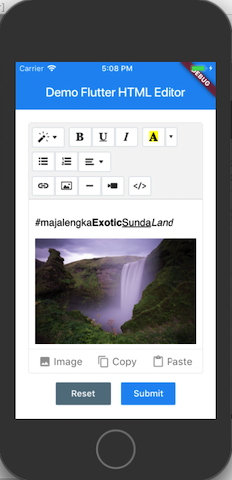
Flutter HTML エディタは、Summernote JavaScript ラッパーに基づいて WYSIWYG HTML コードを書くのを支援する、Android および iOS 向けのテキストエディタです。

30日間ダウンロード
57
いいね数
118
Pub ポイント
40

パッケージをインストール

flutter pub add html_editor

パッケージ概要

公開情報に基づく選定ガイドです。参考としてご利用ください。

Flutter HTML Editor は、Android および iOS 向けの WYSIWYG テキストエディタであり、Flutter アプリ内での HTML コンテンツの作成および編集をユーザーに可能にします。Summernote JavaScript ライブラリに基づいて構築されており、フォーマット、画像、リンクなどに対応する、馴染みのある豊富なテキスト編集体験を提供します。シンプルな pub add コマンドで Flutter プロジェクトにスムーズに統合でき、開発者がアプリに HTML 入力機能を組み込むためのクリーンなインターフェースを提供します。コンテンツ作成ツール、CMS インテグレーション、または HTML 出力が必要な任意のアプリに最適です。

用途

  • モバイルアプリにおけるコンテンツ作成
  • CMS やブログエディタ
  • リッチテキスト入力フォーム
  • HTMLベースのメモアプリ
  • ユーザー生成コンテンツプラットフォーム

主な機能

  • WYSIWYG HTML 編集
  • 画像およびリンクのサポート
  • Summernote との統合
  • クロスプラットフォーム(iOS および Android)
  • pub を通じたシンプルな Flutter インテグレーション

適している対象

  • リッチテキストエディタを構築する開発者
  • HTML 入力が必要なアプリ
  • モバイルコンテンツ管理システム
  • 教育または出版アプリ
  • 豊富なテキストを必要とするフォームビルダー

注意事項

  • ネイティブコードなしで限られたカスタマイズが可能
  • WebView レンダリングに依存しています
  • 一貫性を保つために追加のスタイル設定が必要になる場合があります
  • 複雑なドキュメント処理には適していません
  • 古いデバイスではパフォーマンスが異なる場合があります

元の README

関連するソースリポジトリの README 原文のスナップショットです。最新の内容はリポジトリをご覧ください。

Flutter Html Editor

Flutter HTML Editor is a text editor for android and iOS to help write WYSIWYG HTML code based on the Summernote javascript wrapper. with this library you can insert images into the text editor

demo example demo android demo ios

Setup

add html_editor: ^1.0.1 as deppendecy to pubspec.yaml

iOS

Add the following keys to your Info.plist file, located in /ios/Runner/Info.plist:

    <key>io.flutter.embedded_views_preview</key>
    <true/>

    <key>NSCameraUsageDescription</key>
    <string>Used to demonstrate image picker plugin</string>
    <key>NSMicrophoneUsageDescription</key>
    <string>Used to capture audio for image picker plugin</string>
    <key>NSPhotoLibraryUsageDescription</key>
    <string>Used to demonstrate image picker plugin</string>

    <key>NSAppTransportSecurity</key>
    <dict>
        <key>NSAllowsArbitraryLoads</key>
         <true/>
    </dict>
Usage
  1. import flutter html editor
    import 'package:html_editor/html_editor.dart';
  1. Create Global key from HTML Editor State
    GlobalKey<HtmlEditorState> keyEditor = GlobalKey();
  1. Add HTML Editor to widget
    HtmlEditor(
        hint: "Your text here...",
        //value: "text content initial, if any",
        key: keyEditor,
        height: 400,
    ),
  1. Get text from Html Editor
    final txt = await keyEditor.currentState.getText();
Avalaible option parameters
Parameter Type Default Description
key GlobalKey required for get method & reset
value String empty iniate text content for text editor
height double 380 height of text editor
decoration BoxDecoration Decoration editor
useBottomSheet bool true if true Pickup image user bottomsheet or dialog if else
widthImage String 100% width of image picker
showBottomToolbar bool true show hide bottom toolbar
hint String empty Placeholder hint text

License

This project is licensed under the MIT License - see the LICENSE file for details.

#MajalengkaExoticSundaland

カテゴリー

依存関係

依存関係一覧 4 件

ソースリポジトリ

このパッケージを使用しているプロジェクト

データはまだありません。