パッケージ、リポジトリ、アプリカテゴリを検索

image_picker_web のカバー
パッケージ詳細v4.0.0

image_picker_web

Flutter Web プラグインで画像(Widget、File、Uint8Listとして)および動画(FileまたはUint8Listとして)を選択する

Web
30日間ダウンロード
1.8万
いいね数
160
Pub ポイント
140

パッケージをインストール

flutter pub add image_picker_web

パッケージ概要

公開情報に基づく選定ガイドです。参考としてご利用ください。

Flutter Webプラグインで、ユーザーがWebブラウザから直接画像や動画を選択できるようにします。選択されたメディアをWidget、File、またはUint8Listとして返す柔軟な出力オプションを提供し、Webアプリケーションへのシームレスな統合を実現します。Webプラットフォーム専用に設計されており、ネイティブファイル選択をサポートし、最小限のセットアップでユーザー体験を向上させます。コミュニティ貢献者によってメンテナンスされており、現代的なWeb標準をサポートしています。ブラウザ環境でのメディアアップロードやプレビューが必要なアプリに最適です。

用途

  • ウェブベースの画像アップロードフォーム
  • コンテンツ作成のための動画選択
  • アップロード前のメディアプレビュー
  • ユーザーのプロフィール画像のカスタマイズ
  • インタラクティブなウェブギャラリー

主な機能

  • 画像および動画の選択をサポート
  • メディアを File または Uint8List として返す
  • ウィジェットのプレビュー機能を提供します
  • Webプラットフォーム向けに最適化
  • Flutter Web とのシンプルな統合

適している対象

  • Flutter開発者がWebアプリを作成しています
  • ブラウザベースのメディア入力が必要なアプリ
  • 軽量なメディアピッカーを必要とするプロジェクト
  • メディアワークフローを備えたウェブ専用アプリケーション
  • クロスプラットフォームの一貫性を求める開発者

注意事項

  • ウェブプラットフォームのみ対応
  • ファイルアクセスにはブラウザの権限が必要です
  • Web上でカメラキャプチャをサポートしていません
  • ブラウザによって動作が異なる場合があります
  • 更新のために外部のGitHubリポジトリに依存しています

元の README

関連するソースリポジトリの README 原文のスナップショットです。最新の内容はリポジトリをご覧ください。

ImagePickerWeb

Issues Stars Pub Version Flutter Web CI

This Web-Plugin allows Flutter Web to pick images (as File, Widget or Uint8List) and videos (as File or Uint8List). Many thanks goes to AlvaroVasconcelos for the implementation of picking images in his plugin: flutter_web_image_picker

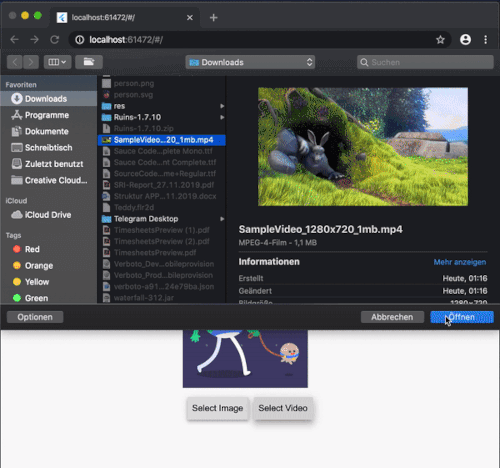
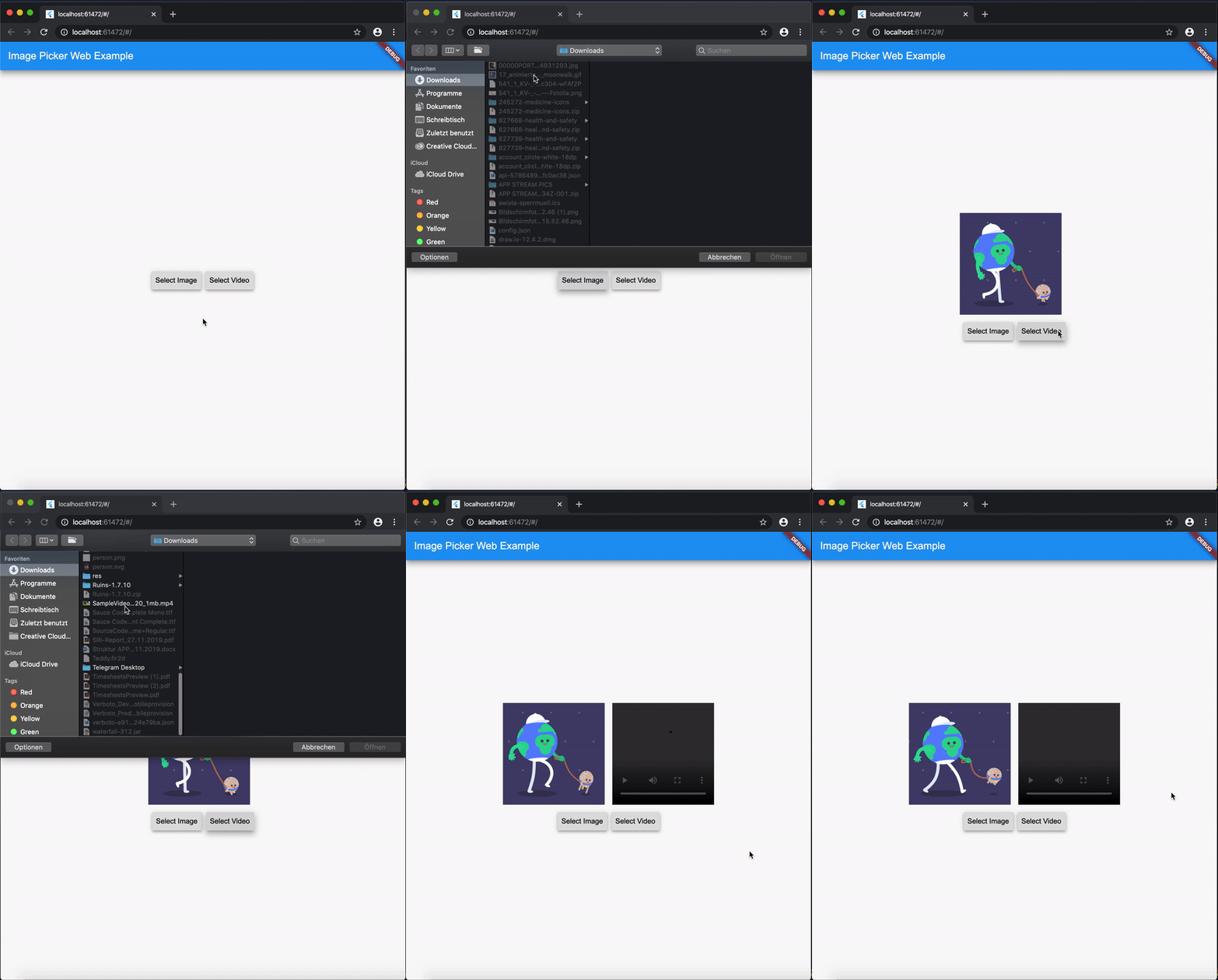
ExampleGif

Disclaimer for Videos
  • Till now [Mar. 2020] it's not possible (due to security reasons) to play a local video file (see also video_player_web). But you can retreive the file and upload them somewhere and play it as a network source.

Getting Started

Add image_picker_web to your pubspec.yaml:

image_picker_web: any

Picking Images

Pick an image

Load image as Image.memory Widget:

Image? fromPicker = await ImagePickerWeb.getImageAsWidget();

Load image as bytes:

Uint8List? bytesFromPicker = await ImagePickerWeb.getImageAsBytes();

Load image as and html.File object :

html.File? imageFile = (await ImagePickerWeb.getMultiImagesAsFile())?[0];
Pick multiple images

Load images as a List<Image> :

List<Image>? fromPicker = await ImagePickerWeb.getMultiImagesAsWidget();

Load images as bytes :

List<Uint8List>? bytesFromPicker = await ImagePickerWeb.getMultiImagesAsBytes();

Load images as List<html.File> objects :

List<html.File> imageFiles = await ImagePickerWeb.getMultiImagesAsFile();

How do I get all Informations out of my Image/Video (e.g. Image AND File in one run)?

Besides the standard getImage() or getVideo() methods you can use the getters:

  • getImageInfo or
  • getVideoInfo to acheive this.

Full Example

import 'dart:html' as html;
 
import 'package:mime_type/mime_type.dart';
import 'package:path/path.dart' as Path;
import 'package:image_picker_web/image_picker_web.dart';
import 'package:flutter/material.dart';

 html.File _cloudFile;
 var _fileBytes;
 Image _imageWidget;
 
 Future<void> getMultipleImageInfos() async {
    var mediaData = await ImagePickerWeb.getImageInfo;
    String mimeType = mime(Path.basename(mediaData.fileName));
    html.File mediaFile =
        new html.File(mediaData.data, mediaData.fileName, {'type': mimeType});

    if (mediaFile != null) {
      setState(() {
        _cloudFile = mediaFile;
        _fileBytes = mediaData.data;
        _imageWidget = Image.memory(mediaData.data);
      });
    }
  }

With getMultipleImageInfos() you can get all three available types in one call.

Picking Videos

To load a video as html.File do:

html.File? videoFile = await ImagePickerWeb.getVideoAsFile();

To load a video as Uint8List do:

Uint8List? videoData = await ImagePickerWeb.getVideoAsBytes();

Reminder: Don't use Uint8List retreivement for big video files! Flutter can't handle that. Pick bigger sized videos and high-resolution videos as html.File !

After you uploaded your video somewhere hosted, you can retreive the network url to play it.

MediaInfos
  • The methods getVideoInfo and getImageInfo are also available and you can use them to retreive further informations about your picked source.
Pick multiple images

Load videos as bytes:

List<Uint8List>? videos = ImagePickerWeb.getMultiVideosAsBytes();

Load videos as List<html.File> objects :

List<html.File>? videoFiles = await ImagePickerWeb.getMultiVideosAsFile();

Migration Guide

From 3.0.0 to 4.0.0
  • The WebImagePicker class has been removed. Use methods from ImagePickerWeb class instead.
  • getImageInfo and getVideoInfo are now methods and not getters. Use them like ImagePickerWeb.getImageInfo() and ImagePickerWeb.getVideoInfo().

カテゴリー

ソースリポジトリ

このパッケージを使用しているプロジェクト