パッケージ、リポジトリ、アプリカテゴリを検索

inview_notifier_list のカバー
パッケージ詳細v4.1.0

inview_notifier_list

ListView を構築し、ウィジェットが画面に表示されたときに通知する Flutter パッケージです。

AndroidiOSWebmacOSWindowsLinux
30日間ダウンロード
4380
いいね数
501
Pub ポイント
160

パッケージをインストール

flutter pub add inview_notifier_list

パッケージ概要

公開情報に基づく選定ガイドです。参考としてご利用ください。

スクロール可能なリストを効率的に構築し、リストアイテムが画面の可視領域に入ったり出たりしたときにリアルタイムで通知を提供するFlutterパッケージです。`ListView`の力を活かしながら、表示状態を検出するリアクティブなメカニズムを追加することで、最適化されたレンダリング、遅延読み込み、パフォーマンス向上を実現します。画像の読み込み、アナリティクスのトラッキング、可視性によってトリガーされるアニメーションなどのシナリオに最適です。このパッケージはモバイル、Web、デスクトップを含むすべての主要プラットフォームをサポートしています。

用途

  • 遅延読み込みの画像またはコンテンツ
  • 分析のためのビューアビリティのトラッキング
  • 可視性でのアニメーションのトリガー
  • 長いリストでのリソース使用の最適化
  • 可視性チェック付きの無限スクロールの実装

主な機能

  • リアルタイムの表示内検出
  • ListView を使った効率的な Widget の再利用
  • クロスプラットフォーム対応
  • シンプルなコールバックベースの API
  • 統合のための最小限のボイラープレート

適している対象

  • パフォーマンスに敏感なリストを構築する開発者
  • 可視性に基づく操作を必要とするアプリ
  • 動的データを含むコンテンツ重視のアプリケーション
  • スムーズなスクロールと応答性を重視するチーム

注意事項

  • 多数のリスナーがアクティブな場合、メモリ使用量が増加する可能性があります
  • リークを避けるためにコールバックの取り扱いに注意が必要です
  • 非常に短いリストではオーバーヘッドが利点を上回るため、理想的ではありません
  • 頻繁に更新されるか、大きなデータセット向けに最適

元の README

関連するソースリポジトリの README 原文のスナップショットです。最新の内容はリポジトリをご覧ください。

inview_notifier_list

pub package CI codecov

A Flutter package that builds a ListView or CustomScrollView and notifies when the widgets are on screen within a provided area.

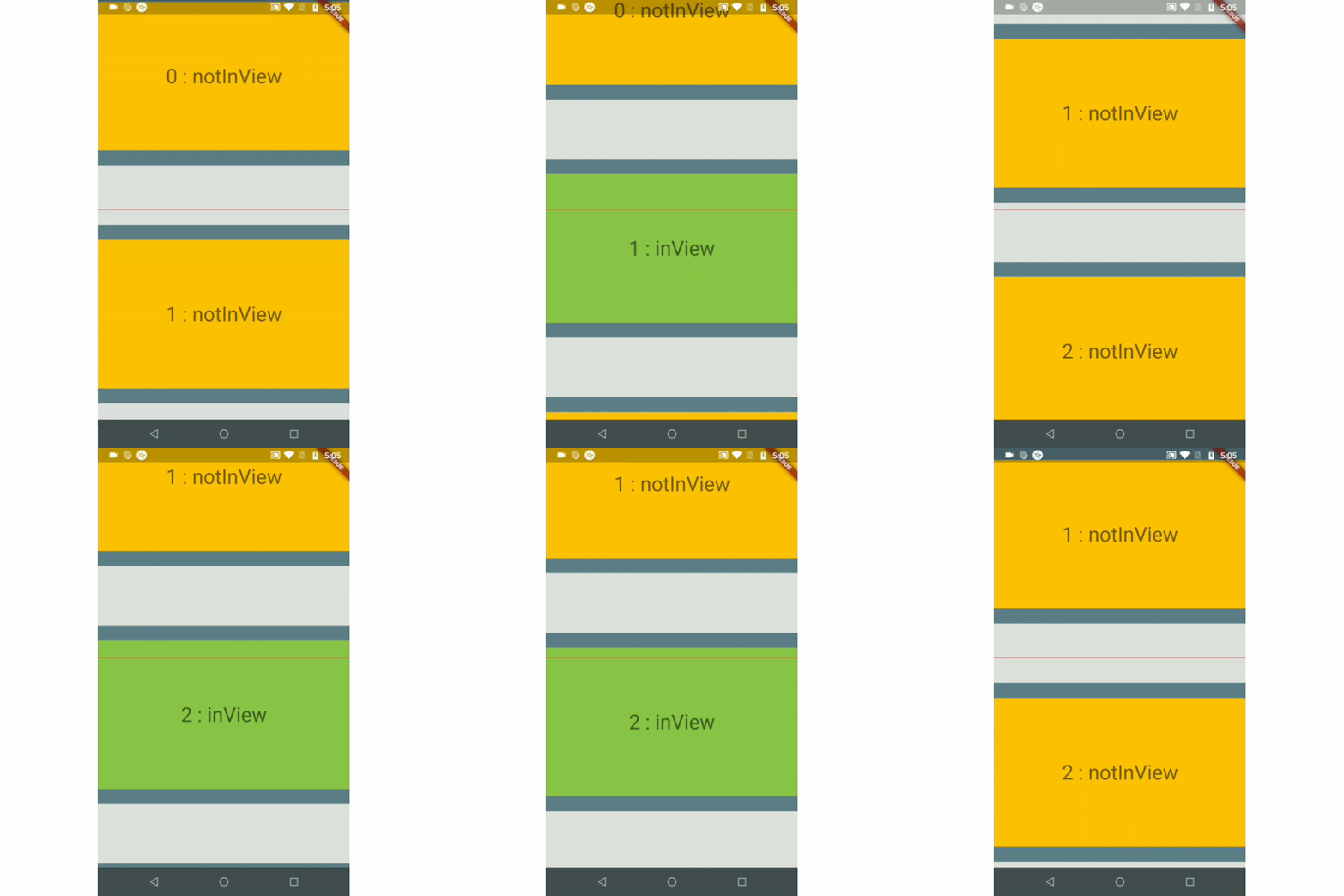
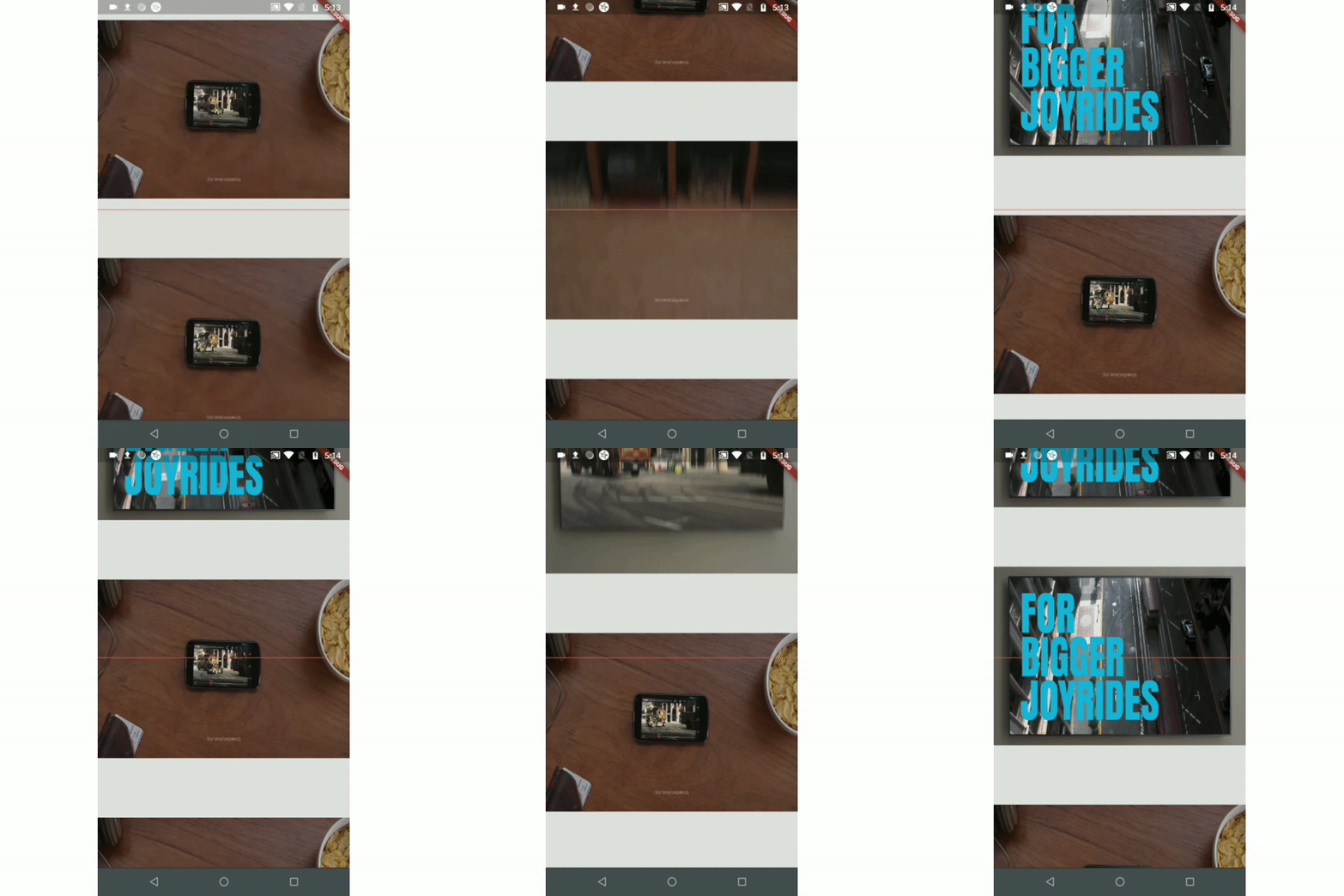
Example 1 Example 2 Example 3(Auto-play video)
ezgif com-gif-maker (1) ezgif com-video-to-gif (1) ezgif com-video-to-gif (2)
Example 4(Custom Scroll View)
csv_example

Index

Use-cases

  • To auto-play a video when a user scrolls.

  • To add real-time update listeners from database to the posts/content only within an area visible to the user.

    Note: If you have other use cases please update this section and create a PR.

Installation

Just add the package to your dependencies in the pubspec.yaml file:

dependencies:
  inview_notifier_list: ^4.1.0

Basic Usage

Step 1:

Add the InViewNotifierList to your widget tree

import 'package:flutter/material.dart';
import 'package:inview_notifier_list/inview_notifier_list.dart';

class MyApp extends StatelessWidget {
  @override
  Widget build(BuildContext context) {
    return Scaffold(
      body: InViewNotifierList(
		...
      ),
    );
  }
}

Step 2:

Add the required property isInViewPortCondition to the InViewNotifierList widget. This is the function that defines the area which the widgets overlap should be notified as currently in-view.

typedef IsInViewPortCondition = bool Function(
  double deltaTop,
  double deltaBottom,
  double viewPortDimension,
);

It takes 3 parameters:

  1. deltaTop: It is the distance from top of the widget to be notified in the list view to top of the viewport(0.0).

  2. deltaBottom: It is the distance from bottom of the widget to be notified in the list view to top of the viewport(0.0).

  3. viewPortDimension: The height or width of the viewport depending on the srollDirection property provided. The image below showcases the values if the srollDirection is Axis.vertical.

    Untitled Diagram

Here is an example that returns true only when the widget's top is above the halfway of the viewport and the widget's bottom is below the halfway of the viewport. It is shown in example1.

InViewNotifierList(
  isInViewPortCondition:
      (double deltaTop, double deltaBottom, double viewPortDimension) {
    return deltaTop < (0.5 * viewPortDimension) &&
        deltaBottom > (0.5 * viewPortDimension);
  },
),

step 3:

Add the IndexedWidgetBuilder , which builds the children on demand. It is just like the ListView.builder.

InViewNotifierList(
    isInViewPortCondition:(...){...},
    itemCount: 10,
    builder: (BuildContext context, int index) {
      return child;
    }

),
step 4:

Use the InViewNotifierWidget to get notified if the required widget is currently in-view or not.

The InViewNotifierWidget consists of the following properties:

  1. id: a required String property. This should be unique for every widget that wants to get notified.
  2. builder : Signature for a function that creates a widget for a given index. The function that defines and returns the widget that should be notified as inView. See InViewNotifierWidgetBuilder.
  3. child: The child widget to pass to the builder.
InViewNotifierWidget(
  id: 'unique-Id',
  builder: (BuildContext context, bool isInView, Widget child) {
    return Container(
      child: Text(
        isInView ? 'in view' : 'not in view',
      ),
    );
  },
)

That's it, done!

A complete code:

InViewNotifierList(
  isInViewPortCondition:
      (double deltaTop, double deltaBottom, double vpHeight) {
    return deltaTop < (0.5 * vpHeight) && deltaBottom > (0.5 * vpHeight);
  },
  itemCount: 10,
  builder: (BuildContext context, int index) {
    return InViewNotifierWidget(
      id: '$index',
      builder: (BuildContext context, bool isInView, Widget child) {
        return Container(
          height: 250.0,
          color: isInView ? Colors.green : Colors.red,
          child: Text(
            isInView ? 'Is in view' : 'Not in view',
          ),
        );
      },
    );
  },
);

Run the example app provided and check out the folder for complete code.

Types of Notifiers

  1. InViewNotifierList: builds a ListView and notifies when the widgets are on screen within a provided area.
  2. InViewNotifierCustomScrollView: builds a CustomScrollView and notifies when the widgets are on screen within a provided area.

Properties

  • isInViewPortCondition: [Required] The function that defines the area within which the widgets should be notified as in-view.

  • initialInViewIds: The String list of unique ids of the child widgets that should be initialized as in-view when the list view is built for the first time.

  • endNotificationOffset: The distance from the bottom of the list where the onListEndReached should be invoked. Defaults to the end of the list i.e 0.0.

  • onListEndReached: The function that is invoked when the list scroll reaches the end or the endNotificationOffset if provided.

  • throttleDuration: The duration to be used for throttling the scroll notification. Defaults to 200 milliseconds.

  • scrollDirection: The axis along which the scroll view scrolls.

  • scrollViewWrapper: An optional callback that wraps the internal scroll view with an additional widget, such as a pull-to-refresh or shimmer wrapper, while keeping in-view detection working. It receives the fully built scroll view and must return a widget that contains it.

    InViewNotifierList(
      scrollViewWrapper: (scrollView) => RefreshIndicator(
        onRefresh: _onRefresh,
        child: scrollView,
      ),
      // ...
    )
    

    Note: The wrapper must let ScrollNotification events bubble up from the inner scroll view (most widgets do by default). If the wrapper provides its own ScrollController, make sure it does not conflict with the one passed to InViewNotifierList.

Credits:

Thanks to Didier Boelens for the raw solution.

カテゴリー

依存関係

依存関係一覧 1 件

ソースリポジトリ

このパッケージを使用しているプロジェクト