パッケージ、リポジトリ、アプリカテゴリを検索

lightbox のカバー
パッケージ詳細v0.1.0

lightbox

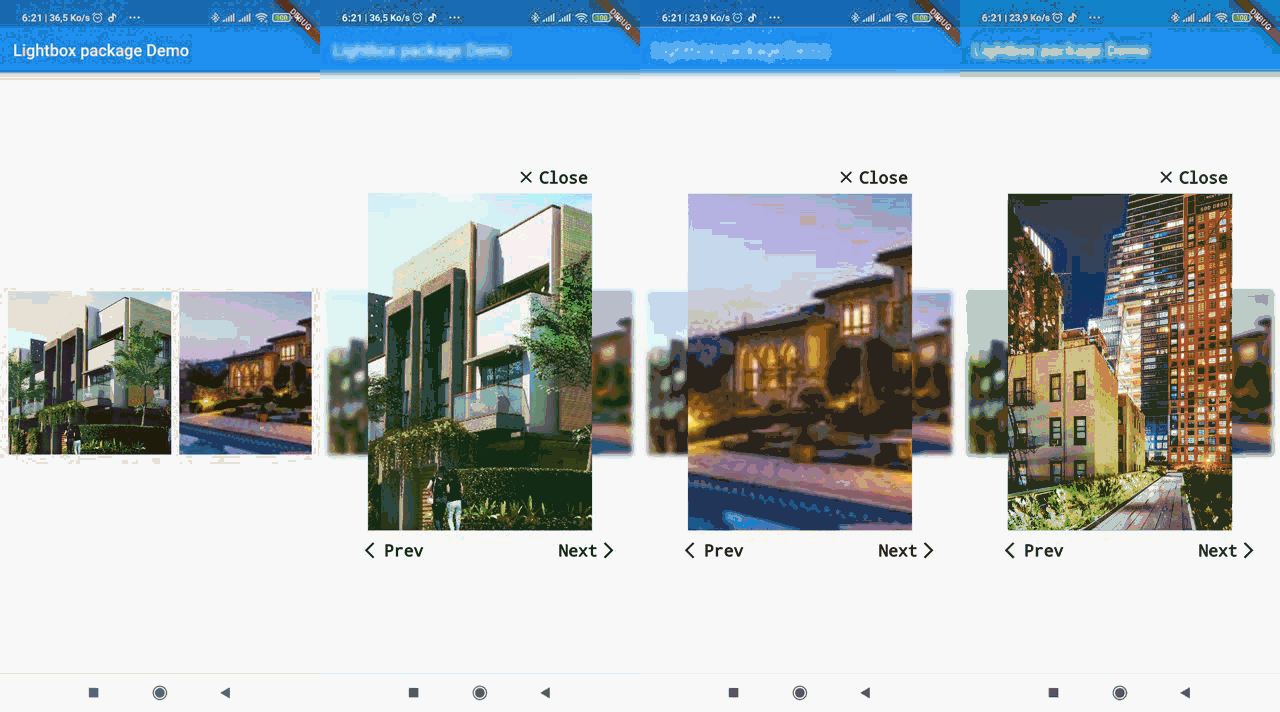
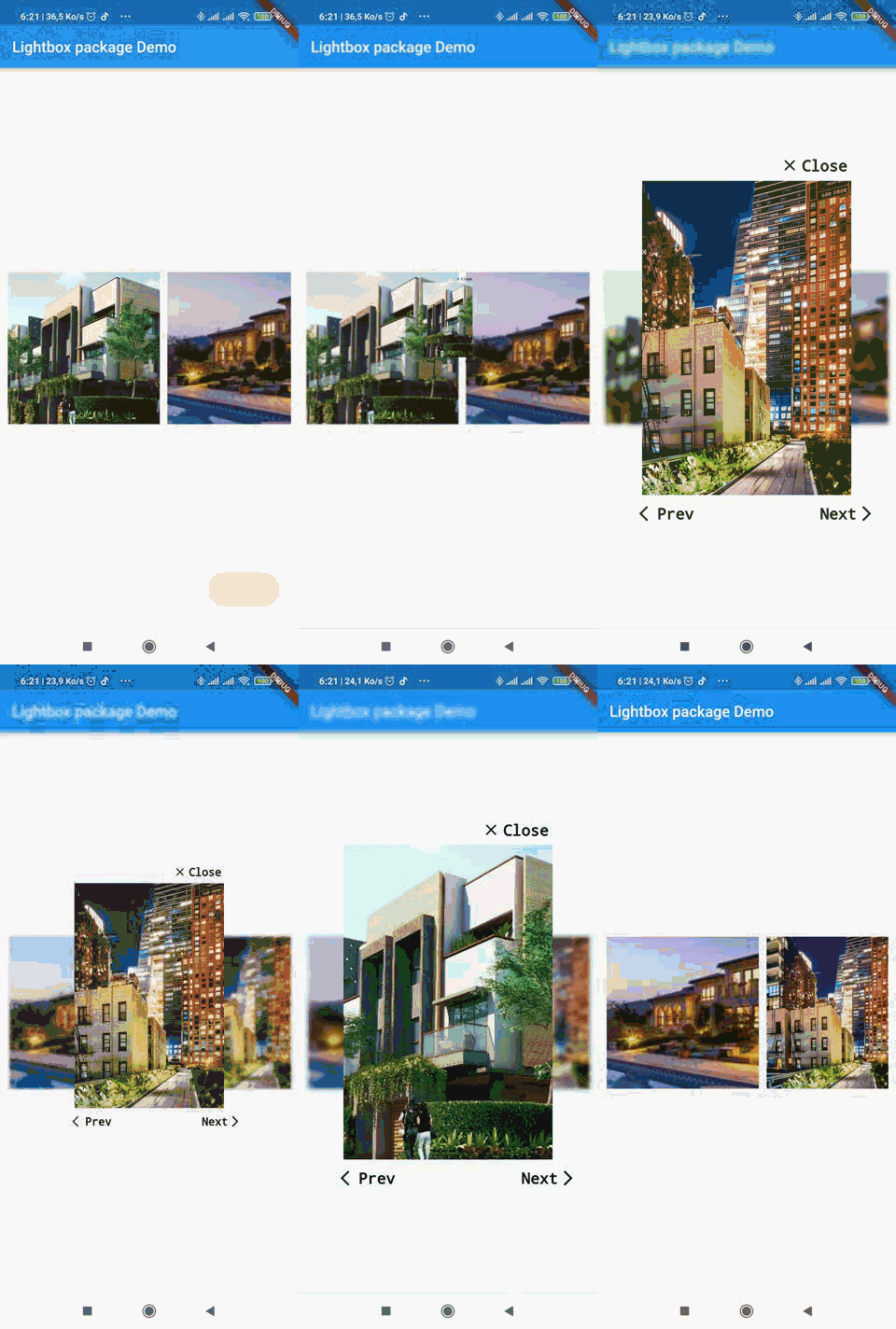
Webアプリに似たライトボックスを作成するためのFlutterプラグイン。URL、アセット、ファイル、バイトなどのさまざまなタイプの画像をスライドショーのオーバーレイとして表示し、コントロールを提供するのに便利です。

AndroidiOSmacOSWindowsLinux
30日間ダウンロード
39
いいね数
33
Pub ポイント
150

パッケージをインストール

flutter pub add lightbox

パッケージ概要

公開情報に基づく選定ガイドです。参考としてご利用ください。

lightbox パッケージは、Flutter プラグインであり、開発者がウェブスタイルのライトボックスオーバーレイを作成し、スライドショー形式で画像を表示できるようにします。URL、アセット、ファイル、バイトデータなど、さまざまな画像ソースをサポートしており、異なるユースケースに適しています。カスタマイズ可能なコントロールにより、フルスクリーンでの画像閲覧体験が向上します。このプラグインは、Android、iOS、macOS、Windows、Linux など複数のプラットフォームと互換性があり、広範なカバレッジを実現します。ギャラリー、製品表示、またはどのようなアプリでも、没入型の画像閲覧が必要な場合に最適です。

用途

  • 画像ギャラリー
  • 製品画像ビューア
  • フルスクリーン写真スライドショー
  • ソーシャルメディアでの画像共有
  • ドキュメント画像のプレビュー

主な機能

  • URL、アセット、ファイル、バイト画像ソースをサポート
  • カスタマイズ可能なナビゲーションコントロール
  • クロスプラットフォーム互換性
  • スムーズなトランジションアニメーション
  • カスタマイズ可能なオーバーレイスタイル

適している対象

  • 画像コンテンツを備えたモバイルおよびデスクトップアプリ
  • ECアプリケーション
  • 写真共有プラットフォーム
  • コンテンツ豊富な教育アプリ
  • インタラクティブなドキュメント

注意事項

  • 適切な画像読み込み処理が必要です
  • 大規模な画像セットではパフォーマンスに影響を与える可能性があります
  • アクセシビリティのためには注意深い構成が必要です
  • 画像のみの表示に制限
  • 高度な機能には外部の依存関係に依存しています

元の README

関連するソースリポジトリの README 原文のスナップショットです。最新の内容はリポジトリをご覧ください。

lightbox

A simple package to recreate web lightbox in Flutter. Ligthbox enables you to show images in an overlay widget with controls to slide between images.

The source code is 100% Dart, and everything resides in the /lib folder.

Show some :heart: and star the repo to support the projectd

Open Source Love License

Installation

Add lightbox as a dependency in your pubspec.yaml file.

dependencies:
  lightbox: 0.1.0

image

Then import lightbox:

import 'package:lightbox/lightbox.dart';

Example usage

import 'package:lightbox/lightbox.dart';
          // images variable is an array of paths or url of images to load in the lightbox.
                   ListView.separated(
                                       separatorBuilder: (context, index) => SizedBox(width: 10.0),
                                       scrollDirection: Axis.horizontal,
                                       itemCount: imagesAsset.length,
                                       itemBuilder: (context, position) {
                                         return GestureDetector(
                                           child: Container(
                                               height: 200,
                                               width: 200,
                                               child: Image.asset(
                                                 imagesAsset[position],
                                                 fit: BoxFit.cover,
                                               )),
                                           onTap: () {
                                             Navigator.push(
                                                 context,
                                                 LightBoxRoute(
                                                     builder: (BuildContext context) {
                                                       return LightBox(
                                                       images:imagesAsset,
                                                         initialIndex: position,
                                                         imageType: ImageType.ASSET,
                                                       );
                                                     },
                                                     dismissible: false));
                                           },
                                         );
                                       }),

You can find a more detailed example here

📃 License

Copyright (c) 2020 Lemovou Ivan

Permission is hereby granted, free of charge, to any person obtaining a copy of this software and associated documentation files (the "Software"), to deal in the Software without restriction, including without limitation the rights to use, copy, modify, merge, publish, distribute, sublicense, and/or sell copies of the Software, and to permit persons to whom the Software is furnished to do so, subject to the following conditions:

The above copyright notice and this permission notice shall be included in all copies or substantial portions of the Software.

THE SOFTWARE IS PROVIDED "AS IS", WITHOUT WARRANTY OF ANY KIND, EXPRESS OR IMPLIED, INCLUDING BUT NOT LIMITED TO THE WARRANTIES OF MERCHANTABILITY, FITNESS FOR A PARTICULAR PURPOSE AND NONINFRINGEMENT. IN NO EVENT SHALL THE AUTHORS OR COPYRIGHT HOLDERS BE LIABLE FOR ANY CLAIM, DAMAGES OR OTHER LIABILITY, WHETHER IN AN ACTION OF CONTRACT, TORT OR OTHERWISE, ARISING FROM, OUT OF OR IN CONNECTION WITH THE SOFTWARE OR THE USE OR OTHER DEALINGS IN THE SOFTWARE.

Getting Started

For help getting started with Flutter, view our online documentation.

For help on editing package code, view the documentation.

カテゴリー

依存関係

依存関係一覧 1 件

ソースリポジトリ

このパッケージを使用しているプロジェクト

データはまだありません。