パッケージ、リポジトリ、アプリカテゴリを検索

loop_page_view のカバー
パッケージ詳細v1.2.5

loop_page_view

両方向に無限スクロールを可能にするシンプルなFlutter PageViewビルダーコンストラクタのラッパー。

AndroidiOSWebmacOSWindowsLinux
30日間ダウンロード
1.6万
いいね数
80
Pub ポイント
150

パッケージをインストール

flutter pub add loop_page_view

パッケージ概要

公開情報に基づく選定ガイドです。参考としてご利用ください。

LoopPageView は、両方向にスムーズで無限のスクロールを可能にするように PageView 機能を拡張する Flutter パッケージです。標準の PageView ビルダー コンストラクタをラップしており、ユーザーがインデックスの手動管理なしに無限スクロール可能なリストを作成できるようにします。カルーセル、画像ギャラリー、または連続ナビゲーションが必要な任意の UI に最適です。このパッケージはすべての主要プラットフォームをサポートし、最小限のセットアップで実装を簡素化します。

用途

  • 無限画像スライダー
  • 連続製品カーレル
  • 果てしないコンテンツフィード
  • インタラクティブなオンボーディング画面
  • ダイナミックなデータ表示

主な機能

  • 双方向の無限スクロール
  • シンプルなビルダーパターン統合
  • クロスプラットフォーム対応
  • 最小限のボイラープレート
  • 自動インデックス処理

適している対象

  • 無限スクロールインターフェースを構築する開発者
  • スムーズなトランジションが必要なUIデザイナー
  • 繰り返しコンテンツレイアウトを持つアプリ
  • 滑らかなナビゲーションを必要とするモバイルおよびウェブアプリケーション

注意事項

  • 重いウィジェットを使用するとパフォーマンスに影響する可能性があります
  • 注意深いメモリ管理が必要です
  • 最適化なしでは非常に大きなデータセットには向かない
  • 基本的なループ以外のカスタマイズは限られている

元の README

関連するソースリポジトリの README 原文のスナップショットです。最新の内容はリポジトリをご覧ください。

loop_page_view

LoopPageView is an enhanced PageView builder for Flutter, enabling infinite scrolling in both directions. It utilizes a customLoopPageController that supports direct animated jumps between pages and configurable scrolling and looping behavior. You can set the scrolling direction and control the start of infinite looping for precise customization

Usage

Import the package into your code:

import 'package:loop_page_view/loop_page_view.dart';

LoopPageView operates exactly like a PageView builder constructor, but it always requires an item count, as well as a LoopPageController as its controller. The LoopPageController functions similarly to a PageController, but it correctly handles the endless scrolling of LoopPageView.

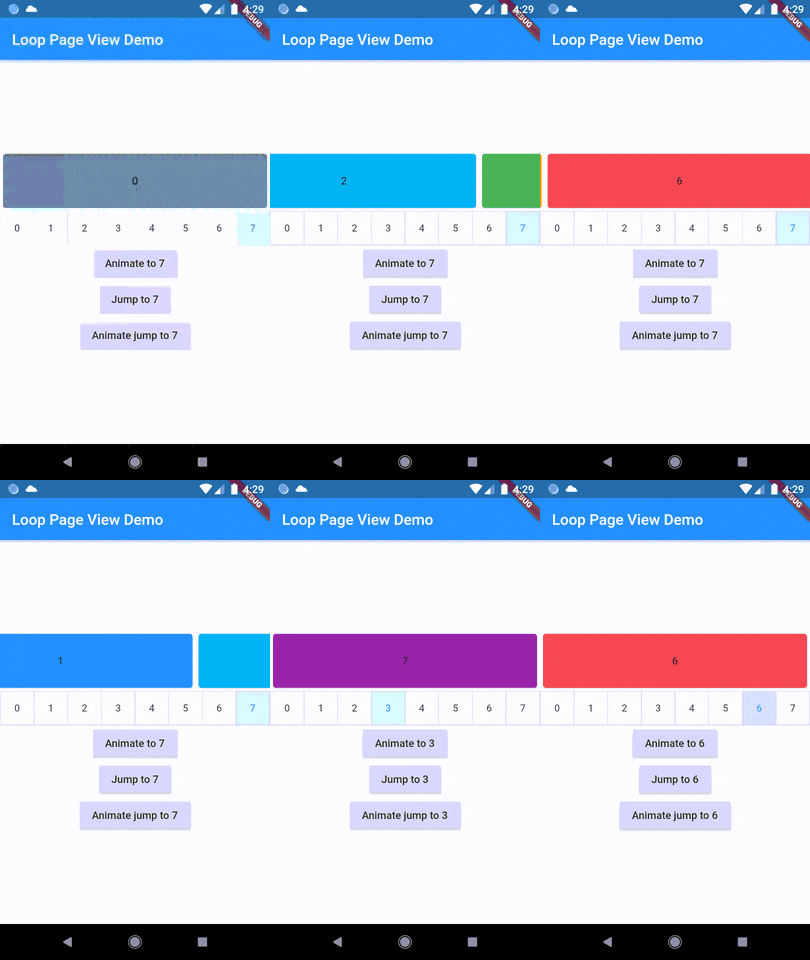
A new method, animateJumpToPage, has been added to LoopPageController. This allows it to animate a jump to any page without having to build the intervening pages, provided that viewportFraction is set to 1.0.

The direction to which the LoopPageViewController animates can be set by updating LoopPageViewController.scrollMode. LoopScrollMode.shortest animates in the direction that requires the least amount of steps. On the other hand, LoopScrollMode.forwards always animates forwards, and LoopScrollMode.backwards always animates backwards.

You can set when the infinite looping starts setting LoopPageViewContoller' LoopActivationMode with the following modes:

  • LoopActivationMode.immediate: This mode triggers infinite looping right from the first page, immediately after the LoopPageView is launched.
  • LoopActivationMode.afterFirstLoop: In this mode, infinite looping is only triggered after the first complete forward loop is performed.
  • LoopActivationMode.forwardOnly: This mode enables only forward infinite scrolling, preventing backward looping.

Installation

dependencies:
  loop_page_view: ^1.2.5

Example

import 'package:flutter/material.dart';
import 'package:loop_page_view/loop_page_view.dart';

void main() {
  runApp(MyApp());
}

class MyApp extends StatelessWidget {
  @override
  Widget build(BuildContext context) {
    return MaterialApp(
      home: Scaffold(
        appBar: AppBar(
          title: Text('Loop Page View Demo'),
        ),
        body: Center(
          child: LoopPageView.builder(
            itemCount: 2,
            itemBuilder: (_, index) {
              return Card(
                child: Center(
                  child: Text('$index'),
                ),
              );
            },
          ),
        ),
      ),
    );
  }
}

LoopPageView widget is designed to be used similarly to Flutter's built-in PageView.

To extend its functionality and allow mouse drag gestures in a web context, you can use it together with a ScrollConfiguration widget.

Here's how you could do it:

import 'package:flutter/material.dart';
import 'package:flutter/gestures.dart';
import 'package:loop_page_view/loop_page_view.dart';

void main() {
  runApp(MyApp());
}

class MyApp extends StatelessWidget {
  @override
  Widget build(BuildContext context) {
    return MaterialApp(
      title: 'ScrollConfiguration Demo',
      home: MyHomePage(),
    );
  }
}

class MyHomePage extends StatelessWidget {
  @override
  Widget build(BuildContext context) {
    return Scaffold(
      body: ScrollConfiguration(
        behavior: ScrollConfiguration.of(context).copyWith(
          dragDevices: {PointerDeviceKind.touch, PointerDeviceKind.mouse},
        ),
        child: LoopPageView.builder(
          itemCount: 5,
          itemBuilder: (context, index) {
            return Center(
              child: Text('Page $index'),
            );
          },
        ),
      ),
    );
  }
}

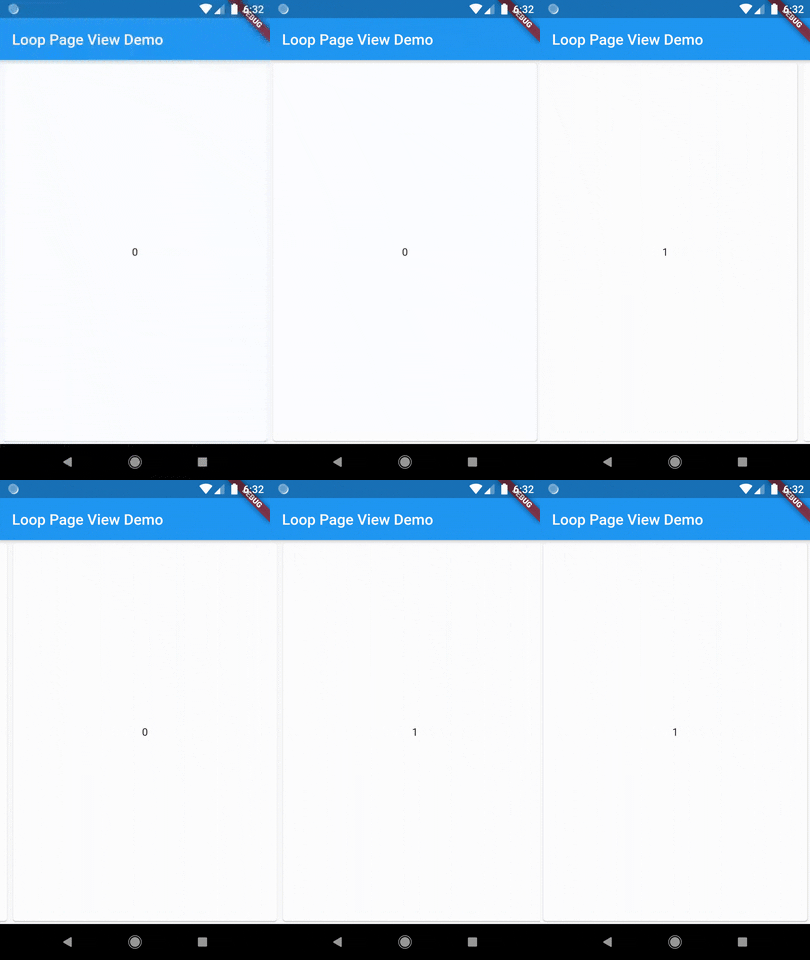
Demo

Author

Wellington Soares Junior

License

BSD

カテゴリー

ソースリポジトリ

このパッケージを使用しているプロジェクト

データはまだありません。