パッケージ、リポジトリ、アプリカテゴリを検索

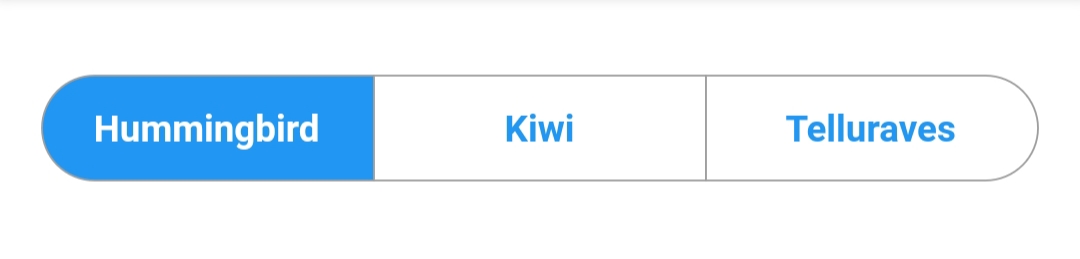
material_segmented_control のカバー
パッケージ詳細v5.0.1

material_segmented_control

iOS 用のセグメントコントロールに似たものですが、Material デザインです。

AndroidiOSWebmacOSWindowsLinux
30日間ダウンロード
1.4万
いいね数
103
Pub ポイント
150

パッケージをインストール

flutter pub add material_segmented_control

パッケージ概要

公開情報に基づく選定ガイドです。参考としてご利用ください。

Material Designの美学を備えたセグメントコントロールを実装するFlutterウィジェットで、iOSスタイルのセグメントコントロールと視覚的に整合性のある代替手段を提供します。ユーザーが相互に排他的な選択肢の中から1つを選択できるようにし、設定やフィルターでよく使用されます。色、ラベル、選択動作のカスタマイズをサポートしながら、Android、iOS、Web、macOS、Windows、Linuxの各プラットフォームで適切なスタイルを維持します。

用途

  • フォーム入力選択
  • カテゴリでデータをフィルタリングする
  • ユーザーの好み設定
  • タブ間のナビゲーション
  • カスタマイズ可能なUIコンポーネント

主な機能

  • マテリアルデザインの外観
  • クロスプラットフォーム互換性
  • カスタマイズ可能な色とラベル
  • 単一選択をサポート
  • 既存のウィジェットとの簡単な統合

適している対象

  • クロスプラットフォームアプリを開発する開発者
  • Material準拠のUI要素を求めるデザイナー
  • 直感的なタブ風ナビゲーションを必要とするアプリ
  • 複数プラットフォーム間の一貫性を重視するチーム
  • フィルタリングまたは構成インターフェースを備えたプロジェクト

注意事項

  • 単一選択のみに制限されています
  • 選択コールバックの手動処理が必要です
  • 複雑なレイアウトには追加のスタイリングが必要になる場合があります
  • 多数のセグメントに対して最適化されていない
  • 外部パッケージのメンテナンスに依存しています

元の README

関連するソースリポジトリの README 原文のスナップショットです。最新の内容はリポジトリをご覧ください。

Material Segmented Control

A material segmented control like the one for iOS, in Material style.

image

Why?

We all know well the Cupertino segmented widget in Flutter. But there is no similar in Material, so I thought, why not to create one.

You can check it out on pub.dev: (see package on pub.dev)

How to use

Import the package

In your pubspec.yaml, add

dependencies: 
    material_segmented_control: ^5.0.1
Import code

Wherever you want to use this widget, import

import 'package:material_segmented_control/material_segmented_control.dart';
Basic usage
int _currentSelection = 0;

MaterialSegmentedControl(
    children: _children,
    selectionIndex: _currentSelection,
    borderColor: Colors.grey,
    selectedColor: Colors.redAccent,
    unselectedColor: Colors.white,
    selectedTextStyle: TextStyle(color: Colors.white),
    unselectedTextStyle: TextStyle(color: Colors.redAccent),
    borderWidth: 0.7,
    borderRadius: 32.0,
    disabledChildren: [3],
    onSegmentTapped: (index) {
      setState(() {
        _currentSelection = index;
      });
    },
);

Map<int, Widget> _children = {
  0: Text('Hummingbird'),
  1: Text('Kiwi'),
  2: Text('Rio'),
  3: Text('Telluraves')
};
Features
  • Disable the selection for all children by setting selectionIndex to null. It un-selects all options.
  • Disable children to being not "clickable" (like setting onPressed to null on a button) by setting disabledChildren. Give it a list with all indices that should be disabled. Give it either null or an empty list to not use the disabled feature.

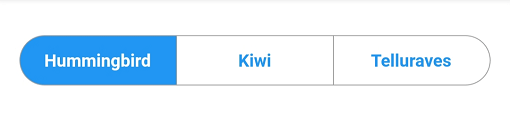
You might want to check out the example project.

カテゴリー

ソースリポジトリ

このパッケージを使用しているプロジェクト