パッケージ、リポジトリ、アプリカテゴリを検索

neon_widgets のカバー
パッケージ詳細v2.0.0

neon_widgets

完全なネオンソリューション。このパッケージは、ちらつき効果付きおよびなしのネオンウィジェットを提供します。

AndroidiOSmacOSWindowsLinux
30日間ダウンロード
79
いいね数
102
Pub ポイント
140

パッケージをインストール

flutter pub add neon_widgets

パッケージ概要

公開情報に基づく選定ガイドです。参考としてご利用ください。

NeonWidgetsは、アプリケーションに鮮やかで発光する効果を加えるための、包括的なネオンテーマUIコンポーネントを提供するFlutterパッケージです。点滅効果付きと無しのウィジェットが含まれており、開発者が最小限の努力で目を引くインターフェースを作成できます。現代的で視覚的にダイナミックなアプリに最適であり、滑らかなアニメーションとカスタマイズ可能なネオンスタイルにより美しさを高めます。クロスプラットフォーム対応で、Android、iOS、macOS、Windows、Linuxをサポートしており、デバイス間で一貫した視覚的魅力を確保します。

用途

  • 未来主義的なアプリインターフェースの作成
  • 発光テキストとボタンの追加
  • ゲームUIの強化
  • ダッシュボードのビジュアルデザイン
  • テーマ付きランディングページの作成

主な機能

  • ネオンテキストとコンテナーウィジェット
  • オプションのフレッシャーアニメーション効果
  • クロスプラットフォーム互換性
  • カスタマイズ可能な発光色
  • Flutterとの簡単な統合
  • 軽量で高性能

適している対象

  • 視覚的なインパクトを求めるUIデザイナー
  • ゲームやエンターテインメントアプリを開発する開発者
  • モダンで大胆な美学を求めるプロジェクト
  • インタラクティブダッシュボードのプロトタイピング
  • 若い層をターゲットにしたアプリ

注意事項

  • 低スペックデバイスでのパフォーマンスに影響を与える可能性があります
  • フレッカー効果はすべてのデザインテーマに適しているとは限りません
  • 読みやすさのためには、慎重な色のコントラストが必要です
  • ミニマリスティックまたはプロフェッショナルなUIには適していません
  • 発光特性を超えるカスタマイズは限られている

元の README

関連するソースリポジトリの README 原文のスナップショットです。最新の内容はリポジトリをご覧ください。

Neon Widgets💡

Most commonly used flutter widgets in neon version.

License Pub GitHub stars

Live Example : https://ojas-jain.web.app/#/

Neon Widgets 2.0 => Breaking Changes

Animation disposal issues resolved. and every class' name have been changed, to comply with the standard dart syntax.

All the class names have been changed, to comply with the standard dart syntax. Previously every class had the name convention such that non-neon class' name started with the letter 'o', and neon classes started with 'oNeon'. But in the update, the neon class names now starts with 'Neon', and the letter 'o' has been removed from the starting of non-neon classes.
For example :

1 : 'oNeonContainer' is now changed to 'NeonContainer'.

2 : 'oNeonCustomVerticesProgressBar' is now changed to 'NeonCustomVerticesProgressBar'.

3 : 'oSearchBar' is now changed to 'SearchBar'.

Getting started

Readme Changelog Installing Versions Scores Admin Activity log Use this package as a library Depend on it Run this command:

Run this command:

With Dart:

 $ dart pub add neon_widgets

With Flutter:

 $ flutter pub add neon_widgets

This will add a line like this to your package's pubspec.yaml (and run an implicit dart pub get):

dependencies:
  neon_widgets: ^2.0.0

Alternatively, your editor might support dart pub get or flutter pub get. Check the docs for your editor to learn more.

Import it Now in your Dart code, you can use:

import 'package:neon_widgets/neon_widgets.dart';

Features

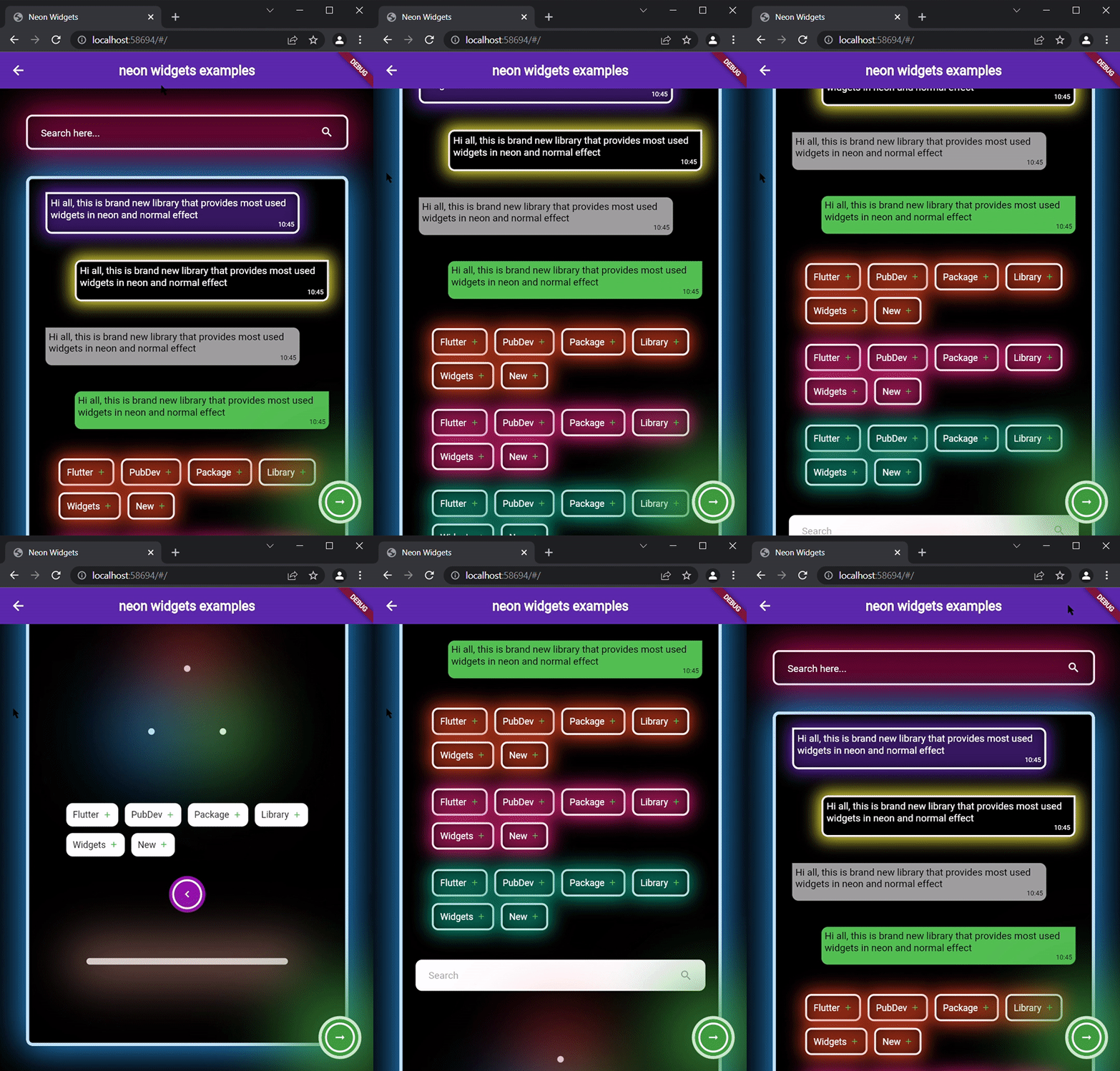
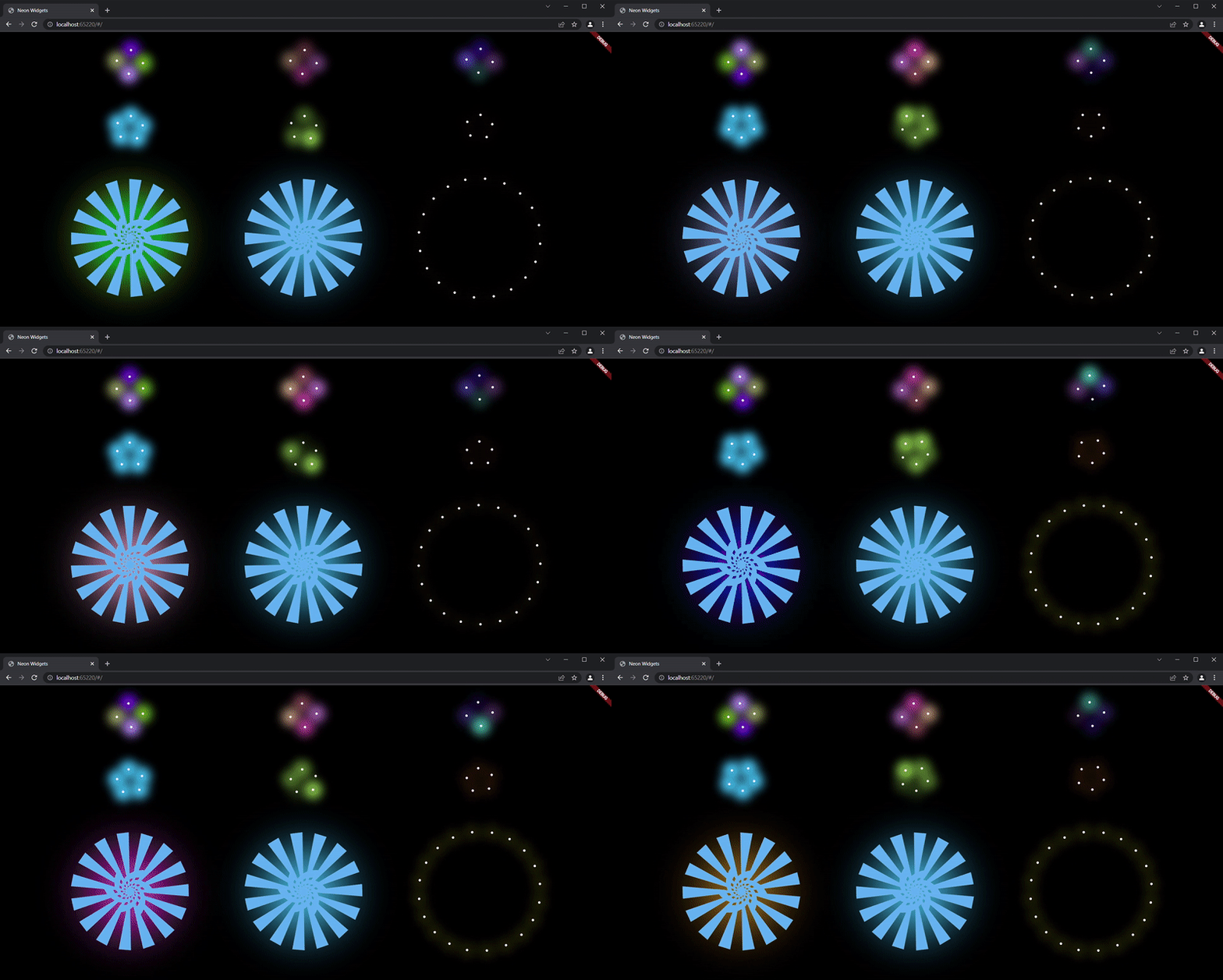
ExampleApp

Neon Widgets :

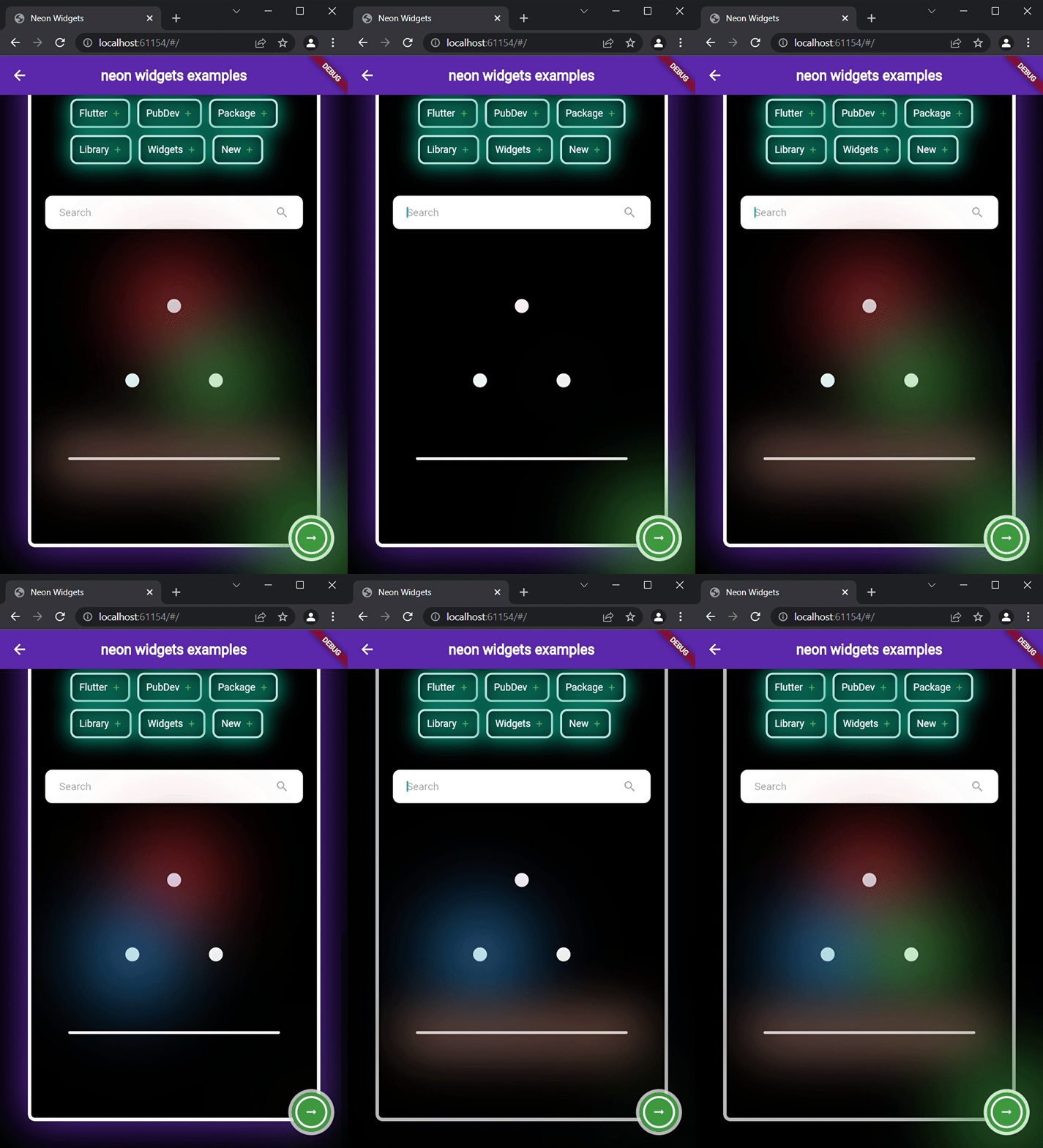
Flickering Neon Widgets (with random flicker rate) :

Loaders :

Widgets

neonText :

// neon text

 NeonText(
   text: "Neon text",
   spreadColor: Colors.pink,
   blurRadius: 20,
   textSize: 74,
   textColor: Colors.white,
 ),

// flickering neon text

 FlickerNeonText(
   text: "Flicker neon text",
   flickerTimeInMilliSeconds: 600,
   spreadColor: Colors.blue,
   blurRadius: 20,
   textSize: 74,
 ),

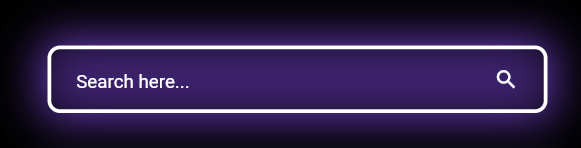
neonSearchBar :

NeonSearchBar()

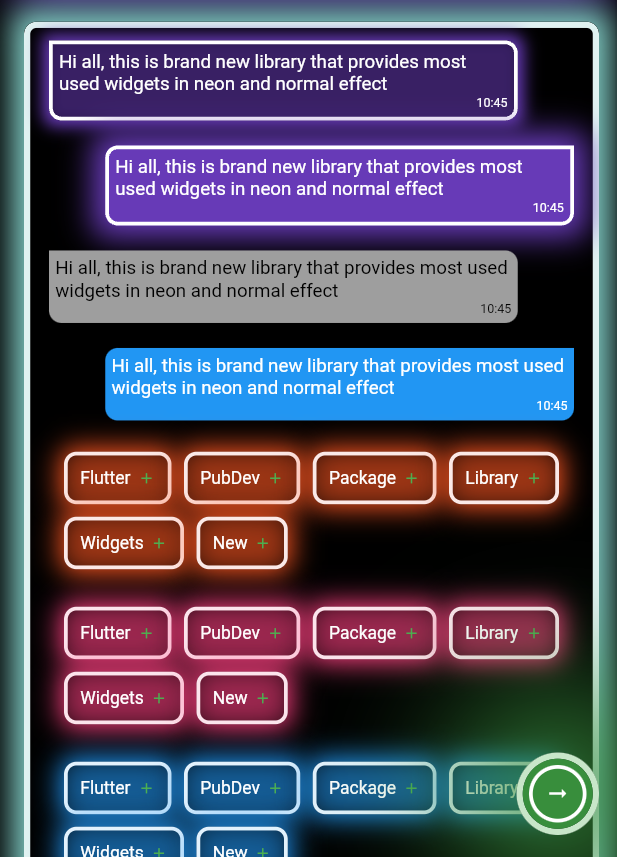
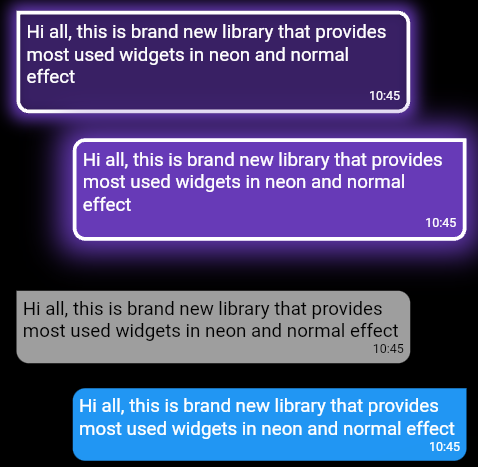
Chat widgets :

// Left message card in neon theme
NeonLeftMsgCard(
  lightBlurRadius: 20,
  lightSpreadRadius: 5,
  msg:
      "Hi all, this is brand new library that provides most used widgets in neon and normal effect",
  time: "10:45",
),

const SizedBox(
  height: 20,
),

// Right message card in neon theme
NeonRightMsgCard(
    lightBlurRadius: 20,
    lightSpreadRadius: 10,
    backgroundColor: Colors.deepPurple,
    msg:
    "Hi all, this is brand new library that provides most used widgets in neon and normal effect",
    time: "10:45",
 ),

const SizedBox(
  height: 20,
),

// Left massage card

LeftMsgCard(
    msg:
    "Hi all, this is brand new library that provides most used widgets in neon and normal effect",
    time: "10:45",
),

const SizedBox(
  height: 20,
),

// Right massage card

RightMsgCard(
    msg:
    "Hi all, this is brand new library that provides most used widgets in neon and normal effect",
    time: "10:45",
),

const SizedBox(
  height: 20,
),

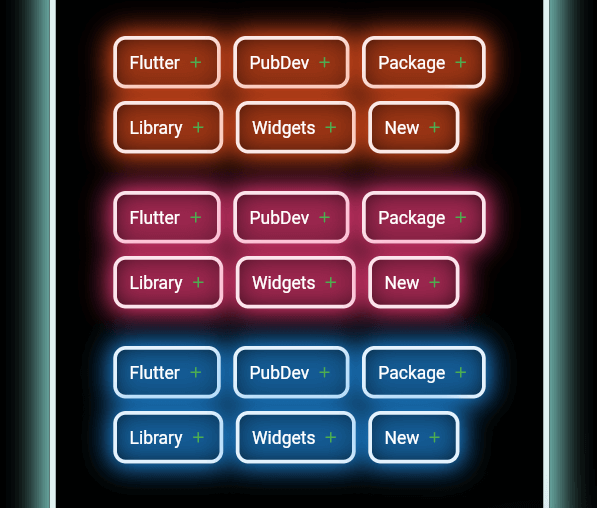
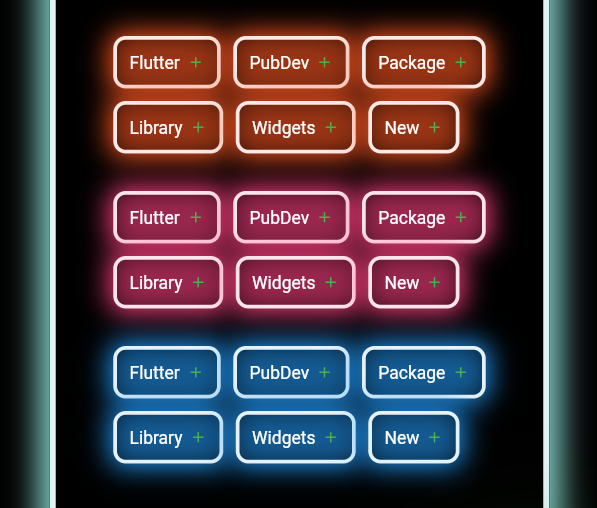
Add items widget :

Wrap(
direction: Axis.horizontal,
children: <Widget>[
  ...(searchedResults.map((e) =>
      NeonAddItemButton(
          data: e,
          borderColor: Colors.deepOrange.shade50,
          spreadColor: Colors.deepOrange,
          lightSpreadRadius: 3,
          lightBlurRadius: 18))),
],
),

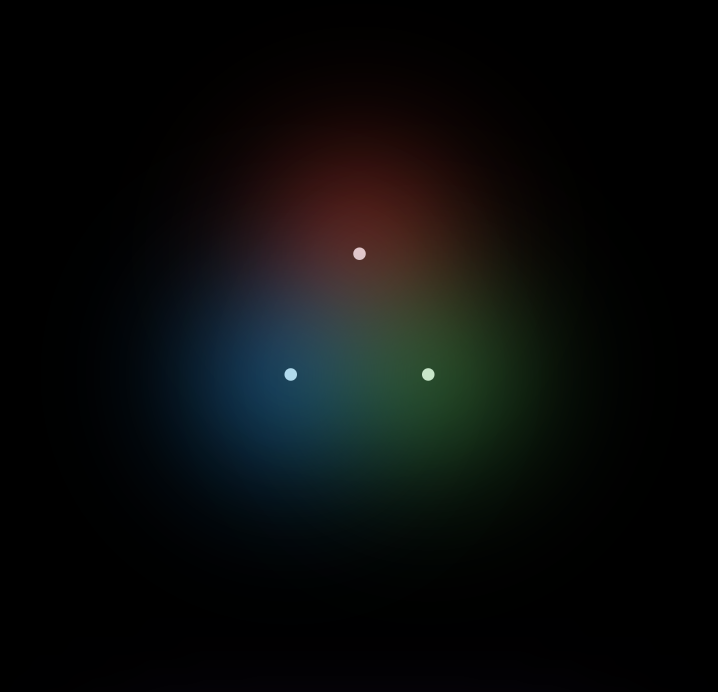
NeonPoint widget :

NeonPoint(
  pointSize: 00,
  pointColor: Colors.red.shade100,
  spreadColor: Colors.red,
),

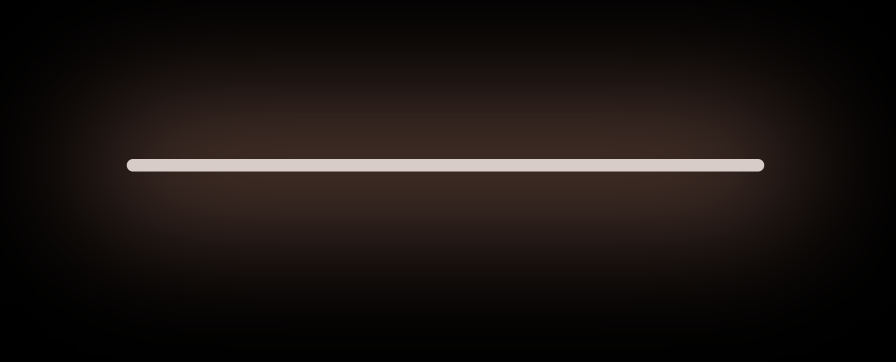
NeonLine widget :

NeonLine(
  spreadColor: Colors.brown,
  lightSpreadRadius: 30,
  lightBlurRadius: 90,
  lineWidth: 400,
  lineHeight: 0.02,
  lineColor: Colors.brown.shade100,
),

Flickering Neon widgets :

// Flickering neon line
FlickerNeonLine(
  spreadColor: Colors.brown,
  lightSpreadRadius: 30,
  lightBlurRadius: 60,
  lineWidth: 300,
  lineHeight: 2,
  lineColor: Colors.brown.shade100,

  // flicker rate which is selects a random value by default
  randomFlicker: false,
  flickerTimeInMilliSeconds: 1000,
),
// Flickering neon point
FlickerNeonPoint(
  pointSize: 010,
  pointColor: Colors.blue.shade100,
  spreadColor: Colors.blue,
),
// Flickering neon container
FlickerNeonContainer(
    spreadColor: Colors.green.shade700,
    child: WIDGET
),

Loaders :

 //loader type 1 : loader made of polynomial of n number of side
 NeonShapeVerticesProgressBar(number: 4)

 //loader type 2 : triangle shape with all colors customizable
 NeonTriangleVerticesProgressBar()

 //loader type 3 : square shape with all colors customizable
 NeonSquareVerticesProgressBar()

 //loader type 4 : image
 ImageProgressBar(image : "assets/images/abc.png")

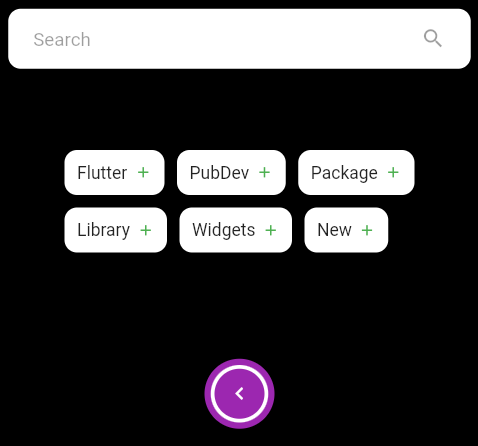
Non Neon widgets :

SearchBar(),
const SizedBox(
  height: 20,
),
Wrap(
  direction: Axis.horizontal,
  children: <Widget>[
    ...(searchedResults
        .map((e) => AddItemButton(data: e))),
  ],
),
const SizedBox(
  height: 20,
),
Container(
  padding: const EdgeInsets.all(20),
  child: CircumscribingIconButton(
      icon: Icons.keyboard_arrow_left_sharp,
      onTap: () {},
      backgroundColor: Colors.purple),
),

Usage

Example code provided

NeonContainer(
  spreadColor: Colors.green.shade700,
  child: CircumscribingIconButton(
        icon: Icons.arrow_right_alt_sharp,
        onTap: () {},
        backgroundColor: Colors.green.shade700),
    borderRadius: BorderRadius.circular(100),
    lightBlurRadius: 100,
    lightSpreadRadius: 50,
  borderColor: Colors.green.shade100
)

Additional information

Wanna improve this package? Contribute to project on

github : https://github.com/ojasjain24/neon_widgets_flutter

create issue : https://github.com/ojasjain24/neon_widgets_flutter/issues

Contributing rules :

1 : create an issue describing the feature.

2 : comment on this issue that you are interested in resolving this issue.

3 : Create a Pull request in dev branch.

カテゴリー

ソースリポジトリ

このパッケージを使用しているプロジェクト

データはまだありません。