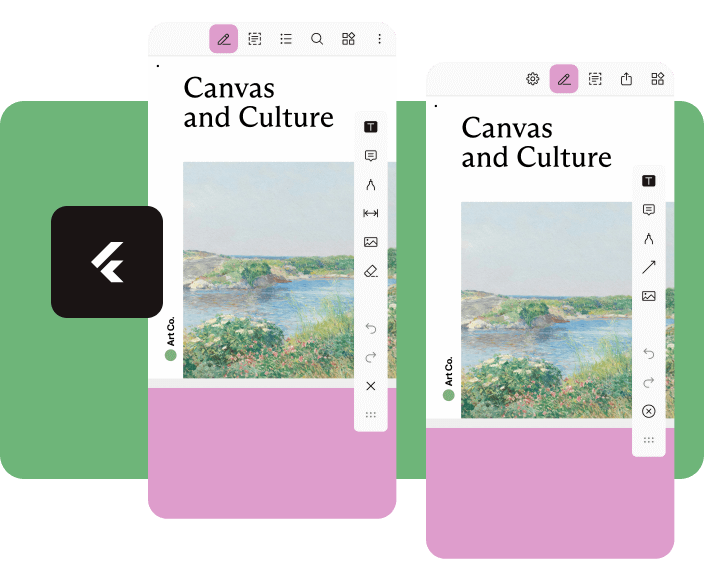
Nutrient Flutter は、Flutter アプリケーションに Nutrient PDF SDK を統合する強力なプラグインであり、豊富な PDF 表示および編集機能を可能にします。Android および iOS プラットフォーム上で、高速で高パフォーマンスの PDF レンダリング、注釈、署名、操作をサポートしています。シームレスで機能が充実した PDF エクスペリエンスを求める開発者向けに設計されており、カスタマイズ可能なツールと堅牢なドキュメント処理を備えたネイティブ風インターフェースを提供します。このプラグインは複雑な PDF ワークフローを簡素化し、高度なドキュメント相互作用を必要とするアプリに最適です。
Add powerful PDF functionality to your Flutter apps with the Nutrient Flutter SDK. View, annotate, and edit PDFs seamlessly across Android, iOS, and Web platforms.
Requirements
Flutter SDK (latest stable version)
For Android:
Android Studio (latest stable version)
Android NDK
Android Virtual Device or physical device
For iOS:
Xcode 16 or later
iOS 17.0 or later
For Web:
Modern web browser with WebAssembly support
Installation
Add the Nutrient Flutter SDK to your pubspec.yaml:
dependencies:nutrient_flutter:any
Run the following command:
flutter pub get
Platform Setup
Android Setup
Update your Android configuration in android/app/build.gradle:
Note: Replace 1.13.0 with the latest version of Nutrient Web SDK. Check the latest releases for the current version.
Option 2: Local Installation
Download Nutrient Web SDK. The download will start immediately and save a .tar.gz archive like PSPDFKit-Web-binary-<version>.tar.gz to your computer.
Once downloaded, extract the archive and copy the entire contents of its dist folder to your project's web/assets folder.
Verify your assets folder contains:
nutrient-viewer.js file
nutrient-viewer-lib directory with library assets
Add the Nutrient library to your web/index.html:
<scriptsrc="assets/nutrient-viewer.js"></script>
Note: Your server must have the Content-Type: application/wasm MIME type configured for WebAssembly files.
Sample Document Setup
Create a PDFs directory in your project root:
mkdir PDFs
Download our sample PDF document and save it as Document.pdf in the PDFs directory.
Add the assets directory to your pubspec.yaml:
flutter:assets:-PDFs/
Usage
Create a new file lib/main.dart with the following content:
import'package:flutter/material.dart';
import'package:nutrient_flutter/nutrient_flutter.dart';
import'dart:io';
import'package:flutter/foundation.dart';
constString documentPath = 'PDFs/Document.pdf';
voidmain() async {
WidgetsFlutterBinding.ensureInitialized();
// Initialize the Nutrient SDK with your license keyawaitNutrient.initialize(
androidLicenseKey: 'YOUR_ANDROID_LICENSE_KEY',
iosLicenseKey: 'YOUR_IOS_LICENSE_KEY',
webLicenseKey: 'YOUR_WEB_LICENSE_KEY',
);
runApp(constMaterialApp(
home: MyApp(),
));
}
classMyAppextendsStatelessWidget{
constMyApp({super.key});
Future<String> extractAsset(BuildContext context, String assetPath) async {
if (kIsWeb) {
return assetPath;
}
final bytes = awaitDefaultAssetBundle.of(context).load(assetPath);
final list = bytes.buffer.asUint8List();
final tempDir = awaitNutrient.getTemporaryDirectory();
final tempDocumentPath = '${tempDir.path}/$assetPath';
final file = File(tempDocumentPath);
await file.create(recursive: true);
file.writeAsBytesSync(list);
return file.path;
}
@overrideWidgetbuild(BuildContext context) {
returnScaffold(
body: FutureBuilder<String>(
future: extractAsset(context, documentPath),
builder: (context, snapshot) {
if (snapshot.hasData) {
/// NutrientView is a widget that displays a PDF document.returnNutrientView(
documentPath: snapshot.data!,
);
} elseif (snapshot.hasError) {
returnCenter(
child: Text('${snapshot.error}'),
);
} else {
returnconstCenter(
child: CircularProgressIndicator(),
);
}
}),
);
}
}
Note: Replace 'YOUR_ANDROID_LICENSE_KEY', 'YOUR_IOS_LICENSE_KEY', and 'YOUR_WEB_LICENSE_KEY' with your actual license keys. Do not pass any license keys if you want to run the SDK in demo mode, the SDK will run in demo mode with a watermark.