パッケージ、リポジトリ、アプリカテゴリを検索

outline_material_icons のカバー
パッケージ詳細v1.0.0

outline_material_icons

Google の新しいアウトラインテーマのマテリアルデザインアイコンを提供します。

AndroidiOSWebmacOSWindowsLinux
30日間ダウンロード
859
いいね数
95
Pub ポイント
50

パッケージをインストール

flutter pub add outline_material_icons

パッケージ概要

公開情報に基づく選定ガイドです。参考としてご利用ください。

GoogleのMaterial Designアイコンのアウトラインバージョンを提供するFlutterパッケージで、洗練されたミニマリストな美学を実現します。これらのアイコンは更新されたMaterial Designシステムの一部であり、シンプルさと明確さを重視する現代的なUIに最適です。pub経由で簡単に統合でき、すべての主要プラットフォームをサポートし、アプリケーション間で一貫したアイコン表現を保証します。現在のMaterial Designガイドラインに沿ったアプリデザインを目指す開発者にとって特に役立ちます。

用途

  • モダンなアプリインターフェース
  • ミニマリストUIデザイン
  • クロスプラットフォームアプリ
  • Material Design 3 対応
  • 一貫したアイコンスタイル

主な機能

  • アウトラインスタイルの Material Design イコン
  • すべての Flutter プラットフォームをサポートしています
  • pub を通じた簡単な統合
  • ソースからの定期的な更新
  • 軽量で効率的

適している対象

  • Material Design 3 を使用する UI デザイナー
  • 複数のプラットフォームをターゲットにする開発者
  • 一貫したアイコンセットを必要とするアプリ
  • 現代のデザイントレンドに従うプロジェクト

注意事項

  • 初期のpub取得にはインターネットが必要です
  • Googleのアウトラインアイコンセットに限定
  • 個々のアイコンにカスタマイズオプションがありません
  • 上流のGitHubリポジトリに依存しています
  • カスタムアイコンのニーズには適していません

元の README

関連するソースリポジトリの README 原文のスナップショットです。最新の内容はリポジトリをご覧ください。

outline_material_icons

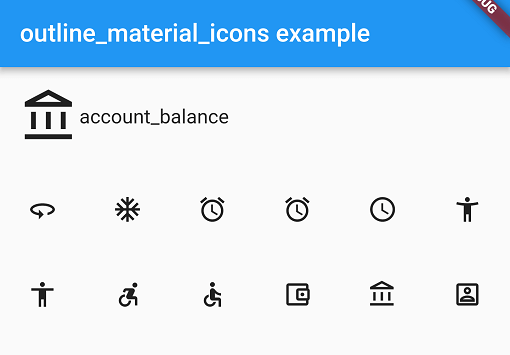
This package provides the 'outline' theme of icons on the Material Design website, which is not available in Flutter or as a .ttf font file.

Example

These icons were downloaded in September 2018, they may be updated in the future.

Usage

Add the package to pubspec.yaml and use the OMIcons class.

  Widget build(BuildContext context) => Icon(OMIcons.sentimentSatisfied);

Browse available icons using the example app or the Material Design icons website above.

There is a Map<String, int> of snake_case icon names to codepoints if you want to list all the icons. See the example app code for how. Using the OMIcons class directly is preferable in most cases.

Changes and omissions

All 'partly filled' icons are removed due to single colour restriction for .ttf fonts. This includes partly-filled battery icons and not-full-strength wifi/reception icons.

Icons with an underline have had the line made solid: border_color, format_color_fill and format_color_text.

These icons were renamed to avoid Dart errors/clashes: 360 -> icon360, class -> classIcon, sync -> syncIcon

Getting Started

For help getting started with Flutter, view our online documentation.

For help on editing package code, view the documentation.

カテゴリー

ソースリポジトリ

このパッケージを使用しているプロジェクト