パッケージ、リポジトリ、アプリカテゴリを検索

overflow_text_animated のカバー
パッケージ詳細v0.0.6

overflow_text_animated

テキストのオーバーフローをアニメーションで処理する Flutter パッケージプロジェクトです。

AndroidiOSWebmacOSWindowsLinux
30日間ダウンロード
211
いいね数
51
Pub ポイント
155

パッケージをインストール

flutter pub add overflow_text_animated

パッケージ概要

公開情報に基づく選定ガイドです。参考としてご利用ください。

テキストのオーバーフローを、滑らかに表示または非表示するアニメーションを提供するFlutterパッケージです。テキストがコンテナの境界を超えたときに、ユーザー体験を微細なアニメーションで向上させます。スペースが限られている動的なUIに最適です。複数のプラットフォームをサポートし、既存のFlutterプロジェクトにスムーズに統合できます。テキストの切り詰め時に洗練された視覚フィードバックを求める開発者向けに設計されています。

用途

  • 動的テキストコンテナ
  • アニメーションテキストの切り詰め
  • ユーザーインターフェースの向上
  • レスポンシブデザイン要素
  • インタラクティブなテキスト表示
  • オーバーフロー時の視覚フィードバック

主な機能

  • オーバーフロー時のスムーズなアニメーション
  • クロスプラットフォーム対応
  • Flutter との簡単な統合
  • カスタマイズ可能なアニメーション期間
  • 複数行テキストをサポート
  • 最小限のボイラープレートが必要

適している対象

  • UI/UXデザイナー
  • Flutter開発者
  • 変動するテキストコンテンツを持つアプリ
  • インタラクティブダッシュボード
  • モバイルおよびWebアプリケーション

注意事項

  • 大規模なテキストブロックではパフォーマンスに影響する可能性があります
  • アニメーションの動作は、プラットフォームによって異なる場合があります
  • 最適なUXを得るためには慎重な調整が必要です
  • 静的テキストのみには適していません
  • 基本的なアニメーション以外のカスタマイズは限られている
  • Flutter のレンダリングパイプラインに依存しています

元の README

関連するソースリポジトリの README 原文のスナップショットです。最新の内容はリポジトリをご覧ください。

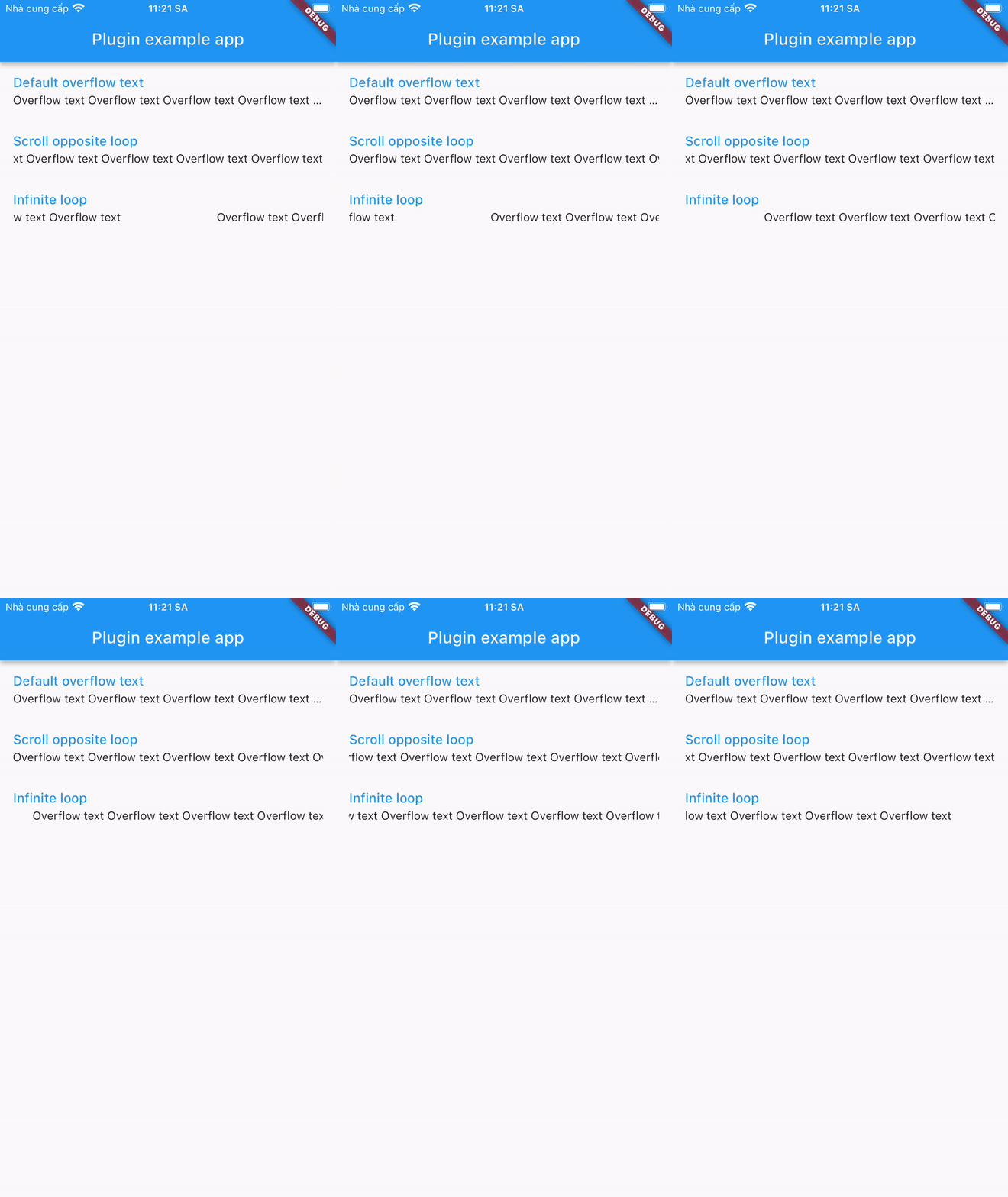
A plugin that displays overflowed text in a different way:

Installing

1. Depend on it

Add this to your package's pubspec.yaml file:

dependencies:
  overflow_text_animated: ^0.0.6
2. Install it

You can install packages from the command line:

with pub:

$ pub get

with Flutter:

$ flutter pub get
3. Import it

Now in your Dart code, you can use:

import 'package:overflow_text_animated/overflow_text_animated.dart';

Usage

OverflowTextAnimated is a Stateful Widget. Include it in your build method like:

OverflowTextAnimated(
  text: overflowText,
  style: descriptionStyle,
  curve: Curves.fastEaseInToSlowEaseOut,
  animation: OverFlowTextAnimations.scrollOpposite,
  animateDuration: Duration(milliseconds: 1500),
  delay: Duration(milliseconds: 500),
)

OverflowTextAnimated is used as default text widget. It has many configurable properties, including:

  • text - required properties
  • style – style of text
  • curve – motion curves of animation effects
  • animation - animation type
  • animateDuration – is the duration of the animation
  • delay – is the break time between 2 animations

Note: Widget is only available when its parent has a specified width.

カテゴリー

ソースリポジトリ

このパッケージを使用しているプロジェクト

データはまだありません。