A Flutter package which allows the user to enter text which can be collapsed and expanded based on user defined trimming conditions. Nevertheless, it will automatically parse the user regex patterns (urls by default) present in the text into clickable hyperlinks with a user defined click action (browser launch by default). It also allows the user to enter a highlight text on which some custom text style can be applied with the support of multiple text phrases (priority based).
Trimming can either be done on basis of length or number of lines.
Option to include a customised delimiter.
Automatically parses the urls present in the text into hyperlinks which launches the browser on click event (default behaviour).
All the text components including the parsed urls, delimiter, clickable texts, etc can be given seperate custom styles.
Addition of user defined action on clicking the hyperlinks.
Using custom text styles for target text (also refered as text highlighting).
Multiword highlighting. We are using priority (int) to resolve the clash of phrases. For example, if we have 2 phrases 'the' and 't' and the priority of 't' is higher then the style of letter 't' will be used while 'he' of 'the' will have the style of the style of 'the'. (latest)
Option to use custom regex for Url/pattern regonition. (latest)
Installation
Run this command in your terminal
flutter pub add parsed_readmore
Or add it manually in your project's pubspec.yaml (and run an implicit flutter pub get):
dependencies:
  parsed_readmore: latest_version
Import parsed_readmore.dart in the file where you wish to use
For detailed implementation refer to the "Example" tab
We will be using a common input string to demonstrate the different uses cases of this package.
const inputString = "When using custom values we have specified 'the' to be our target text for highlighting with purple italic font.\n We know that the website https://google.com is a very useful website. (rti..notNow should not be parsed) But Instagram.com is more fun to use. We should not forget the contribution of wikipedia.com played in the growth of web. If you like this package do consider liking it so that it could be useful to more developers like you. Thank you for your time";
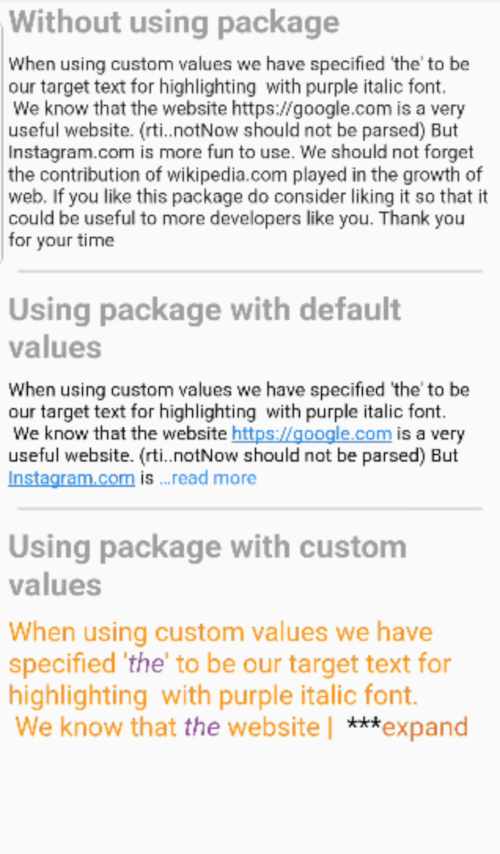
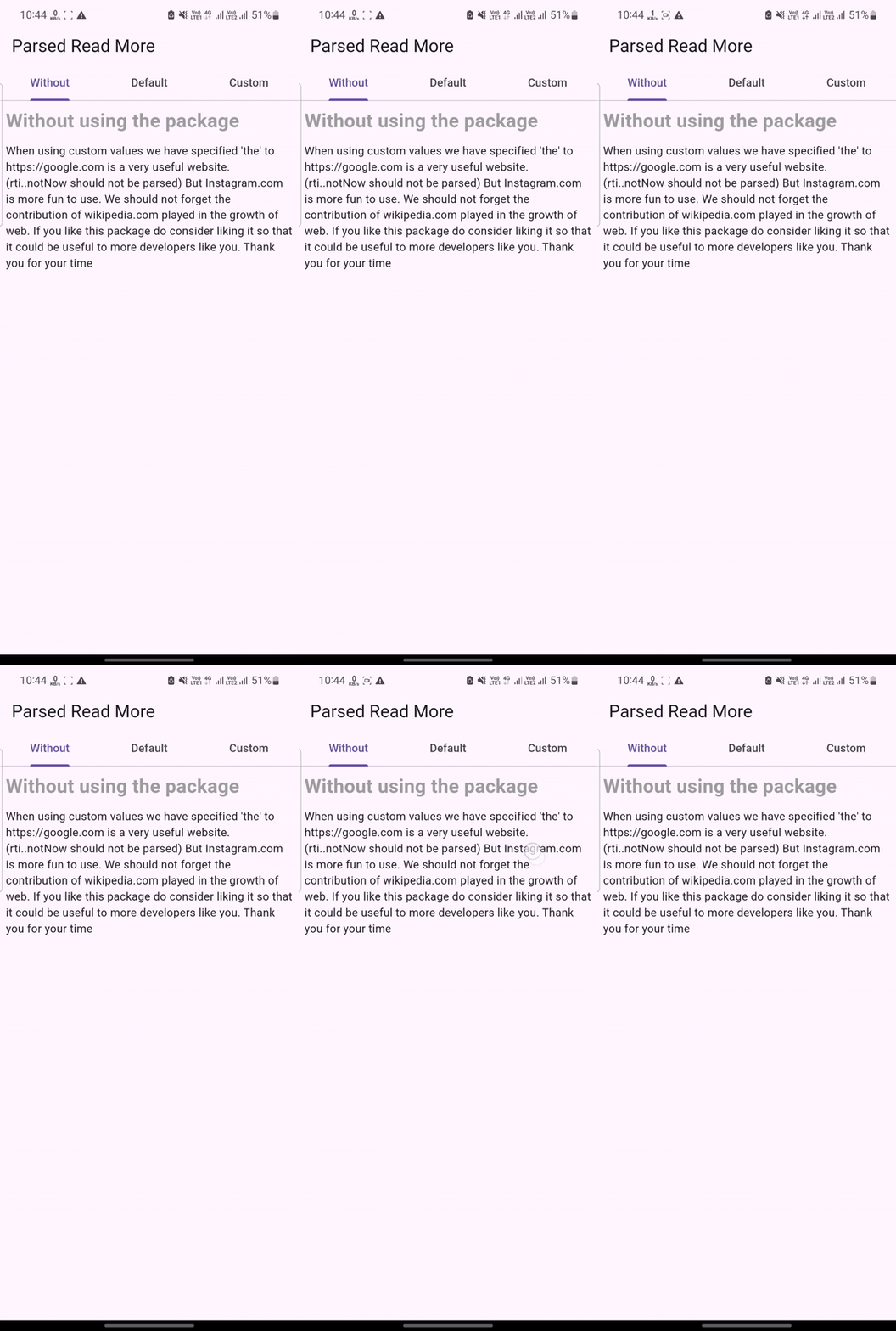
Without using package (Plain Text)
Here we are using the simple Text() widget available in Flutter by default.
Text(inputString);
We can clearly see that no url is parsed here into clickable texts and there is no option to expand and collapse the texts.
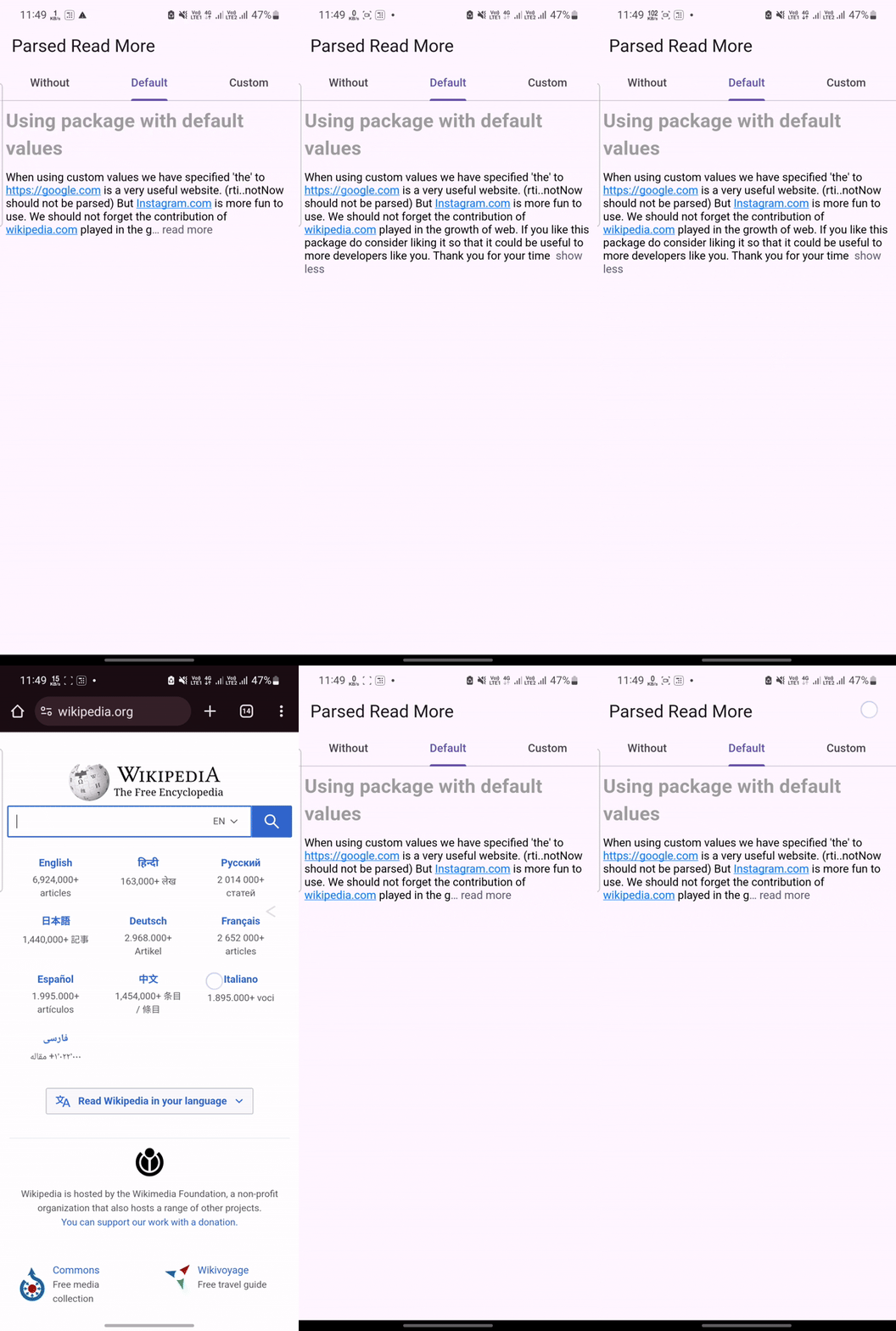
The code above will implement all features of the widget with the default values which are :
trimMode = TrimMode.length
delimiter = ' ...'
trimLength = 240
readLessText = 'show less',
readMoreText = 'read more',
urlRegex = r'([\w+]+://)?([\w\d-]+.)*[\w-]+[.][a-z0-9_]+([/?=&#.]?[\w-]){1,}/?' (regex for url detection)
if onTapLink == null --> url will be launched in extrenal browser.
Here the urls are parsed into clickable links which open external browser on tapping. The text is also collapsable and expandable
Using package with custom values
ParsedReadMore(
TextHighlightParser(
urlRegex: r'https:\/\/[^\s]+',
data: inputData,
initialState: ReadMoreState.collapsed,
urlTextStyle: textStyle.copyWith(
color: Colors.green,
decoration: TextDecoration.underline,
),
trimMode: TrimMode.line,
maxLines: 2,
onTapLink: (url) {
ScaffoldMessenger.of(context).showSnackBar(
SnackBar(
content: Text(
"""'$url' is displayed because we have used custom onTap function for hyperlinks""",
),
),
);
},
targetTextHighlights: TargetTextHighlights(targetHighlights: [
TargetTextHighlight(
priority: 1,
targetText: 'The',
style: TextStyle(
fontSize: 20.0,
fontStyle: FontStyle.italic,
color: Colors.blue[900],
),
),
TargetTextHighlight(
priority: 2,
targetText: 'he',
highlightInUrl: true,
style: constTextStyle(
fontSize: 20.0,
color: Colors.purple,
),
onTap: (range) {
ScaffoldMessenger.of(context).showSnackBar(
SnackBar(
content: Text(
"'${range.textInside(inputData)}' is between the character no ${range.start} and ${range.end}"),
),
);
}),
]),
),
readMoreDelimiter: '+++',
readLessDelimiter: ' ---',
readMoreDelimiterStyle: textStyle.copyWith(color: Colors.black),
readLessDelimiterStyle: textStyle.copyWith(color: Colors.black),
style: textStyle.copyWith(color: Colors.grey),
readMoreText: ' expand',
readLessText: ' compress',
readMoreTextStyle: textStyle.copyWith(color: Colors.blue),
readLessTextStyle: textStyle.copyWith(color: Colors.pink),
)
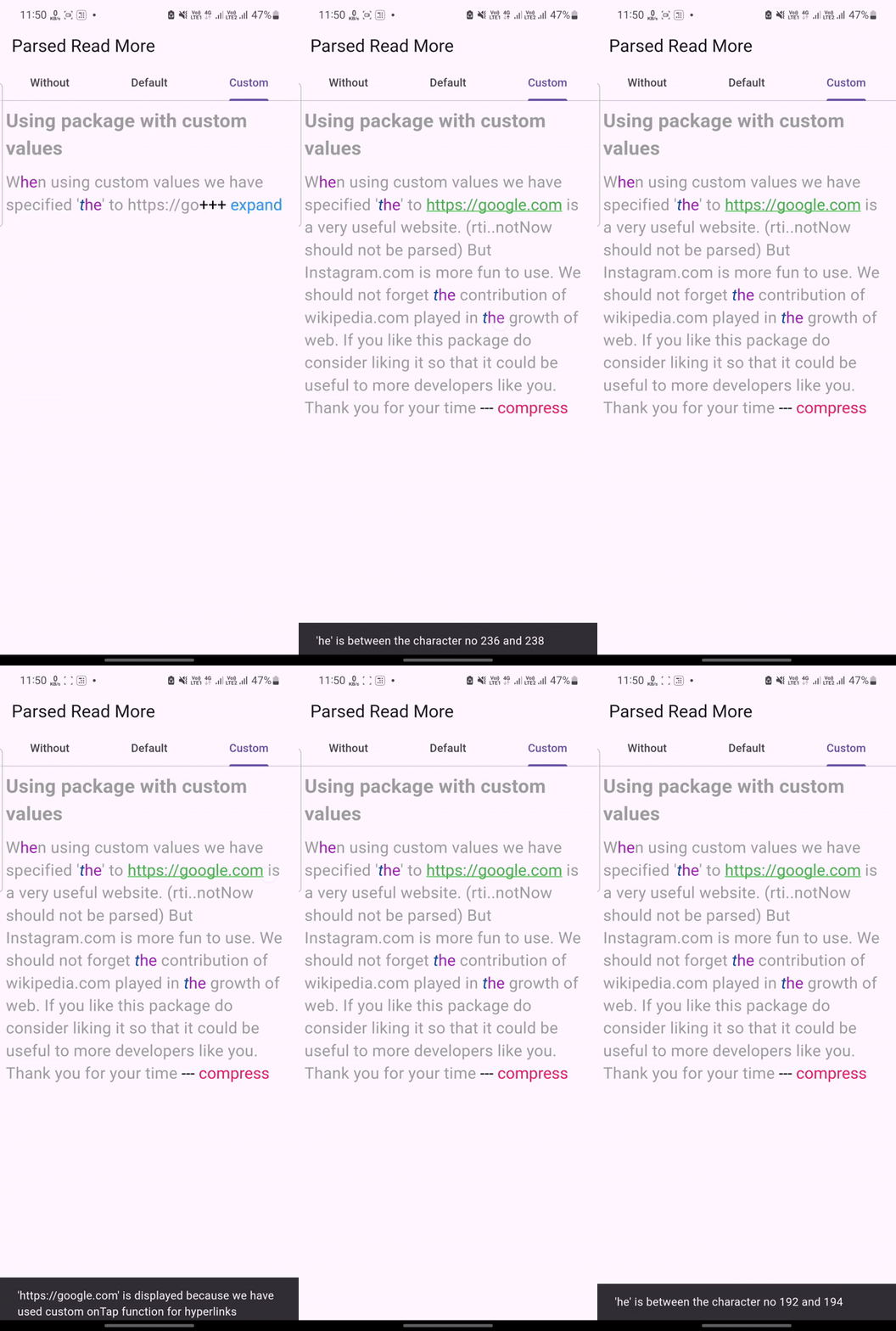
Highlight points here:
Custom regex for recognizing only the 'https' urls.
Custom text style for the urls
Custom click action for the Urls (Snackbar instead of browser launch)
Multiple text highlights using 'targetTextHighlights' attribute
Custom text style and click actions (optional) for the highlights
An important point to note here is that, In case of clash of the mutliples highlights, we are using the 'priority' attribute of each TargetTextHighlight. The target text having numerical value of the priority greater will be override the style of the lower priority highlight.
Custom delimiters
Custom text style for the non-url and the non-highlight texts
Custom readMore and readLess texts
Issues
Please file any issues, bugs or feature request as an issue on the GitHub page. If you have some idea for feature upgrade, feel free to contact me through email [aashish.260401@gmail.com](mailto:aashish.260401@gmail.com).