パッケージ、リポジトリ、アプリカテゴリを検索

particular のカバー
パッケージ詳細v0.3.4

particular

Particular は、高性能なパーティクルエフェクト用のFlutterウィジェットです。

AndroidiOSWebmacOSWindowsLinux
30日間ダウンロード
61
いいね数
50
Pub ポイント
160

パッケージをインストール

flutter pub add particular

パッケージ概要

公開情報に基づく選定ガイドです。参考としてご利用ください。

Particular は、滑らかでカスタマイズ可能なパーティクル効果を作成するために設計された高性能な Flutter ウィジェットです。モバイル、Web、デスクトップを含む複数のプラットフォームで、流れるようなアニメーションを実現するための高度なレンダリング技術を活用しています。アプリの背景に動的なビジュアル要素を追加するのに最適で、グラデーション、シェーダー、リアルタイムインタラクションをサポートしています。パフォーマンス最適化が施されており、フレームレートを損なうことなく複雑なシーンにも対応可能です。シンプルな API と豊富な設定オプションにより、開発者は簡単に素晴らしいパーティクルシステムをアプリケーションに統合できます。

用途

  • アニメーションアプリ背景の作成
  • 動的なビジュアル効果によるUIの向上
  • インタラクティブなパーティクルアニメーションの追加
  • アプリのオンボーディング体験の改善
  • 没入型ランディングページの設計
  • 環境背景エフェクトの実装

主な機能

  • 高パフォーマンスレンダリング
  • クロスプラットフォーム対応(Android、iOS、Web、macOS、Windows、Linux)
  • グラデーションおよびシェーダーのサポート
  • リアルタイムパーティクルインタラクション
  • カスタマイズ可能なパーティクル動作
  • 軽量で効率的

適している対象

  • 視覚的な魅力を求めるUIデザイナー
  • 魅力的なオンボーディング画面を構築する開発者
  • 環境背景アニメーションを必要とするアプリ
  • インタラクティブなデジタル体験
  • パフォーマンスに配慮したプロジェクト
  • クリエイティブなアプリインターフェース

注意事項

  • 低性能デバイス向けの最適化が必要になる場合があります
  • 複雑な設定はビルド時間を延長する可能性があります
  • 基本的な例以外のドキュメントは限られている
  • 静的または単純な背景には適していない
  • パーティクルシステムの概念を理解している必要がある
  • 大規模なパーティクル数によるメモリ使用の可能性

元の README

関連するソースリポジトリの README 原文のスナップショットです。最新の内容はリポジトリをご覧ください。

Particular Logo

Enhance your app or game visuals with this high-performance Flutter Particles System widget. Utilize JSON or programmatic configuration, seamlessly integrating with popular particles editors for effortless customization.

  • Customizable (live) Particle Effects.
  • Ready Presets (JSON Configs).
  • Seamless Integration with Editors.
  • Optimized Performance with 1~10k particle at frame

    Whether you're a designer or developer, Particular empowers you to bring your creative visions with ease.


    - Some Presets:

    Meteor Galaxy Snow Meteor


    - Installation

    Add particular to your pubspec.yaml file:
    For detailed installation instructions, refer to the installation guide on pub.dev.


    - Configurate your particles

    You have two options for configuring your particles:

    1. Using Editors:

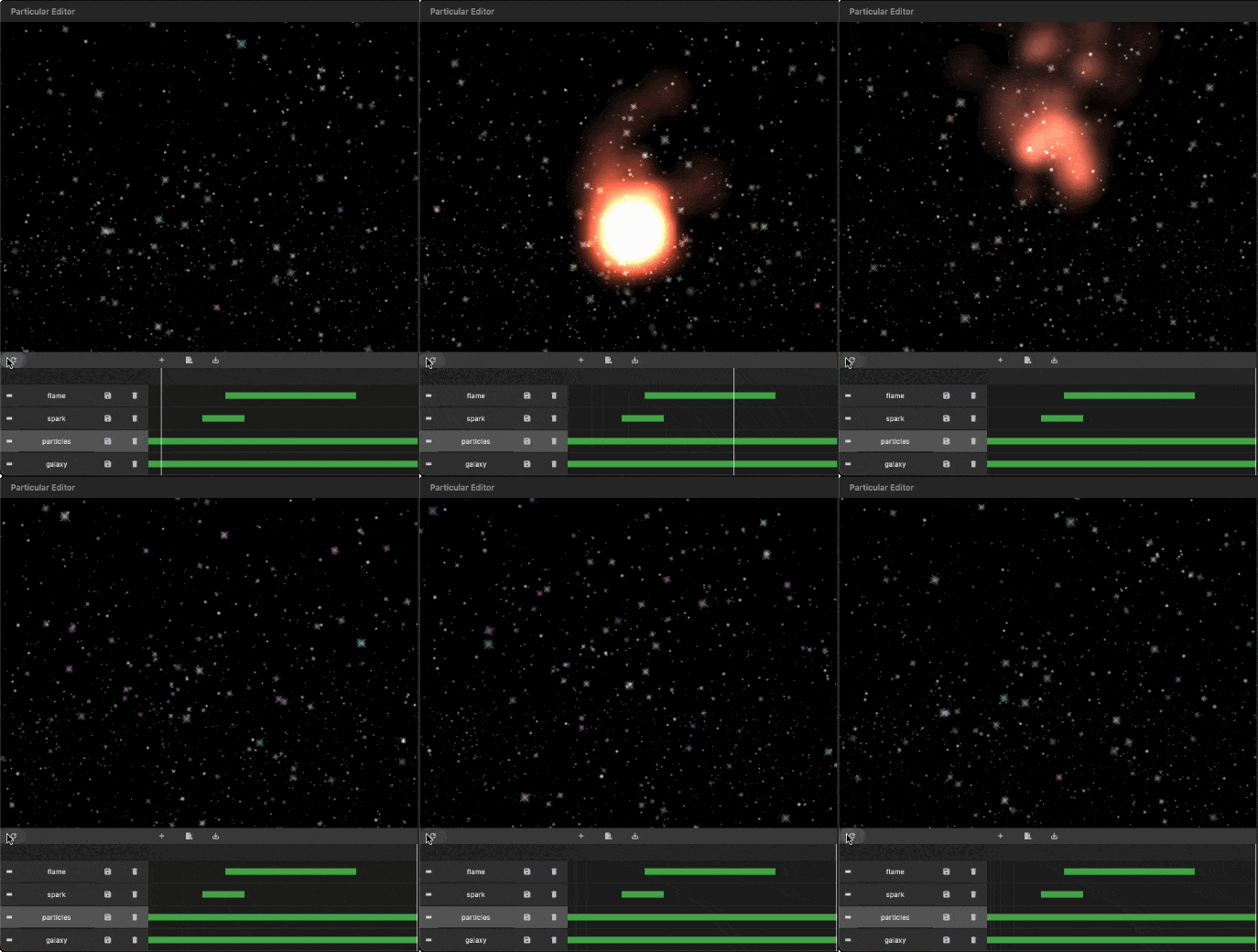
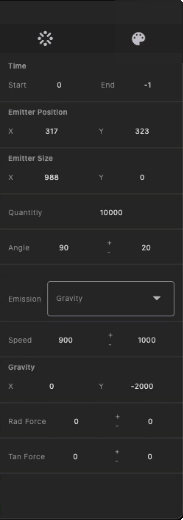
    Generate your particles system configurations by Particular Editor.


    1. Programmatic Configuration:
      Manually configure your particle controller in code. Refer to the following steps for more details.

    - Getting Started with Coding

    Follow these steps to integrate the particles system into your Flutter app:

    I. Insert Particle Files into Your Project:
    The Particular Editor exports one or multiple particle layers. For each particle layer, it generates a configuration file (configs.json) and a related image file (texture.png). In the configuration file, there is a node named textureFileName, which refers to the image file. Place the image and configs.json file in your project's assets folder, and add the necessary assets entry in your pubspec.yaml file.

    assets:
      - assets/configs.json
      - assets/texture.png
    

    https://docs.flutter.dev/ui/assets/assets-and-images


    II. Initialize the Particles Controller in `initState`:

    To use this library, import package:particular/particular.dart.

    final _particleController = ParticularController();
    ...
    @override
    void initState() {
      _loadParticleAssets();
      super.initState();
    }
    
    // Load configs and texture of particle
    Future<void> _loadParticleAssets() async {
    
      // Load particle configs file
      String json = await rootBundle.loadString("assets/configs.json");
      final configsData = jsonDecode(json);
    
      // Load particle texture file
      ByteData  bytes = await rootBundle.load("assets/${configsData["textureFileName"]}");
      ui.Image texture = await loadUIImage(bytes.buffer.asUint8List());
    
      // Add particles layer
      _particleController.addLayer(
        texture: frameInfo.image, // Remove in default-texture case
        configsData: configsData, // Remove in programmatic configuration case
      );
    }
    

    III. Add the Particular widget in your widget three:

    @override
    Widget build(BuildContext context) {
      return MaterialApp(
        home: Scaffold(
          backgroundColor: Colors.black,
          body: Particular(
            controller: _particleController,
          ),
        ),
      );
    }
    

    IIII. Live Update Particle Layer:

    _particleController.layers.first.update(
        maxParticles: 100,
        lifespan:1.2,
        speed:100,
        angle:30,
    );
    

    You can also use different image types supported by Flutter, with varying names and locations, following the guidelines below:

    {
      "textureFileName": "images/particle_snow.webp"
    }
    
    assets:
      - assets/data/particle_snow.json
      - assets/images/particle_snow.webp
    
    ...
    
    // Load particle configs file
    String json = await rootBundle.loadString("assets/data/particle_snow.json");
    
    ...
    

    This revised README provides clear installation instructions, options for configuring particles, and steps for integrating and customizing the particle system in your Flutter app. If you have any questions or need further assistance, don't hesitate to ask!

  • カテゴリー

    依存関係

    依存関係一覧 1 件

    ソースリポジトリ

    このパッケージを使用しているプロジェクト

    データはまだありません。