パッケージ、リポジトリ、アプリカテゴリを検索

pdf_thumbnail のカバー
パッケージ詳細v0.1.6+1

pdf_thumbnail

PDFファイル用のサムネイルビューアー。AndroidおよびiOSをサポートしています。ウィジェットを追加して、ファイルパスを指定するだけです。

AndroidiOSWebmacOSWindows
30日間ダウンロード
5
いいね数
51
Pub ポイント
150

パッケージをインストール

flutter pub add pdf_thumbnail

パッケージ概要

公開情報に基づく選定ガイドです。参考としてご利用ください。

Android、iOS、Web、macOS、Windows で PDF サムネイルを表示するための Flutter パッケージです。単にウィジェットを追加し、ファイルパスを指定することで、開発者がアプリにサムネイルビューアーを簡単に統合できます。このパッケージは軽量であり、複雑な設定なしに PDF ページプレビューをスムーズにレンダリングすることを目的としています。ドキュメント管理アプリや PDF コンテンツへの迅速な視覚的アクセスが必要なアプリに最適です。

用途

  • モバイルアプリでのドキュメントプレビュー
  • PDFギャラリーインターフェース
  • クイックファイルブラウジング
  • eラーニングプラットフォーム
  • デジタル図書館アプリケーション

主な機能

  • クロスプラットフォーム対応
  • シンプルなウィジェット統合
  • ファイルパス入力
  • 軽量レンダリング
  • レスポンシブサムネイルレイアウト

適している対象

  • ドキュメントビューアを構築している開発者
  • PDFナビゲーションを必要とするアプリ
  • 教育またはエンタープライズソフトウェア
  • UIに焦点を当てたPDFアプリケーション

注意事項

  • 有効なPDFファイルパスが必要です
  • サムネイル表示のみに制限
  • インタラクティブなPDF機能なし
  • 大規模なPDFには最適化されていません
  • 下位プラットフォームのレンダリングに依存します

元の README

関連するソースリポジトリの README 原文のスナップショットです。最新の内容はリポジトリをご覧ください。

Pdf Thumbnail

style: very good analysis Powered by Mason License: MIT

Thumbnail viewer for pdfs

Installation 💻

❗ In order to start using Pdf Thumbnail you must have the Flutter SDK installed on your machine.

Add pdf_thumbnail to your pubspec.yaml:

dependencies:
  pdf_thumbnail:

Install it:

flutter packages get

Example ✍️

 return Stack(
              children: [
                SizedBox(
                  height: MediaQuery.of(context).size.height,
                  width: MediaQuery.of(context).size.width,
                  child: PdfViewer(
                    filePath: snapshot.data!.path,
                  ),
                ),
                if (showThumbnail)
                  Positioned(
                    bottom: 0,
                    width: MediaQuery.of(context).size.width,
                    // Here's the thumbnail widget.
                    child: PdfThumbnail.fromFile(snapshot.data!.path),
                  ),
              ],
            );

There is a detailed example app in the repo, but I've deleted iOS and Android folders. Simple go to example folder, and run flutter create . inside the folder to add missing native files for the example app.

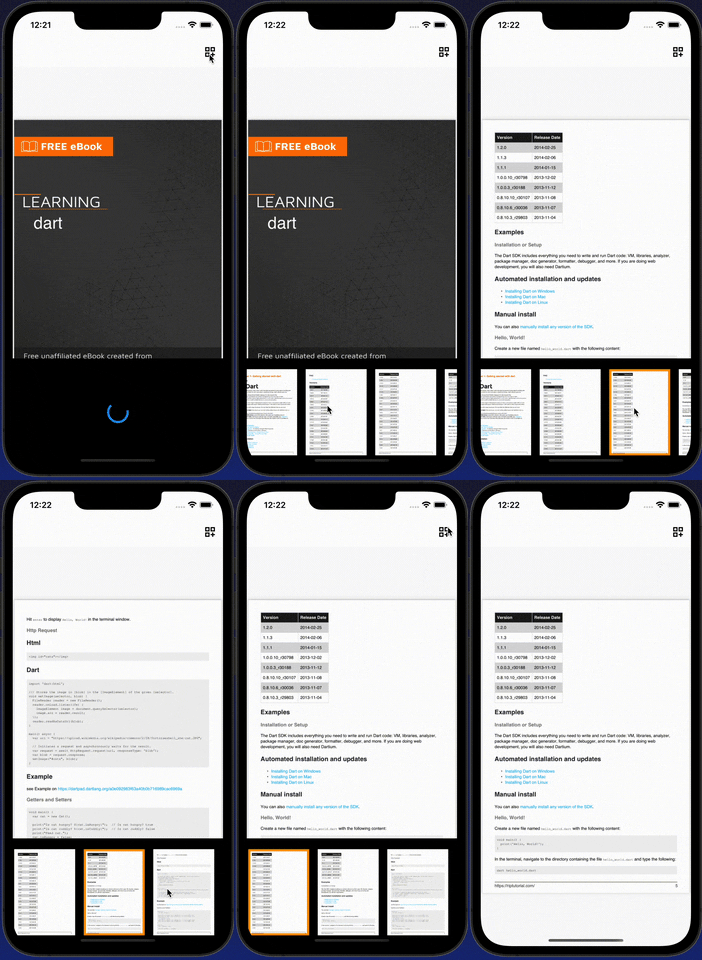
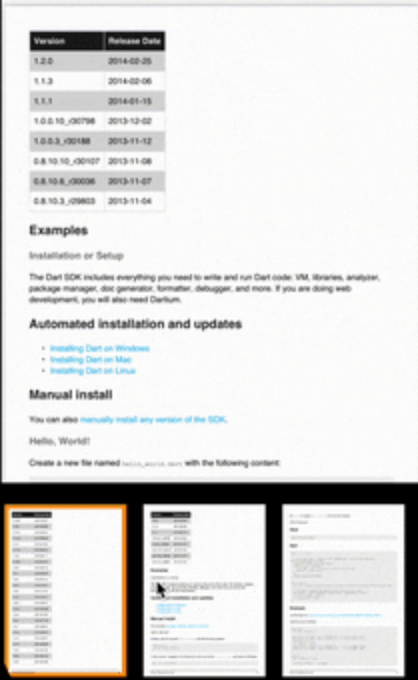
Demo

gif

Caching ⏲

I left caching part unopinionated to keep the package simple. Just create your own class from ImageThumbnailCacher and implement the read/write methods. Holding images as Uint8List, so Map<int, Uint8List> is what's need to be written to and read from the cache. It maps page numbers to the images.

class ThumbnailCacher implements ImageThumbnailCacher {
  @override
  Future<PageToImage?> read(String id) async {
    return api.localStorage.readThumbnails(id);
  }

  @override
  Future<bool> write({required String id, required PageToImage map}) {
    return api.localStorage.writeThumbnails(id: id, map: map);
  }
}

I'm using Hive to cache.

Roadmap 🗺️

  • [X] Customization for colors, decoration etc.
  • [X] onTap callback and page number.
  • [X] Caching.
  • [ ] Different layouts and scroll axises.
  • [ ] Lazy loading.

カテゴリー

依存関係

依存関係一覧 1 件

ソースリポジトリ

このパッケージを使用しているプロジェクト

データはまだありません。