パッケージ、リポジトリ、アプリカテゴリを検索

pencil_field のカバー
パッケージ詳細v0.5.0

pencil_field

さまざまなデバイスおよびプラットフォームでの鉛筆/スタイラスの操作(書き込みと消去)。入力のバージョン管理された永続性を備えています。

AndroidiOSmacOSWindowsLinux
30日間ダウンロード
200
いいね数
17
Pub ポイント
150

パッケージをインストール

flutter pub add pencil_field

パッケージ概要

公開情報に基づく選定ガイドです。参考としてご利用ください。

Pencil_Field は、Android、iOS、macOS、Windows、Linux など複数のプラットフォームで、描画、書き込み、消去に向けた正確なスタイラスおよび鉛筆操作を可能にする Flutter パッケージです。ユーザー入力のバージョン管理された永続化をサポートしており、スケッチや注釈を信頼性高く保存・復元できます。ハードウェアの違いに関わらず一貫したパフォーマンスを提供するように設計されており、ノート作成、署名取得、クリエイティブな描画ツールなど、デジタルインク機能が必要なアプリに最適です。

用途

  • デジタルノートの取り方
  • 署名キャプチャ
  • クリエイティブスケッチ
  • アノテーションツール
  • クロスプラットフォーム描画アプリ

主な機能

  • スタイラスおよびタッチ入力のサポート
  • バージョン化された入力の永続化
  • マルチプラットフォーム互換性
  • スムーズなペン圧の処理
  • リアルタイム消去機能

適している対象

  • 描画およびペイントアプリ
  • 教育ソフトウェア
  • 電子署名ソリューション
  • メモアプリケーション
  • インタラクティブホワイトボード

注意事項

  • 完全なスタイラス機能を利用するには、互換性のあるハードウェアが必要です
  • 低スペックデバイスではパフォーマンスが異なる場合があります
  • パッケージに記載されたプラットフォームに限定
  • 高度なユースケースでは追加の構成が必要になる場合があります
  • 入力の永続化には適切な状態管理が必要です

元の README

関連するソースリポジトリの README 原文のスナップショットです。最新の内容はリポジトリをご覧ください。

FLUTTER PENCIL FIELD

pencil_field

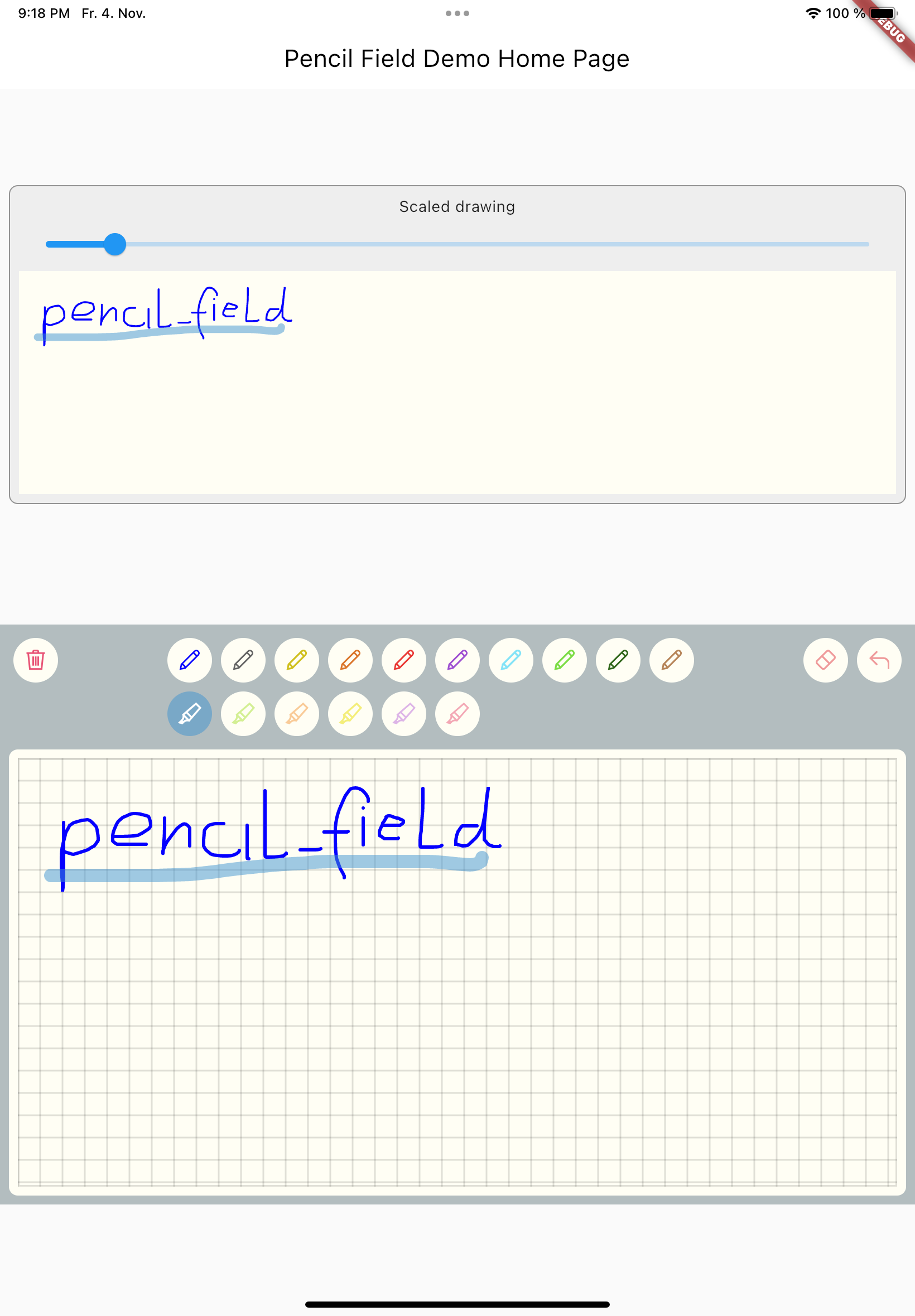
Widget for pencil / stylus input on different devices and platforms. This widget is intended for any freehand input like signatures or drawings.

example


How to use

Just create PencilField widget and embedd it into your page:

PencilField(
  controller: widget.controller,
  pencilPaint: pencilPaint,
  onPencilDrawingChanged: widget.onPencilDrawingChanged,
  decoration: PencilDecoration(
    type: PencilDecorationType.chequered,
    backgroundColor: Colors.white,
    patternColor: Colors.grey[300]!,
    numberOfLines: 10,
    strokeWidth: 2,
    padding: const EdgeInsets.all(10),
  ),
  pencilOnly: true,
)

And resulting input can be displayed like so. As everything is stored in vector format scaling (e.g. for creating previews) is easy:

PencilDisplay(
  pencilDrawing: widget.controller.drawing.scale(
    scale: scale,
  ),
  decoration: PencilDecoration(backgroundColor: Colors.white),
)

Features


PencilField / PencilFieldController

The actual widget that provides the capability to capture and store freehand / pencil input. Each PencilField requires a controller that builds the bridge between the widget and PencilDrawing that stores the input.

PencilDrawing

PencilDrawing stores the actual content captured by PencilField. You can store and retrieve this data in a versioned format, so that future version of PencilField can load old data.

Example

A full example is provided. This example shows how to use PencilField and its litte sibling PencilDisplay. It also shows how to define pens for input and interactions like erase, undo and clear.

Upcoming features

  • Additional eraser that only erases strokes within a circle
  • Pan support for the input widget and the display widget
  • Pinch support for the display widget
  • Input widget decoration that supports images as background

カテゴリー

ソースリポジトリ

このパッケージを使用しているプロジェクト

データはまだありません。