 Persian (Farsi, Shamsi, Jalali) Date & Time Picker for Flutter


 Overview
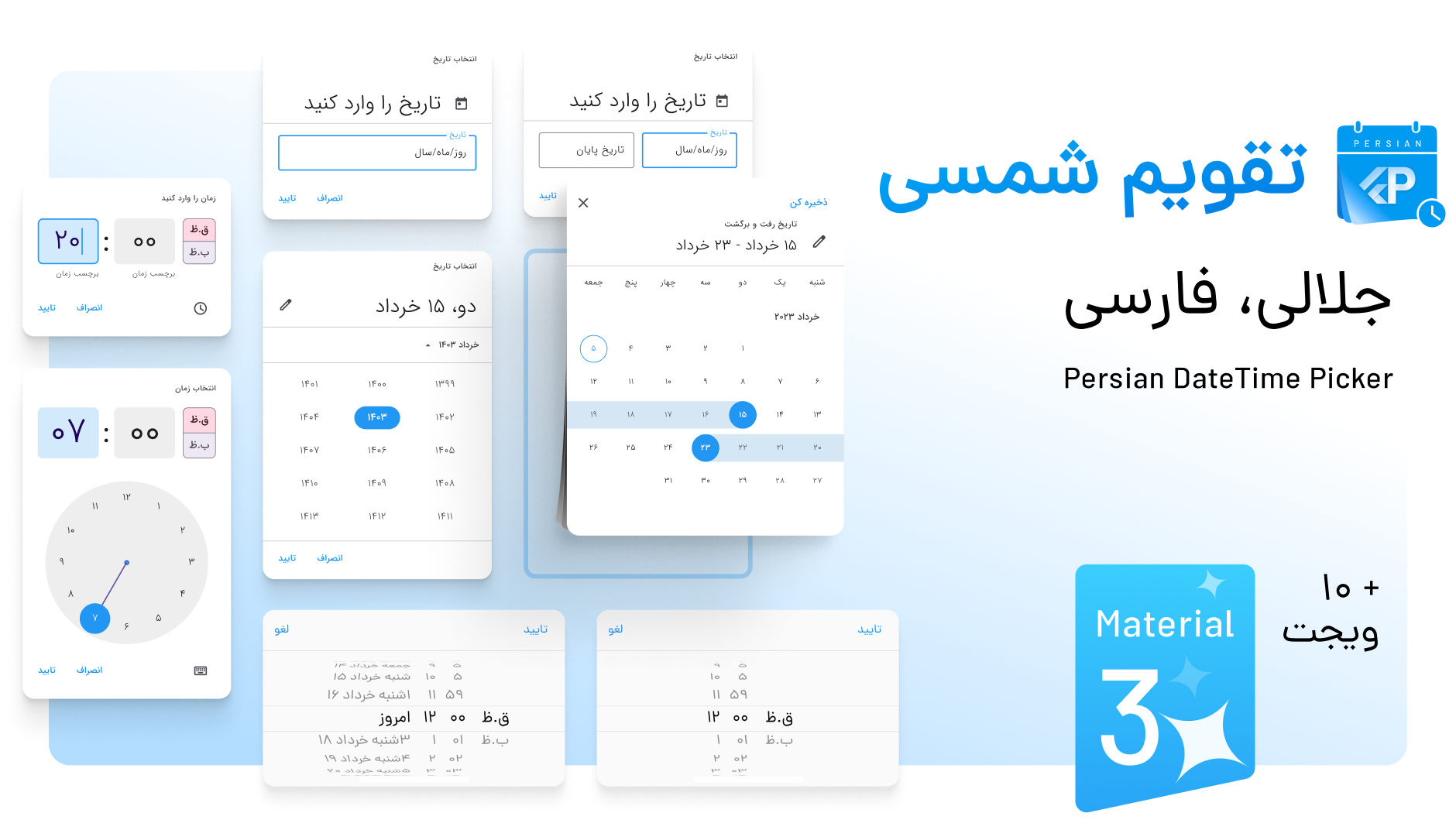
A Persian Date & Time picker inspired by Material Design's DateTime picker, built on the shamsi_date library. It offers full support for the Persian (Jalali) calendar and is highly customizable, including compatibility with Material 3.
Additionally, it supports multiple languages, including Persian, Dari, Kurdish, Pashto, and custom locales, all while ensuring seamless integration with Flutter and maintaining Material Design standards.
 ️ Features
- 🌟 Fully supports Persian (Jalali) calendar
- 🛠 Highly customizable
- 💻 Supports Material 3
- 🌎 Multi-language support: Persian, Dari, Kurdish, Pashto, and custom locales
- 📱 Compatible with Material Design standards
 ️ Getting Started
To use the Persian DateTime Picker, add the package to your pubspec.yaml:
dependencies:
  persian_datetime_picker: <latest_version>
Then, import it in your Dart code:
import 'package:persian_datetime_picker/persian_datetime_picker.dart';
Add localization to MaterialApp:
return MaterialApp(
title: 'Date and Time Pickers',
locale: const Locale("fa", "IR"),
supportedLocales: const [
Locale("fa", "IR"),
Locale("en", "US"),
],
localizationsDelegates: const [
PersianMaterialLocalizations.delegate,
PersianCupertinoLocalizations.delegate,
GlobalMaterialLocalizations.delegate,
GlobalWidgetsLocalizations.delegate,
GlobalCupertinoLocalizations.delegate,
],
...
);
 ️ Usage Examples
1. Persian Date Picker
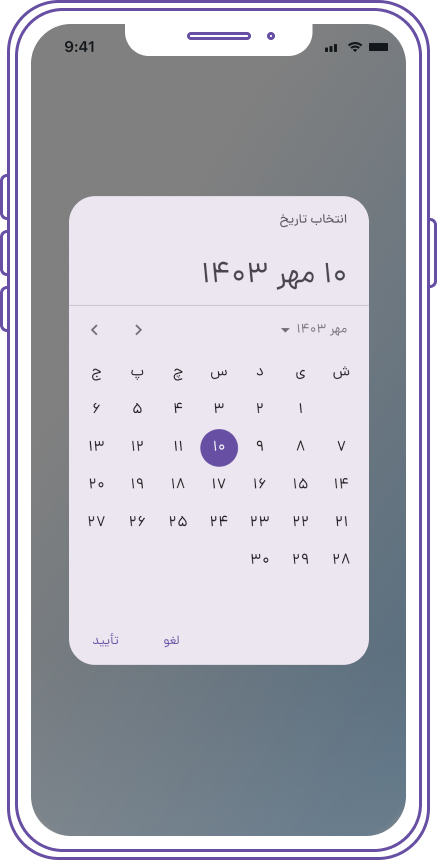
Jalali? picked = await showPersianDatePicker(
  context: context,
  initialDate: Jalali.now(),
  firstDate: Jalali(1385, 8),
  lastDate: Jalali(1450, 9),
  holidayConfig: PersianHolidayConfig(
    weekendDays: {7}
  ),
  initialEntryMode:
      PersianDatePickerEntryMode.calendarOnly,
  initialDatePickerMode: PersianDatePickerMode.year,
);
var label = picked.formatFullDate();
2. Persian Time Picker
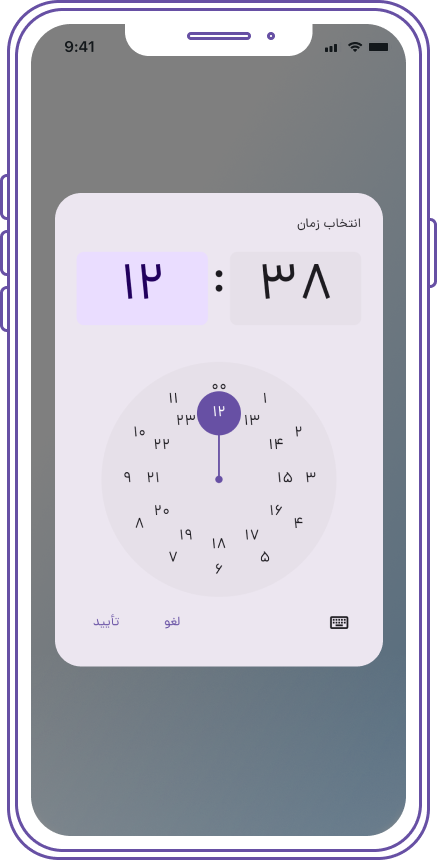
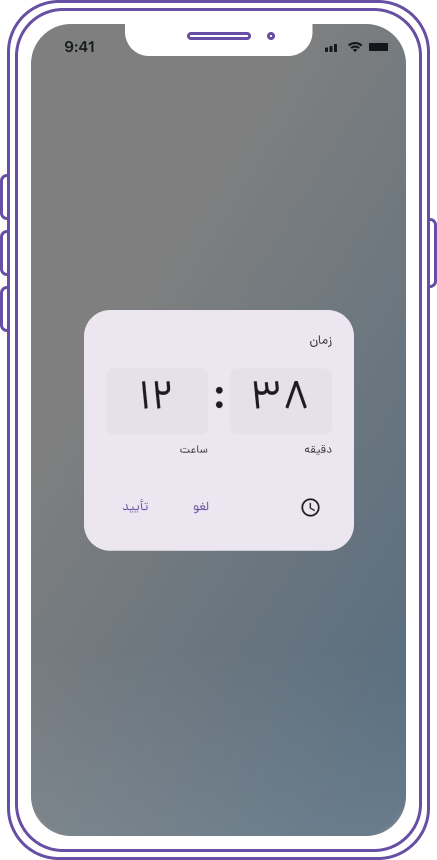
var picked = await showTimePicker(
  context: context,
  initialTime: TimeOfDay.now(),
  initialEntryMode: TimePickerEntryMode.input,
  builder: (BuildContext context, Widget? child) {
    return Directionality(
      textDirection: TextDirection.rtl,
      child: MediaQuery(
        data: MediaQuery.of(context)
            .copyWith(alwaysUse24HourFormat: true),
        child: child!,
      ),
    );
  },
);
if (picked != null) String label = picked.toString();
3. Modal Bottom Sheet with Persian Cupertino Date Picker
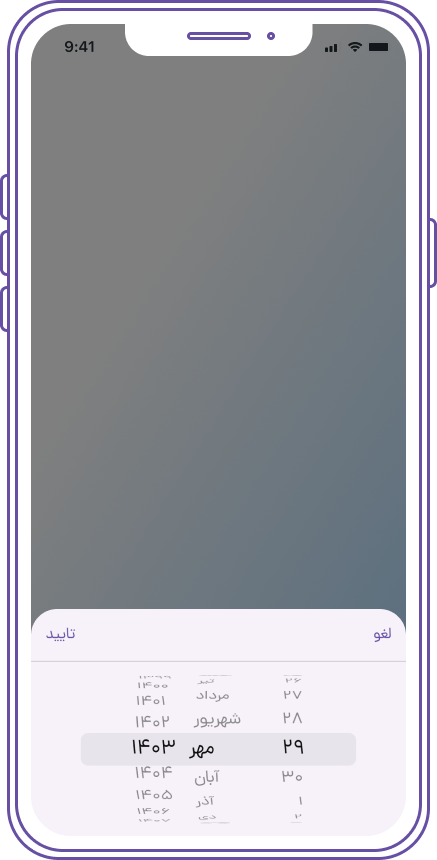
Jalali? pickedDate = await showModalBottomSheet<Jalali>(
  context: context,
  builder: (context) {
    Jalali? tempPickedDate;
    return Container(
      height: 250,
      child: Column(
        children: <Widget>[
          Container(
            child: Row(
              mainAxisAlignment:
                  MainAxisAlignment.spaceBetween,
              children: <Widget>[
                CupertinoButton(
                  child: Text(
                    'لغو',
                    style: TextStyle(
                      fontFamily: 'Dana',
                    ),
                  ),
                  onPressed: () {
                    Navigator.of(context).pop();
                  },
                ),
                CupertinoButton(
                  child: Text(
                    'تایید',
                    style: TextStyle(
                      fontFamily: 'Dana',
                    ),
                  ),
                  onPressed: () {
                    print(
                        tempPickedDate ?? Jalali.now());
                    Navigator.of(context).pop(
                        tempPickedDate ?? Jalali.now());
                  },
                ),
              ],
            ),
          ),
          Divider(
            height: 0,
            thickness: 1,
          ),
          Expanded(
            child: Container(
              child: PersianCupertinoDatePicker(
                initialDateTime: Jalali.now(),
                mode:
                    PersianCupertinoDatePickerMode.time,
                onDateTimeChanged: (Jalali dateTime) {
                  tempPickedDate = dateTime;
                },
              ),
            ),
          ),
        ],
      ),
    );
  },

if (pickedDate != null) {
   String label = '${pickedDate.toJalaliDateTime()}';
}
4. Persian Date Range Picker
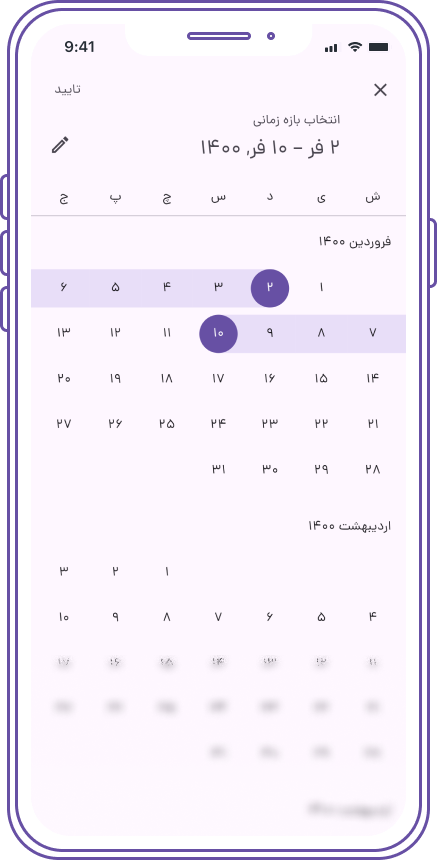
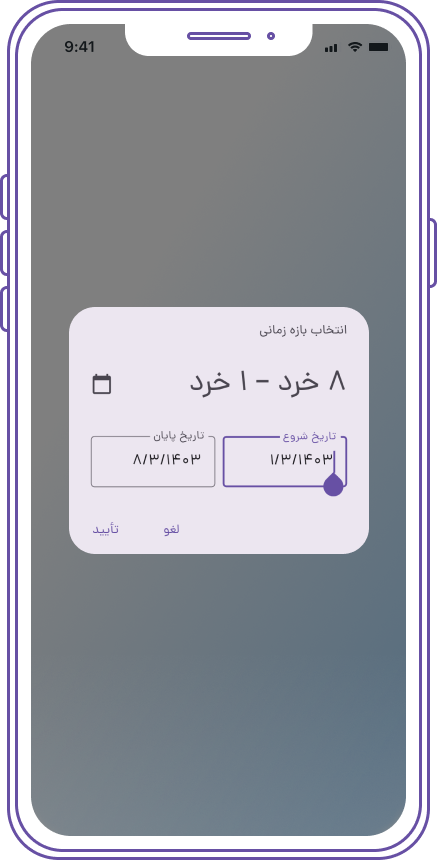
var picked = await showPersianDateRangePicker(
  context: context,
  initialDateRange: JalaliRange(
    start: Jalali(1400, 1, 2),
    end: Jalali(1400, 1, 10),
  ),
  firstDate: Jalali(1385, 8),
  lastDate: Jalali(1450, 9),
  initialDate: Jalali.now(),
);
String  label =
      "${picked?.start?.toJalaliDateTime() ?? ""} ${picked?.end?.toJalaliDateTime() ?? ""}";
5. Customizing Date Picker Styles
You can customize the styles of the PersianDateTimePicker and PersianCupertinoDatePicker using the DatePickerTheme within your app's ThemeData. Additionally, you can apply specific styles by wrapping the date picker with Theme in the builder.
Example for Persian Date Picker
Add the DatePickerTheme to your ThemeData:
return MaterialApp(
theme: ThemeData(
datePickerTheme: DatePickerTheme(
backgroundColor: Colors.white,
primaryColor: Colors.teal,
textColor: Colors.black,
),
),
);
Customizing Persian Date Picker with Theme in Builder
You can also customize the Persian date picker on a per-instance basis by wrapping it with a Theme in the builder:
Jalali? picked = await showPersianDatePicker(
context: context,
initialDate: Jalali.now(),
firstDate: Jalali(1385, 8),
lastDate: Jalali(1450, 9),
builder: (context, child) {
return Theme(
data: Theme.of(context).copyWith(
primaryColor: Colors.teal,
accentColor: Colors.amber,
),
child: child!,
);
},
);
Example for Persian Cupertino Date Picker
To customize the PersianCupertinoDatePicker, you can similarly apply a CupertinoTheme:
showCupertinoModalPopup(
context: context,
builder: (context) {
return CupertinoTheme(
data: CupertinoThemeData(
textTheme: CupertinoTextThemeData(
dateTimePickerTextStyle: TextStyle(color: Colors.white),
),
),
child: Container(
height: 300,
child: PersianCupertinoDatePicker(
mode: PersianCupertinoDatePickerMode.dateAndTime,
onDateTimeChanged: (Jalali dateTime) {
},
),
),
);
},
);
Customization Note
All customization options for the PersianDateTimePicker and PersianCupertinoDatePicker are similar to those of the native Flutter date pickers. You can easily apply styles using ThemeData, DatePickerTheme, or by wrapping the pickers with Theme in the builder, just like you would with native Flutter widgets.
6. Using Material 2 Instead of Material 3
If you prefer to use Material 2 instead of Material 3 for your application, you can do so by setting the useMaterial3 parameter to false in the MaterialApp widget. This ensures that the application uses the Material 2 design principles.
Example
Here’s how to set up your MaterialApp to use Material 2:
return MaterialApp(
title: 'Persian DateTime Picker',
theme: ThemeData(
useMaterial3: false,
datePickerTheme: DatePickerTheme(
backgroundColor: Colors.white,
primaryColor: Colors.teal,
textColor: Colors.black,
),
),
home: MyHomePage(),
);
 ️ Support Us
Feel free to check it out and give it a ️ if you love it.
Follow me for more updates and projects!
 ️ Contributions and Feedback
Pull requests and feedback are always welcome!
Feel free to reach out at [mem.amir.m@gmail.com](mailto:mem.amir.m@gmail.com) or connect with me on LinkedIn.
Banner designed by Nader Mozaffari
 ️ Project License:
This project is licensed under the MIT License.

