パッケージ、リポジトリ、アプリカテゴリを検索

positioned_scroll_observer のカバー
パッケージ詳細v2.2.3

positioned_scroll_observer

ほとんどのスクロールビューをサポートする洗練されたスクロールオブザーバーで、現在のウィジェットを壊さずにインデックスにジャンプ/アニメーションできます。

AndroidiOSWebmacOSWindowsLinux
30日間ダウンロード
2060
いいね数
28
Pub ポイント
160

パッケージをインストール

flutter pub add positioned_scroll_observer

パッケージ概要

公開情報に基づく選定ガイドです。参考としてご利用ください。

PositionedScrollObserver は、さまざまなスクロール可能なウィジェットにおけるスクロール位置を洗練された方法で監視および管理することを目的としたFlutterパッケージです。既存のウィジェット状態を損なうことなく、スクロールビュー内の特定のインデックスにスムーズにジャンプまたはアニメーションする機能を提供します。リスト、グリッド、カスタムスクロール可能コンポーネントに最適であり、ナビゲーション中にUIの一貫性を維持します。このパッケージはすべての主要プラットフォームをサポートし、Flutterのスクロールシステムとシームレスに統合されています。

用途

  • プログラム的に特定のリスト項目にスクロールする
  • 動的コンテンツの更新中にスクロール状態を維持する
  • 長いリストでのインデックスベースのナビゲーションの作成
  • スクロールビューでスムーズなアニメーションジャンプを実装する
  • 複数のスクロール可能なコンポーネントを同期する

主な機能

  • すべての標準的なスクロールビューをサポートしています
  • スクロールジャンプ中にウィジェットの状態を保持する
  • スムーズなアニメーション付きインデックス遷移
  • クロスプラットフォーム互換性
  • 最小限のボイラープレート統合
  • カスタムスクロールコントローラーと連携可能

適している対象

  • 複雑なスクロール可能なインターフェースを構築する開発者
  • インデックスベースのナビゲーションを必要とするアプリ
  • 動的または頻繁に更新されるリストを備えたプロジェクト
  • スムーズなユーザー体験を最優先とするチーム
  • 複数のプラットフォーム向けのFlutterアプリ

注意事項

  • 互換性のあるスクロールビューのセットアップが必要です
  • ネストされたスクロールビュー用に追加の論理が必要になる可能性があります
  • 安定したスクロールコントローラー参照と併用するのが最適です
  • スクロールできないウィジェットには対応していません
  • パフォーマンスへの影響は、スクロールビューの複雑さに依存します

元の README

関連するソースリポジトリの README 原文のスナップショットです。最新の内容はリポジトリをご覧ください。

pub package GitHub Repo stars

Features

  1. Using jumpToIndex and animateToIndex to scroll to the specific index

  2. Jumping/animating to the position by specifying a ratio in a scroll view. See how to align the render object. That would be very useful if you want to quickly jump to the top, middle or end of a list/grid.

  3. Using PositionRetainedScrollPhysics to retain the old offset to avoid scrolling when adding new items into the top of ListView. See retain old scroll offset.

  4. Check if the specific index is visible on the screen. See check visibility.

  5. Check which items are visible in the viewport. See get visible items

  6. Check the visible ratio of the observed RenderObject in a viewport. See how to use it in a GroupList

  7. No breaking for your current sliver widgets, e.g., ListView/GridView, SliverList/SliverGrid/SliverAppBar, just wrapping your item widgets using ObserverProxy. Supported:

  • [x] ListView
  • [x] GridView
  • [x] CustomScrollView
  • [x] SingleChildScrollView
  • [x] ListWheelScrollView
  • [ ] NestedScrollView (waiting testing)

Getting started

  1. First, creating and binding the observer to all items. (See box scroll observer and sliver scroll observer)

  2. then, using the observer like:

    _observer.jumpToIndex(
        index,
        position: _controller.position,
    );
    
    _observer.animateToIndex(
        index,
        position: _controller.position,
        duration: const Duration(milliseconds: 200),
        curve: Curves.fastLinearToSlowEaseIn,
    );
    
Usage for scroll views that do not rely on RenderSliver, e.g., SingleChildScrollView and ListWheelScrollView
  1. create a BoxScrollObserver for observing the box with multi children.

      final ScrollController _controller = ScrollController();
      late final _observer = ScrollObserver.boxMulti(
        axis: _axis,
        itemCount: 30,
      );
    
  2. bind the observer to the box's children. (Using ObserverProxy to wrap each item).

    SingleChildScrollView(
      controller: _controller,
      scrollDirection: _axis,
      child: Column(
        children: [
          for (int i = 0; i < 30; i++)
            ObserverProxy(
              observer: _observer,
              child: DecoratedBox(
                decoration: BoxDecoration(border: Border.all()),
                child: SizedBox(
                  height: 100,
                  width: 100,
                  child: Center(
                    child: Text("Column item $i"),
                  ),
                ),
              ),
            ),
          ],
        ),
      );
    
Usage for slivers widgets.
  1. create a SliverScrollObserver for observing the sliver with multi children.

      final ScrollController _controller = ScrollController();
      late final _observer = ScrollObserver.sliverMulti(itemCount: 30);
    
  2. bind the observer to each item for the sliver.

        ListView.builder(
          controller: _controller,
          itemBuilder: (context, index) => ObserverProxy(
            observer: _observer,
            child: ListTile(
              key: ValueKey<int>(index),
              leading: const CircleAvatar(
                child: Text("L"),
              ),
              title: Text("Positioned List Example $index"),
            ),
          ),
          itemCount: _itemCount,
        );
    

For ListView.custom and GridView.custom, you could also use PositionedChildListDelegate and PositionedChildBuilderDelegate for wrapping items in ObserverProxy conveniently

Usage

For observing slivers:
  1. observing a sliver with single child, using ScrollObserver.sliverSingle to create.
  2. observing a sliver with multi children, using ScrollObserver.sliverMulti to create.
For observing other scroll views that have no sliver descendants.
  1. observing a box with single child, using ScrollObserver.boxSingle to create. (rare cases and need more testing)
  2. observing a box with multi children, using ScrollObserver.boxMulti to create.
Checking index is visible on the screen
get visible items

More details, see API reference.

Using PositionRetainedScrollPhysics for retaining the old scroll offset
ListView.builder(
  controller: _controller,
  reverse: true,
  physics: const PositionRetainedScrollPhysics(),
  itemBuilder: (context, index) => _items[index],
  itemCount: _itemCount,
);
Jump/animate to a ratio position in a viewport
_observer.showInViewport(
  _controller.position,
  alignment: 0.5,
);

By setting different alignment, you could jump/animate to the position according to the ratio: alignment.

  1. for alignment = 0.0, it would align the render object' leading to the leading of the viewport's main axis extent.
  2. for alignment = 0.5, it would align the render object's center to the center of the viewport;s main axis extent.
  3. for alignment = 1.0, it would align the render object's trailing to the trailing of the viewport's main axis extent.

you could also specify alignment as the number between [0, 1]

Pay attention
  • The item widget/builder must be wrapped using ObserverProxy
  • All observers would normalizeIndex to ensure the index is in a valid range determined by itemCount of observers, so developers should also update observers' itemCount when the scroll views' item count changes.
  • Items that have the same RenderObject observed by an observer should share the same observer instance, instead of creating different observers for each item.
  • When using ScrollObserver.boxMulti, axis is required so that the observer could estimate the scroll offset along the correct main axis.

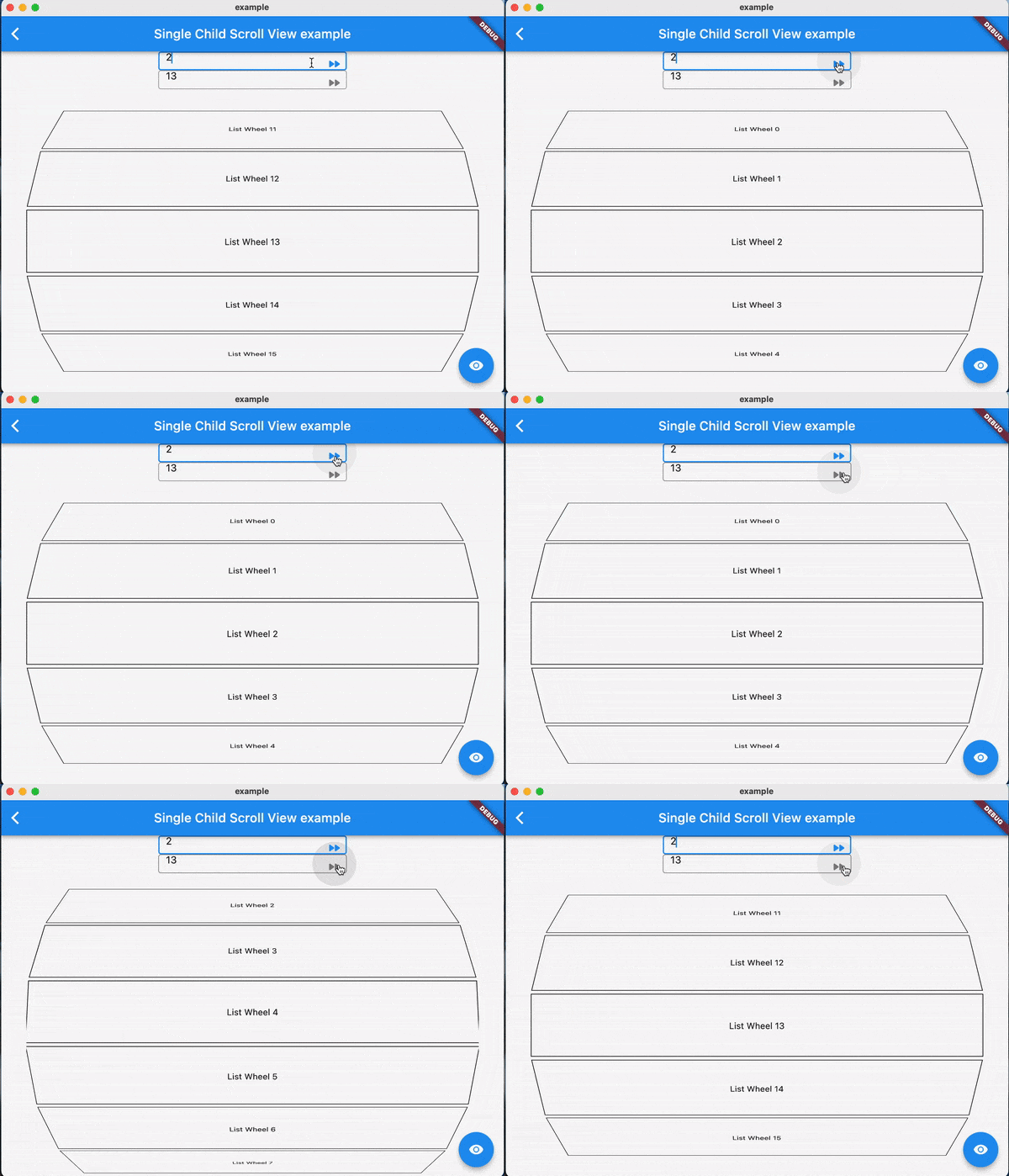
Examples:

FAQ

TODO

Contributions

Feel free to contribute to this project.

If you find a bug or want a feature, but don't know how to fix/implement it, please fill an issue.

If you fixed a bug or implemented a feature, please send a pull request

カテゴリー

ソースリポジトリ

このパッケージを使用しているプロジェクト

データはまだありません。