パッケージ、リポジトリ、アプリカテゴリを検索

pull_to_reveal のカバー
パッケージ詳細v0.0.2

pull_to_reveal

ユーザーのスクロール動作に基づいて、非表示の上部要素を条件付きでレンダリングする単純な Flutter ウィジェットです。

30日間ダウンロード
107
いいね数
29
Pub ポイント
40

パッケージをインストール

flutter pub add pull_to_reveal

パッケージ概要

公開情報に基づく選定ガイドです。参考としてご利用ください。

ユーザーが下にスクロールすると隠れていた上部要素を表示し、上にスクロールすると再び非表示にするFlutterウィジェット。メインリストを混雑させることなく、フィルターまたはアクションなどの補足コンテンツをスムーズでインタラクティブな体験で表示できます。スクロール方向と感度によって動作がトリガーされ、ダイナミックUIに最適です。軽量で、既存のリストベースのインターフェースへの統合も簡単です。

用途

  • インタラクティブヘッダーの露出
  • フィルターまたはアクションバーの表示
  • ダイナミックUIレイヤー
  • スクロール駆動型コンテンツの切り替え
  • 強化されたリストナビゲーション
  • カスタムプルツーリフレッシュの代替案

主な機能

  • スクロールでトリガーされる可視性
  • スムーズなアニメーション遷移
  • 最小構成
  • 任意のウィジェットをオーバーレイとしてサポート
  • 標準の ListView と互換性があります
  • 異なるスクロール感度に適応可能

適している対象

  • 繊細なUIインタラクションを求める開発者
  • 追加のコントロールが必要な密度の高いリストを備えたアプリ
  • ジェスチャーに基づくコンテンツの表示を希望するデザイナー
  • 軽量なスクロール論理を必要とするプロジェクト
  • Flutter ListViews を使用し、より良いユーザーエクスペリエンスを求めるユーザー

注意事項

  • 垂直スクロールに制限
  • 他のスクロールリスナーと競合する可能性があります
  • 露出しきい値の慎重な調整が必要です
  • 水平リストには適していません
  • シンプルなオーバーレイコンテンツと併用するのが最適です
  • パフォーマンスはオーバーレイの複雑さに依存します

元の README

関連するソースリポジトリの README 原文のスナップショットです。最新の内容はリポジトリをご覧ください。

pull_to_reveal

A simple Flutter widget that wraps a ListView and selectively renders a hidden top element based on user scroll behavior.

Getting Started

To use the PullToRevealListView widget in your Flutter project, you need only wrap it in a LayoutBuilder and then a Stack. These are excellent for adding a little life to a Scaffold background, or for programming a Pong client.

import 'package:pull_to_reveal/pull_to_reveal.dart';
import 'package:flutter/material.dart';

void main() => runApp(MyApp());

class MyApp extends StatelessWidget {
  // This widget is the root of your application.
  @override
  Widget build(BuildContext context) {
    return Scaffold(
      appBar: AppBar(
        title: Text(widget.title),
      ),
      body: Center(
        child: PullToRevealTopItemList(
          itemCount: _counter,
          itemBuilder: (BuildContext context, int index) {
            return ListItemElement(index: index);
          },
          revealableHeight: 50,
          revealableBuilder: (BuildContext context, RevealableToggler opener, RevealableToggler closer, BoxConstraints constraints) {
            return Row(
              children: <Widget>[
                SizedBox(width: 10),
                Flexible(
                  child: TextFormField(
                    controller: searchController,
                    decoration: InputDecoration(
                      hintText: 'Search',
                      suffixIcon: Icon(Icons.search),
                    ),
                  ),
                ),
                IconButton(
                  icon: Icon(Icons.cancel),
                  onPressed: () {
                    // Handles closing the `Revealable`
                    closer();
                    // Removes any filtering effects
                    searchController.text = '';
                    setState(() {
                      _filter = null;
                    });
                  },
                )
              ],
            );
          },
        ),
      ),
    );
  }
}
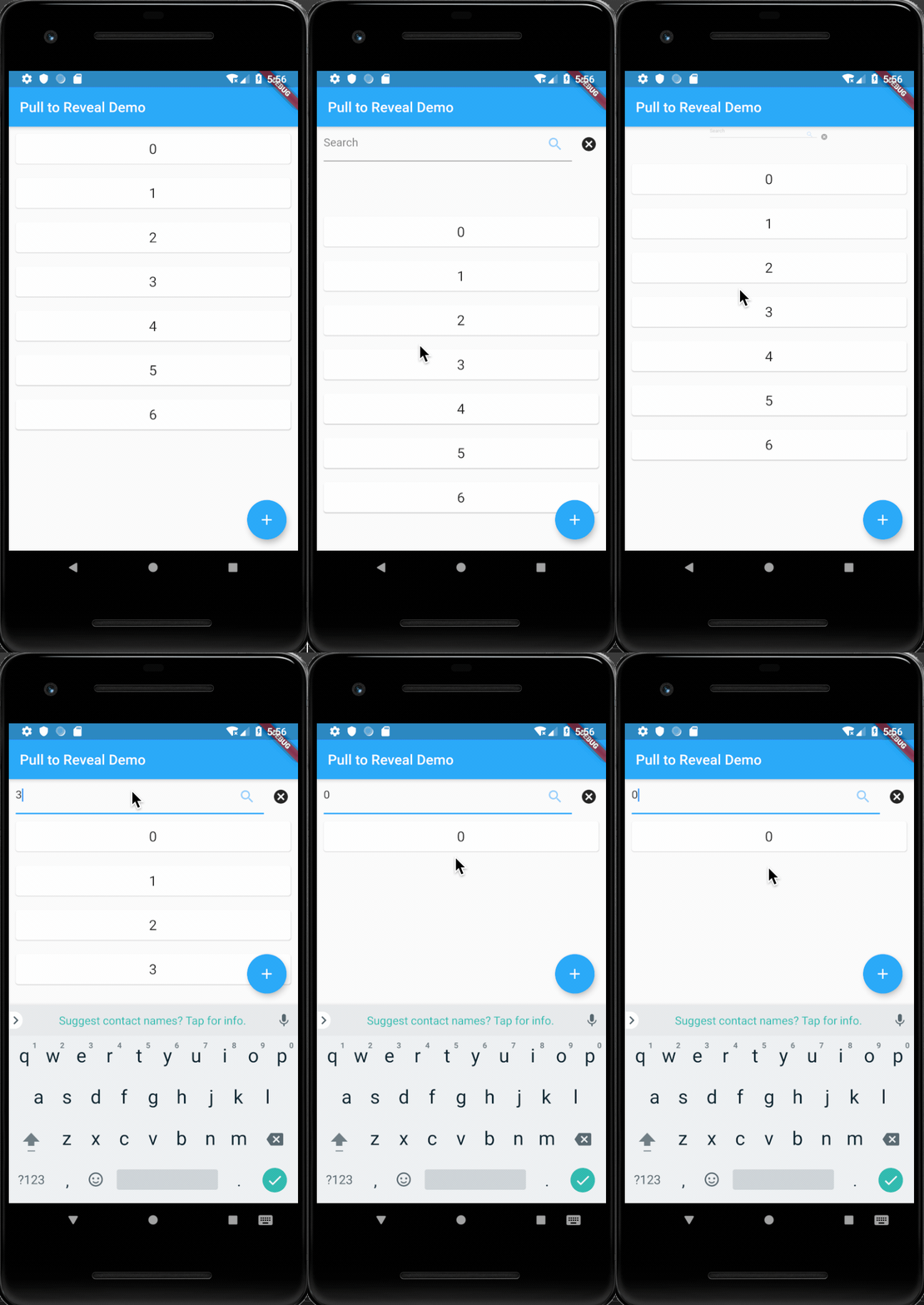
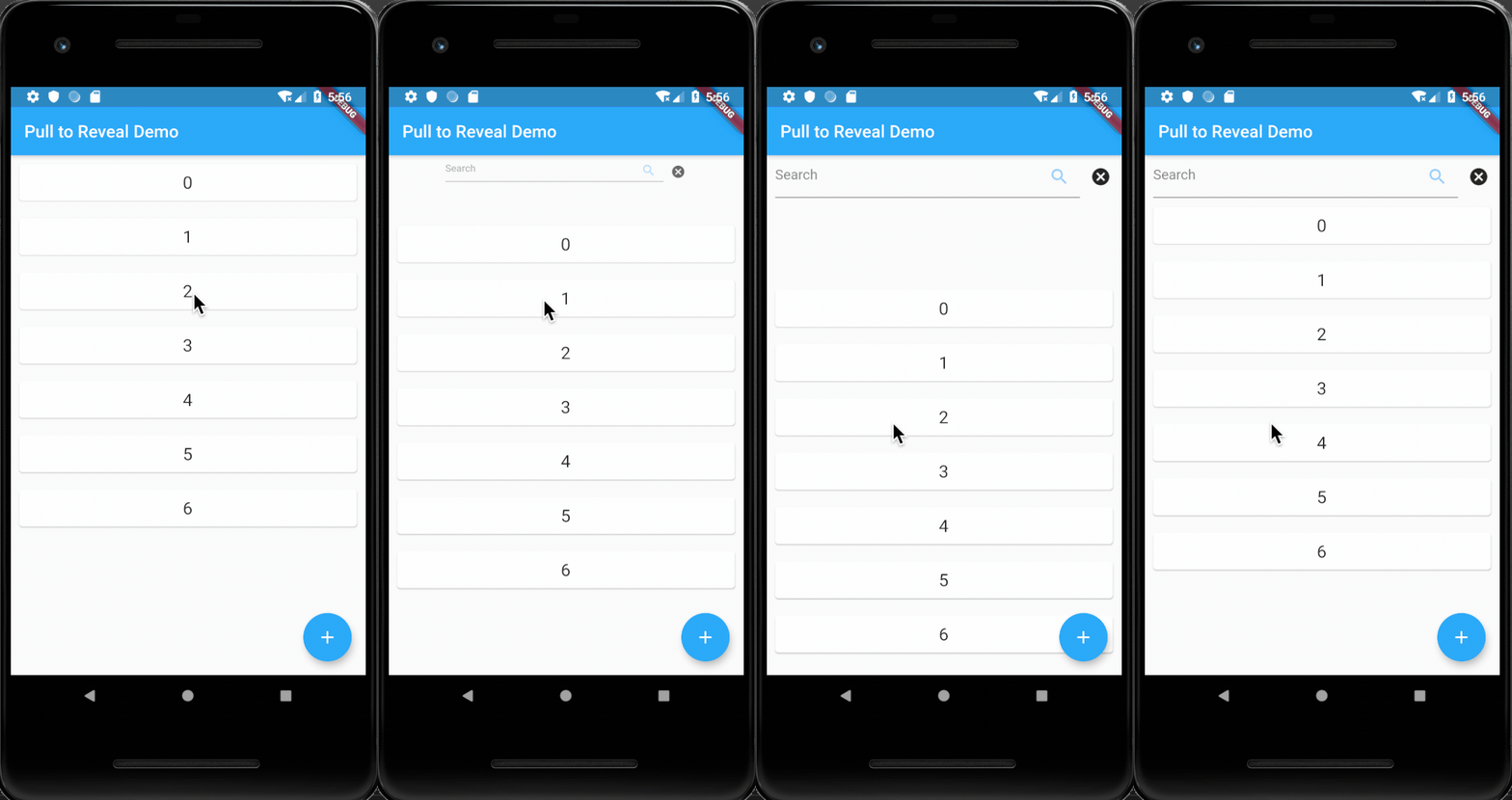
Example

カテゴリー

ソースリポジトリ

このパッケージを使用しているプロジェクト

データはまだありません。