✨ Features
🌍 True Cross-Platform - Single API for Android, iOS, Web, Windows, Linux, and macOS
🎯 Event-Driven Architecture - Clean, reactive payment flow handling
🔒 Production Ready - Built on official Razorpay SDKs for mobile platforms
🪟 Native Windows Support - Seamless WebView integration with InAppWebView
🧪 Test Mode - Full sandbox environment support for development
📱 External Wallets - Support for Paytm, PhonePe, Google Pay, and more
⚡ Zero Configuration - Works out of the box with minimal setup
☕ Support the Development
🏆 Help Keep This Project Alive & Thriving
As a full-time developer working on this plugin in my limited spare time, your support means the world! Every contribution helps me dedicate more hours to:
✨ Adding new features • 🐛 Fixing bugs faster • 📚 Improving documentation • 🚀 Supporting new platforms
🌟 If this plugin saved you hours of work, consider buying me a chai!
Your support directly impacts how much time I can invest in making this plugin better for everyone.
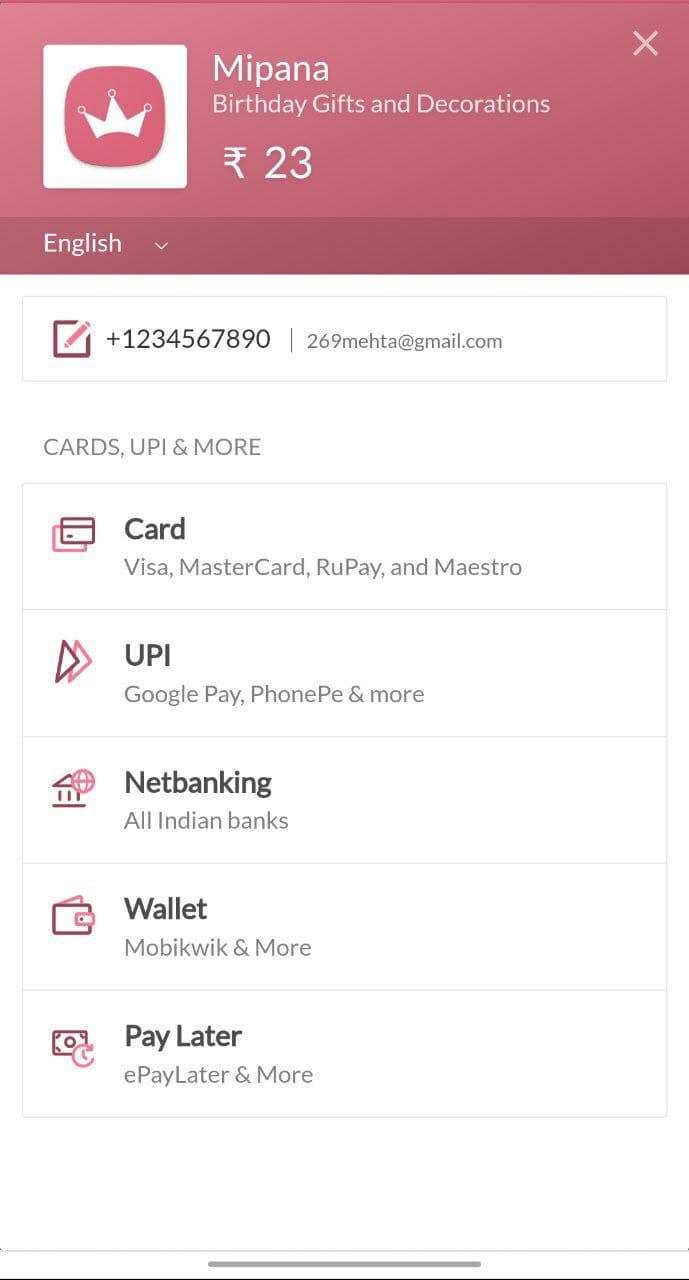
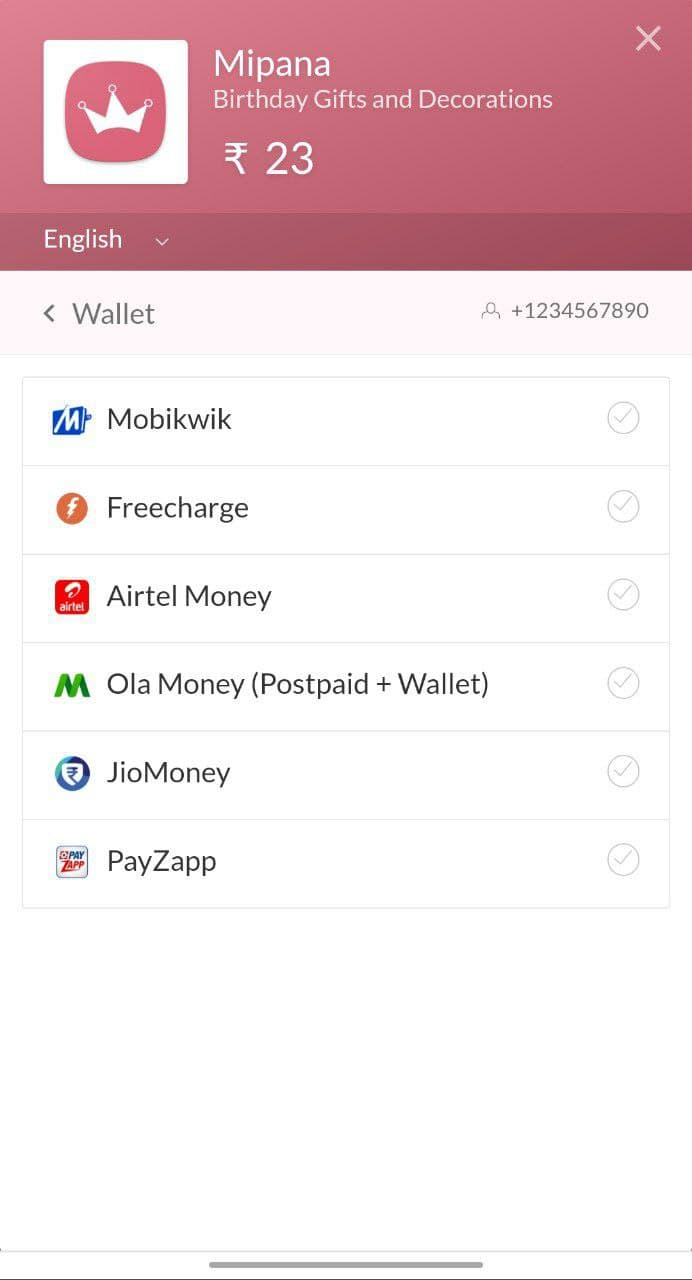
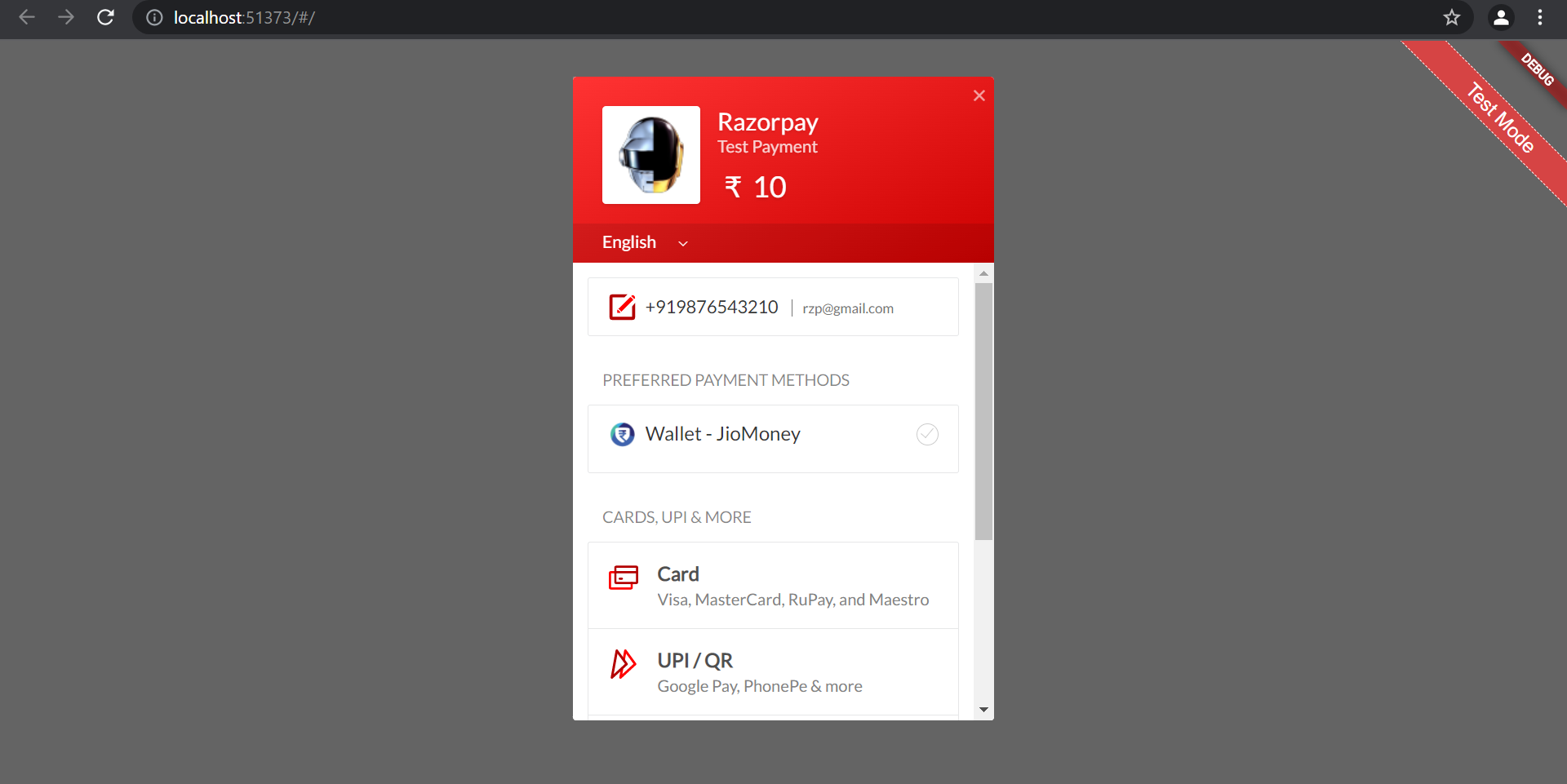
📸 Screenshots
🚀 Getting Started
Prerequisites
Before integrating this plugin, you'll need:
Razorpay Account - Sign up here API Keys - Generate from your Razorpay Dashboard
Use Test Keys for development (no real transactions)
Switch to Live Keys for production
💡 New to Razorpay? Learn about the payment flow before integrating.
📦 Installation
Add razorpay_web to your pubspec.yaml:
dependencies:
  razorpay_web: ^3.1.1
Then run:
flutter pub get
Platform-Specific Setup
🤖 Android Setup Minimum Requirements
Min SDK Version : 19 (Android 4.4+)
Update android/app/build.gradle:
android {
    defaultConfig {
        minSdkVersion 19  // Ensure this is at least 19
    }
}
ProGuard Rules (if using)
Add to your ProGuard configuration:
-keepattributes *Annotation*
-dontwarn com.razorpay.**
-keep class com.razorpay.** {*;}
-optimizations !method/inlining/
-keepclasseswithmembers class * {
  public void onPayment*(...);
}
🍎 iOS Setup Minimum Requirements
Min Deployment Target : iOS 10.0Bitcode : Enabled
Update ios/Podfile:
platform :ios, '10.0'

post_install do |installer|
  installer.pods_project.targets.each do |target|
    target.build_configurations.each do |config|
      config.build_settings['ENABLE_BITCODE'] = 'YES'
      config.build_settings['SWIFT_VERSION'] = '5.0'
    end
  end
end
Add use_frameworks! if you encounter Swift header issues:
use_frameworks!
Then run:
cd ios && pod install
🌐 Web Setup Add the Razorpay checkout script to web/index.html inside the <body> tag:
<body >
<script src ="https://checkout.razorpay.com/v1/checkout.js" > </script >
<script src ="main.dart.js" type ="application/javascript" > </script >
</body >
🪟 Windows Setup Requirements
Microsoft Edge WebView2 Runtime (pre-installed on Windows 10/11)
No additional configuration needed! The plugin uses flutter_inappwebview to provide a native-like payment experience.
⚠️ Important : You must pass context parameter when calling open() on Windows.
🐧 Linux Setup Uses the same WebView implementation as Windows. No additional setup required.
🍏 macOS Setup Requirements
Uses the same WebView implementation as Windows.
Entitlements Configuration
Add network client permission to your entitlements files:
macos/Runner/DebugProfile.entitlements:
<key > com.apple.security.network.client</key >
<true />
macos/Runner/Release.entitlements:
<key > com.apple.security.network.client</key >
<true />
This is required for the WebView to load Razorpay's checkout page.
⚠️ Important : You must pass context parameter when calling open() on macOS.
💻 Usage
Quick Start
import 'package:flutter/material.dart' ;
import 'package:razorpay_web/razorpay_web.dart' ;
class PaymentScreen extends StatefulWidget @override
_PaymentScreenState createState () => _PaymentScreenState ();
}
class _PaymentScreenState extends State <PaymentScreen > late Razorpay _razorpay;
@override
void initState () {
super .initState ();
_razorpay = Razorpay ();
_razorpay.on (Razorpay .EVENT_PAYMENT_SUCCESS, _handlePaymentSuccess);
_razorpay.on (Razorpay .EVENT_PAYMENT_ERROR, _handlePaymentError);
_razorpay.on (Razorpay .EVENT_EXTERNAL_WALLET, _handleExternalWallet);
}
@override
void dispose () {
super .dispose ();
_razorpay.clear ();
}
void openCheckout () async {
var options = {
'key' : 'rzp_test_1DP5mmOlF5G5ag' ,
'amount' : 100 ,
'name' : 'Acme Corp.' ,
'description' : 'Fine T-Shirt' ,
'prefill' : {
'contact' : '8888888888' ,
'email' : 'test@razorpay.com'
},
'external' : {
'wallets' : ['paytm' ]
}
};
try {
_razorpay.open (options, context: context);
} catch (e) {
debugPrint ('Error: $e ' );
}
}
void _handlePaymentSuccess (PaymentSuccessResponse response) {
print ('Success: ${response.paymentId} ' );
}
void _handlePaymentError (PaymentFailureResponse response) {
print ('Error: ${response.code} - ${response.message} ' );
}
void _handleExternalWallet (ExternalWalletResponse response) {
print ('External Wallet: ${response.walletName} ' );
}
@override
Widget build (BuildContext context) {
return Scaffold (
appBar: AppBar (title: Text ('Razorpay Payment' )),
body: Center (
child: ElevatedButton (
onPressed: openCheckout,
child: Text ('Pay Now' ),
),
),
);
}
}
Step-by-Step Guide
1️⃣ Import the Package
import 'package:razorpay_web/razorpay_web.dart' ;
2️⃣ Create Razorpay Instance
late Razorpay _razorpay;
@override
void initState () {
super .initState ();
_razorpay = Razorpay ();
}
3️⃣ Attach Event Listeners
The plugin uses an event-driven architecture. Attach listeners for payment events:
_razorpay.on (Razorpay .EVENT_PAYMENT_SUCCESS, _handlePaymentSuccess);
_razorpay.on (Razorpay .EVENT_PAYMENT_ERROR, _handlePaymentError);
_razorpay.on (Razorpay .EVENT_EXTERNAL_WALLET, _handleExternalWallet);
4️⃣ Define Event Handlers
void _handlePaymentSuccess (PaymentSuccessResponse response) {
}
void _handlePaymentError (PaymentFailureResponse response) {
}
void _handleExternalWallet (ExternalWalletResponse response) {
}
5️⃣ Configure Payment Options
var options = {
'key' : 'YOUR_RAZORPAY_KEY' ,
'amount' : 50000 ,
'name' : 'Your Business Name' ,
'description' : 'Product Description' ,
'order_id' : 'order_xyz123' ,
'prefill' : {
'contact' : '9876543210' ,
'email' : 'customer@example.com'
},
'theme' : {
'color' : '#F37254'
}
};
📚 See all available options
6️⃣ Open Checkout
_razorpay.open (options);
_razorpay.open (options, context: context);
7️⃣ Clean Up
@override
void dispose () {
super .dispose ();
_razorpay.clear ();
}
🧪 Testing
Razorpay provides test credentials for sandbox testing:
Test UPI IDs
UPI ID
Result
success@razorpay✅ Payment Success
failure@razorpay❌ Payment Failure
Test Cards
Card Number
CVV
Expiry
Result
4111 1111 1111 1111
Any
Future
✅ Success
4012 8888 8888 1881
Any
Future
✅ Success
5555 5555 5555 4444
Any
Future
✅ Success
💡 Tip : Use any future expiry date and any CVV for test cards.
Running Tests
The plugin includes comprehensive unit tests:
flutter test
flutter test test /razorpay_flutter_test.dart
flutter test --coverage
📚 Learn more about Razorpay Test Mode
📚 API Reference
Razorpay Class
Methods
open(Map<String, dynamic> options, {BuildContext? context})Opens the Razorpay checkout interface.
Parameters:
options (required): Payment configuration map
key (required): Your Razorpay API keyamount (required): Amount in smallest currency unit (paise for INR)name: Business/product namedescription: Payment descriptionorder_id: Order ID for order-based paymentsprefill: Pre-filled customer detailstheme: Checkout UI customizationSee all options
context (optional): BuildContext - Required for Windows, Linux, and macOS
Example:
_razorpay.open ({
'key' : 'rzp_test_1DP5mmOlF5G5ag' ,
'amount' : 100 ,
'name' : 'Acme Corp.' ,
}, context: context);
on(String event, Function handler)Registers an event listener for payment events.
Parameters:
event: Event name (use constants from Razorpay class)handler: Callback function with appropriate response type
Example:
_razorpay.on (Razorpay .EVENT_PAYMENT_SUCCESS, (PaymentSuccessResponse response) {
print ('Payment ID: ${response.paymentId} ' );
});
clear()Removes all event listeners. Call this in dispose() to prevent memory leaks.
Example:
@override
void dispose () {
_razorpay.clear ();
super .dispose ();
}
Event Names
Use these constants from the Razorpay class:
Constant
Value
Description
EVENT_PAYMENT_SUCCESS"payment.success"Payment completed successfully
EVENT_PAYMENT_ERROR"payment.error"Payment failed or encountered an error
EVENT_EXTERNAL_WALLET"payment.external_wallet"External wallet was selected
Response Models
PaymentSuccessResponse
Emitted when payment succeeds.
Property
Type
Description
paymentIdString?Unique payment identifier
orderIdString?Order ID (if order-based payment)
signatureString?Payment signature for verification (orders only)
Methods:
toJson(): Convert response to JSON maptoString(): Get string representation
Example:
void _handlePaymentSuccess (PaymentSuccessResponse response) {
print ('Payment ID: ${response.paymentId} ' );
print ('Order ID: ${response.orderId} ' );
print ('Signature: ${response.signature} ' );
Map <String , dynamic > json = response.toJson ();
}
PaymentFailureResponse
Emitted when payment fails.
Property
Type
Description
codeint?Error code (see error codes below)
messageString?Human-readable error message
orderIdString?Order ID (if order-based payment)
paymentIdString?Payment ID (if payment was initiated)
Methods:
toJson(): Convert response to JSON maptoString(): Get string representation
Example:
void _handlePaymentError (PaymentFailureResponse response) {
print ('Error Code: ${response.code} ' );
print ('Error Message: ${response.message} ' );
print ('Order ID: ${response.orderId} ' );
print (response.toString ());
}
ExternalWalletResponse
Emitted when user selects an external wallet.
Property
Type
Description
walletNameString?Name of the selected wallet (e.g., "paytm")
Methods:
toJson(): Convert response to JSON maptoString(): Get string representation
Example:
void _handleExternalWallet (ExternalWalletResponse response) {
print ('Wallet: ${response.walletName} ' );
if (response.walletName == 'paytm' ) {
}
}
Error Codes
Access these constants from the Razorpay class:
Constant
Value
Description
NETWORK_ERROR0Network connectivity issue
INVALID_OPTIONS1Invalid options passed to open()
PAYMENT_CANCELLED2User cancelled the payment
TLS_ERROR3Device doesn't support TLS v1.1 or v1.2
UNKNOWN_ERROR4An unknown error occurred
Example:
void _handlePaymentError (PaymentFailureResponse response) {
if (response.code == Razorpay .NETWORK_ERROR) {
print ('Network error occurred' );
} else if (response.code == Razorpay .PAYMENT_CANCELLED) {
print ('User cancelled the payment' );
}
}
🎯 Examples
Basic Payment
void makePayment () {
var options = {
'key' : 'rzp_test_1DP5mmOlF5G5ag' ,
'amount' : 50000 ,
'name' : 'Product Name' ,
'description' : 'Product Description' ,
};
_razorpay.open (options, context: context);
}
Order-Based Payment
void makeOrderPayment () {
var options = {
'key' : 'rzp_test_1DP5mmOlF5G5ag' ,
'amount' : 50000 ,
'name' : 'Product Name' ,
'order_id' : 'order_xyz123' ,
'prefill' : {
'contact' : '9876543210' ,
'email' : 'customer@example.com'
}
};
_razorpay.open (options, context: context);
}
Custom Theme
void makeStyledPayment () {
var options = {
'key' : 'rzp_test_1DP5mmOlF5G5ag' ,
'amount' : 50000 ,
'name' : 'Your Business' ,
'theme' : {
'color' : '#F37254' ,
'backdrop_color' : '#000000'
},
'image' : 'https://your-logo-url.com/logo.png' ,
};
_razorpay.open (options, context: context);
}
With External Wallets
void makeWalletPayment () {
var options = {
'key' : 'rzp_test_1DP5mmOlF5G5ag' ,
'amount' : 50000 ,
'name' : 'Product Name' ,
'external' : {
'wallets' : ['paytm' , 'phonepe' , 'googlepay' ]
}
};
_razorpay.open (options, context: context);
}
Complete Example
Check out the example app for a full working implementation with:
Event listener setup
Test UPI IDs for success/failure
Error handling
Platform-specific context handling
🔧 Troubleshooting
iOS: CocoaPods compatibility error Error:
Specs satisfying the `razorpay_flutter` dependency were found, but they required a higher minimum deployment target.
Solution:
Update ios/Podfile:
platform :ios, '10.0'
Then run:
cd ios && pod install
iOS: Swift header file not found Error:
'razorpay_flutter/razorpay_flutter-Swift.h' file not found
Solution:
Add use_frameworks! to ios/Podfile:
use_frameworks!
Then run:
cd ios && pod install
Android: minSdkVersion error Error:
uses-sdk:minSdkVersion 16 cannot be smaller than version 19
Solution:
Update android/app/build.gradle:
defaultConfig {
    minSdkVersion 19
}
Windows/Linux/macOS: Context parameter required Error:
BuildContext is required for Windows /Linux /macOS platform
Solution:
Always pass context when calling open() on desktop platforms:
_razorpay.open (options, context: context);
The plugin uses InAppWebView for desktop platforms, which requires a BuildContext to display the payment dialog.
macOS: WebView blank or crashing Error:
onWebContentProcessDidTerminate
Solution:
Add network client entitlement to both entitlements files:
macos/Runner/DebugProfile.entitlements:
<key > com.apple.security.network.client</key >
<true />
macos/Runner/Release.entitlements:
<key > com.apple.security.network.client</key >
<true />
Then rebuild your app:
flutter clean
flutter build macos
Type mismatch in event handlers Error:
type 'PaymentFailureResponse' is not a subtype of type 'PaymentSuccessResponse'
Solution:
Ensure your event handlers have correct signatures:
void _handlePaymentSuccess (PaymentSuccessResponse response) { }
void _handlePaymentError (PaymentFailureResponse response) { }
void _handleExternalWallet (ExternalWalletResponse response) { }
Web: Razorpay is not defined Error:
ReferenceError : Razorpay is not defined
Solution:
Ensure you've added the Razorpay script to web/index.html:
<script src ="https://checkout.razorpay.com/v1/checkout.js" > </script >
The script must be loaded before your Flutter app initializes.
Payment not opening on desktop platforms Issue:
Payment dialog doesn't appear on Windows/Linux/macOS.
Solution:
Ensure you're passing context parameter:
_razorpay.open (options, context: context);
Check that flutter_inappwebview is properly installed:
flutter pub get
flutter clean
flutter run
For Windows, verify Edge WebView2 Runtime is installed (pre-installed on Windows 10/11).
Memory leaks or duplicate listeners Issue:
Event handlers being called multiple times or memory warnings.
Solution:
Always call clear() in your widget's dispose() method:
@override
void dispose () {
_razorpay.clear ();
super .dispose ();
}
Invalid options error Error:
Error Code : 1 - Invalid options
Solution:
Ensure required fields are present:
var options = {
'key' : 'YOUR_KEY' ,
'amount' : 100 ,
'name' : 'Business Name'
};
Amount must be in smallest currency unit (paise for INR):
₹1 = 100 paise
₹500 = 50000 paise
📖 Documentation
🤝 Contributing
Contributions are welcome! Here's how you can help:
Reporting Issues
Check existing issues before creating a new one
Provide detailed reproduction steps
Include platform information (OS, Flutter version, plugin version)
Share relevant code snippets and error messages
Pull Requests
Fork the repository
Create a feature branch (git checkout -b feature/amazing-feature)
Make your changes
Add tests for new functionality
Ensure all tests pass (flutter test)
Run code analysis (flutter analyze)
Format your code (dart format .)
Commit your changes (git commit -m 'Add amazing feature')
Push to the branch (git push origin feature/amazing-feature)
Open a Pull Request
Development Setup
git clone https://github.com/gauravmehta13/razorpay_web.git
cd razorpay_web
flutter pub get
flutter test
cd example
flutter run
Code Style
Follow Effective Dart guidelines
Use meaningful variable and function names
Add comments for complex logic
Keep functions small and focused
Write tests for new features
📄 License
This project is licensed under the MIT License - see the LICENSE file for details.
🙏 Acknowledgments
Built on top of official Razorpay Android and iOS SDKs
Uses flutter_inappwebview for Windows/Linux/macOS support
Uses eventify for event-driven architecture
Inspired by the Flutter community's need for a truly cross-platform payment solution
Contributors
Thanks to all contributors who have helped improve this plugin! 🎉
Special Thanks
To everyone who has:
Reported bugs and issues
Suggested new features
Submitted pull requests
Supported the project financially
Shared the plugin with others
⚠️ Disclaimer
This is NOT an official Razorpay plugin.
This plugin is an independent, community-driven project and is not affiliated with, endorsed by, or officially supported by Razorpay.
Use at your own risk. The author and contributors:
Are not responsible for any issues, damages, or losses arising from the use of this plugin
Make no warranties or guarantees regarding functionality, security, or reliability
Are not liable for any financial transactions or payment processing issues
Recommend thorough testing in sandbox/test mode before production use
For official Razorpay integrations and support, please refer to Razorpay's official documentation .