パッケージ、リポジトリ、アプリカテゴリを検索

select_form_field のカバー
パッケージ詳細v2.2.0

select_form_field

Flutterの選択フォームフィールドウィジェット。ドロップダウンメニューにオプションのリストを表示します。

AndroidiOSWebmacOSWindowsLinux
30日間ダウンロード
781
いいね数
87
Pub ポイント
130

パッケージをインストール

flutter pub add select_form_field

パッケージ概要

公開情報に基づく選定ガイドです。参考としてご利用ください。

ドロップダウンメニューを使用してオプションを選択するためのフォームフィールドを実装するFlutterウィジェットです。定義済みの選択肢からユーザー入力を必要とするフォームに最適な、洗練されたカスタマイズ可能なインターフェースを提供します。Android、iOS、Web、macOS、Windows、Linuxなど、さまざまなプラットフォームをサポートしており、クロスプラットフォームでの一貫性を確保しています。既存のフォームにスムーズに統合でき、アプリのテーマに合わせてスタイル設定が可能です。

用途

  • 事前に定義されたオプションを備えたフォーム入力
  • リストからのユーザー選択
  • クロスプラットフォームドロップダウンフィールド
  • 動的オプションの読み込み
  • カスタマイズ可能なドロップダウンスタイル
  • フォーム検証との統合

主な機能

  • ドロップダウンメニューインターフェース
  • カスタマイズ可能な外観
  • プラットフォームに依存しない設計
  • フォームとの簡単な統合
  • null セーフティをサポート
  • 設定可能なオプション表示

適している対象

  • Flutterでフォームを開発する開発者
  • リストからユーザーが選択する必要があるアプリ
  • 複数のプラットフォームで一貫したUIを必要とするプロジェクト
  • コードの再利用を重視するチーム
  • 動的または静的オプションセットを持つアプリケーション

注意事項

  • オプションの更新を手動で処理する必要があります
  • 制限された組み込みフィルタリング
  • 複雑なデザインには追加のスタイルが必要になる場合があります
  • 非常に大きなオプションリストには最適化されていません
  • 高度な機能には外部の依存関係に依存しています

元の README

関連するソースリポジトリの README 原文のスナップショットです。最新の内容はリポジトリをご覧ください。

select_form_field

pub package

Buy Me A Beer

A Flutter select field widget. It shows a list of options in a dropdown menu.
This widget extend TextField and has a similar behavior as TextFormField

Usage

In the pubspec.yaml of your flutter project, add the following dependency:

dependencies:
  ...
  select_form_field: "^2.2.0"

In your library add the following import:

import 'package:select_form_field/select_form_field.dart';

For help getting started with Flutter, view the online documentation.

Example

Set items using a List map passing:

  • value: [String],
  • textStyle: [TextStyle | null],
  • label: [String | null],
  • icon: [Widget | null],
  • enable: [bool | null],
final List<Map<String, dynamic>> _items = [
  {
    'value': 'boxValue',
    'label': 'Box Label',
    'icon': Icon(Icons.stop),
  },
  {
    'value': 'circleValue',
    'label': 'Circle Label',
    'icon': Icon(Icons.fiber_manual_record),
    'textStyle': TextStyle(color: Colors.red),
  },
  {
    'value': 'starValue',
    'label': 'Star Label',
    'enable': false,
    'icon': Icon(Icons.grade),
  },
];
SelectFormField(
  type: SelectFormFieldType.dropdown, // or can be dialog
  initialValue: 'circle',
  icon: Icon(Icons.format_shapes),
  labelText: 'Shape',
  items: _items,
  onChanged: (val) => print(val),
  onSaved: (val) => print(val),
);

The result of val in onChanged, validator and onSaved will be a String.
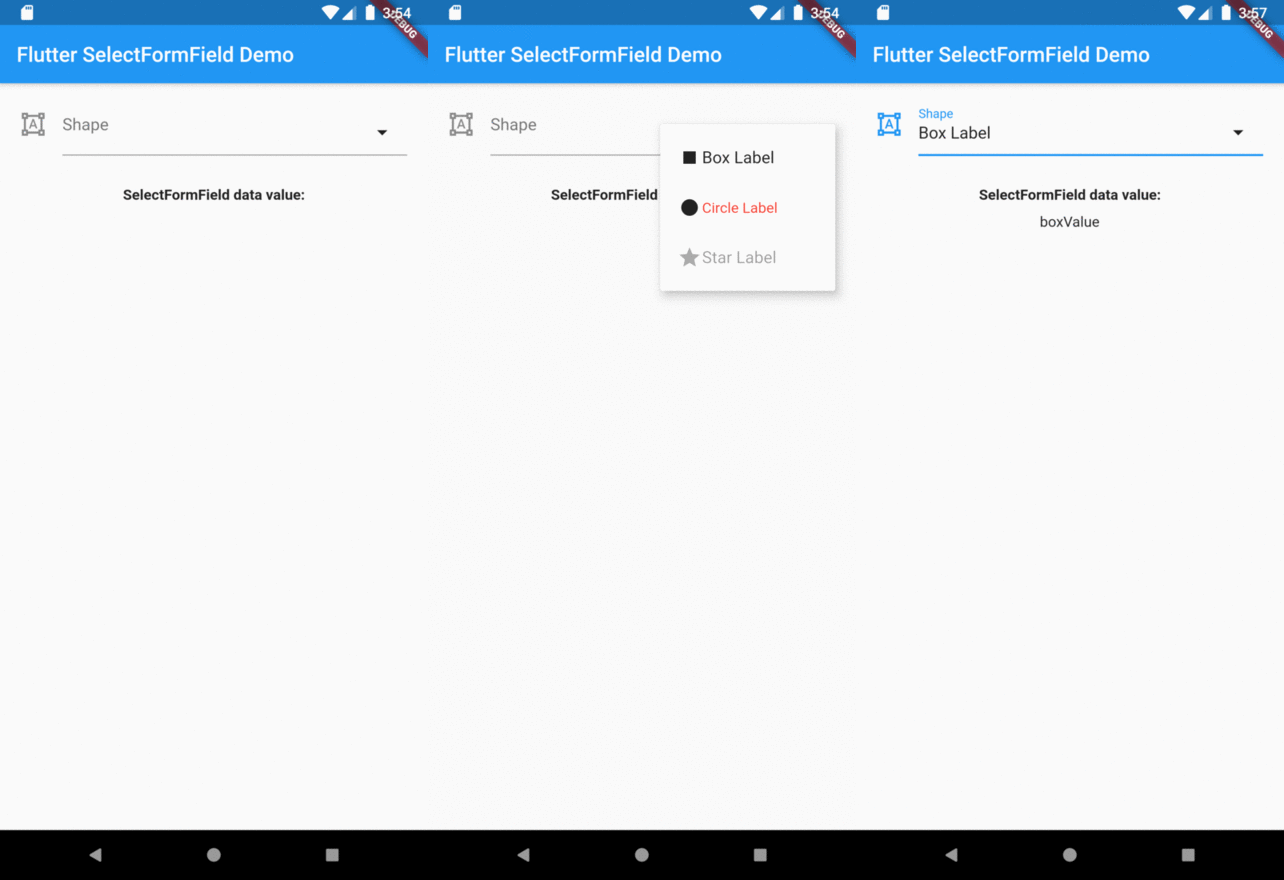
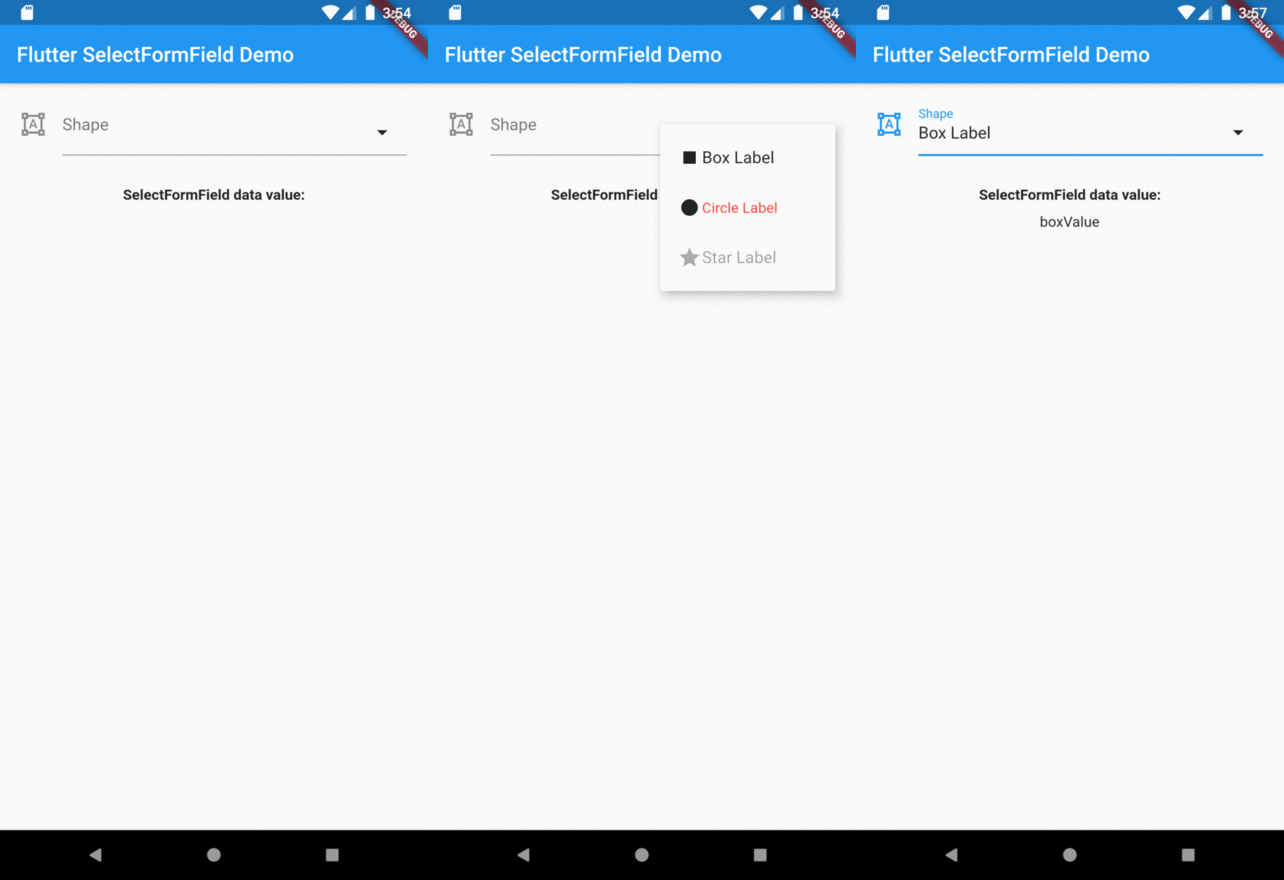
So, if you tap on Box Label item on select menu the result will be boxValue.

Preview

Overview

カテゴリー

ソースリポジトリ

このパッケージを使用しているプロジェクト

データはまだありません。