パッケージ、リポジトリ、アプリカテゴリを検索

パッケージ詳細v0.0.2

side_sheet_material3

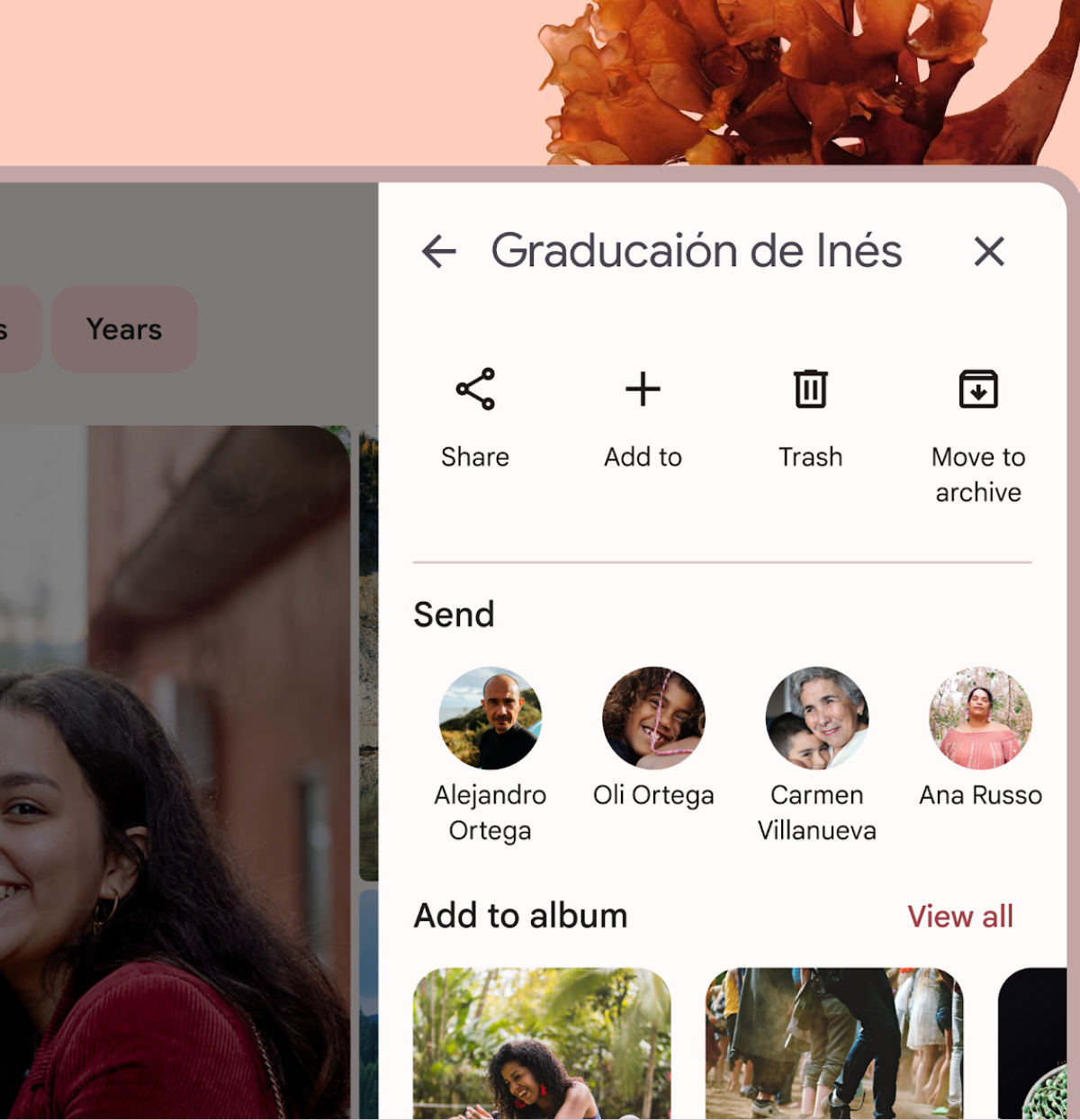
このFlutterパッケージは、Material Design 3のモーダルサイドシートウィジェットを提供します。

AndroidiOSWebmacOSWindowsLinux
30日間ダウンロード
167
いいね数
32
Pub ポイント
140

パッケージをインストール

flutter pub add side_sheet_material3

パッケージ概要

公開情報に基づく選定ガイドです。参考としてご利用ください。

Material Design 3準拠のモーダルサイドシートウィジェットを実装するFlutterパッケージで、追加コンテンツや操作用の現代的で応答性のあるスライディングパネルを提供します。Material Design 3ガイドラインに準拠しており、Android、iOS、Web、macOS、Windows、Linuxなどさまざまなプラットフォームをサポートしています。ナビゲーション、設定、詳細情報の表示などに使用でき、デバイス間で一貫したユーザー体験を提供します。既存のFlutterアプリとシームレスに統合され、アクセシビリティおよび使いやすさに関する最新のデザイン原則に従っています。

用途

  • 補足コンテンツの表示
  • モバイルナビゲーションの実装
  • 設定パネルの表示
  • 詳細情報を提示する
  • フォームワークフローの強化

主な機能

  • Material Design 3 対応
  • クロスプラットフォーム対応
  • モーダルスライド動作
  • カスタマイズ可能な外観
  • レスポンシブレイアウトの処理

適している対象

  • Material Design 3 を使用するアプリ
  • 最新のボトムシートを探している開発者
  • プラットフォームに依存しないUIコンポーネントを必要とするプロジェクト
  • モバイルファーストアプリケーション
  • UI重視のダッシュボード

注意事項

  • Flutter SDK 3.0+が必要です
  • Material 3の仕様を超えるカスタマイズは限定的
  • 非標準的な使用ケースには追加のスタイリングが必要になる場合があります
  • material3 パッケージに依存しています
  • シングルパネルレイアウトに最適

元の README

関連するソースリポジトリの README 原文のスナップショットです。最新の内容はリポジトリをご覧ください。

Material Design 3 modal side sheet

A Flutter package that provides a Material Design 3 side sheet as a general dialog.

Please check out the official documentation for more information on Material Design side sheet

Features

  • Custom header and body widgets.
  • Option to add a back button and close button.
  • Option to add confirm and cancel action buttons.
  • Option to show/hide a divider between the body and action buttons.
  • Customizable button text and tooltips.
  • Option to dismiss the dialog by tapping outside of it.

Usage

To use this package, add side_sheet_material3 as a dependency in your pubspec.yaml file.

dependencies:
  side_sheet_material3: ^0.0.1

Example

await showModalSideSheet(
  context: context,
  header: 'Edit Profile',
  body: ProfileEditForm(), // Put your content widget here
  addBackIconButton: true,
  addActions: true,
  addDivider: true,
  confirmActionTitle: 'Save',
  cancelActionTitle: 'Cancel',
  confirmActionOnPressed: () {
    // Do something
  },

  // If null, Navigator.pop(context) will used
  cancelActionOnPressed: () {
    // Do something
  },
);

Please check out the full example for more information on how to use this package.

Buy me a coffe

カテゴリー

ソースリポジトリ

このパッケージを使用しているプロジェクト

データはまだありません。