パッケージ、リポジトリ、アプリカテゴリを検索

smooth_video_progress のカバー
パッケージ詳細v0.0.4

smooth_video_progress

video_player コントローラー用の補間されたプログレスビルダー

AndroidiOSWebmacOS
30日間ダウンロード
4170
いいね数
39
Pub ポイント
140

パッケージをインストール

flutter pub add smooth_video_progress

パッケージ概要

公開情報に基づく選定ガイドです。参考としてご利用ください。

video_player コントローラー用の補間プログレスビルダーを提供する Flutter パッケージで、ビデオ再生インターフェースでのスムーズで視覚的に魅力的なプログレス更新を可能にします。このパッケージは、プログレス状態間の滑らかな遷移を提供することで、ユーザー体験を向上させ、カスタムビデオプレイヤーUIに最適です。標準の video_player プラグインとシームレスに統合され、Android、iOS、Web、macOSなど複数のプラットフォームをサポートしています。複雑な手動アニメーション処理なしにプログレスインジケーターを精密に制御したい開発者向けに設計されています。

用途

  • カスタム動画プレイヤーUI
  • スムーズなプログレスバーのアニメーション
  • 強化された動画再生フィードバック
  • クロスプラットフォーム動画アプリ
  • リアルタイムでの進行状況の可視化

主な機能

  • 補間された進行状況の更新
  • video_player とのシームレスな統合
  • プラットフォームに依存しないサポート
  • 最小限のセットアップが必要
  • 高パフォーマンスレンダリング

適している対象

  • UIに焦点を当てた動画アプリケーション
  • スムーズなアニメーションを望む開発者
  • 正確な進行状況制御を必要とするアプリ
  • クロスプラットフォーム動画プロジェクト
  • 洗練されたメディアプレーヤーを実装するデザイナー

注意事項

  • video_player の依存関係が必要です
  • 進捗表示のみに制限
  • 組み込みコントロールなし
  • カスタムプレイヤーUIと併用するのが最適です
  • 完全なカスタマイズには追加のスタイル設定が必要になる場合があります

元の README

関連するソースリポジトリの README 原文のスナップショットです。最新の内容はリポジトリをご覧ください。

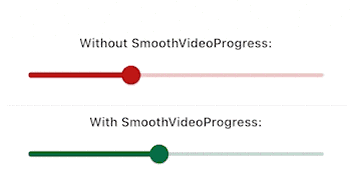
Have you been here before: you created a video player using video_player, but the progress bar updates way to infrequently and makes your UX look choppy?

Look no further than this package. It will make your video progress bars look smooooth ✨

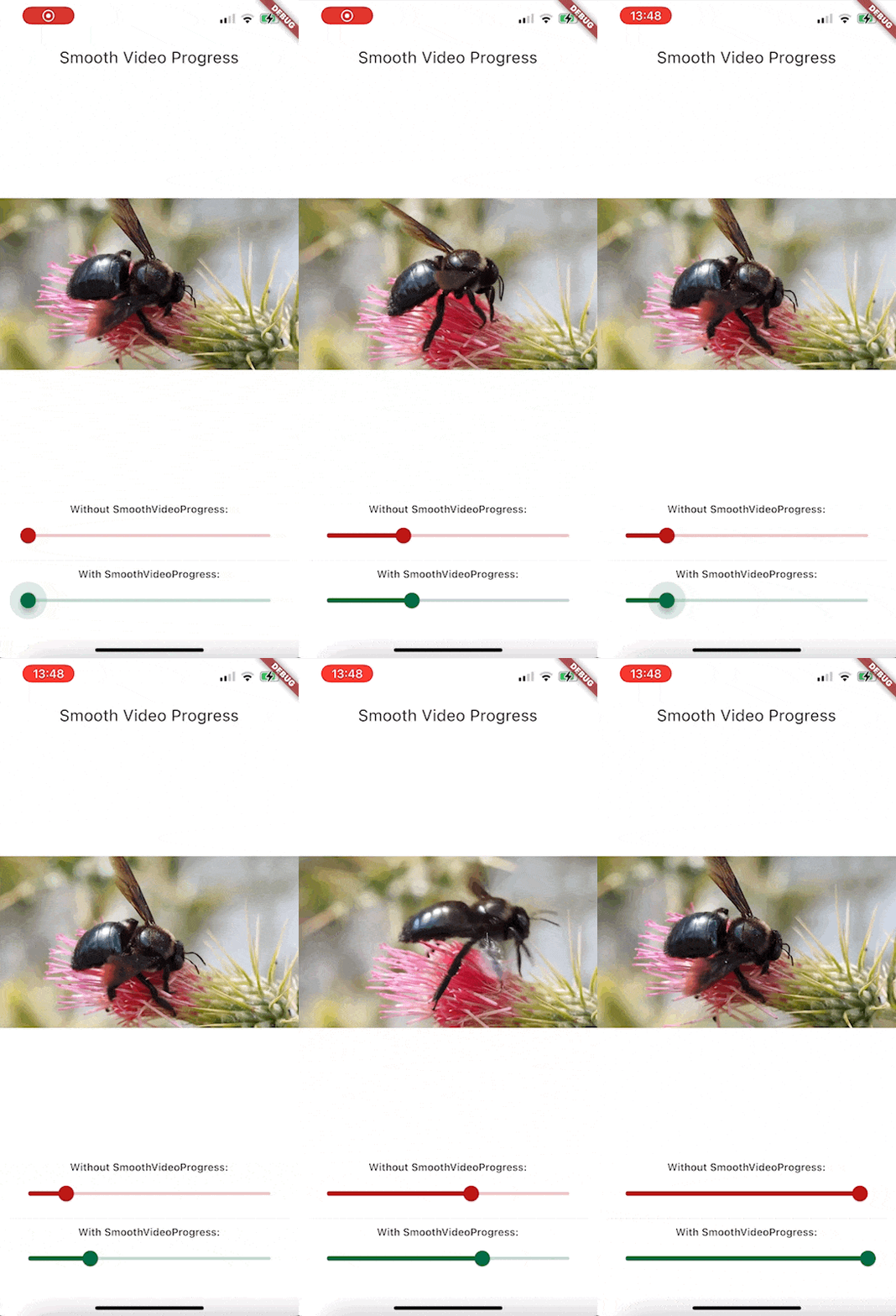
Demo GIF

Since this is a GIF, the framerate is reduced, but rest assured that the bottom slider animates at the same framerate as your app.

Features

  • Build a smoothly interpolated progress bar for video_player's VideoPlayerController instances.
  • Completely unopinianeted, build whatever you want design-wise
  • Use it for progress bars, spinners, more accurate time displays, ...

Getting started

Install the package. This package depends on flutter_hooks, because I use it for everything anyway, check out the package if you don't know it, it makes life so much easier.

Usage

Here is how you would build a simple slider for example:

Widget build(BuildContext context) {
  SmoothVideoProgress(
    controller: controller,
    builder: (context, position, duration, child) => Slider(
      onChangeStart: (_) => controller.pause(),
      onChangeEnd: (_) => controller.play(),
      onChanged: (value) =>
          controller.seekTo(Duration(milliseconds: value.toInt())),
      value: position.inMilliseconds.toDouble(),
      min: 0,
      max: duration.inMilliseconds.toDouble(),
    ),
  );
}

Example Project

To take a look at the example (seen on the GIF above)

  1. Open example folder
  2. Run flutter create .
  3. flutter run on the iOS, android or web
  4. You might have to do additional setup steps for video_player to work, check their documentation for details

カテゴリー

依存関係

依存関係一覧 2 件

ソースリポジトリ

このパッケージを使用しているプロジェクト