パッケージ、リポジトリ、アプリカテゴリを検索

snapping_page_scroll のカバー
パッケージ詳細v3.1.0

snapping_page_scroll

スクロール速度に基づいて特定のページ数をスクロールし、その後最も近いページにスナップするPageViewを作成できるプラグインです。

AndroidiOSWebmacOSWindowsLinux
30日間ダウンロード
613
いいね数
33
Pub ポイント
160

パッケージをインストール

flutter pub add snapping_page_scroll

パッケージ概要

公開情報に基づく選定ガイドです。参考としてご利用ください。

PageViewの機能を拡張するFlutterパッケージで、滑らかで速度に基づいたスクロールを可能にし、最も近いページに自動的にスナップします。より直感的で滑らかなユーザー体験を提供し、正確なページアラインメントが重要なカルーセル型インターフェースやコンテンツスライダーに最適です。このプラグインは、モバイル、ウェブ、デスクトップを含むすべての主要プラットフォームで動作し、一貫した挙動を保証します。軽量で、既存のプロジェクトへの統合も簡単です。

用途

  • カルーセルスライダー
  • 画像ギャラリー
  • オンボーディング画面
  • プロダクトの紹介
  • インタラクティブなチュートリアル

主な機能

  • 速度ベースのスクロール
  • 自動ページスナップ
  • クロスプラットフォーム対応
  • 最小限のセットアップ
  • スムーズなアニメーション
  • カスタマイズ可能なスナップ動作

適している対象

  • インタラクティブUIを構築する開発者
  • 複数ページ構成のコンテンツを持つアプリ
  • 洗練されたスクロールエフェクトを求めるデザイナー
  • レスポンシブなナビゲーションを必要とするプロジェクト
  • モバイルおよびWebアプリケーション

注意事項

  • 最適なスナップ感度を得るには調整が必要になる場合があります
  • ページベースではないスクロールレイアウトには適していない
  • パフォーマンスはコンテンツの複雑さに依存します
  • 高度なスクロール論理のカスタマイズが限定的

元の README

関連するソースリポジトリの README 原文のスナップショットです。最新の内容はリポジトリをご覧ください。

Snapping Page Scroll

A plugin that acts similar to a PageView but either snaps to the closest page or scrolls multiple pages and then snaps, based on how fast the user scrolls.

If the user scrolls faster than a certain threshold, page snapping will be disabled until friction slows the velocity to below that threshold, leading to page snapping being enabled again.

If the user scrolls slower than the threshold, the widget will act like a regular PageView with pageSnapping: true.

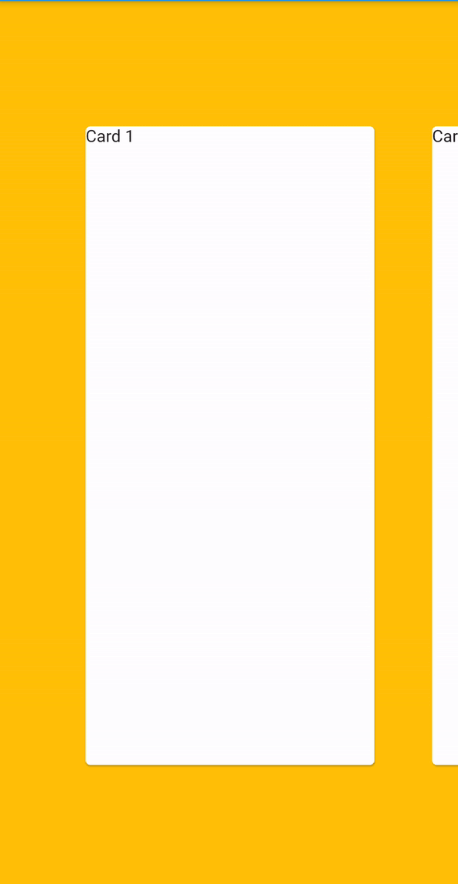
GIF showing how the plugin works

Usage

To use this plugin, add snapping_page_scroll as a dependency in your pubspec.yaml file.

Example

import 'package:flutter/material.dart';
import 'package:snapping_page_scroll/snapping_page_scroll.dart';

void main() => runApp(App());

class App extends StatelessWidget {
  Widget customCard(String text) {
    return Padding(
      padding: const EdgeInsets.fromLTRB(20, 100, 20, 100),
      child: Card(
        child: Text(text),
      ),
    );
  }

  final controller = PageController(
    viewportFraction: 0.75,
  );

  @override
  Widget build(BuildContext context) {
    return MaterialApp(
      home: Scaffold(
        backgroundColor: Colors.amber,
        appBar: AppBar(),
        body: SnappingPageScroll(
          controller: controller,
          children: <Widget>[
            customCard('Card 1'),
            customCard('Card 2'),
            customCard('Card 3'),
            customCard('Card 4'),
            customCard('Card 5'),
            customCard('Card 6'),
          ],
        ),
      ),
    );
  }
}

カテゴリー

ソースリポジトリ

このパッケージを使用しているプロジェクト

データはまだありません。