パッケージ、リポジトリ、アプリカテゴリを検索

spoiler_widget のカバー
パッケージ詳細v1.0.25

spoiler_widget

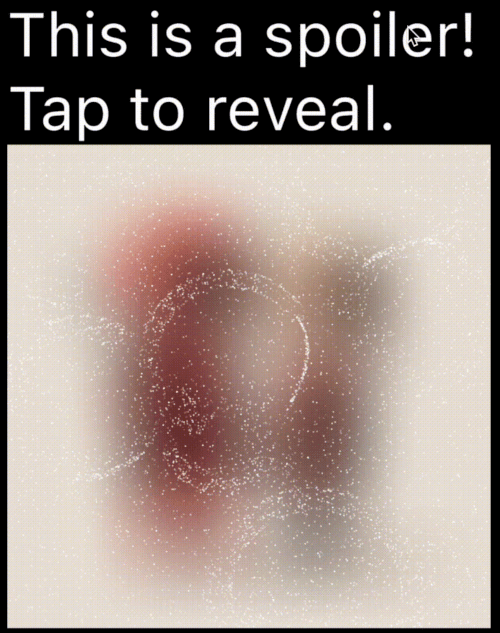
Telegramで使用されているものと同様のスパイラーアニメーションを作成できるFlutterパッケージで、タップまたはクリックするまで、センシティブな内容やスパイラーを含むコンテンツを非表示にできます。

AndroidiOSWebmacOSWindowsLinux
30日間ダウンロード
1090
いいね数
97
Pub ポイント
160

パッケージをインストール

flutter pub add spoiler_widget

パッケージ概要

公開情報に基づく選定ガイドです。参考としてご利用ください。

spoiler_widget パッケージは、Flutterでインタラクティブなスパイラーのアニメーションを作成できるようにし、人気のあるTelegram風の表示効果を再現します。センシティブまたは驚きのコンテンツを初期状態で非表示にし、ユーザーの操作(タップやクリックなど)によって表示する機能を提供します。メッセージ、画像、テキスト内のスパイラーを隠すのに最適で、複数のプラットフォームでスムーズな遷移により、ユーザー体験を向上させます。このパッケージは軽量であり、既存のFlutterアプリへの統合がスムーズです。

用途

  • チャットアプリでのスパイラーの隠し方
  • タップで画像コンテンツを表示
  • インタラクティブなストーリーアイテムの作成
  • UIにおける機密情報の保護
  • ゲーム内の遊び心のある明らかに

主な機能

  • Telegramスタイルのアニメーション
  • タップして表示するインタラクション
  • スムーズなトランジション効果
  • クロスプラットフォーム対応
  • 既存のウィジェットとの簡単な統合
  • カスタマイズ可能な表示期間

適している対象

  • チャットおよびメッセージングアプリ
  • インタラクティブな物語
  • ゲーム化インターフェース
  • 制御された可視性を必要とするコンテンツ
  • シンプルで効果的なアニメーションを探している開発者

注意事項

  • 多数のインスタンスでパフォーマンスに影響する可能性があります
  • 基本的なアニメーションを超えるカスタマイズは限られている
  • 表示にはユーザーの操作が必要です
  • 静的コンテンツには適していません
  • 驚き効果を維持するために、控えめに使用するのが最適です

元の README

関連するソースリポジトリの README 原文のスナップショットです。最新の内容はリポジトリをご覧ください。

Spoiler Animation for Flutter

Spoiler Widget

Pub Likes Pub Points Pub Version License: MIT Flutter GitHub stars

A Flutter package to create spoiler animations similar to the one used in Telegram, allowing you to hide sensitive or spoiler-filled content until it's tapped or clicked.

Demo

Mask Operation Demo Mask Operation Demo
PathOperation.intersect PathOperation.difference
PathOperation.union PathOperation.xor

Features

  • Spoiler Animation: Blur effect to hide content until tapped or hidden

  • Wave Effects: Optional wave/ripple expansions with SpoilerSpotsController

  • Particle System: Configure particle density (0–1 coverage), size, speed, color, and shape paths/presets.

  • Fade Animation: Smooth circular reveal/cover transitions

  • Gesture Control: Enable or disable gestures to users can tap toggle the spoiler.

  • Masking Support: Use custom Path + PathOperation via maskConfig.

  • Platform Agnostic: Works on iOS, Android, Web, Tizen and more


Installation

In your pubspec.yaml:

dependencies:
  spoiler_widget: ^1.0.25

Then run:

flutter pub get

Usage

1. Basic Spoiler Usage

Import the package:

import 'package:spoiler_widget/spoiler_widget.dart';

Wrap any widget you want to hide in a spoiler:

SpoilerOverlay(
  config: WidgetSpoilerConfig(
    isEnabled: true,
    fadeConfig: const FadeConfig(padding: 3.0, edgeThickness: 20.0),
    enableGestureReveal: true,
    imageFilter: ImageFilter.blur(sigmaX: 30, sigmaY: 30),
    onSpoilerVisibilityChanged: (isVisible) {
      debugPrint('Spoiler is now: ${isVisible ? 'Visible' : 'Hidden'}');
    },
  ),
  child: const Text('Hidden content'),
);

For text-only content, use SpoilerTextWrapper (preferred over deprecated SpoilerText):

SpoilerTextWrapper(
  config: TextSpoilerConfig(
    isEnabled: true,
    fadeConfig: const FadeConfig(padding: 3.0, edgeThickness: 20.0),
    enableGestureReveal: true,
    onSpoilerVisibilityChanged: (isVisible) {
      debugPrint('Spoiler is now: ${isVisible ? 'Visible' : 'Hidden'}');
    },
  ),
  child: const Text(
    'Tap me to reveal secret text!',
    style: TextStyle(fontSize: 16, color: Colors.black),
  ),
);

1.1 Wrap existing text widgets

If you already have a text subtree and just need to hide it with particles, use SpoilerTextWrapper:

SpoilerTextWrapper(
  config: TextSpoilerConfig(
    isEnabled: true,
    fadeConfig: const FadeConfig(padding: 10.0, edgeThickness: 20.0),
    enableGestureReveal: true,
  ),
  child: Column(
    crossAxisAlignment: CrossAxisAlignment.start,
    children: const [
      Text('Sensitive line 1'),
      Text('Sensitive line 2'),
    ],
  ),
);
1.2 Form field integration

Use SpoilerTextFieldWrapper to keep the native context menu/cursor while hiding parts of the input:

final controller = TextEditingController(text: 'Type here...');

SpoilerTextFieldWrapper(
  controller: controller,
  focusNode: FocusNode(),
  config: const TextSpoilerConfig(
    isEnabled: true,
    fadeConfig: FadeConfig(padding: 10.0, edgeThickness: 20.0),
    enableGestureReveal: true,
    textSelection: TextSelection(baseOffset: 0, extentOffset: 5),
    textStyle: TextStyle(fontSize: 18, color: Colors.white),
  ),
  cursorColor: Colors.deepPurple,
  maxLines: 3,
);
2. Wave Animations (SpoilerSpotsController)

For dynamic "wave" effects:

class WaveDemo extends StatelessWidget {
  @override
  Widget build(BuildContext context) {
    return SpoilerOverlay(
      config: WidgetSpoilerConfig( 
        isEnabled: true,
        maxActiveWaves: 3,
        fadeConfig: const FadeConfig(padding: 10.0, edgeThickness: 20.0),
        enableGestureReveal: true,
        imageFilter: ImageFilter.blur(sigmaX: 30, sigmaY: 20),
        onSpoilerVisibilityChanged: (isVisible) {
          debugPrint('Spoiler is now: ${isVisible ? 'Visible' : 'Hidden'}');
        },
      ),
      child: Image.network('https://your-image-url'),
    );
  }
}

3. Custom Path Masking

You can apply a custom-shaped mask using maskConfig in both TextSpoilerConfig and WidgetSpoilerConfig. This allows the spoiler effect to only appear inside specific areas defined by a Path.

SpoilerTextWrapper(
  config: TextSpoilerConfig(
    isEnabled: true,
    enableGestureReveal: true,
    particleConfig: const ParticleConfig(
      density: 0.1,
      speed: 0.2,
      color: Colors.white,
      maxParticleSize: 1.0,
    ),
    maskConfig: SpoilerMask(
      maskPath: myCustomPath,
      maskOperation: PathOperation.intersect,
      offset: Offset(50, 30),
    ),
    onSpoilerVisibilityChanged: (isVisible) {
      debugPrint('Spoiler is now: ${isVisible ? 'Visible' : 'Hidden'}');
    },
  ),
  child: const Text(
    'Masked spoiler!',
    style: TextStyle(fontSize: 24, color: Colors.white),
  ),
);

3. Full Example

You can find a complete, runnable example in the example/lib/main.dart file. It demonstrates various configuration options and both text and widget-based spoilers.

Configuration
Common Fields

Table showing common config parameters for both TextSpoilerConfig and WidgetSpoilerConfig.

Field Type Description
isEnabled bool Whether the spoiler starts enabled (hidden).
enableGestureReveal bool Whether tap should toggle visibility.
particleConfig ParticleConfig Particle system parameters (density, speed, color, size, shape).
fadeConfig FadeConfig? Fade parameters (padding, edgeThickness).
shaderConfig ShaderConfig? Custom fragment shader configuration for particles.
maskConfig SpoilerMask? Optional mask to apply using a Path.
onSpoilerVisibilityChanged ValueChanged? Callback fired when spoiler becomes visible/hidden.
Legacy fields (deprecated)

These fields are kept for backward compatibility; prefer particleConfig and fadeConfig.

  • enableFadeAnimation
  • fadeRadius (maps to FadeConfig.padding)
  • fadeEdgeThickness
  • particleDensity
  • particleSpeed
  • particleColor
  • maxParticleSize
ParticleConfig
Field Type Description
density double Area coverage percentage in the range 0..1 (0 = 0%, 1 = 100%). Values are clamped.
speed double Particle speed (px/frame).
color Color Base particle color.
maxParticleSize double Particle diameter in pixels.
shapePreset ParticlePathPreset? Built-in shapes or ParticlePathPreset.custom(...) for your own path.
enableWaves bool Enables ripple waves that push particles.
maxWaveRadius double Wave radius limit in pixels.
maxWaveCount int Maximum number of simultaneous waves.
TextSpoilerConfig
Field Type Description
textStyle TextStyle? The text style applied to the spoiler text.
textSelection TextSelection? Range of text to apply the spoiler.
textAlign TextAlign? Text alignment inside the widget.
maxLines int? An optional maximum number of lines for the text to span, wrapping if necessary.
isEllipsis bool? Determines whether overflowing text should display an ellipsis ("…") at the end.
WidgetSpoilerConfig
Field Type Description
imageFilter ImageFilter? Blur filter used to hide the child.
maxActiveWaves int Max concurrent waves for wave-based effects.
FAQ
  1. How can I animate the blur or wave concurrency? Adjust the properties in your configuration object at runtime. For instance, set a new imageFilter or call methods on the wave controller to dynamically tune the effect.

  2. Can I skip the wave logic? Yes—by default, you get a basic spoiler with fade. Use SpoilerSpotsController only if you want wave animations.

  3. Does this work on the web? Yes! It’s entirely in Flutter/Dart. Just ensure you handle any platform quirks with gesture input.

Dual Rendering Modes

spoiler_widget now supports two modes of rendering particles:

  1. Atlas Rendering (Default): Uses Flutter's drawRawAtlas. This is a CPU-driven approach that is highly efficient for most standard spoiler effects.
  2. Shader Rendering (GPU): Uses custom fragment shaders to render particles. This is ideal for complex visual effects and leverages GPU power for smoother performance on high-end devices.

To enable Shader Rendering, simply provide a ShaderConfig to your spoiler configuration.

Particle Shapes

Pick a shape once in ParticleConfig, and it works for both atlas and shader modes. Leave shapePreset null for the default circle (fastest path).

particleConfig: ParticleConfig(
  density: 0.1,
  shapePreset: ParticlePathPreset.snowflake,
),

If you need full control, provide a custom Path for particles:

final starPath = Path()
  ..moveTo(0.0, -1.0)
  ..lineTo(0.2, -0.2)
  ..lineTo(1.0, -0.2)
  ..lineTo(0.35, 0.15)
  ..lineTo(0.6, 0.9)
  ..lineTo(0.0, 0.4)
  ..lineTo(-0.6, 0.9)
  ..lineTo(-0.35, 0.15)
  ..lineTo(-1.0, -0.2)
  ..lineTo(-0.2, -0.2)
  ..close();

particleConfig: ParticleConfig(
  density: 0.1,
  shapePreset: ParticlePathPreset.custom(starPath),
),
4. Custom Fragment Shader (particles.frag)

You can use the default high-performance shader for particle rendering:

SpoilerTextWrapper(
  config: TextSpoilerConfig(
    isEnabled: true,
    enableGestureReveal: true,
    particleConfig: const ParticleConfig(
      density: 0.15,
      speed: 0.25,
      color: Colors.white,
      maxParticleSize: 1.0,
      shapePreset: ParticlePathPreset.star,
    ),
    shaderConfig: ShaderConfig.particles(),
  ),
  child: const Text('GPU-driven particles!'),
);
Contributing

Contributions are welcome! Whether it’s bug fixes, new features, or documentation improvements, open a Pull Request or Issue.


License

Licensed under the MIT License. Enjoy building your spoiler effects!

カテゴリー

ソースリポジトリ

このパッケージを使用しているプロジェクト

データはまだありません。