パッケージ、リポジトリ、アプリカテゴリを検索

パッケージ詳細v1.0.1

system_fonts

Windows、macOS、Linux プラットフォームでシステムフォントを読み込むための Flutter パッケージです。

AndroidiOSmacOSWindowsLinux
30日間ダウンロード
3090
いいね数
29
Pub ポイント
150

パッケージをインストール

flutter pub add system_fonts

パッケージ概要

公開情報に基づく選定ガイドです。参考としてご利用ください。

system_fonts パッケージは、Windows、macOS、Linux にインストールされたシステムフォントに Flutter アプリケーションがアクセスして使用できるようにします。開発者はユーザーのオペレーティングシステムに既に存在するフォントを動的に読み込むことができ、フォントファイルをバンドルせずにプラットフォーム間で一貫したタイポグラフィを確保できます。ネイティブなテキストレンダリングが必要なアプリや、プラットフォーム固有のフォントを利用したいアプリには特に役立ちます。このパッケージは最小限の構成でクロスプラットフォーム開発をサポートしています。

用途

  • デスクトッププラットフォームでシステムフォントを読み込む
  • ネイティブのタイポグラフィでアプリを作成する
  • フォントファイルのバンドルを回避する
  • テキストレンダリングの一貫性の向上
  • 動的フォント選択のサポート

主な機能

  • クロスプラットフォーム対応(Windows、macOS、Linux)
  • システムフォントの自動検出
  • 最小限のセットアップが必要
  • フォントアセットを含める必要はありません
  • Flutter の TextStyle との統合

適している対象

  • デスクトップアプリ開発者
  • ネイティブフォントレンダリングを必要とするアプリ
  • アセットサイズを最小化するプロジェクト
  • 複数のオペレーティングシステムをターゲットにする開発者
  • タイポグラフィの正確性に注力したアプリケーション

注意事項

  • システムにインストールされたフォントに限定
  • Android または iOS で利用できません
  • フォントの利用可能性はホストOSに依存します
  • カスタムまたは非標準フォントと互換性がない可能性があります
  • プラットフォーム固有のテストが必要です

元の README

関連するソースリポジトリの README 原文のスナップショットです。最新の内容はリポジトリをご覧ください。

system_fonts

A Flutter package that allows users to easily load system fonts on Windows, MacOS, and Linux platforms.

Features

  • Load system fonts dynamically in Flutter applications.
  • Support for Windows, MacOS, and Linux platforms.
  • Supports ttf and otf font formats.
  • Simple API for loading and using system fonts in your Flutter project.

Installation

  1. Add the following line to your pubspec.yaml file in the dependencies section:
dependencies:
    system_fonts: ^VERSION

Usage

Font family names are the font file name in the system without extensions. For example to change font family of Text widget to arial(arial.ttf), use loadFont(String fontName) method with parameter arial, this function will load arial.ttf file in the system and return font family name.

class Example extends StatefulWidget {
  const Example({super.key});

  @override
  State<Example> createState() => _ExampleState();
}

class _ExampleState extends State<Example> {
  String fontFamily = '';

  @override
  void initState() {
    super.initState();
    SystemFonts().loadFont('arial').then((value) {
      setState(() {
        fontFamily = value.toString();
      });
    });
  }

  @override
  Widget build(BuildContext context) {
    return Text('this text will use arial font', style: TextStyle(fontFamily: fontFamily));
  }
}

You can load all the fonts on the system with loadAllFonts() method which returns all the available font family names and then you can use any font in any widget.

You can specify a font folder to load every font inside it and then use them in flutter with addAdditionalFontDirectory(String path) method.

You can add any font from full path with loadFontFromPath(String path) method.

You can list all available font family names to use with getFontList() method.

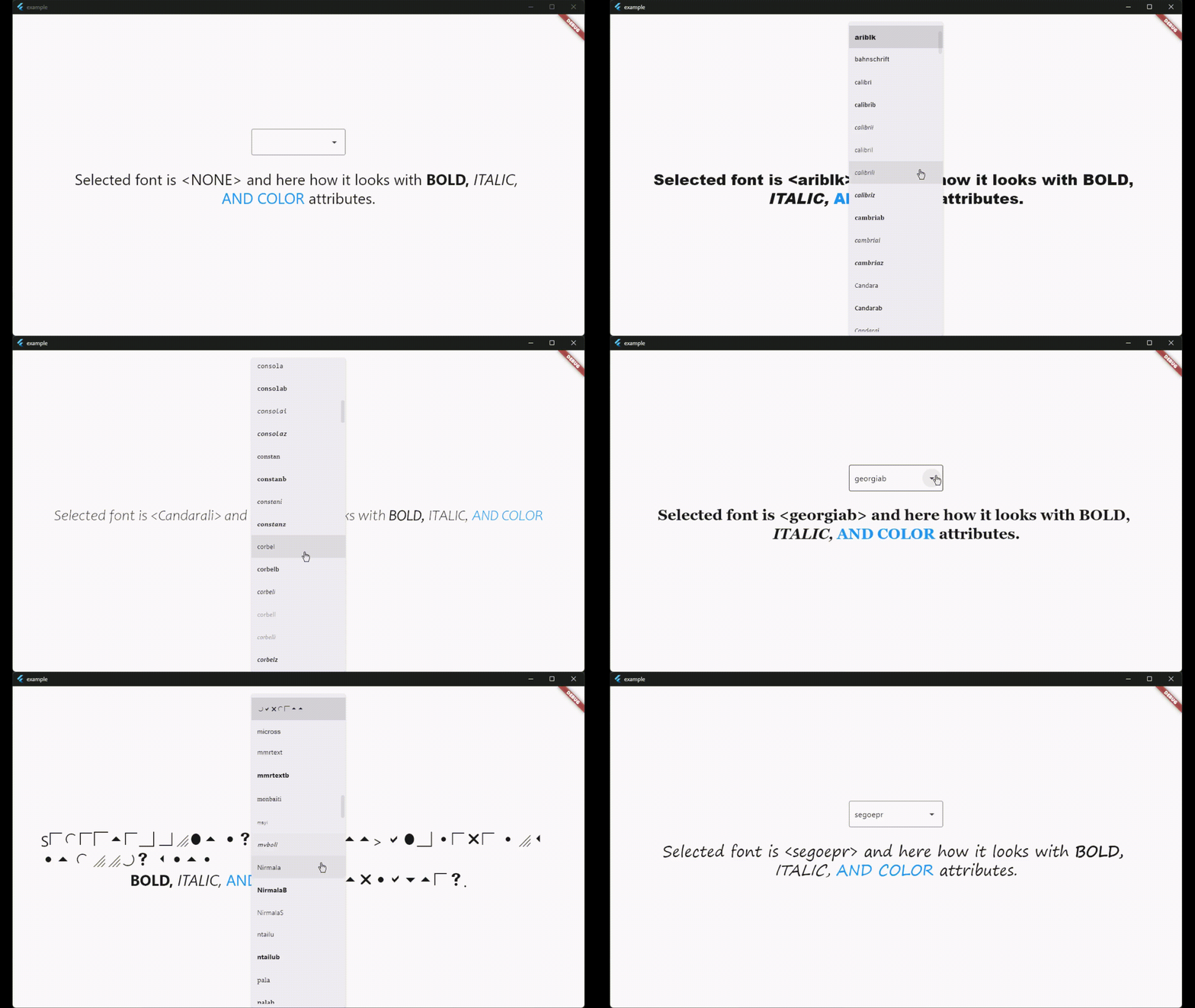
There is also a widget called SystemFontSelector() for list and select fonts and example app shows how to use it.

License

This package is licensed under the MIT License. See the LICENSE file for details.

カテゴリー

依存関係

依存関係一覧 1 件

ソースリポジトリ

このパッケージを使用しているプロジェクト