パッケージ、リポジトリ、アプリカテゴリを検索

tap_debouncer のカバー
パッケージ詳細v2.2.0

tap_debouncer

タップのデバウンスを簡素化するウィジェット。ボタンウィジェットをTapDebounceウィジェットでラップし、タップコールバックが実行中の間はすべてのタップを無効にします。

AndroidiOSWebmacOSWindowsLinux
30日間ダウンロード
1.9万
いいね数
120
Pub ポイント
160

パッケージをインストール

flutter pub add tap_debouncer

パッケージ概要

公開情報に基づく選定ガイドです。参考としてご利用ください。

TapDebounce は、特にボタンなどに繰り返しタップされるのを防ぐことを容易にする Flutter パッケージです。タップコールバックの実行中にさらにタップを無効にするために、ウィジェットを TapDebounce ウィジェットでラップすることで、誤って複数回送信するリスクを低減できます。フォームやアクション、または急速なタップが問題を引き起こす可能性のある任意のインタラクティブ要素に最適です。すべての主要プラットフォームをサポートしており、既存の Flutter プロジェクトにスムーズに統合できます。

用途

  • 重複したフォーム送信を防ぐ
  • 決済フローでの素早いボタンクリックを避ける
  • アクションが多くなるインターフェースでのUX向上
  • 予期しない状態変更の削減
  • 遅いネットワーク応答を安全に処理する
  • 誤ったダブルタップからの保護

主な機能

  • コールバック中のタップの自動無効化
  • シンプルなラッピング統合
  • クロスプラットフォーム対応
  • 最小限のボイラープレート
  • 設定可能なデバウンス期間
  • 任意のウィジェットと連携可能

適している対象

  • 迅速なタップ保護を求める開発者
  • タップリスクの高いフォームとアクションUI
  • 信頼性のあるユーザー操作制御を必要とするアプリ
  • UXの一貫性を重視するチーム
  • 頻繁なボタン操作のあるプロジェクト

注意事項

  • コールバックが即座に完了すると、タップを防止しない
  • 長時間実行されるタスクには手動リセットが必要な場合があります
  • タップイベントのみに制限
  • 無効状態には組み込みのフィードバックがありません
  • 複雑なジェスチャー認識には適していません
  • 非同期ワークフローでは慎重な取り扱いが必要です

元の README

関連するソースリポジトリの README 原文のスナップショットです。最新の内容はリポジトリをご覧ください。

Analyze and tests status

Coverage Status

MIT License

Description

Tap debounce simplifying widget. Wrap your button widget in TapDebounce widget and any taps will be disabled while tap callback is in progress.

Manual

Initial code

Assume your code with some button look like this:

//...
child: RaisedButton(
  color: Colors.blue,
  disabledColor: Colors.grey,
  onPressed: () async => await someLongOperation(), // your tap handler
  child: const Text('Short'),
  );
//...

and you do not want user to be able to press the button again several times and start other someLongOperation functions. Example is a Navigator pop function - it can take a few hundred of millis to navigate and user can press the button several times, and that will lead to undesired pop several screens back instead of one.

Wrap code to TapDebouncer

Wrap this code to Debouncer and move RaisedButton onPressed contents to Debouncer onTap:

//...
child: TapDebouncer(
  onTap: () async => await someLongOperation(), // your tap handler moved here
  builder: (BuildContext context, TapDebouncerFunc? onTap) {
    return RaisedButton(
      color: Colors.blue,
      disabledColor: Colors.grey,
      onPressed: onTap,  // It is just onTap from builder callback
      child: const Text('Short'),
    );
  },
),
//...

Debouncer will disable the RaisedButton by setting onPressed to null while onTap is being executed.

Add delay after tap process

You can add optional delay to be sure that the button is disabled some time after someOperation is called.

//...
onTap: () async {
    await someOperation();
    
    await Future<void>.delayed(const Duration(milliseconds: 1000));
},
//...
Use cooldown instead of delay

You can fill optional cooldown field with some Duration and avoid adding of Future.delayed at the end of onTap callback, this will be done automatically:

//...
child: TapDebouncer(
  cooldown: const Duration(milliseconds: 1000),
  onTap: () async => await someLongOperation(), // your tap handler moved here
  builder: (BuildContext context, TapDebouncerFunc? onTap) {
    return RaisedButton(
      color: Colors.blue,
      disabledColor: Colors.grey,
      onPressed: onTap,  // It is just onTap from builder callback
      child: const Text('Short'),
    );
  },
),
//...

Then your onTap could be changed to this:

//...
onTap: () async => await someOperation(),
//...
Cooldown behavior with exception

If someOperation will raise exception cooldown delay will also work, after exception.

Change look of busy widget (waiting for tap complete)

You can inspect value of onTap and change look of your widget:

//...
builder: (BuildContext context, TapDebouncerFunc? onTap) {
  return RaisedButton(
    color: Colors.blue,
    onPressed: onTap,
    // variant with manual test onTap for null in builder
    child: onTap == null
        ? const Text('Wait...')
        : const Text('Short'),
  );
},
//...

Also you can use waitBuilder method to build new busy widget:

//...
builder: (BuildContext context, TapDebouncerFunc? onTap) {
//...
},
// variant with using waitBuilder instead of test onTap for null
waitBuilder: (BuildContext context, Widget child) {
  return Stack(
    children: <Widget>[
      child,
      const Center(child: CircularProgressIndicator()),
    ],
  );
},
//...

waitBuilder will return original widget (built with onTap == null) as child

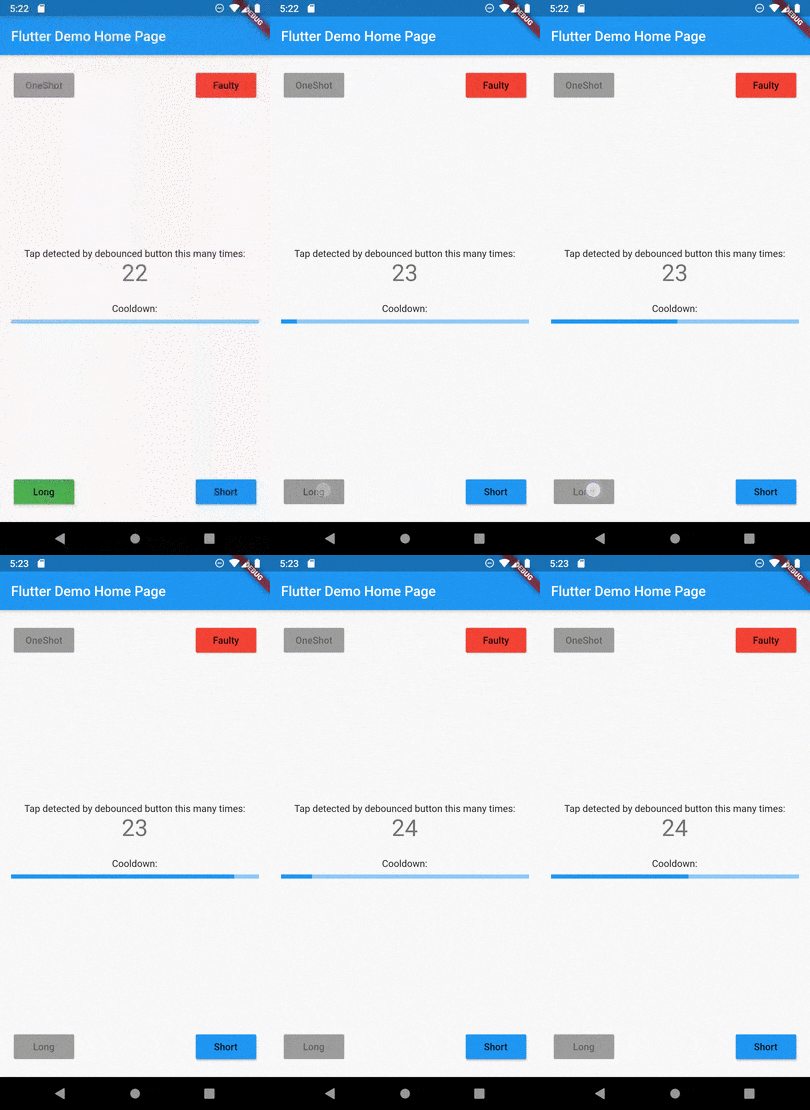
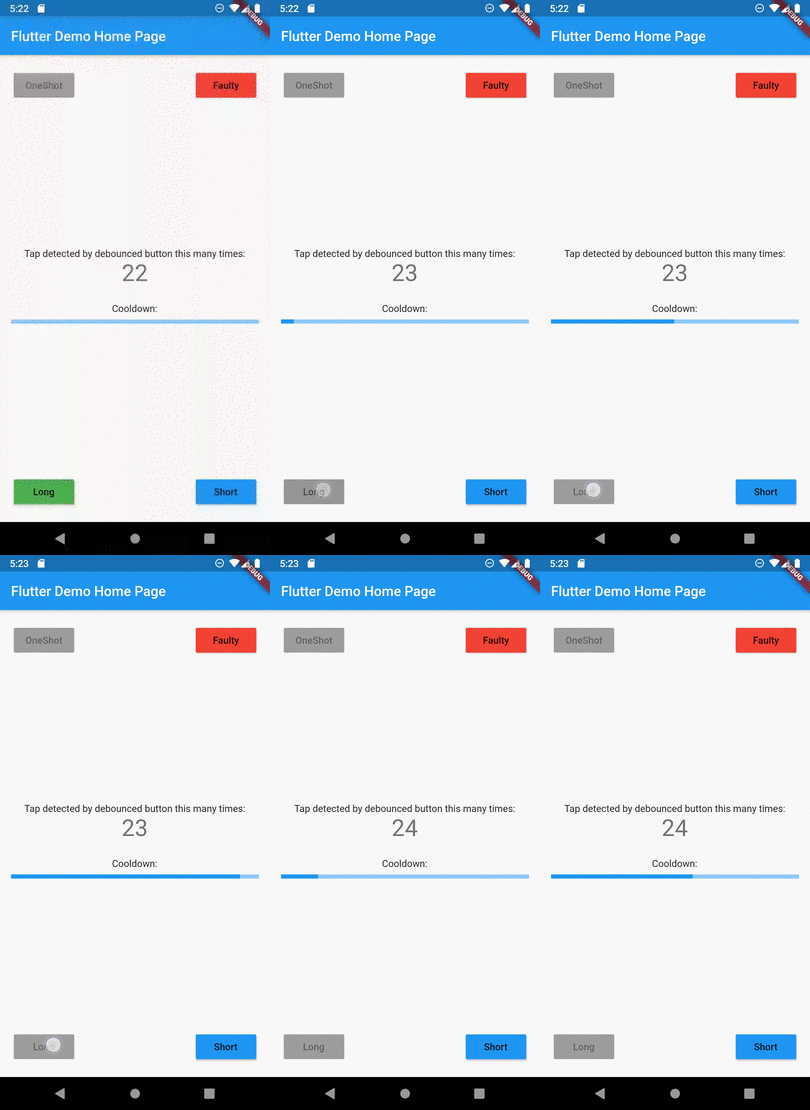
Example

See example application for details:

Example of button disabled after tap

カテゴリー

ソースリポジトリ

このパッケージを使用しているプロジェクト

データはまだありません。