パッケージ、リポジトリ、アプリカテゴリを検索

theme_mode_builder のカバー
パッケージ詳細v2.0.0

theme_mode_builder

アプリ内のテーマを処理し、共有設定を使用してデバイスに保存するためのFlutterパッケージ

AndroidiOSmacOSWindowsLinux
30日間ダウンロード
64
いいね数
24
Pub ポイント
160

パッケージをインストール

flutter pub add theme_mode_builder

パッケージ概要

公開情報に基づく選定ガイドです。参考としてご利用ください。

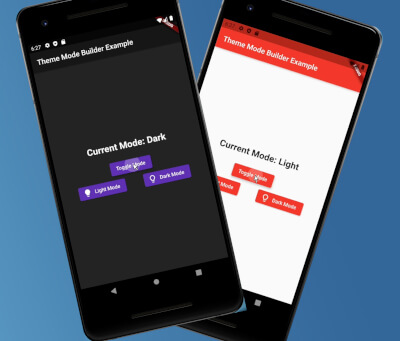
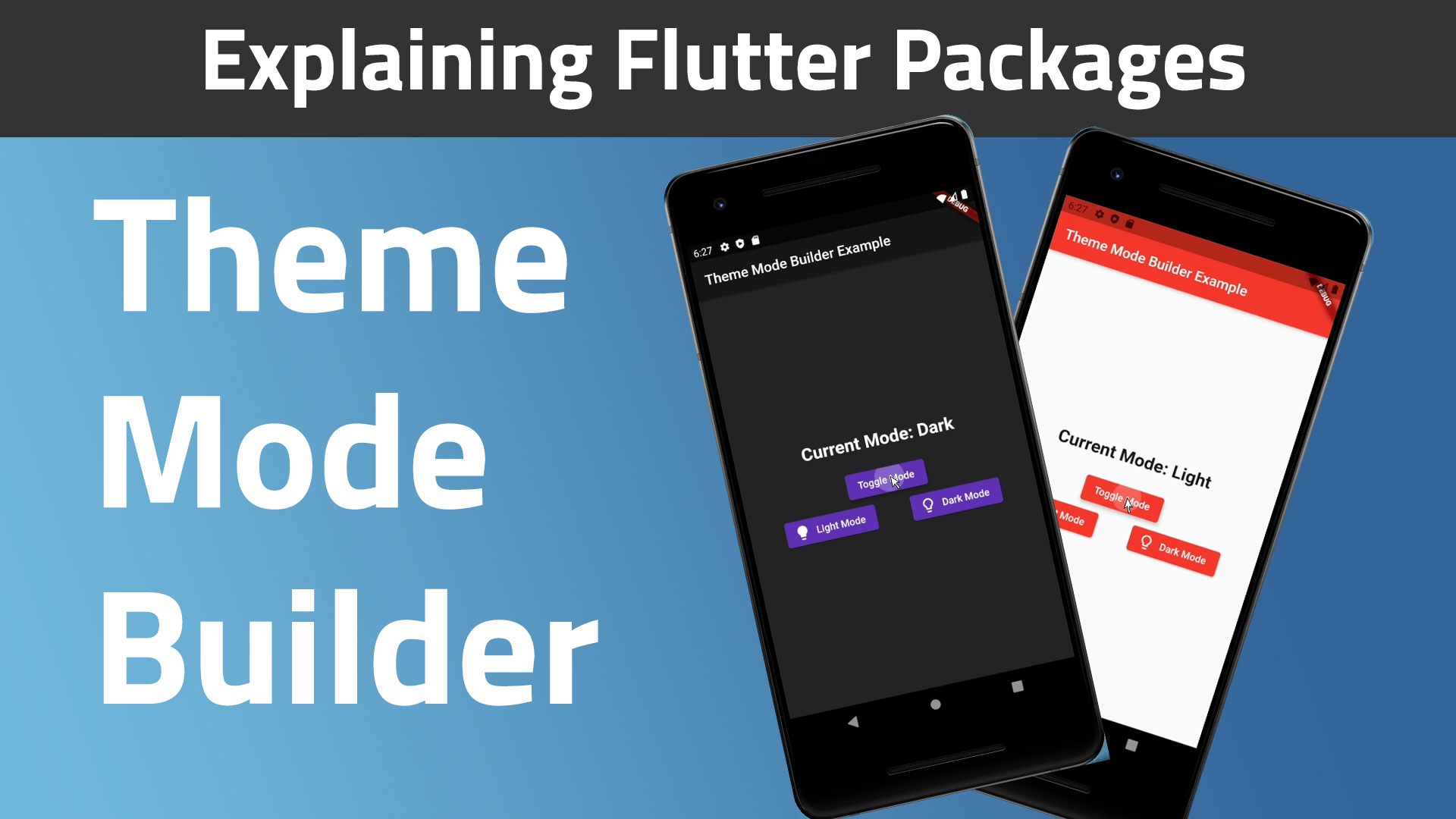
Flutterパッケージで、アプリ内のテーマ管理を簡素化し、ライトモードとダークモードの間でのスムーズな切り替えを可能にします。共有設定と統合されており、アプリ再起動後もユーザーのテーマ選択を保持し、一貫した体験を確保します。ボイラープレートコードなしでテーマカスタマイズを簡単に実装したい開発者向けに設計されています。Android、iOS、macOS、Windows、Linuxなど複数のプラットフォームをサポートしています。

用途

  • ライトモードとダークモードの切り替えの実装
  • ユーザーのテーマ設定を保持する
  • ダイナミックなテーマを使用して応答性のあるUIを構築する
  • アクセシブルなアプリインターフェースの作成
  • ユーザーがカスタマイズ可能な外観設定を有効にする

主な機能

  • 共有設定を介した自動テーマの永続化
  • テーマ状態管理のためのシンプルな API
  • クロスプラットフォーム互換性
  • ライトモードとダークモードの両方をサポート
  • 既存のFlutterプロジェクトとの簡単な統合

適している対象

  • テーマカスタマイズを備えたアプリを開発する開発者
  • 永続的なユーザー設定を必要とするアプリ
  • 複数のプラットフォームをターゲットにするプロジェクト
  • UI中心のアプリケーション
  • テーマ設定を最小限に抑えたいチーム

注意事項

  • shared_preferences への依存が必要です
  • ライト/ダークモードのみに制限
  • 複雑なテーマ変種に対応するための追加ロジックが必要になる可能性があります
  • 高度なテーマシステムには適していません
  • アプリ起動時の適切な初期化に依存する

元の README

関連するソースリポジトリの README 原文のスナップショットです。最新の内容はリポジトリをご覧ください。

Theme Mode Builder 🚀

Pub Version GitHub GitHub Issues GitHub Pull Requests

I created this package to help standardize my apps way of theme handling.

Web Demo: https://theme-mode-builder.netlify.app/

Features:
  • 🚀 Cross platform: mobile, desktop, browser
  • ❤ Simple, powerful, intuitive API
  • 🛡 Null Safety
  • 🔋 Batteries included

📚 How to Use

Table of contents
  1. Video
  2. Guide
Video: (A bit outdated, for v0.0.3)

Guide:

First run the initialization which is asynchronous so you will need to change the return type of your main() method from void to Future<void>:

Future<void> main() async {
  /// ensure widgets are initialized
  WidgetsFlutterBinding.ensureInitialized();

  /// initialize theme mode builder
  await ThemeModeBuilderConfig.ensureInitialized();

  /// Runs the app :)
  runApp(MyCoolApp());
}

Then just wrap your MaterialApp widget with the ThemeModeBuilder and return the MaterialApp widget from the builder. The builder gives you two arguments, builder: (BuildContext context, ThemeMode themeMode) {}. Pass the themeMode to themeMode on your MaterialApp.

Now this code below explains better than I do 🙈🚀😂:

import "package:flutter/material.dart";
import "package:theme_mode_builder/theme_mode_builder.dart";

class MyCoolApp extends StatelessWidget {
  @override
  Widget build(BuildContext context) {
    return ThemeModeBuilder(
      builder: (BuildContext context, ThemeMode themeMode) {
        return MaterialApp(
          title: "My Cool App",

          /// here is the `themeMode` passed form the `builder`
          themeMode: themeMode,
          theme: ThemeData(
            colorScheme: ColorScheme.fromSeed(
              brightness: Brightness.light,
              seedColor: Colors.red,
            ),

            /// put your light theme data here
          ),
          darkTheme: ThemeData(
            colorScheme: ColorScheme.fromSeed(
              brightness: Brightness.dark,
              seedColor: Colors.deepPurple,
            ),

            /// put your dark theme data here
          ),
          home: Home(),
        );
      },
    );
  }
}
If you want to change the themeMode you just call:
await ThemeModeBuilderConfig.toggleTheme();

And the theme will change instantly given you followed the steps above correctly 🎉.

Want more customization?

To change to dark mode:

await ThemeModeBuilderConfig.setDark();

To change to light mode:

await ThemeModeBuilderConfig.setLight();

To change to system mode:

await ThemeModeBuilderConfig.setSystem();
To get the theme mode you can run:
final ThemeMode themeMode = ThemeModeBuilderConfig.getThemeMode();
Finally, To check if the current theme is dark or not, you use this simple call:
final bool isDarkTheme = ThemeModeBuilderConfig.isDarkTheme();

カテゴリー

依存関係

依存関係一覧 4 件

ソースリポジトリ

このパッケージを使用しているプロジェクト